
1. Entwodiksyon
This manual provides essential information for setting up, operating, and maintaining your Thrustmaster T98 Ferrari 296 GTB Racing Wheel and Pedal Set. Designed for an immersive driving simulation experience, this racing wheel and pedal set is compatible with Xbox Series X|S, Xbox One, and PC. Please read this manual carefully before use and retain it for future reference.
2. Enstalasyon
2.1. Debale ak Konpozan
Retire tout konpozan yo nan anbalaj la avèk prekosyon. Asire w ke atik sa yo la:
- Volan kous Thrustmaster T98 Ferrari 296 GTB
- Set pedal
- Clamping System (pre-attached or separate)
- USB Koneksyon Kab
2.2. Monte volan kous la
The racing wheel features a tool-free clamping system for easy and secure attachment to a desk or table. The clamping system can accommodate surfaces up to approximately 1.8 inches (4.5 cm) thick.
- Place the racing wheel on a flat, stable surface.
- Ajiste cl laamping screw until the wheel is firmly secured to the surface.

2.3. Konekte seri pedal la
Connect the pedal set to the racing wheel using the dedicated cable. Ensure the connection is secure.

2.4. Connecting to Console or PC
Connect the racing wheel to your gaming system using the provided USB cable. The device is plug-and-play, requiring no additional software for basic functionality on supported platforms.
2.4.1. Xbox Series X|S / Xbox One
- Plug the USB cable from the racing wheel into an available USB port on your Xbox console.
- The console should automatically detect the device.
2.4.2. PC (Windows)
- Plug the USB cable from the racing wheel into an available USB port on your PC.
- The PC should automatically install necessary drivers.
- For optimal performance and customization, visit the Thrustmaster support website to download the latest drivers and firmware.
2.5. Seleksyon mòd
The racing wheel may feature a mode switch to select between console and PC compatibility. Refer to the indicators on the wheel to ensure the correct mode is selected for your platform.
3. Operating the Racing Wheel
3.1. Kontwòl debaz yo
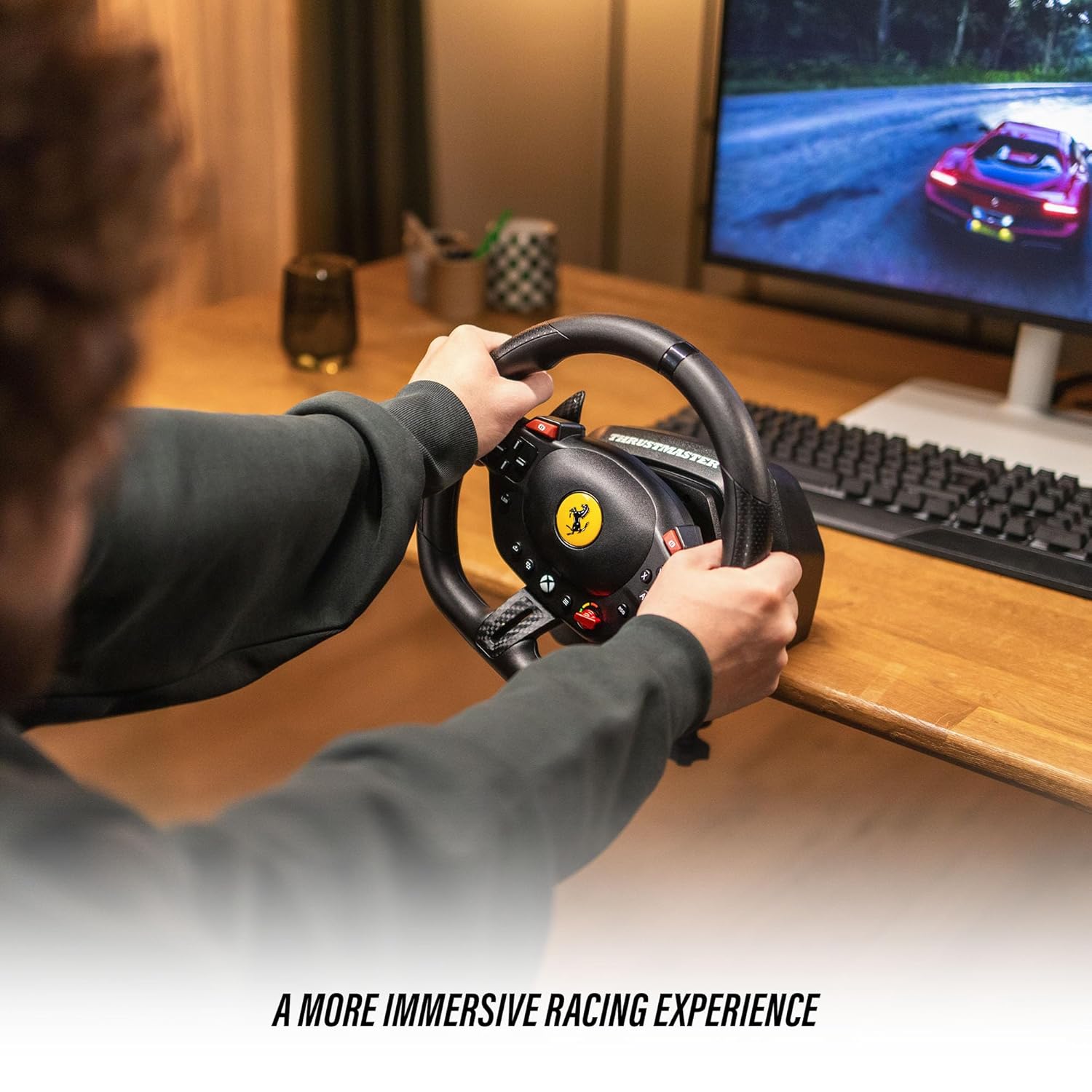
The T98 Racing Wheel is equipped with 16 action buttons, a D-pad, and paddle shifters for comprehensive control during gameplay.
- Volan: Provides 240° rotation for precise steering control. Features smooth resistance and automatic centering for a realistic driving feel.
- Chanjman vitès palèt: Located behind the wheel for quick gear changes.
- Bouton aksyon: Mimic standard controller buttons for in-game actions.
- D-Pad: For menu navigation and specific in-game functions.
3.2. Driving Profiles (Manettino Selector)
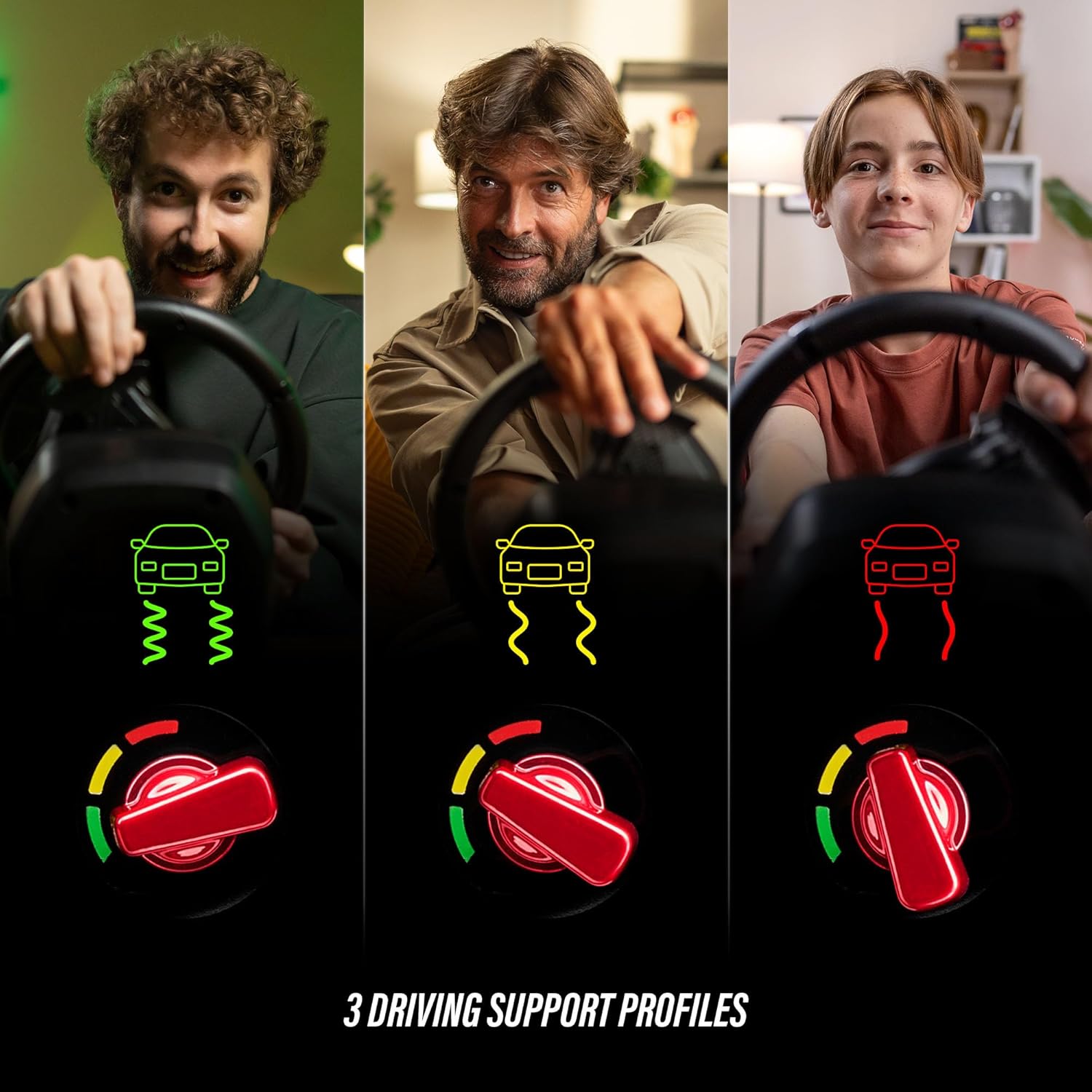
The Ferrari-inspired Manettino selector on the wheel allows you to switch between three distinct driving profiles. Sa yo profiles adjust the wheel's response to suit different driving styles and game scenarios, offering varied levels of assistance or challenge.
3.3. Pedal Operation
The compact pedal set provides smooth and consistent input for acceleration and braking, utilizing Hall Effect sensor technology for precision.
- Pedal akseleratè: Controls in-game acceleration.
- Pedal fren: Controls in-game braking.
3.4. Konpatibilite jwèt la
The Thrustmaster T98 Ferrari 296 GTB Racing Wheel and Pedal Set is compatible with Xbox Series X|S, Xbox One, and Windows PC. It supports a wide range of racing simulation games, including titles like Forza Horizon 5, Forza Motorsport, EA Sports F1, Assetto Corsa Competizione, and more.

4. Antretyen
4.1. Netwayaj
To maintain the appearance and functionality of your racing wheel and pedal set, clean it regularly with a soft, dry cloth. Avoid using abrasive cleaners or solvents, as these can damage the surfaces.
4.2. Depo
When not in use, store the racing wheel and pedal set in a cool, dry place away from direct sunlight and extreme temperatures. If the clamping system is used, ensure it is securely fastened or removed and stored separately to prevent damage.
NAN. Depanaj
5.1. Wheel Not Detected
- Ensure all cables are securely connected to the racing wheel, pedal set, and gaming system.
- Try connecting the USB cable to a different port on your console or PC.
- Rekòmanse konsole ou oswa òdinatè w la.
- For PC users, ensure the latest drivers are installed from the Thrustmaster support websit.
5.2. Incorrect Button Mapping or Response
- Check in-game control settings to ensure the racing wheel is selected as the primary input device and buttons are mapped correctly.
- Verify the mode switch on the racing wheel is set to the correct platform (Xbox or PC).
- Update the wheel's firmware via the Thrustmaster support websit.
5.3. Pedals Not Responding
- Ensure the pedal set cable is firmly connected to the racing wheel.
- Test the pedals in a different game or on a different platform if possible.
6. Espesifikasyon
| Mak | Thrustmaster |
| Non modèl | T98 Ferrari 296 GTB |
| Nimewo Modèl | 4460297 |
| UPC / GTIN | 663296425195 |
| Aparèy konpatib | PC, Xbox One, Xbox Series S, Xbox Series X |
| Kalite kontwolè | Pedals, Steering Wheel |
| Koneksyon Teknoloji | USB |
| Karakteristik adisyonèl | Ergonomik |
| Kantite bouton | 16 |
| Platfòm pyès ki nan konpitè | Desktop, Konsole jwèt, Laptop |
| Dimansyon atik | 11.81 x 10.63 x 13.39 pous |
| Koulè | Nwa |
7. Garanti
This product is covered by a one-year manufacturer's warranty. Please retain your proof of purchase for warranty claims. For detailed warranty terms and conditions, refer to the official Thrustmaster websit oswa kontakte sipò kliyan.
8. Sipò
For further assistance, technical support, or to access updated drivers and firmware, please visit the official Thrustmaster support websit la. Ou kapab jwenn tou FAQ ak fowòm kominotè pou plis èd.