
Entwodiksyon
This manual provides detailed instructions for the setup, operation, and maintenance of your VELATEMOR Ink Screen Book Reader. Designed for portability and comfort, this device combines an e-ink display with multimedia capabilities to enrich your daily reading and listening.
Karakteristik pwodwi
- Better Reading Experience: Equipped with a 2.7-inch touchscreen electric ink display, this e-reader delivers a paper-like reading experience. It supports backlight adjustment for comfortable reading in various lighting conditions.
- Multifunctional Entertainment Hub: Combines e-book reading, music playback, and Bluetooth connectivity. Enjoy both reading and music on the go, with lyrics synchronization for an enhanced musical experience.
- Pwolonje lavi batri: A built-in 400mAh battery offers up to 30 hours of continuous use, ensuring long periods of enjoyment for books and music during travel or daily commutes.
- Smart and Practical Tools: Includes a calendar, alarm clock, and calculator for added daily convenience and personalized efficiency.
- Ample Storage Support: Supports up to 128GB of external memory card expansion, allowing for a vast collection of e-books and music files without storage concerns.
Ki sa ki nan bwat la
- VELATEMOR Ink Screen Book Reader
- USB Chaje Kab
- Manyèl Itilizatè (dokiman sa a)

Enstalasyon
1. Chaje Aparèy la
Before first use, fully charge your device using the provided USB cable. Connect the small end of the USB cable to the device's USB-C port and the other end to a compatible USB power adapter (not included) or a computer's USB port.
2. Power On/Off
- Pou limen: Peze epi kenbe bouton pouvwa a ki sitiye sou kote aparèy la jiskaske ekran an aktive.
- Pou etenn: Press and hold the power button until a power-off option appears on the screen. Select 'Power Off'.
- Mòd dòmi: A short press of the power button will put the device into sleep mode, conserving battery. Press again to wake.

3. Initial Setup (Language & Wi-Fi)
- Upon first power-on, you will be prompted to select your preferred language.
- Connect to a Wi-Fi network to access online features and download content. Navigate to 'Settings' and select 'Wi-Fi' to choose your network and enter the password.
Enstriksyon Operasyon
1. Navigasyon debaz
- Ekran tactile: The 2.7-inch touchscreen allows for intuitive navigation through menus and content.
- Bouton pou vire paj: Use the physical buttons on the side of the device to turn pages while reading.
2. Reading E-books
- Ouvèti Liv: From the main screen, tap on the 'Books' icon to view your library. Select a book to open it.
- Adjusting Font Size: While reading, use a pinch-to-zoom gesture on the touchscreen to increase or decrease the font size for optimal comfort.
- Ajisteman ekleraj dèyè: Access the quick settings menu (usually by swiping down from the top of the screen or a dedicated button) to adjust the backlight intensity.
3. Telechaje Kontni
- Project Gutenberg App: The device includes a pre-installed Project Gutenberg app, offering access to a vast library of free e-books in the public domain. Ensure Wi-Fi is connected to browse and download.
- Computer Transfer: Connect the device to your computer using the USB cable. The device will appear as a removable storage drive, allowing you to transfer e-book files dirèkteman.
4. Odyo lèktur
- Koneksyon Bluetooth: Pair your Bluetooth headphones or speakers via the 'Settings' menu to listen to audiobooks or music wirelessly.
- Kas ekoutè Jack: The device features a 3.5mm headphone jack for wired audio listening.
- Lektur Mizik: Use the built-in music player to enjoy your audio files. The device supports lyrics synchronization.
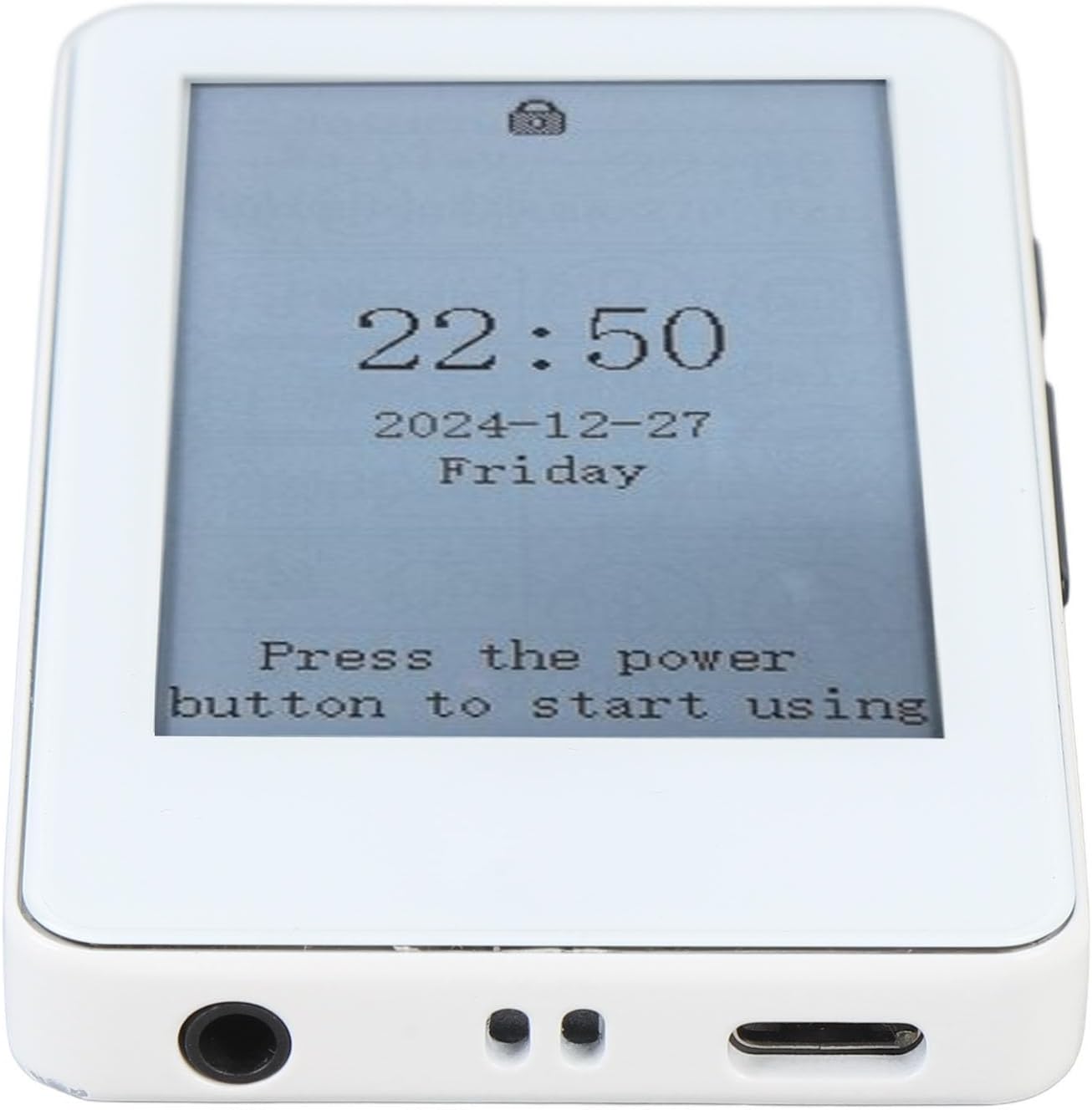
5. Smart Features
Access the 'App' section to utilize practical tools such as the calendar, alarm clock, and calculator.
Antretyen
- Netwayaj: Use a soft, dry, lint-free cloth to clean the screen and body of the device. Avoid abrasive cleaners or solvents.
- Depo: Sere aparèy la nan yon kote ki fre epi sèk, lwen limyè solèy dirèk ak tanperati ekstrèm.
- Swen batri: Pou pwolonje lavi batri a, evite dechaje aparèy la nèt souvan. Chaje l regilyèman, menm si w pa itilize l tout tan.
Depanaj
- Aparèy pa reponn: If the device becomes unresponsive, press and hold the power button for 10-15 seconds to perform a hard reset.
- Pa ka konekte ak Wi-Fi: Ensure your Wi-Fi password is correct and the device is within range of the network. Try restarting both the device and your Wi-Fi router.
- Pwoblèm ekspozisyon ekran: If the e-ink display shows ghosting or artifacts, perform a full screen refresh (often triggered automatically during page turns or can be manually initiated in settings).
Espesifikasyon
| Karakteristik | Spesifikasyon |
|---|---|
| Mak | VELATEMOR |
| Non modèl | VELATEMORxhdr83k45g |
| Teknoloji ekspozisyon | Lank elektwonik |
| Gwosè ekran | 2.7 pous |
| Kapasite Depo memwa | 128 GB (ka ogmante) |
| Pwa atik | 4.9 ons |
| Dimansyon pake | 5.51 x 3.15 x 1.57 pous |
| Lavi batri | Jiska 30 èdtan (400mAh) |
| Sipòte File Fòma | RM (and other common e-book formats) |
Garanti ak sipò
For warranty information and customer support, please refer to the documentation provided at the time of purchase or visit the official VELATEMOR websit la. Kenbe prèv acha ou a pou nenpòt reklamasyon garanti.