Entwodiksyon
This manual provides detailed instructions for the setup, operation, and maintenance of your Lotus Smartwatch 50050/4. Please read this manual thoroughly before using your device to ensure proper functionality and to maximize its features.
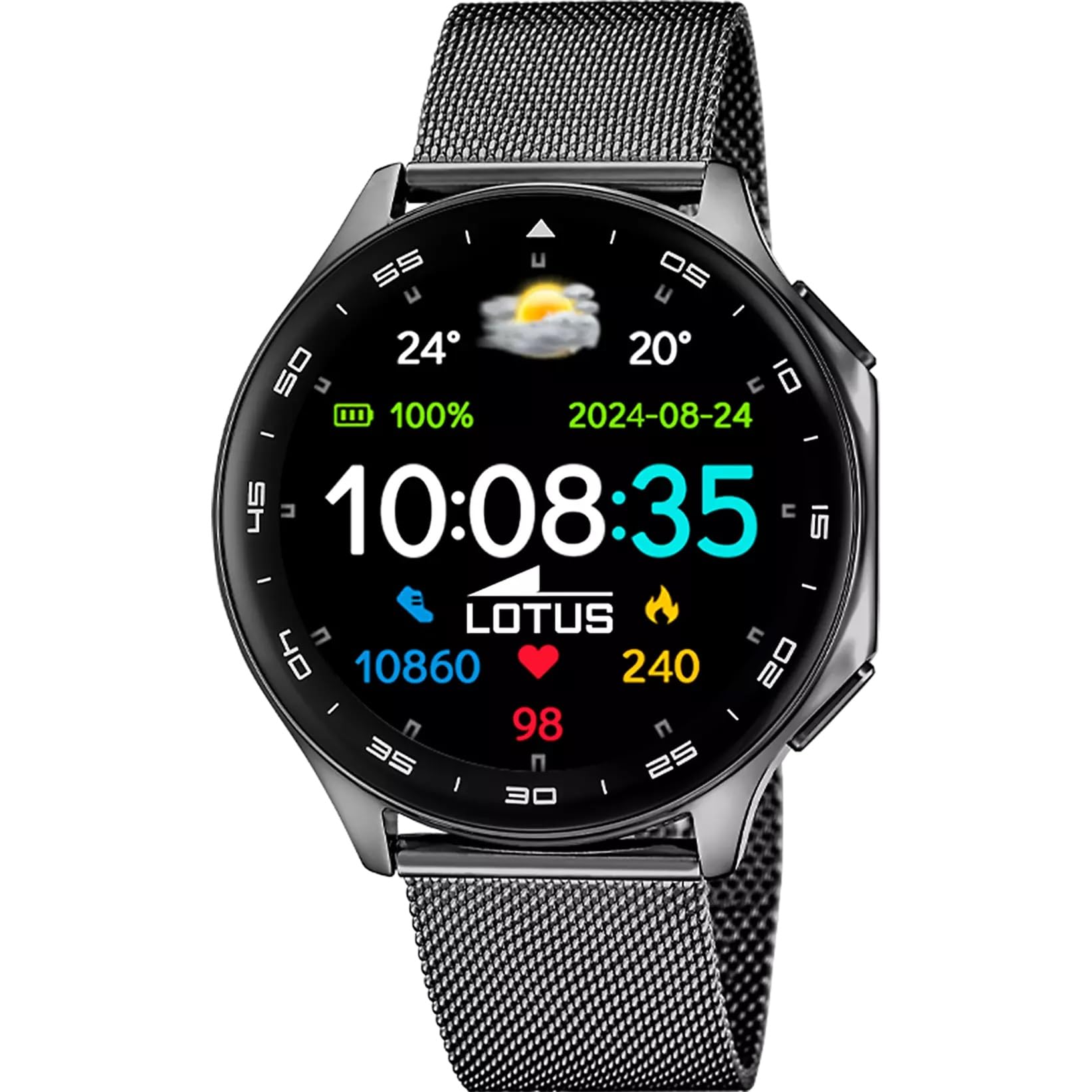
The Lotus Smartwatch 50050/4 is an outdoor sports watch designed for active lifestyles. It features a durable zinc alloy case, a black Milanese steel mesh strap, and a digital display. The watch offers a range of functions including sports tracking, health monitoring, and smart notifications.
Ki sa ki nan bwat la
- Lotus Smartwatch 50050/4
- Chaje kab
- Manyèl Itilizatè (dokiman sa a)
- Lòt Mare
Enstalasyon
1. Chaje mont entelijan an
Before initial use, fully charge your smartwatch. Connect the charging cable to the charging port on the back of the watch and plug the other end into a USB power adapter (not included) or a computer's USB port. The watch display will indicate charging status.
Nòt: Use a standard 5V/1A USB charger. Overcharging or using incompatible chargers may damage the device.
2. Powering On / Off
- Pou limen: Press and hold the side button for a few seconds until the Lotus logo appears.
- Pou etenn: Peze epi kenbe bouton bò a, answit chwazi "Etenn" sou ekran an.
3. Enstalasyon ak koneksyon aplikasyon an
To unlock the full potential of your smartwatch, download the official Lotus Smartwatch application on your smartphone. The app is compatible with Android devices.
- Chèche pou the "Lotus Smartwatch" app in your smartphone's app store (Google Play Store for Android).
- Enstale aplikasyon an.
- Louvri app a epi swiv enstriksyon ki sou ekran an pou kreye yon kont oswa konekte.
- Pèmèt Bluetooth sou smartphone ou.
- In the app, navigate to the device pairing section and select your Lotus Smartwatch 50050/4 from the list of available devices.
- Konfime demann koneksyon an sou tou de smartphone ou ak smartwatch la.
Yon fwa li konekte, mont lan ap senkronize lè, dat ak lòt paramèt ak telefòn entelijan ou an.
Enstriksyon Operasyon
Navigasyon debaz
- Ekran manyen: Swipe left, right, up, or down to navigate through menus and functions. Tap to select an item.
- Bouton bò: Press to return to the previous screen or to the watch face. Press and hold for power options.
Fonksyon kle
- Mòd espò: Access various sports modes (e.g., running, walking, cycling) to track your activity, including steps, calories burned, and distance.
- Siveyans Sante:
- Batman kè: Kontwole batman kè ou an tan reyèl.
- Oksijèn san: Mezire nivo oksijèn nan san ou.
- Suivi dòmi: Analyze your sleep patterns (deep sleep, light sleep, awake time).
- Egzèsis pou respire: Egzèsis respirasyon gide pou detant.
- Notifikasyon: Receive notifications for incoming calls, SMS messages, and app alerts directly on your watch. You can reject calls from the watch.
- Kontwòl Mizik: Kontwole lèktur mizik sou smartphone konekte ou a (jwe, pran poz, sote mizik).
- Tan: View kondisyon metewolojik aktyèl yo ak previzyon yo.
- Alam ak revèy: Set alarms, use the stopwatch, or set a countdown timer.
- Kamera Remote: Sèvi ak mont ou kòm yon deklanchè a distans pou kamera smartphone ou a.
- Video Calculator: Access a video calculator function.
- AI Voice Calculator: Utilize an AI voice-activated calculator.
- Chèche telefòn: Jwenn telefòn entelijan ou konekte a lè w fè l sonnen.
- Flach: Aktive ekran an kòm yon flach.
- Dial Customization: Change the watch face (dial) through the watch settings or the companion app.
- Mizajou mikrolojisyèl: Update the watch's software via the companion app to ensure optimal performance and access new features.
- Language, Time, and Date: Adjust these settings through the watch or the companion app.
Antretyen
Netwayaj ak Swen
- Siye ekran an ak kò mont lan ak yon twal mou, sèk, epi ki pa gen pousyè.
- Pou tach fè tèt di, yon ti kras dampRense twal la avèk dlo. Pa sèvi ak pwodui chimik ki agresif oswa materyèl abrazif.
- Asire w ke kontak chaj yo pwòp epi sèk anvan ou chaje yo.
Rezistans dlo (IP65)
The Lotus Smartwatch 50050/4 has an IP65 rating, meaning it is protected against dust ingress and low-pressure water jets from any direction. This rating indicates resistance to splashes and light rain. It is not suitable for swimming, showering, or submersion in water. Exposure to high-pressure water or prolonged submersion may cause damage.
Ranplasman senti
The watch comes with an additional strap. To replace the strap, locate the quick-release pins on the underside of the strap where it connects to the watch case. Slide the pin to detach the strap, then align the new strap and slide the pin back into place to secure it.
Depanaj
Gade a pa limen
- Asire w ke mont lan chaje nèt. Konekte l nan plato a pou omwen 30 minit.
- Eseye peze epi kenbe bouton bò a pandan 10-15 segonn pou fòse yon rekòmanse.
Pa ka konekte ak Smartphone nan
- Asire w ke Bluetooth aktive sou smartphone ou.
- Ensure the watch is within range of your smartphone (typically 10 meters).
- Rekòmanse tou de smartphone ou ak smartwatch la.
- Efase kach Bluetooth la sou telefòn entelijan ou an (si sa aplikab) epi eseye konekte ankò.
- Ensure the Lotus Smartwatch app is updated to the latest version.
Done Sante ki pa egzak
- Asire w ke mont lan byen sere sou ponyèt ou, men pa twò sere.
- Keep the sensor on the back of the watch clean and free from debris.
- Faktè anviwònman ak fizyoloji endividyèl ka afekte presizyon detèktè a.
Reset faktori
If you experience persistent issues, a factory reset may resolve them. This will erase all data on the watch and restore it to its original settings. Consult the watch's settings menu or the companion app for the factory reset option.
Espesifikasyon
| Nimewo Modèl | 50050/4 |
| Mak | Lotus |
| Gwosè ekspozisyon | 46.7 mm |
| Fòm | Round |
| Ka Materyèl | Zenk alyaj |
| Materyèl senti | Milanese Steel Mesh |
| Rezistans dlo | IP65 (Rezistan a pousyè ak ekla) |
| Koneksyon | Bluetooth |
| OS konpatib | Android (for companion app) |
| GPS | Non |
| Karakteristik espesyal | Advanced sport and health functions |
Garanti ak sipò
The Lotus Smartwatch 50050/4 comes with a 3-ane garanti from the date of purchase. This warranty covers manufacturing defects. It does not cover damage caused by misuse, accidents, unauthorized modifications, or failure to follow the instructions in this manual, including water damage beyond the specified IP65 rating.
For warranty claims or technical support, please contact your authorized Lotus retailer or visit the official Lotus websit entènèt pou jwenn enfòmasyon sou sèvis kliyan.
Règleman retounen: If purchased from Amazon, the product is subject to a 30-day return policy for refund or replacement, as per Amazon's terms.
Imaj pwodwi