
1. Entwodiksyon
This manual provides detailed instructions for the proper use and care of your Altec Lansing Nanophones ANC 2.0 Wireless Over-Ear Bluetooth Headphones. Please read this manual thoroughly before using the product to ensure optimal performance and longevity.

Image 1.1: Altec Lansing Nanophones ANC 2.0 in Silver.
2. Pake kontni
Verifye ke tout atik yo prezan nan pakè ou a:
- Altec Lansing Nanophones ANC 2.0 Wireless Over-Ear Headphones
- USB-C Chaje Kab
- 3.5mm Audio Kab
- Manyèl Itilizatè (dokiman sa a)

Image 2.1: Included USB-C charging cable and 3.5mm audio cable.
3. Pwodwi souview
Familiarize yourself with the headphone components and controls.
3.1 Headphone Features
- Anilasyon aktif bri (ANC): Redui bri anbyen pou yon eksperyans koute imersif.
- Konsepsyon pliable: Pèmèt pou depo kontra enfòmèl ant ak portabilite.
- Adjustable Headband & Soft Ear Cushions: Ensures a comfortable fit for extended wear.
- Mikwofòn entegre: Pou apèl men lib ak kòmandman asistan vwa.
- USB-C chaje: For fast and convenient power replenishment.
- Asistan vwa konpatibilite: Access Siri or Google Voice with ease.

Image 3.1: Key features of the Nanophones ANC 2.0 headphones.
3.2 Kontwòl ak Pò
Locate the following controls on your headphones:
- Bouton pouvwa: Limen/Etenn, Jwe/Pòz, Reponn/Fen apèl.
- Bouton Volim Monte/Pwochen Mizik: Peze yon ti kras pou ogmante volim, peze lontan pou pwochen mizik la.
- Bouton Diminye Volim/Mizik Presedan: Peze yon ti kras pou bese volim nan, peze lontan pou ale nan mizik anvan an.
- Bouton ANC: Activates/Deactivates Active Noise Cancellation.
- USB-C chaje pò: Pou konekte kab chaje a.
- 3.5mm Audio Jack: Pou koneksyon filaire.
- Endikatè ki ap dirije: Montre estati pouvwa, koneksyon, ak chaj.

Imaj 3.2: Kote view illustrating the location of controls and ports.
4. Enstalasyon
4.1 Chaje kas ekoutè yo
- Connect the small end of the USB-C charging cable to the USB-C port on the headphones.
- Connect the large end of the USB-C charging cable to a USB power source (e.g., wall adapter, computer USB port).
- The LED indicator will glow red during charging and turn off when fully charged.
- Yon chaj konplè pran apeprè 2-3 èdtan.
Nòt: Asire w ke kas ekoutè yo byen chaje anvan premye itilizasyon yo pou yon lavi batri optimal.
4.2 Limen/Etenyen
- Pou limen: Peze epi kenbe bouton pouvwa a pandan 3 segonn. Endikatè LED la ap flache an ble.
- Pou etenn: Peze epi kenbe bouton pouvwa a pandan 3 segonn. Endikatè LED la ap etenn.
4.3 Bluetooth Pairing
- Asire w ke kas ekoutè yo etenn.
- Press and hold the Power Button for 5-7 seconds until the LED indicator flashes red and blue alternately. This indicates pairing mode.
- Sou aparèy ou an (telefòn entelijan, tablèt, òdinatè), aktive Bluetooth epi chèche aparèy ki disponib yo.
- Select "Nanophones ANC 2.0" from the list of devices.
- Yon fwa li konekte, endikatè LED la ap flache ble dousman.
- Si yo mande w yon modpas, antre "0000".
Nòt: Kas ekoutè yo ap eseye otomatikman rekonekte ak dènye aparèy ki konekte a lè yo limen yo.
5. Operasyon Enstriksyon
5.1 Mizik lèktur
- Jwe/Poz: Kout peze bouton pouvwa a.
- Volim moute: Peze bouton Volim Monte a yon ti tan.
- Volim desann: Peze bouton Diminye Volim nan yon ti tan.
- Pwochen Track: Peze bouton Volim Monte a pandan lontan.
- Track Previous: Peze bouton Diminye Volim nan pandan lontan.
5.2 Apèl nan telefòn
- Reponn/Fen Apèl: Kout peze bouton pouvwa a.
- Rejte apèl: Long peze bouton pouvwa a.
- Recomposition Dènye Nimewo: Peze bouton pouvwa a de fwa.
5.3 Anilasyon aktif bri (ANC)
- Aktive ANC: Press the ANC Button. The ANC LED indicator will light up.
- Dezaktive ANC: Press the ANC Button again. The ANC LED indicator will turn off.
Nòt: Using ANC will reduce battery life. The headphones provide up to 20 hours of playtime with ANC active, and up to 30 hours without ANC.
5.4 Asistan Vwa
- Aktive Asistan Vwa: Triple-press the Power Button to activate Siri or Google Voice (depending on your connected device).
- You can then issue commands through the headphone's microphone.
5.5 Koneksyon branche
- Insert one end of the 3.5mm audio cable into the headphone's audio jack.
- Insert the other end into your audio device's 3.5mm output.
- The headphones can be used in wired mode even if the battery is depleted.
6. Antretyen
6.1 Netwayaj
- Siye kas ekoutè yo ak yon twal mou epi sèk.
- Pa sèvi ak pwodui netwayaj abrazif, alkòl, oswa solvan chimik.
- Evite ke imidite antre nan nenpòt ouvèti.
6.2 Depo
- Sere kas ekoutè yo nan yon kote ki fre epi sèk, lwen tanperati ekstrèm.
- When not in use, fold the headphones to protect them and save space.
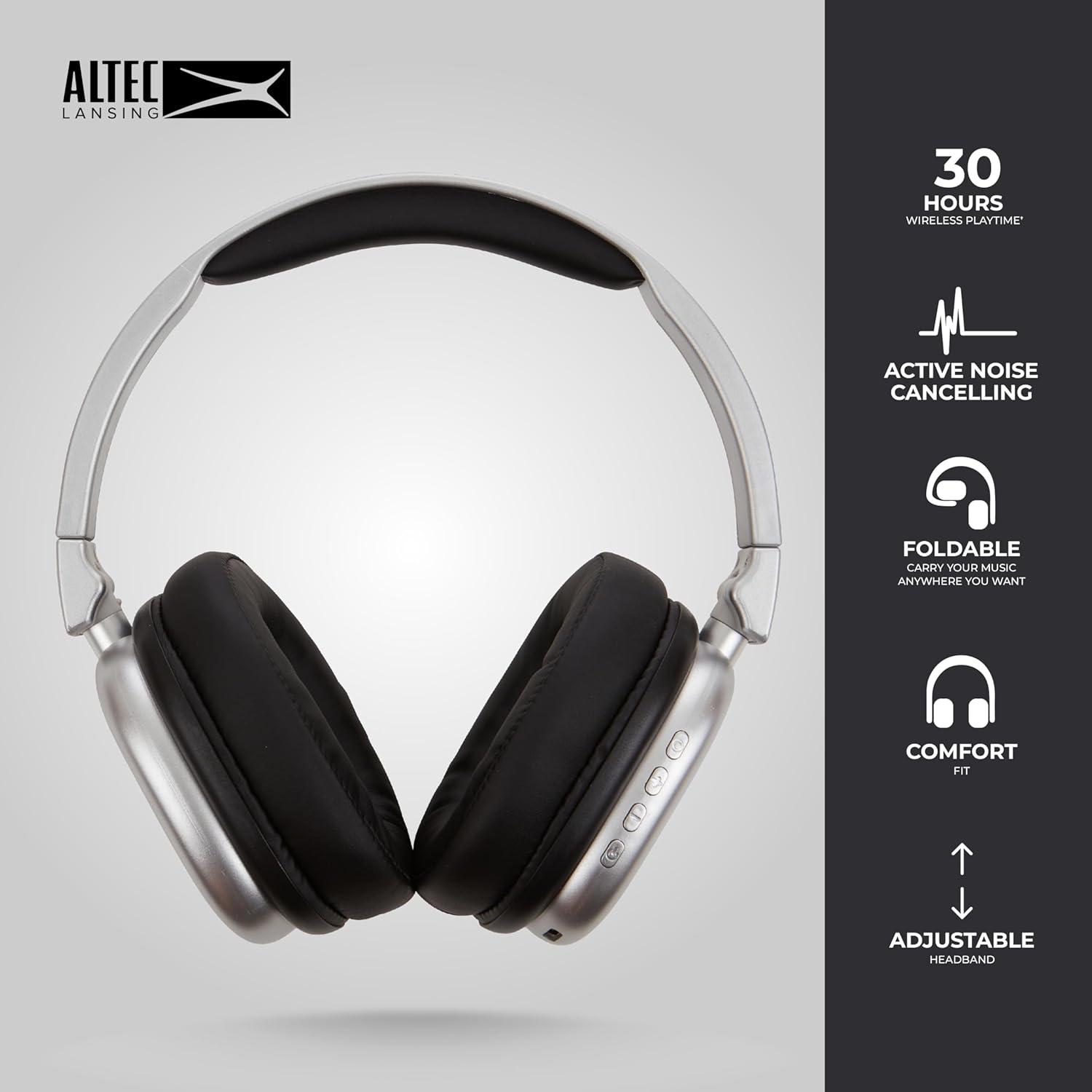
Image 6.1: The foldable design aids in compact storage.
NAN. Depanaj
| Pwoblèm | Solisyon |
|---|---|
| Kas ekoutè yo pa limen. | Asire w ke kas ekoutè yo chaje. Konekte yo ak yon sous kouran avèk kab USB-C a. |
| Pa ka konekte atravè Bluetooth. |
|
| Pa gen son oswa volim nan ba. |
|
| Active Noise Cancellation not working. | Ensure the ANC button has been pressed and the ANC LED indicator is lit. |
8. Espesifikasyon
| Non modèl | Nanophones ANC 2.0 |
| Nimewo Modèl | MZX5501-MSIL-STK-6 |
| Mak | Altec Lansing |
| Koneksyon | Wireless (Bluetooth 4.1), Wired (3.5mm) |
| Plasman Zòrèy | Sou-zòrèy |
| Kontwòl bri | Anile aktif bri |
| Lavi batri | Up to 30 hours (wireless), Up to 20 hours (with ANC) |
| Port chaje | USB-C |
| Kalite chofè odyo | Dynamic Driver (1.5" Neodymium) |
| Gamme frekans | 20Hz - 20,000Hz |
| Pwa | 7.05 ons |
| Materyèl | Plastik |
9. Garanti ak sipò
9.1 Garanti manifakti
This product is covered by a manufacturer's warranty. Please refer to the warranty card included in your package or visit the official Altec Lansing websit la pou wè tèm ak kondisyon garanti detaye yo.
9.2 Sipò pou Kliyan
For technical assistance, troubleshooting, or product inquiries, please contact Altec Lansing customer support through their official websit la oswa enfòmasyon kontak ki nan anbalaj pwodwi ou a.
Websit: www.alteclansing.com