
1. Entwodiksyon
This manual provides essential information for setting up, operating, and maintaining your SVITOO 10-inch Android Tablet. Please read through these instructions carefully to ensure optimal performance and longevity of your device. This tablet is designed for a wide range of uses, from entertainment and learning to productivity, featuring an advanced Android 16 operating system and robust hardware.
2. Ki sa ki nan bwat la
Upon unboxing your SVITOO tablet, please verify that all the following items are included:
- Tablet (SVITOO 10-inch Android Tablet)
- Protective Cover Case with Magnetic Bracket
- USB-C Chaje Kab
- Manyèl Itilizatè (dokiman sa a)
- Bwat kado (anbalaj)
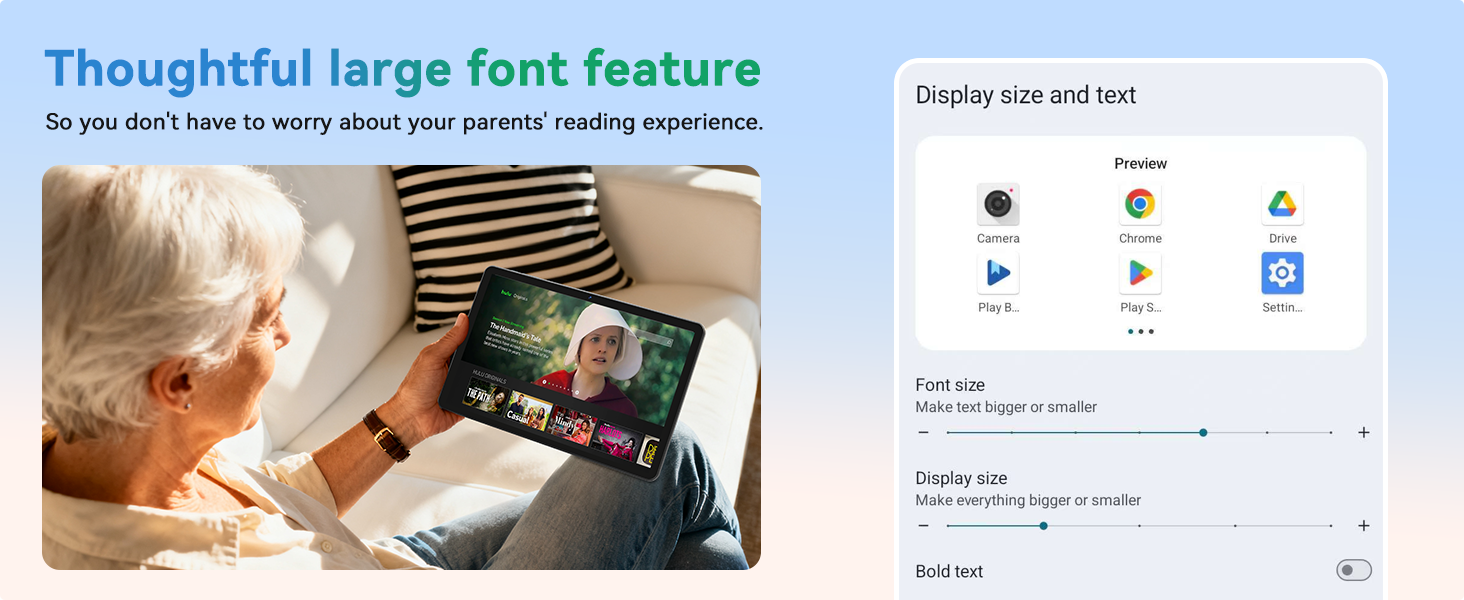
Image: Contents of the SVITOO 10-inch Android Tablet packaging, showing the tablet, protective case, USB-C charging cable, and user manual.
Video: An unboxing video demonstrating the contents of the SVITOO 10-inch Android Tablet package, including the tablet, protective case, and charging accessories.
3. Enstalasyon
- Chaje tablèt la: Before first use, fully charge the tablet using the provided USB-C cable and power adapter. Connect the USB-C cable to the tablet's charging port and the adapter to a power outlet.
- Pouvwa sou: Press and hold the Power ON/OFF button located on the top edge of the tablet until the screen lights up.
- Inisyal Enstalasyon Sòsye: Swiv enstriksyon ki sou ekran an pou konplete konfigirasyon inisyal la. Sa anjeneral gen ladan l:
- Chwazi lang ou.
- Konekte nan yon rezo Wi-Fi.
- Signing in with your Google account (or creating a new one).
- Setting up screen lock (PIN, pattern, or facial recognition).
- Install MicroSD Card (Optional): If you wish to expand storage, insert a MicroSD card (up to 1TB, sold separately) into the dedicated slot on the side of the tablet.

Imaj: Yon imaj detaye view of the SVITOO tablet's side, highlighting the USB-C port, headphone jack, volume buttons, power button, and MicroSD card slot.
Video: A demonstration of the SVITOO tablet's features, including its responsive touchscreen and pre-installed Google apps, showcasing the ease of initial setup and navigation.
4. Operasyon Enstriksyon
4.1 Navigasyon debaz
- Jès ekran taktil: Tape pou chwazi, glise pou defile, pense pou agrandi.
- Ekran Kay: Access your apps and widgets. Swipe left or right to navigate between screens.
- Notifikasyon: Glise desann soti nan tèt ekran an pou view notifikasyon ak paramèt rapid.
- Aplikasyon ki sot pase yo: Tap the square (Recent Apps) button to view epi chanje ant aplikasyon ou te itilize dènyèman yo.
4.2 Multitach sou ekran divize
The tablet supports split-screen mode for using two applications simultaneously:
- Open the first app you wish to use.
- Tap the square (Recent Apps) button.
- Tap the app icon at the top of one of the windows.
- Select "Split screen" from the menu.
- Choose the second app to open alongside the first.

Image: A visual guide demonstrating the steps to activate and use the split-screen dual-mode display feature on the SVITOO tablet.
4.3 Kontwòl paran yo
Utilize Google Family Link for parental controls to manage device usage and app access for children:
- Set screen time limits.
- Block harmful apps and websit.
- Approve or deny app downloads.
- Track your child's location.
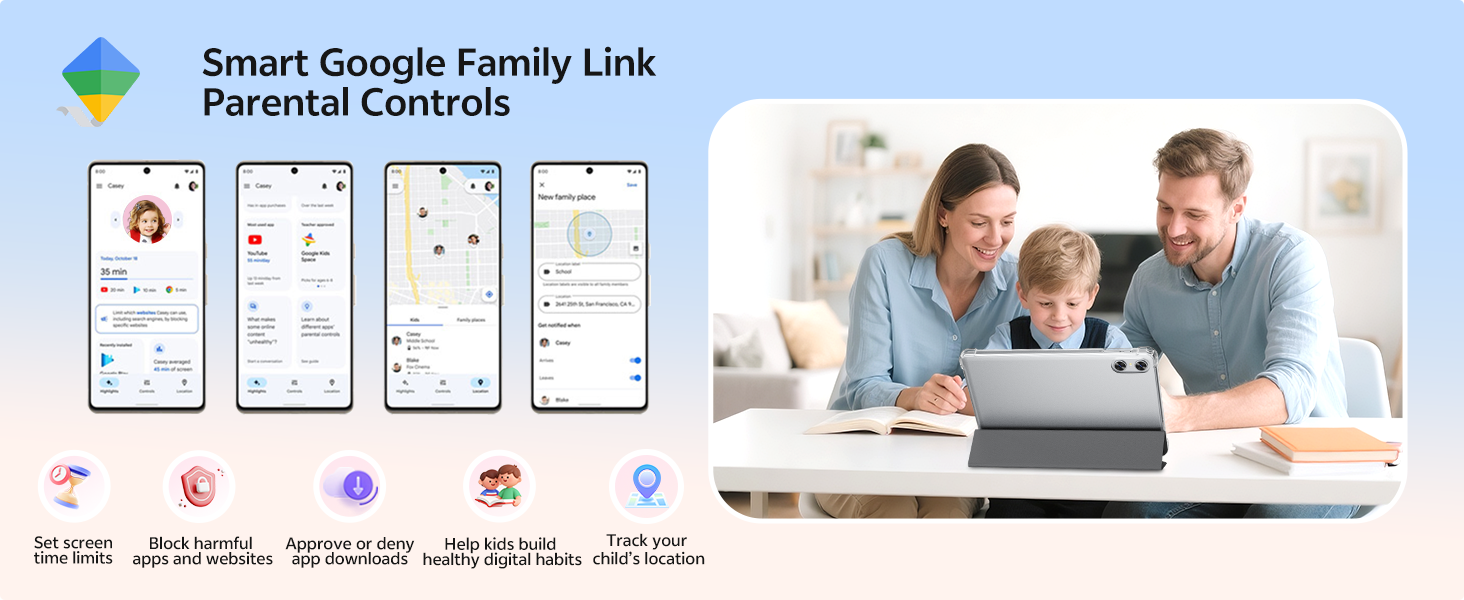
Image: An illustration of the Smart Google Family Link Parental Controls interface, showing various options for managing a child's tablet usage.
4.4 Mòd Pwoteksyon Je Lannwit
Activate Night Mode for a better reading experience and reduced eye strain, especially in low-light conditions. This feature adjusts screen colors to warmer tones.
4.5 Degaje figi
Configure facial recognition technology for quick and secure unlocking of your device. This can be set up in the Security settings.
5. Karakteristik kle
5.1 Ekspozisyon ak Vizyèl
- 10.1-inch HD IPS Display: Enjoy crisp visuals with a 1280 x 800 resolution and a 16:10 aspect ratio, providing a wide field of view ak koulè vibran.
- Widevine L1 Certification: Supports HD streaming on platforms like Netflix, Prime Video, Disney+, and Hulu.

Image: The SVITOO 10.1-inch HD IPS screen showcasing vibrant colors and clear detail, with logos of streaming services like YouTube, Disney+, Prime Video, Hulu, and Netflix, indicating Widevine L1 support.
Videyo: Yon analiz konplèview of the SVITOO Android Tablet, highlighting its 10-inch display, octa-core processor, and expandable storage, demonstrating its suitability for various tasks.
5.2 Pèfòmans ak Depo
- Processeur Octa-core: Equipped with a Unisoc T7250 octa-core CPU (or T606 in some variants), ensuring smooth multitasking and efficient performance.
- 20GB RAM (4GB + 16GB): Ample memory for running multiple applications without lag.
- 128GB Depo Entèn: Generous storage for apps, media, and documents.
- 1TB MicroSD Expandable: Expand storage up to 1TB using a MicroSD card (sold separately).
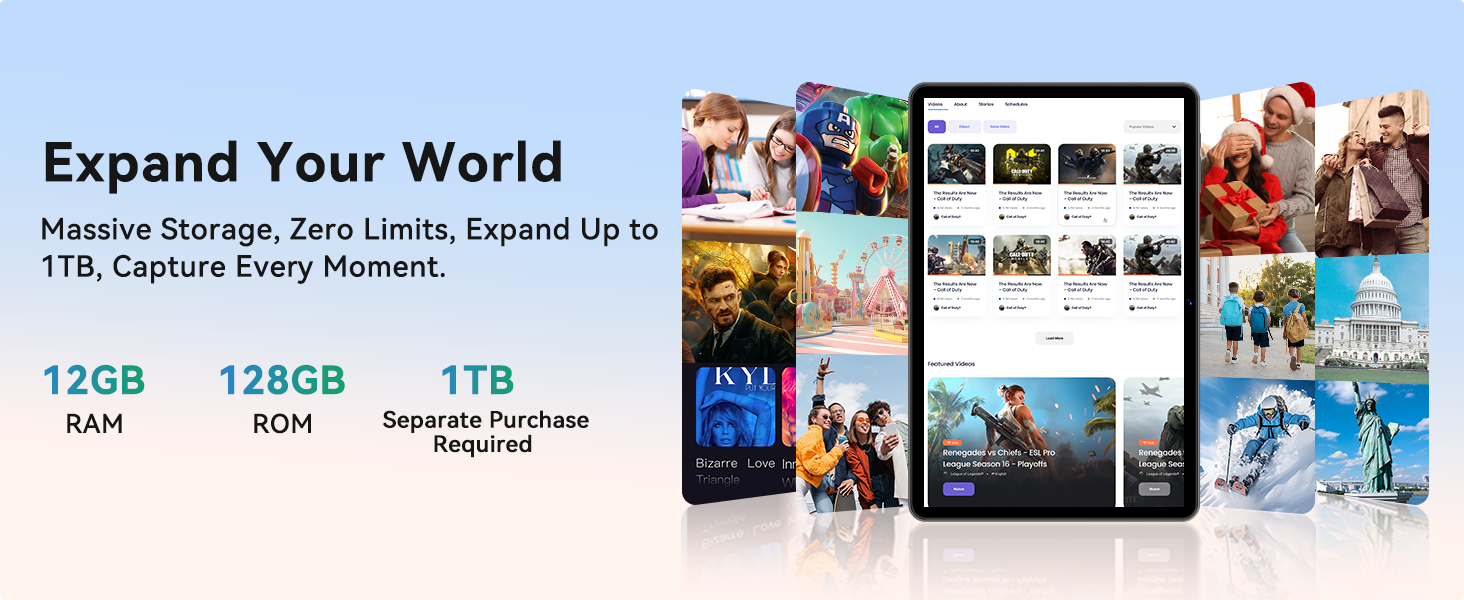
Image: A graphic detailing the SVITOO tablet's memory and storage, showing 12GB RAM, 128GB ROM, and 1TB expandable storage (MicroSD card sold separately).
5.3 Connectivity and Battery
- Wi-Fi Doub Band: Supports 2.4/5 GHz Wi-Fi bands for stable and fast internet connections.
- Bluetooth 5.0: Enables seamless pairing with external devices like speakers and headphones.
- 6600mAh gwo-kapasite batri: Provides extended usage for entertainment, work, and learning, with up to 12 hours of video playback or browsing, and 56 days of standby.
- GPS entegre: For reliable navigation and location tracking.
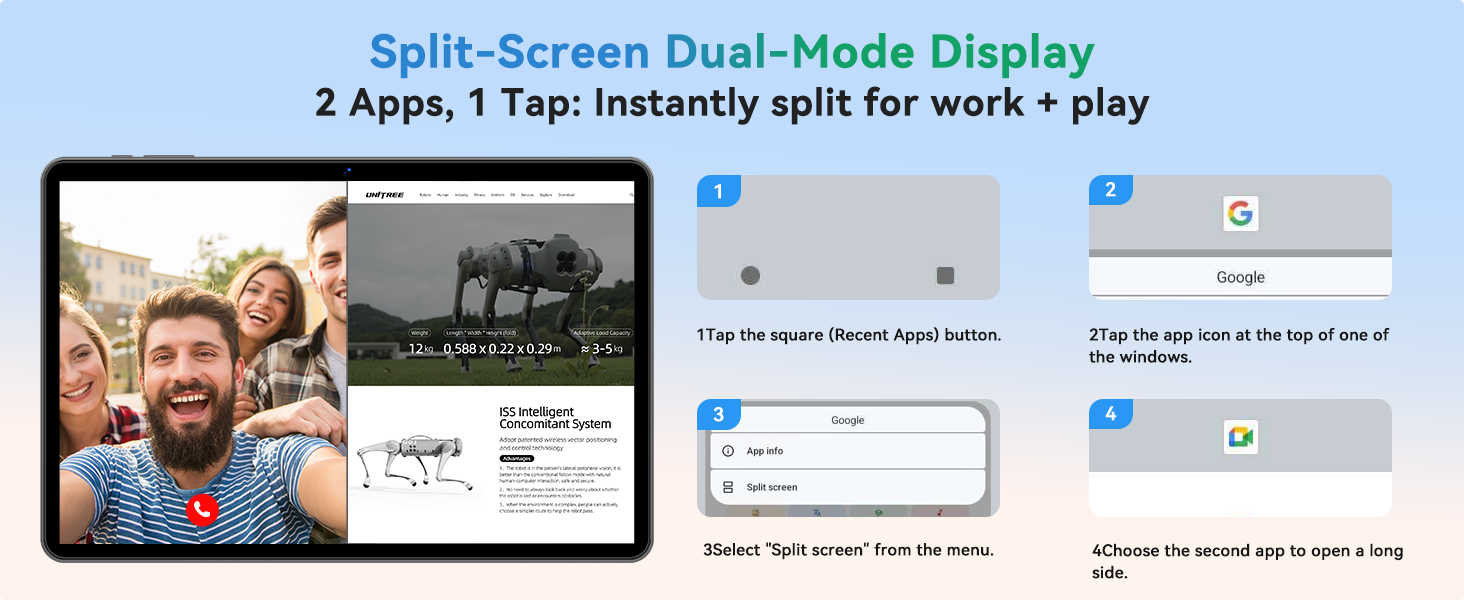
Image: An infographic highlighting the SVITOO tablet's 6600mAh battery, showing estimated usage times for video, music, and browsing, along with Type-C charging and Night Mode features.
5.4 Kamera ak Odyo
- Kamera dèyè: 8MP with autofocus for high-quality photos and videos.
- Kamera devan: 2MP for clear video calls and selfies.
- Dual-Box Speakers: Provides enhanced audio experience.
- 3.5mm Audio Jack: For wired headphone connections.
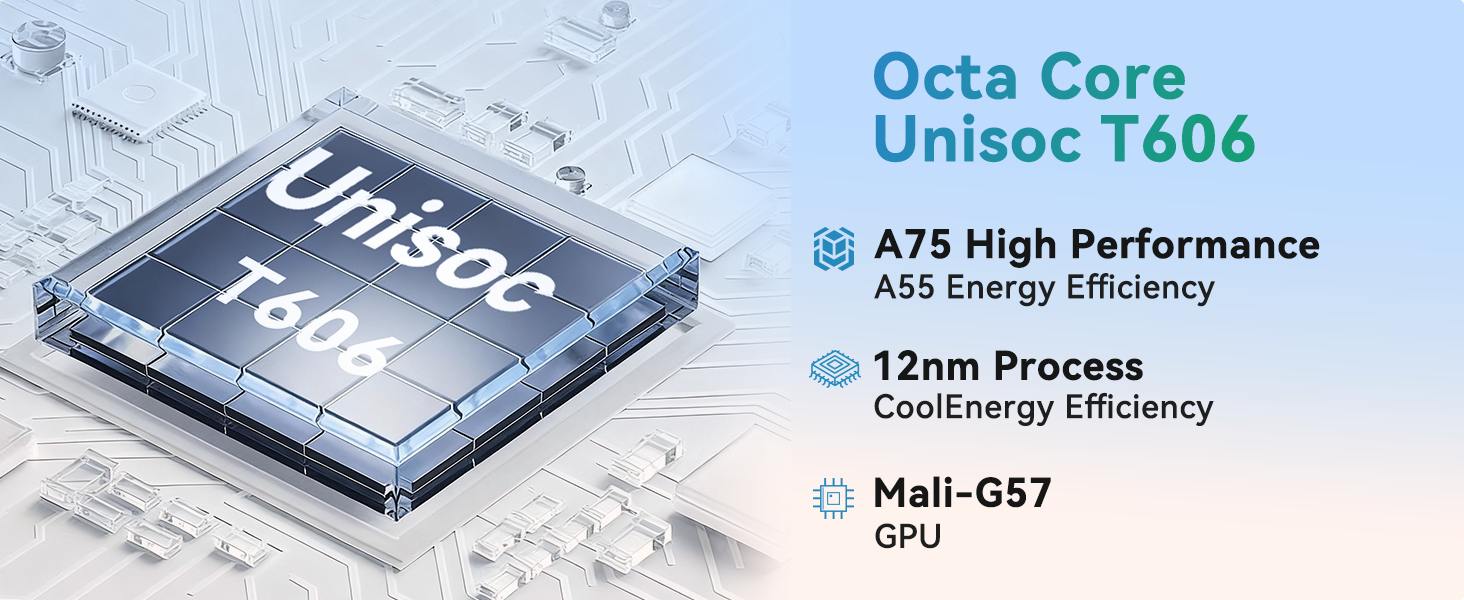
Image: A visual representation of the SVITOO tablet's camera capabilities, featuring a 2MP front camera and an 8MP rear camera, alongside the Smart Google Lens and Face Unlock features.
6. Antretyen
- Netwayaj: Sèvi ak yon twal mou ki pa gen pousyè pou netwaye ekran an ak kò a. Evite pwodui netwayaj abrazif oswa solvan.
- Mizajou lojisyèl: Tcheke epi enstale mizajou sistèm yo regilyèman pou asire pèfòmans ak sekirite optimal. Ale nan Anviwònman > Sistèm > Mizajou sistèm.
- Swen batri: To prolong battery life, avoid extreme temperatures and do not let the battery fully drain frequently.
- Jesyon Depo: Netwaye sa ki pa nesesè detanzantan files and apps to maintain performance. Use the built-in Storage Manager (Anviwònman > Depo) to free up space.
- Ka pwoteksyon: Keep the tablet in its protective case to guard against drops and scratches.
NAN. Depanaj
| Pwoblèm | Solisyon |
|---|---|
| Tablèt la pa vle limen | Ensure the tablet is fully charged. Press and hold the power button for 10-15 seconds to perform a force restart. |
| Pèfòmans dousman | Close unused apps, clear cache, or free up storage space. Consider a factory reset if the issue persists (back up data first). |
| Pwoblèm koneksyon Wi-Fi | Restart the tablet and your Wi-Fi router. Forget the network and reconnect. Ensure you are within range. |
| Aplikasyon yo kraze | Clear the app's cache and data (Settings > Apps > [App Name] > Storage). Update the app or reinstall it. |
| Batri vide byen vit | Reduce screen brightness, disable unused features (Bluetooth, GPS), close background apps, or check for rogue apps consuming power. |
8. Espesifikasyon
| Karakteristik | Detay |
|---|---|
| Nimewo Modèl | SVITOO Tab 10 GMS Certified 1060T |
| Sistèm operasyon | Android 16 |
| Gwosè ekspozisyon | 10.1 pous |
| Rezolisyon ekran | 1280 x 800 piksèl (HD IPS) |
| Processeur | Unisoc T7250 Octa-Core (jiska 1.8 GHz) |
| RAM | 20GB (4GB + 16GB) |
| Depo Entèn | 128GB |
| Depo dilatabl | Up to 1TB via MicroSD card (sold separately) |
| Kapasite batri | 6600mAh (up to 12 hours average life) |
| Kamera dèyè | 8MP Oto-Fokus |
| Kamera devan | 2MP |
| Koneksyon | Dual-Band Wi-Fi (802.11ac, b, g, n), Bluetooth 5.0, GPS |
| Pò | USB-C, 3.5mm Audio Jack, MicroSD Card Slot |
| Dimansyon (LxWxH) | 9.7 x 6.4 x 0.4 pous |
| Pwa atik | 2.31 liv |
9. Garanti ak sipò
Your SVITOO tablet comes with a 12-month product support period. Amazon offers a 30-day return and exchange policy. If the Amazon return window has passed, please contact SVITOO directly for support.
How to Contact SVITOO Support:
- Through Your Order: Log in to Amazon, go to "Your Orders", find the item, and click "Contact Seller".
- Through the Product Page: On the product page, click the seller’s name, then click "Contact Seller".
Note: Product support does not cover damage caused by human error, natural disasters, or other force majeure events.