
DOQAUS Life 4
Manyèl Itilizatè Kas Ekoutè Bluetooth DOQAUS Life 4
Modèl: Lavi 4
1. Entwodiksyon
Thank you for choosing DOQAUS Life 4 Bluetooth Headphones. This manual provides instructions for the proper setup, operation, and maintenance of your headphones. Please read this manual thoroughly before use to ensure optimal performance and longevity of your device.
Kontni pake
- DOQAUS Life 4 Bluetooth Headphones
- USB-C Chaje Kab
- 3.5mm Audio Kab
- Manyèl itilizatè
2. Enfòmasyon sou Sekirite
To prevent damage to your headphones or injury to yourself, please observe the following safety precautions:
- Pa ekspoze kas ekoutè yo nan tanperati ekstrèm, imidite, oswa anviwònman koroziv.
- Evite lage kas ekoutè yo oswa soumèt yo a gwo enpak.
- Pa demonte oswa eseye repare kas ekoutè yo tèt ou. Sa ap anile garanti a.
- Netwaye kas ekoutè yo sèlman avèk yon twal mou epi sèk. Pa sèvi ak pwodui netwayaj likid.
- Koute mizik pandan lontan ak yon volim ki wo ka lakòz pwoblèm nan zòrèy ou. Ajiste volim nan yon nivo ki an sekirite.
- Kenbe soti nan atenn timoun yo.
3. Pwodwi souview
The DOQAUS Life 4 headphones are designed for comfort and high-quality audio. They feature 40mm drivers for clear sound and Bluetooth 5.4 technology for stable wireless connectivity.
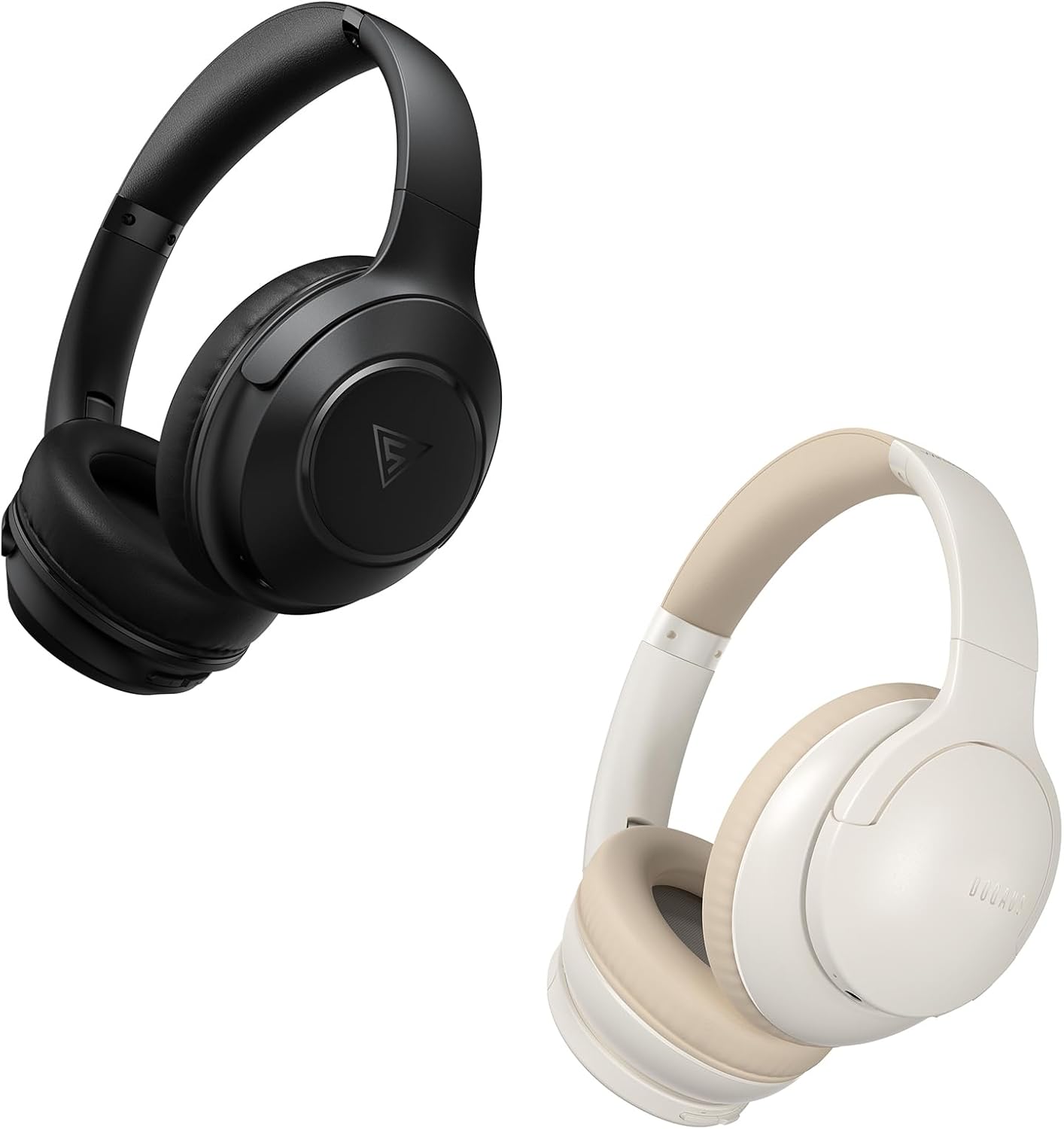
Image: DOQAUS Life 4 Bluetooth Headphones, showing both black and white color variants. These over-ear headphones feature soft earcups and an adjustable headband for comfortable wear.

Imaj: Yon entèn view of the DOQAUS Life 4 headphone, highlighting the advanced Bluetooth 5.4 wireless technology chip for stable and fast connections.

Image: A close-up of the DOQAUS Life 4 headphone earcup, illustrating the 40mm large-aperture driver responsible for powerful HD sound quality.

Image: A person wearing the DOQAUS Life 4 headphones, illustrating their comfortable design suitable for all-day wear.
4. Enstalasyon
4.1 Premye chaj
Before first use, fully charge your headphones. Connect the USB-C charging cable to the charging port on the headphones and the other end to a USB power source (e.g., computer, wall adapter). The LED indicator will show charging status.
- A full charge provides up to 90 hours of playtime in Bluetooth mode.
- A quick 10-minute charge can provide approximately 5 hours of listening time.

Image: The DOQAUS Life 4 headphones displayed with text indicating "90-HOURS PLAYTIME" and "10 minutes of charging for 5 hours of listening," highlighting the extended battery life.
4.2 Bluetooth Pairing
- Asire w ke kas ekoutè yo etenn.
- Peze epi kenbe bouton Power la jiskaske endikatè LED la flache ble ak wouj altènativman, sa ki endike mòd koneksyon.
- Sou aparèy ou an (telefòn entelijan, tablèt, òdinatè), aktive Bluetooth epi chèche aparèy ki disponib yo.
- Select "DOQAUS Life 4" from the list of found devices.
- Yon fwa konekte, endikatè LED la ap flache dousman an ble.
Koneksyon plizyè pwen: The DOQAUS Life 4 headphones support connecting to two Bluetooth devices simultaneously. After connecting to the first device, disable Bluetooth on that device, then pair with the second device. Re-enable Bluetooth on the first device, and the headphones should connect to both.
4.3 Koneksyon filaire (Mòd AUX)
To use the headphones in wired mode, connect one end of the 3.5mm audio cable to the AUX port on the headphones and the other end to your audio source. The headphones will automatically switch to wired mode, and Bluetooth functionality will be disabled.

Image: The DOQAUS Life 4 headphones demonstrating both wireless Bluetooth connectivity with a smartphone and a wired connection using a 3.5mm audio cable, illustrating versatile connection options.
5. Operasyon Enstriksyon
5.1 Kontwòl debaz yo
- Limen/Etenyen: Peze epi kenbe bouton Pouvwa a pou 3 segonn.
- Jwe/Poz: Peze bouton Multi-fonksyon an yon fwa.
- Volim moute: Peze bouton "+" la.
- Volim desann: Peze bouton "-" la.
- Pwochen Track: Peze epi kenbe bouton "+" la pandan 2 segonn.
- Track Previous: Peze epi kenbe bouton "-" la pandan 2 segonn.
- Reponn/Fen Apèl: Peze bouton Multi-fonksyon an yon fwa.
- Rejte apèl: Peze epi kenbe bouton Multi-fonksyon an pou 2 segonn.
- Aktive Asistan Vwa: Doub peze bouton Multi-fonksyon an.
5.2 mòd EQ
The DOQAUS Life 4 headphones feature three equalizer (EQ) modes to optimize your listening experience for different music styles. Press the EQ button to cycle through the modes:
- Mòd Bas Lou: Enhances low-frequency sounds for a deeper bass experience.
- Mòd Vokal: Optimizes mid-range frequencies for clearer vocals.
- Mòd Balanse: Bay yon pwofesyonèl son netfile apwopriye pou divès jan.

Image: A collage demonstrating the three EQ music modes of the DOQAUS Life 4 headphones: Heavy Bass, Vocal, and Balanced. The image shows the headphones and individuals enjoying music, indicating the versatility of sound profiles.
6. Antretyen
6.1 Netwayaj
- Siye kas ekoutè yo ak yon twal mou, sèk, epi ki pa gen pousyè.
- Pa sèvi ak pwodui netwayaj abrazif, alkòl, oswa solvan chimik.
- Ensure charging ports and audio jacks are free of dust and debris.
6.2 Depo
- Sere kas ekoutè yo nan yon kote ki fre epi sèk, lwen limyè solèy dirèk ak tanperati ekstrèm.
- If storing for an extended period, charge the headphones periodically to maintain battery health.
NAN. Depanaj
| Pwoblèm | Kòz posib | Solisyon |
|---|---|---|
| Kas ekoutè yo pa limen. | Batri ki ba. | Chaje kas ekoutè yo konplètman. |
| Pa ka konekte ak aparèy la. | Kas ekoutè a pa nan mòd koneksyon; Bluetooth enfim sou aparèy la; aparèy la twò lwen. | Ensure headphones are in pairing mode (flashing blue/red). Enable Bluetooth on your device. Move device closer to headphones. |
| Pa gen son. | Volim twò ba; kas ekoutè pa konekte; sous odyo ki pa kòrèk. | Increase volume. Verify Bluetooth connection or 3.5mm cable connection. Check audio output settings on your device. |
| Kalite son pòv. | Weak Bluetooth signal; incorrect EQ mode. | Move closer to your device. Try switching EQ modes. |
8. Espesifikasyon
- Modèl: Lavi 4
- Bluetooth vèsyon: 5.4
- Gwosè Chofè: 40mm
- Tan jwe: Up to 90 hours (Bluetooth mode)
- Chaj rapid: 10 minit chaj pou 5 èdtan tan lekti
- Fòma odyo sipòte: A2DP, AVRCP, HSP, HFP, SBC, AAC
- Koneksyon: Bluetooth, 3.5mm AUX
9. Garanti ak sipò
DOQAUS Life 4 headphones come with a 30-day return policy and an 18-month replacement warranty. For any inquiries or support needs, please contact our customer service team. All inquiries are typically processed within 24 hours.
For further assistance, please refer to the contact information provided with your purchase or visit the official DOQAUS websit.
Ask a question about this manual
Ask about setup, troubleshooting, compatibility, parts, safety, or missing instructions. Manuals+ will review the question and use this page’s manual context to help answer it.