
Entwodiksyon
Mèsi pou acha aasing the Sharp Digital Alarm Clock, Model SPC5148AMZ. This alarm clock features a large, easy-to-read red LED display, dual alarms, adjustable alarm volume, and a convenient snooze function. It is designed for simple operation and includes a battery backup feature to maintain time and alarm settings during power outages.
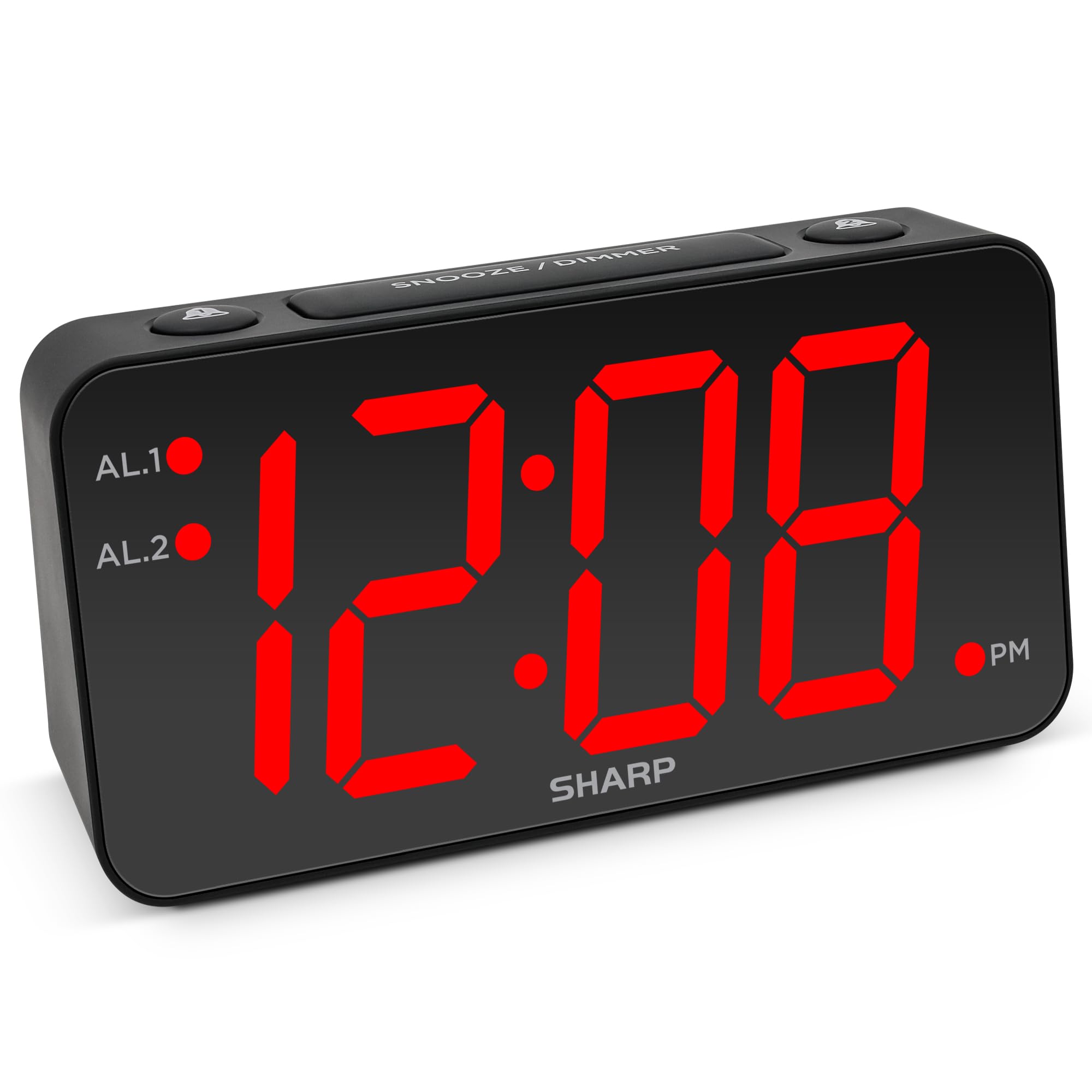
Imaj: Devan view of the Sharp Digital Alarm Clock, Model SPC5148AMZ, showcasing its large red LED time display.
Pwodwi konpozan ak kontwòl
Familyarize w ak diferan pati ak kontwòl revèy ou a.
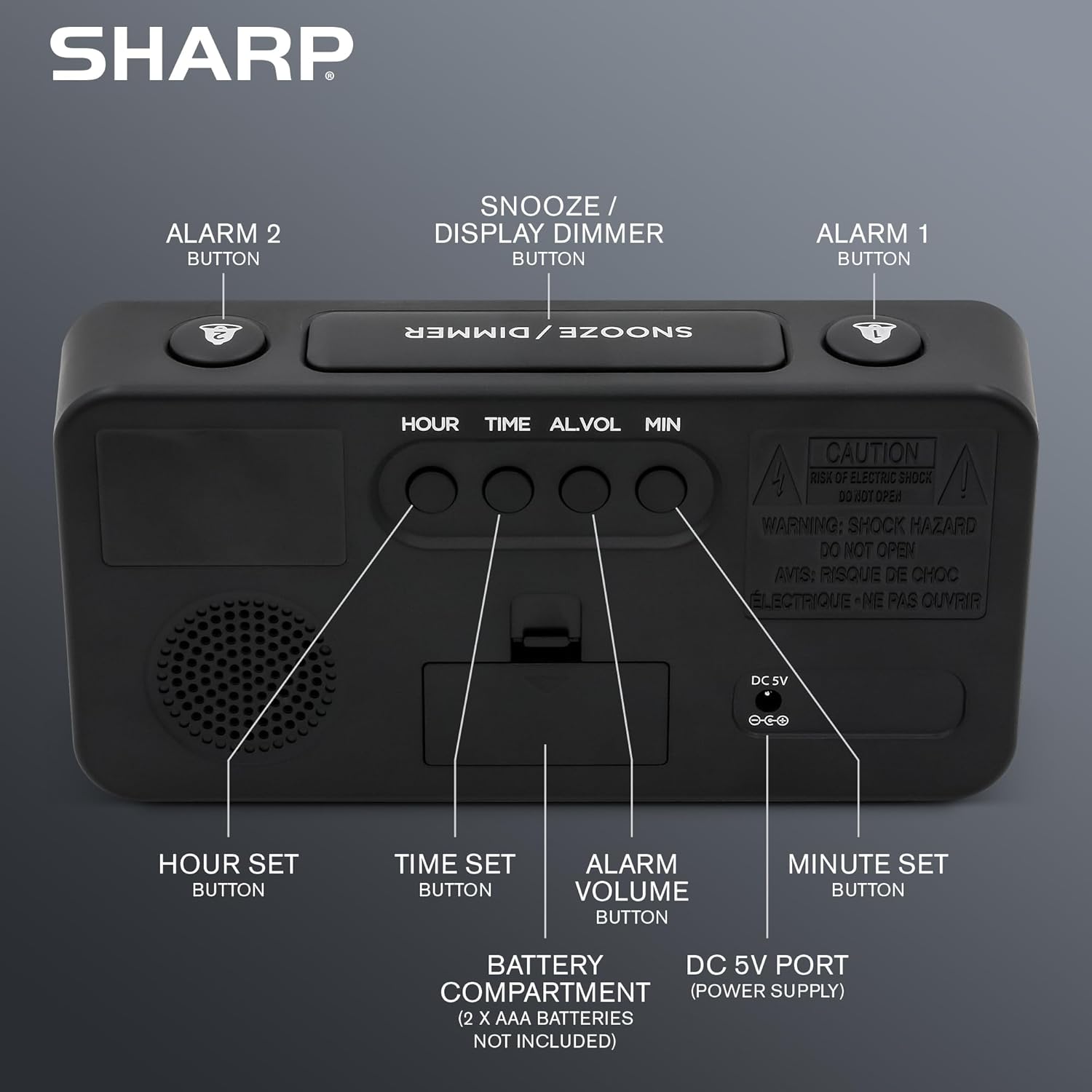
Imaj: Dèyè view of the alarm clock, highlighting the Hour Set, Time Set, Alarm Volume, Minute Set buttons, Battery Compartment, and DC 5V Power Port.
- Bouton SNOOZE / DIMMER: Located on top. Press to snooze alarm or adjust display brightness.
- ALARM 1 Button: Located on top. Activates/deactivates Alarm 1.
- ALARM 2 Button: Located on top. Activates/deactivates Alarm 2.
- HOUR SET Button: Located on the back. Used to set the hour for time or alarm.
- Bouton TAN: Located on the back. Used to enter time setting mode.
- ALARM VOLUME Button: Located on the back. Adjusts the alarm loudness.
- MINUTE SET Button: Located on the back. Used to set the minute for time or alarm.
- DC 5V pò: Power input for the clock.
- Lòj batri: Holds 2 x AAA batteries (not included) for backup.
Enstalasyon
Koneksyon pouvwa
- Connect the provided power adapter to the DC 5V port on the back of the alarm clock.
- Plug the adapter into a standard 110V/120V AC power outlet. The display will illuminate.
Enstalasyon sovgad batri
For battery backup, which retains time and alarm settings during a power outage (display will be blank), install batteries:
- Louvri kouvèti konpatiman batri a ki sou dèyè aparèy la.
- Insert 2 new AAA batteries (not included), observing the correct polarity (+ and -).
- Fèmen kouvèti lòj batri a byen.
Enpòtan: Batteries are for backup only. The clock requires AC power for the display to function and for the alarm to sound at full volume.
Enstriksyon Operasyon
Mete tan an
- Peze epi kenbe la TAN SET bouton ki dèyè revèy la jiskaske chif èdtan yo kòmanse flache.
- Peze a HÈ SET button repeatedly to adjust the hour. Pay attention to the PM indicator light.
- Peze a MINIT SET bouton an plizyè fwa pou ajiste minit yo.
- Yon fwa ou fin fikse lè ou vle a, peze bouton an TAN SET Peze bouton an ankò pou konfime epi sòti nan mòd reglaj tan an.
Mete Alam lan (Alam 1 ak Alam 2)
This clock features dual alarms. The procedure is the same for both Alarm 1 and Alarm 2.
- Peze epi kenbe la ALAM 1 or ALAM 2 button on the top of the clock until the alarm hour digits begin to flash.
- Peze a HÈ SET button repeatedly to adjust the alarm hour. Ensure the correct AM/PM is selected.
- Peze a MINIT SET Peze bouton an plizyè fwa pou ajiste minit alam lan.
- Peze a ALAM 1 or ALAM 2 button again to confirm the alarm time. The corresponding alarm indicator light (AL.1 or AL.2) will illuminate on the display, indicating the alarm is active.
Activating/Deactivating Alarms
- To activate an alarm: Press the ALAM 1 or ALAM 2 button once. The corresponding indicator light will turn on.
- To deactivate an alarm: Press the ALAM 1 or ALAM 2 button again. The corresponding indicator light will turn off.
Fonksyon Snooze
Lè alam lan sonnen, peze gwo bouton an SNOOZE / DIMMER button on top of the clock. The alarm will pause for 9 minutes and then sound again. You can repeat this process until the alarm is manually turned off.
Ajiste klète ekran an (Dimmer)
Peze a SNOOZE / DIMMER button (when the alarm is not sounding) to cycle through the display brightness levels: High, Medium, Low, or OFF.
Ajiste Volim Alam
Peze a VOLIM ALARM button on the back of the clock to cycle through the alarm loudness levels: High, Medium, Low.
Antretyen
- Netwayaj: Siye revèy la ak yon twal mou epi sèk. Pa sèvi ak pwodui netwayaj abrazif oswa solvan.
- Ranplasman batri: Replace backup batteries annually or when the clock experiences frequent power outages to ensure settings are retained.
- Plasman: Place the clock on a stable, flat surface. Avoid direct sunlight, extreme temperatures, and high humidity.
Depanaj
| Pwoblèm | Solisyon |
|---|---|
| Ekran revèy la vid. | Ensure the AC power adapter is securely plugged into both the clock and a working electrical outlet. Check if there's a power outage. If using battery backup, the display will be blank during an outage, but timekeeping continues. |
| Alam lan pa sonnen. |
|
| Pa ka mete lè a oswa alam lan. | Ensure you are pressing and holding the correct SET button until the digits flash. Release the button, then use HOUR SET and MINUTE SET to adjust. Press the SET button again to confirm. |
| Ekran an twò klere/fèb. | Peze a SNOOZE / DIMMER button (when alarm is not sounding) to cycle through brightness levels. |
Espesifikasyon
- Modèl: SPC5148AMZ
- Mak: Sharp
- Kalite ekspozisyon: LED dijital (wouj)
- Gwosè ekspozisyon: 3 inches (Jumbo Numbers)
- Sous pouvwa: Corded Electric (110V/120V AC)
- Batri Backup: 2 x AAA pil (pa enkli)
- Dimansyon (W x H): 8.27" x 4.13"
- Pwa: 0.41 Kilogram
- Karakteristik espesyal: Dual Alarms, Adjustable Brightness (High, Medium, Low, OFF), Adjustable Alarm Volume (High, Medium, Low), 9-minute Snooze.
Enfòmasyon sou Garanti
Sharp products are manufactured and sold by M.Z. Berger & Co. Inc. This product comes with a limited warranty against defects in materials and workmanship. For specific warranty details, including duration and terms, please refer to the warranty card included in your product packaging or contact customer support.
Sipò pou Kliyan
For assistance with your Sharp Digital Alarm Clock, please contact the manufacturer's customer support. Contact information can typically be found on the product packaging or the manufacturer's official websit.
Manufacturer: Sharp (M.Z. Berger & Co. Inc.)
Pwodwi souview Videyo
Video: An official Sharp video showcasing various Sharp clocks, including features like alarm, decor, charging, precision, and specialty functions. This video provides a general overview of Sharp's clock offerings.