
1. Entwodiksyon
Welcome to the TABWEE T80 Tablet user manual. This guide provides comprehensive instructions to help you get the most out of your new Android 15 tablet. The T80 is designed for a seamless and powerful user experience, featuring advanced AI capabilities, a vibrant display, and robust performance for both work and entertainment.
Karakteristik kle:
- Sistèm operasyon Android 15: Experience the latest features and security enhancements.
- IA Gemini 2.0: Enhanced AI for smarter interactions and controls.
- 10.5-inch HD+ IPS Display: Enjoy clear and vibrant visuals with a wide viewang ang.
- Pèfòmans pwisan: Equipped with a 2.0GHz CPU, 12GB RAM, and 64GB ROM (expandable up to 2TB via TF card).
- Batri ki dire lontan: 6000mAh mega battery for extended use.
- Koneksyon avanse: Supports 5G WiFi and Bluetooth 5.0.
- 5MP Google Lens Camera: For clear photos and smart scene recognition.

Figure 1.1: The TABWEE T80 Tablet, showcasing konsepsyon elegant li yo ak ekspozisyon an.
2. Enstalasyon
2.1 Debale ak Premye Chajman
Carefully remove your TABWEE T80 Tablet from its packaging. Before first use, it is recommended to fully charge the device using the provided USB-C cable and power adapter. The charging port is located on the side of the tablet.
2.2 Limen ak Konfigirasyon Inisyal
- Press and hold the Power button (located on the side) until the TABWEE logo appears on the screen.
- Swiv enstriksyon yo sou ekran an pou chwazi lang ou, konekte ak yon rezo Wi-Fi, epi konfigire kont Google ou.
- Review and accept the terms and conditions to complete the setup process.

Figi 2.1: Yon anlèview of the TABWEE T80's core specifications and features.
3. Itilizasyon Tablèt la
3.1 Karakteristik Android 15
Your TABWEE T80 runs on the latest Android 15, offering enhanced user experience, improved privacy, and smart features.
Split-Screen Combo
The split-screen feature allows you to run two applications simultaneously, enhancing multitasking and productivity. You can easily save app pairs for quick access.
Video 3.1: Demonstrates how to use the split-screen feature to run two applications concurrently on the TABWEE T80 tablet.
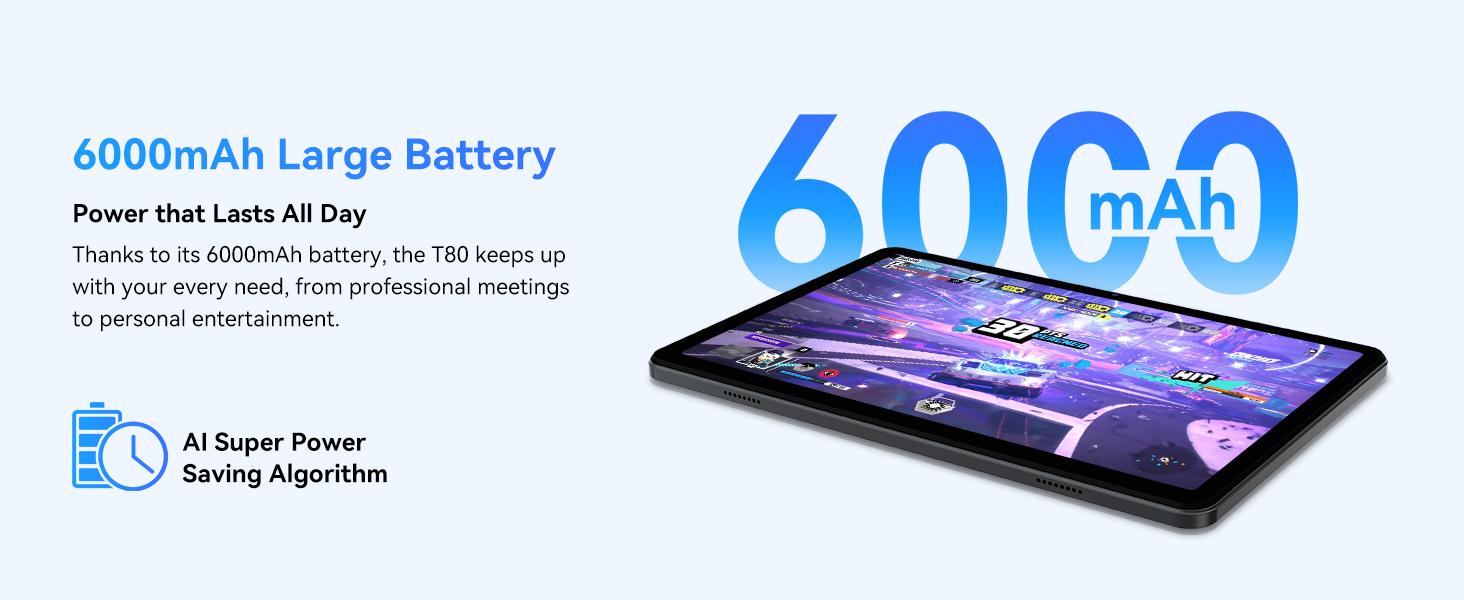
Figure 3.1: Visual representation of the split-screen functionality, allowing for efficient multitasking.
Desktop Customization and Widgets
Personalize your home screen by dragging and grouping apps freely. You can also add various widgets, such as the calendar, to quickly access information and tasks.
Video 3.2: Illustrates how to customize your desktop layout and add widgets for quick access to information.
Kontwòl konfidansyalite
Android 15 offers enhanced privacy controls, allowing you to manage app permissions and secure your data. You can block app access to sensitive information like location.
Video 3.3: Shows how to manage privacy settings and control app access to your data on the TABWEE T80.
Parental Controls with Gemini AI
Utilize Gemini AI parental controls to manage screen time, automatically lock games during homework, and ensure a safe digital environment for children.
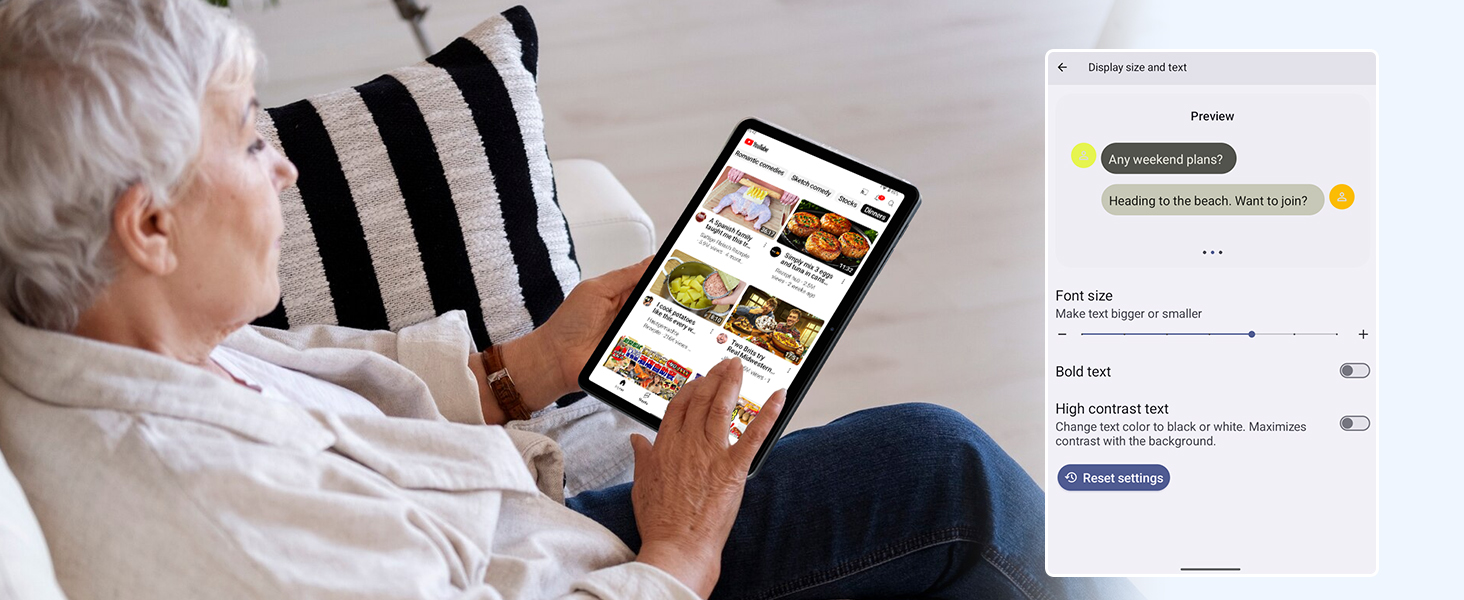
Figure 3.2: The Digital Wellbeing interface, demonstrating options for managing screen time and parental controls.
3.2 Ekspozisyon ak Vizyèl
The 10.5-inch HD+ IPS display provides a clear and immersive viewing experience with a 1280x800 resolution and 84.9% screen-to-body ratio. It's ideal for watching videos, browsing, and reading.

Figure 3.3: Details of the tablet's display, highlighting its resolution and IPS full view kapasite yo.
3.3 Pèfòmans ak Depo
Powered by a 2.0GHz Unisoc T310 CPU and 12GB RAM (expandable via software memory extension), the T80 ensures smooth multitasking and responsive performance. With 64GB of internal storage and support for up to 2TB TF cards, you have ampespas pou tout moun ou yo files, apps, and media.

Figure 3.4: Illustration of the tablet's processing power and memory, enabling seamless multitasking and productivity.
3.4 Lavi batri
The 6000mAh mega battery provides extended usage, offering up to 8 hours of video streaming, 6 hours of gaming, or 30 hours of music playback. Smart power-saving modes further optimize battery longevity.

Figure 3.5: Depiction of the tablet's large 6000mAh battery and its USB-C charging port.
3.5 Karakteristik Kamera
The T80 features a 5MP Google Lens enabled camera. This allows for scene recognition, night mode optimization, and useful functions like text translation and object identification.

Figi 3.6: Yon anlèview of the tablet's camera and its integration with Google Lens for smart functions.
4. Antretyen
To ensure the longevity and optimal performance of your TABWEE T80 Tablet, follow these maintenance guidelines:
- Netwayaj: Sèvi ak yon twal mou ki pa gen pousyè pou netwaye ekran an ak kò a. Evite materyèl abrazif oswa pwodui chimik ki agresif.
- Mizajou lojisyèl: Tcheke epi enstale mizajou sistèm yo regilyèman pou benefisye de dènye karakteristik yo, patch sekirite yo, ak amelyorasyon pèfòmans yo.
- Swen batri: Evite tanperati ekstrèm. Pa kite batri a dechaje nèt souvan. Pou depo alontèm, chaje batri a apeprè 50%.
- Jesyon Depo: Netwaye sa ki pa nesesè detanzantan files ak aplikasyon pou libere espas depo epi kenbe yon fonksyònman san pwoblèm.
- Pwoteksyon: Konsidere itilize yon étui pwoteksyon ak yon pwoteksyon ekran pou pwoteje kont tonbe ak reyur.
NAN. Depanaj
This section addresses common issues you might encounter with your TABWEE T80 Tablet.
5.1 Aparèy la pa limen
- Tcheke batri: Ensure the tablet has sufficient charge. Connect it to the charger and wait a few minutes before attempting to power on again.
- Hard Reset: Press and hold the Power button for about 10-15 seconds until the device restarts.
5.2 Pwoblèm koneksyon Wi-Fi
- Aktive Wi-Fi a: Turn Wi-Fi off and then on again in Settings.
- Rekòmanse routeur: Etenn routeur Wi-Fi ou a epi fèmen li.
- Bliye rezo a: Go to Wi-Fi settings, forget the problematic network, and then reconnect.
5.3 Pèfòmans Ralanti
- Fèmen aplikasyon ki an background: Fèmen aplikasyon ou pa itilize k ap fonksyone nan background nan.
- Klè Cache: Regularly clear app caches in Settings > Apps.
- Libere Espas Depo: Efase pa nesesè files or uninstall rarely used apps.
- Rekòmanse aparèy: A simple restart can often resolve temporary slowdowns.
5.4 Aplikasyon ki kraze oswa ki pa reponn
- Force Stop App: Go to Settings > Apps, select the problematic app, and choose 'Force Stop'.
- Clear App Data/Cache: In the same app settings, try clearing its cache or data (note: clearing data will reset the app to its default state).
- Réinstaller App: Uninstall and then reinstall the app from the Google Play Store.
6. Espesifikasyon
Detailed technical specifications for the TABWEE T80 Tablet:
| Karakteristik | Spesifikasyon |
|---|---|
| Mak | TABWEE |
| Non modèl | T80 |
| Sistèm operasyon | Android 15 |
| Gwosè ekran | 10.5 pous |
| Rezolisyon ekran | 1280 x 800 piksèl |
| Processeur | 2.0 GHz Unisoc T310 |
| memwa (RAM) | 12 GB |
| Depo (ROM) | 64 GB |
| Depo dilatabl | Up to 2TB TF Card |
| Dèyè WebCam Rezolisyon | 5 MP |
| Kalite san fil | 802.11n, 802.11b, 802.11a, 802.11ac, 802.11g (5G WiFi) |
| Bluetooth | Bluetooth 5.0 |
| Kapasite batri | 6000mAh |
| Mwayèn lavi batri | 550 èdtan (an sibstiti) |
| Pwa atik | 1.1 liv (apeprè 523 gram) |
| Dimansyon pwodwi | 9.5 x 6.4 x 0.3 pous |
| Koulè | Gri |
7. Garanti ak sipò
TABWEE is committed to quality and customer satisfaction. Your T80 Tablet comes with comprehensive support to ensure a worry-free experience.
7.1 Enfòmasyon sou Garanti
The TABWEE T80 Tablet is backed by a 2-ane garanti. This warranty covers manufacturing defects and ensures free repair service for eligible issues. Please retain your proof of purchase for warranty claims.
7.2 Sipò pou Kliyan
For any questions, technical assistance, or warranty claims, please contact our dedicated support team:
- 24/7 Online Call Support: Available for immediate assistance.
- Sipò teknik pou tout lavi: Expert help whenever you need it.
- Hassle-Free Service: Assistance available through the TABWEE Official Flagship Store.
We are dedicated to providing prompt and effective solutions to all your inquiries.

Figi 7.1: Ekip sèvis kliyan nou an pare pou ede w.