
1. Entwodiksyon
The AIRMATE Portable Handheld Fan FS01 is designed to provide personal cooling with its powerful motor and adjustable wind speeds. This manual provides essential information for safe and efficient use of your fan, ensuring you get the most out of its features.

The AIRMATE Portable Handheld Fan FS01, showcasing its compact design and vibrant pink color.
2. Pwodwi souview ak Karakteristik
The AIRMATE Portable Handheld Fan FS01 combines powerful performance with a compact, user-friendly design. Key features include:
- 5 Adjustable Wind Speed Levels
- Bati-an 3000mAh rechargeable batri
- Durable Brushless Motor with 13,000 RPM Max Speed
- USB-C chaje konpatibilite
- Konsepsyon ki lejè ak pòtab

This diagram highlights the fan's Air Compression Expansion Technology, designed to generate a powerful airflow.
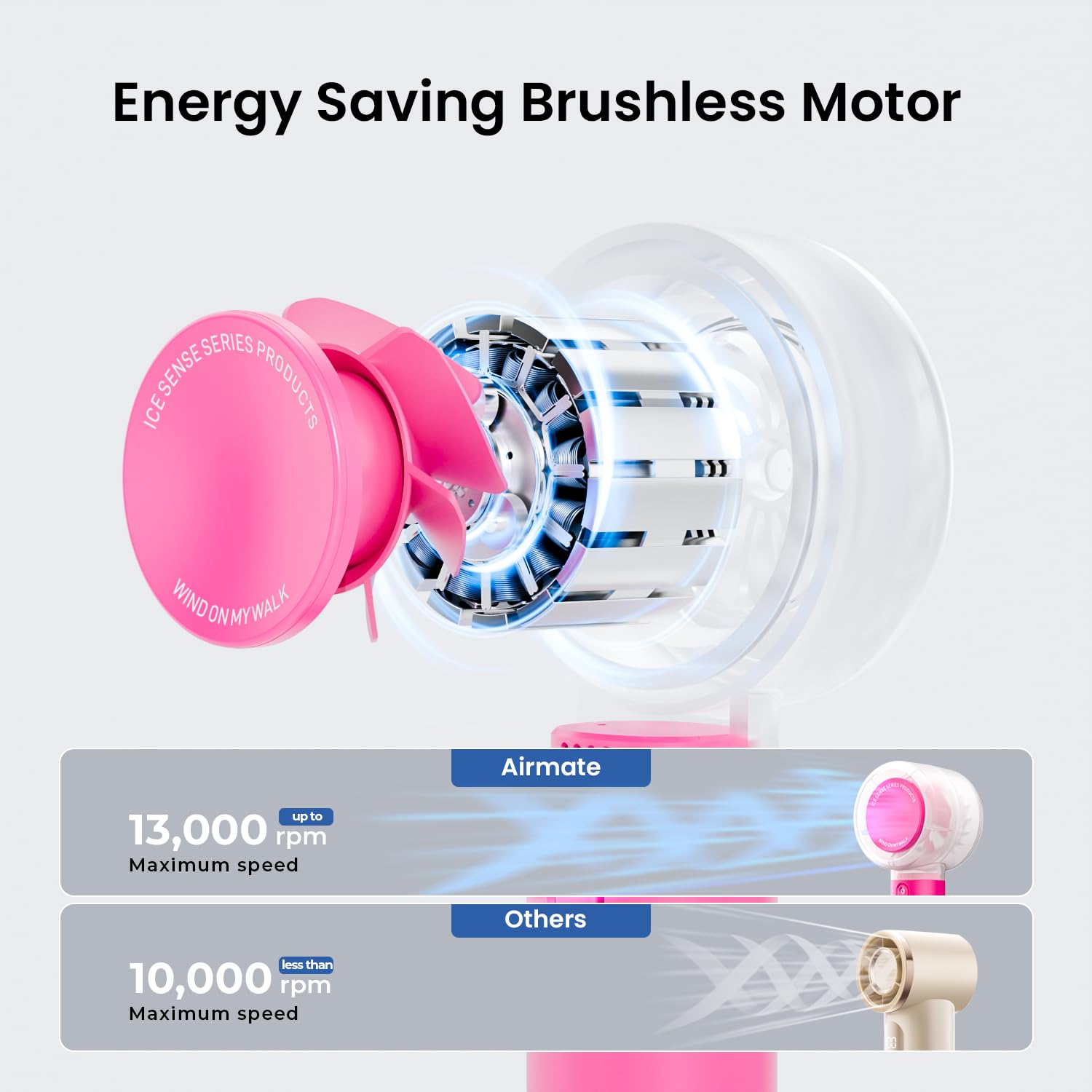
An illustration of the fan's energy-saving brushless motor, capable of reaching up to 13,000 RPM for powerful and efficient operation.

Designed for portability, the fan is lightweight and compact, easily fitting into a pocket or bag for on-the-go use.

The fan is suitable for diverse environments, providing personal cooling during sports, travel, outdoor activities, and daily commutes.
3. Enstalasyon
- Unboxing: Carefully remove the fan and all accessories from the packaging. Inspect for any damage.
- Inisyal chaj: Before first use, fully charge the fan. Connect the fan to a power source using the provided USB-C cable. The indicator lights will show charging status. Ensure the fan is fully charged for optimal battery life.
- Optional Lanyard/Carabiner: Attach the included carabiner to the base of the fan if desired for easy carrying and securing.
4. Operasyon Enstriksyon
The AIRMATE Portable Handheld Fan FS01 features a single multi-function button for power and speed control.
- Limen/Etenyen: Press and hold the power button (marked with a power symbol) for approximately 2 seconds to turn the fan on or off.
- Ajiste vitès van an: Once the fan is on, short press the power button to cycle through the 5 available wind speed levels. Each press will increase the speed. After the highest speed, pressing again will return to the lowest speed.
- Limyè endikatè: The LED indicator lights above the power button display the current wind speed level and battery status.

The fan offers customizable comfort with wind speeds up to 9.5 m/s on higher settings (4-5) and 6.1 m/s on lower settings (1-3).
This video demonstrates the AIRMATE Portable Handheld Fan FS01 in operation, highlighting its compact size, USB-C charging, five adjustable speed levels, and overall performance. It also discusses the fan's portability and build quality.
5. Chaje
The fan is equipped with a 3000mAh rechargeable battery, providing extended use on a single charge.
- Konekte Charger: Use the provided USB-C cable to connect the fan's charging port to a compatible USB power source (e.g., wall adapter, computer USB port, power bank, or car charger).
- Endikatè chaje: The LED lights will illuminate to indicate charging progress. All lights will be solid when the fan is fully charged.
- Tan travay: The fan can provide up to 7 hours of working time, depending on the selected speed setting.
- Sekirite: The fan includes protective circuits to prevent overcharging, ensuring battery longevity and user safety.

The fan is equipped with a built-in 3000mAh rechargeable battery, featuring a durable build and protective circuits for safety and longevity.
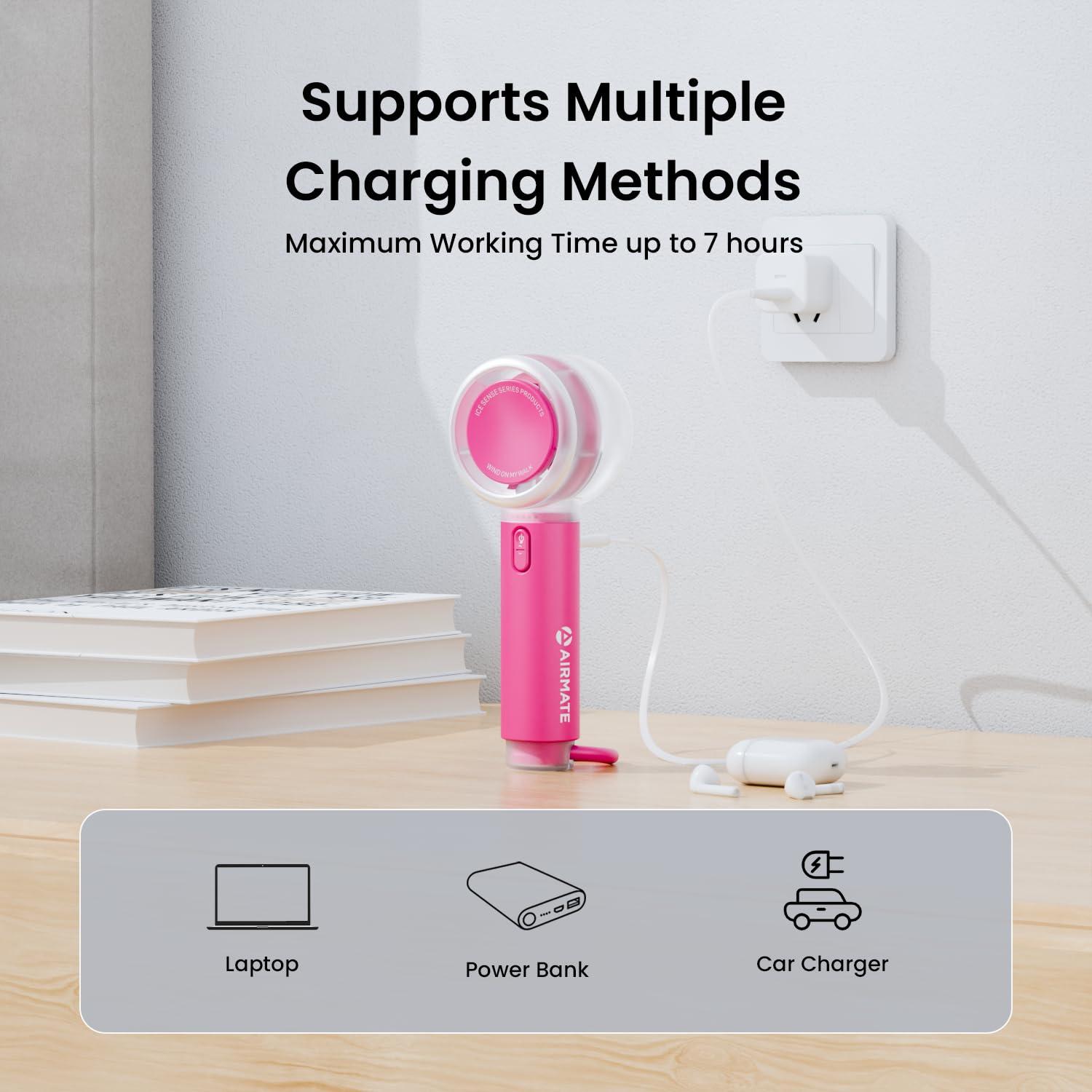
The fan supports multiple convenient charging methods, including connection to a laptop, power bank, or car charger.
6. Antretyen
- Netwayaj: To clean the fan blades and grille, ensure the fan is turned off. Use a soft, dry cloth to gently wipe away dust. For stubborn dirt, a slightly damp cloth can be used, but ensure no liquid enters the motor or electronic components. Do not use harsh chemicals or abrasive materials.
- Depo: When not in use for extended periods, store the fan in a cool, dry place away from direct sunlight and extreme temperatures. Ensure the battery is partially charged (around 50%) before storage to prolong battery life.
NAN. Depanaj
If you encounter any issues with your AIRMATE Portable Handheld Fan FS01, please refer to the following common troubleshooting steps:
- Fanatik pa limen:
- Ensure the battery is charged. Connect the fan to a power source and check the charging indicator lights.
- Press and hold the power button for 2 seconds to ensure it is properly activated.
- Fèb Airflow:
- Tcheke vitès aktyèl la epi ogmante li si sa nesesè.
- Ensure the fan grille is not obstructed by dust or debris. Clean if required.
- Fan Not Charging:
- Verify that the USB-C cable is securely connected to both the fan and the power source.
- Try a different USB-C cable or power adapter to rule out faulty accessories.
- Asire w ke sous kouran an aktif epi l ap bay kouran.
- bri ki pa nòmal:
- Check for any foreign objects obstructing the fan blades. Turn off the fan before inspecting.
- If the noise persists and is excessive, contact customer support.
8. Espesifikasyon
| Karakteristik | Spesifikasyon |
|---|---|
| Nimewo Modèl | FS01 |
| Dimansyon pwodwi | 2 x 2 x 6.3 pous |
| Pwa | 6.74 ons |
| Mak | AirMate |
| Konsepsyon fanatik elektrik | Fan portable |
| Sous pouvwa | Batri Powered |
| Kalite aliye | Gratis kanpe |
| Kantite vitès | 5 |
| Nivo bri | 50 Desibèl |
| Wattage | 8.3 wat |
| Fini Kalite | Estanda |
| Kantite lam | 6 |
| Vitès | 13000 RPM |
9. Garanti ak sipò
For detailed warranty information, product registration, or technical support, please refer to the documentation included with your purchase or visit the official AIRMATE websit la. Kenbe resi acha ou kòm prèv acha pou nenpòt reklamasyon garanti.
If you require further assistance, please contact AIRMATE customer service directly.