
1. Entwodiksyon
Welcome to the DOOGEE Tab A9 Pro user manual. This guide provides essential information to help you set up, operate, and maintain your new Android tablet. Please read this manual thoroughly before using the device to ensure proper functionality and safety.
2. Ki sa ki nan bwat la
The DOOGEE Tab A9 Pro package includes the following items:
- 1 x DOOGEE Tab A9 Pro Tablet
- 1 x USB tip-C kab
- 1 x Chargeur
- 1 x SIM Ejector Pin
- 1 x bwat anbalaj
- 1 x manyèl itilizatè
- 1 x kat garanti
- 1 x pwotèj ekran (pre-aplike)
3. Pwodwi souview
The DOOGEE Tab A9 Pro features a sleek design and powerful components for an optimal user experience.
Karakteristik kle:
- Ekspozisyon: 10.1-inch IPS HD Ultra-Clear Display (1280x800 pixels, 16.7 million colors, 16:10 aspect ratio, 1200:1 contrast, 2.5D cover glass).
- Processeur: Unisoc T310 Quad-core, 2 GHz.
- Memwa ak Depo: 20GB RAM (4GB base + 16GB virtual), 128GB ROM, expandable up to 2TB with microSD.
- Batri: 6580 mAh Lithium battery for extended use.
- Kamera: Kamera dèyè 8MP, kamera devan 5MP.
- Sistèm operasyon: Android 15.
- Koneksyon: Wi-Fi (2.4G/5G), Bluetooth 5.0.
- Odyo: Dual 1217 BOX Speakers, 3.5mm Audio Jack.
- Sekirite: Degaje figi.
- Dimansyon: 24.53 x 16.33 x 0.99 cm; 478 grams.
Konpozan fizik:
Familiarize yourself with the tablet's physical layout.
Figi 3.1: Devan ak dèyè view of the DOOGEE Tab A9 Pro Tablet.

Figi 3.2: Side view showing power button, volume controls, and ports.

Figure 3.3: Available color options for the DOOGEE Tab A9 Pro Tablet.
4. Enstalasyon
4.1 Premye pouvwa sou
- Peze epi kenbe bouton Power ki sitiye sou kote tablèt la jiskaske logo DOOGEE a parèt.
- Swiv enstriksyon yo sou ekran an pou chwazi lang ou, konekte ak yon rezo Wi-Fi, epi konfigire kont Google ou.
4.2 Chaje batri a
Before first use, fully charge the tablet's battery.
- Konekte kab USB Kalite-C a nan pò chaje tablèt la.
- Connect the other end of the cable to the provided charger, then plug the charger into a power outlet.
- Endikatè chaj la ap parèt sou ekran an.

Figure 4.1: Illustration of the 6580 mAh high-capacity battery.
4.3 Mete yon Kat MicroSD
To expand storage, insert a microSD card (sold separately).
- Jwenn plato kat SIM/microSD a sou kote tablèt la.
- Mete peny ejèksyon SIM lan nan ti twou ki akote plato a pou ouvri li.
- Place the microSD card into the designated slot on the tray.
- Dousman pouse plato a tounen nan tablèt la jiskaske li fè yon klik.

Figure 4.2: Storage capacity details, including expandable memory.
5. Operasyon Enstriksyon
5.1 Navige sou Android 15
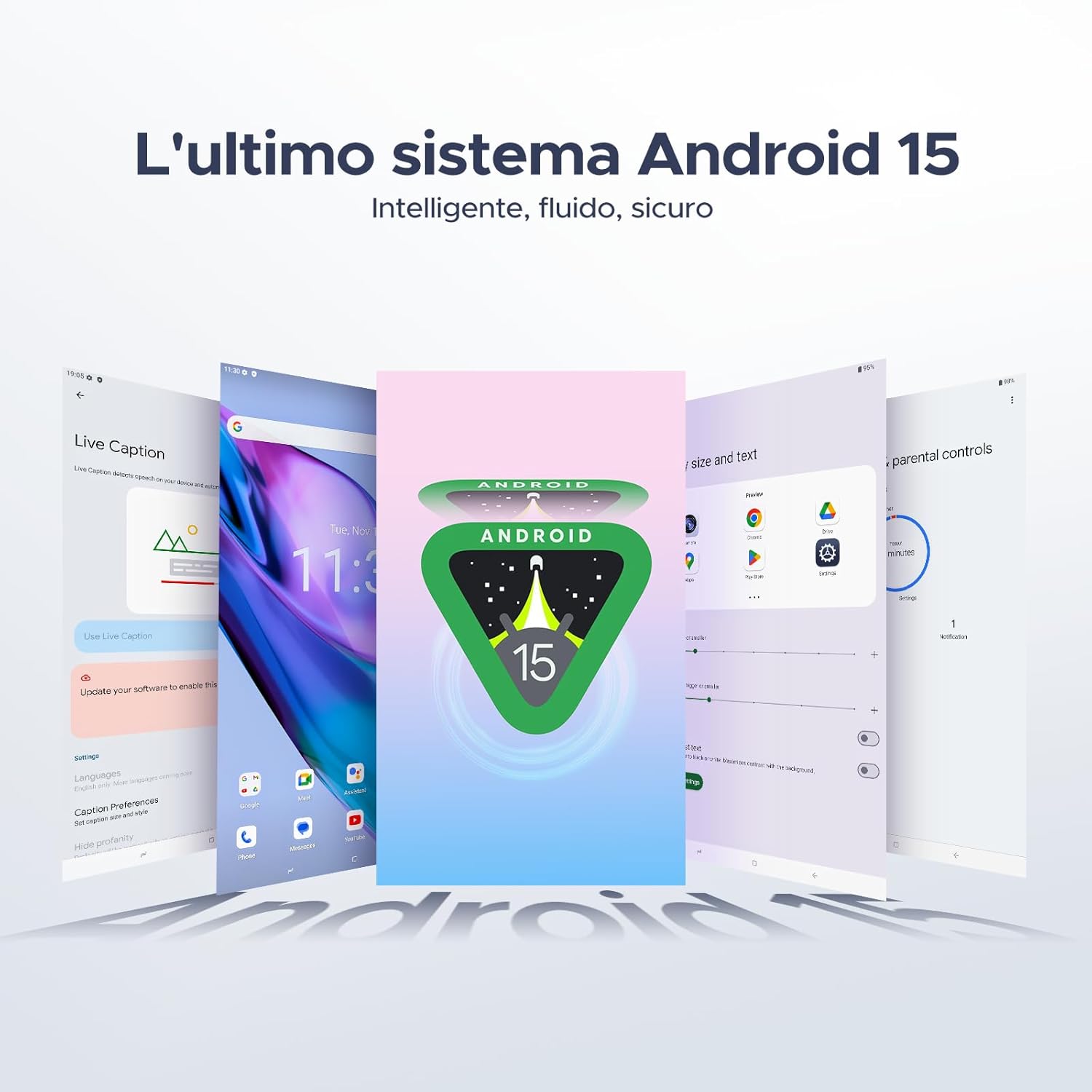
Your tablet runs on the latest Android 15 system, offering an intelligent, fluid, and secure experience.

Figure 5.1: The Android 15 operating system interface.
5.2 Ekspozisyon Karakteristik
The 10.1-inch IPS HD display provides a wide visual field. Utilize features like Eye-Caring Mode and Dark Mode for enhanced viewing konfò.

Figure 5.2: Details of the 10.1-inch IPS HD Ultra-Clear Display.

Figure 5.3: Eye-Caring Mode and Dark Mode for visual comfort.
5.3 Itilizasyon Kamera
Capture moments with the 8MP main camera and take clear selfies or video calls with the 5MP front camera. The tablet also supports Beauty Mode and Google Smart Camera features.

Figure 5.4: The 8MP main camera for clear photos.

Figure 5.5: The 5MP front camera for selfies and video calls.

Figure 5.6: Beauty Mode for enhancing photos.

Figure 5.7: Google Smart Camera features for enhanced photography.
5.4 Odyo ak Konektivite
Enjoy clear audio through the dual 1217 BOX speakers or connect headphones via the 3.5mm audio jack. The tablet supports Wi-Fi 5 (2.4G/5G) for stable and fast internet access.

Figure 5.8: Dual 1217 BOX speakers for crystal clear audio.

Figure 5.9: Standard 3.5mm audio jack for stable, distortion-free transmission.

Figure 5.10: Wi-Fi 5 for seamless connectivity.
5.5 Sekirite ak Konfidansyalite
Unlock your tablet effortlessly using Face Unlock. Android 15 also provides enhanced privacy features, including precise permission control, robust data encryption, and proactive app screening.

Figure 5.11: Face recognition unlock for easy access.

Figure 5.12: Enhanced privacy shield features of Android 15.
5.6 Karakteristik Pwodiktivite
The tablet supports efficient split-screen multitasking and comes with WPS Office integrated for productivity on the go.

Figure 5.13: Efficient split-screen multitasking.

Figure 5.14: WPS Office integrated for PC-level productivity.
5.7 Lòt Karakteristik
The tablet offers Sleep Mode, Multi-user System, and Parental Control features for a versatile user experience.

Figure 5.15: Discover more with Android 15 features.
5.8 Videyo pwodwi yo
Watch these official videos for a visual guide to the DOOGEE Tab A9 Pro's features.
Video 5.1: DOOGEE Tab A9 Pro product overview (Preview).
Video 5.2: DOOGEE Tab A9 Pro features highlight (Preview).
Video 5.3: DOOGEE Tab A9 Pro design and performance (Preview).
6. Antretyen
6.1 Netwaye Tablèt la
- Sèvi ak yon twal mou ki pa gen pousyè pou netwaye ekran an ak kò tablèt la.
- Evite itilize pwodwi chimik piman bouk oswa materyèl abrazif, paske yo ka domaje sifas la.
6.2 Swen Batri
- Evite ekspoze tablèt la nan tanperati ekstrèm.
- Pou yon lavi batri optimal, evite dechaje batri a nèt souvan.
6.3 Mizajou lojisyèl
Regularly check for and install software updates to ensure your tablet has the latest features and security enhancements. Go to Anviwònman > Sistèm > Mizajou sistèm pou tcheke pou mizajou.
NAN. Depanaj
If you encounter issues with your DOOGEE Tab A9 Pro, refer to the following common solutions:
| Pwoblèm | Solisyon |
|---|---|
| Tablèt la pa limen | Ensure the battery is charged. Connect the charger and wait a few minutes before attempting to power on again. If it still doesn't turn on, press and hold the power button for 10-15 seconds to force a restart. |
| Ekran an pa reponn | Restart the tablet. If the issue persists, perform a factory reset (note: this will erase all data). |
| Pwoblèm koneksyon Wi-Fi | Restart your Wi-Fi router and the tablet. Forget the network in tablet settings and reconnect. Ensure you are within range of the Wi-Fi signal. |
| Aplikasyon yo ap plante oswa bloke | Clear the cache and data for the problematic app (Settings > Apps > [App Name] > Storage > Clear Cache/Clear Data). If the issue continues, uninstall and reinstall the app. Ensure your tablet's software is up to date. |
| Batri vide byen vit | Reduce screen brightness, close unused apps running in the background, disable Wi-Fi/Bluetooth when not in use, and check for power-intensive apps in battery usage settings. |
Si solisyon sa yo pa rezoud pwoblèm nan, tanpri kontakte sèvis kliyan.
8. Espesifikasyon
Detailed technical specifications for the DOOGEE Tab A9 Pro:
| Karakteristik | Spesifikasyon |
|---|---|
| Mak | DOOGEE |
| Nimewo Modèl | Tab A9 PRO |
| Sistèm operasyon | Android 15 |
| Processeur | Unisoc T310 kat-nwayo, 2 GHz |
| RAM | 20 GB (4GB base + 16GB virtual) |
| Depo Entèn (ROM) | 128 GB |
| Depo dilatabl | Jiska 2 TB atravè kat microSD (vann separeman) |
| Gwosè ekran | 10.1 pous |
| Rezolisyon ekran | 1280 x 800 piksèl |
| Kamera dèyè | 8 MP |
| Kamera devan | 5 MP |
| Koneksyon | Wi-Fi (802.11ac, 2.4G/5G), Bluetooth 5.0 |
| Kapasite batri | 6580 Miliamper-hour (mAh) |
| Dimansyon pwodwi | 24.53 x 16.33 x 0.99 cm |
| Pwa atik | 478 gram |
| Koulè | BLACK (also available in Glacier Blue, Meteorite Gray) |
9. Garanti ak sipò
Your DOOGEE Tab A9 Pro comes with a manufacturer's warranty. Please refer to the included Warranty Card for details on coverage and terms. For technical support, troubleshooting assistance beyond this manual, or warranty claims, please contact DOOGEE customer service through their official websit oswa revandè kote yo te achte pwodwi a.
Pou plis enfòmasyon, vizite a Magazen DOOGEE sou Amazon.