
1. Entwodiksyon
Thank you for choosing the iClever BTH20 Active Noise Cancelling Headphones for Kids. These headphones are designed with your child's safety and comfort in mind, featuring an 80dBA volume limit and robust construction. Enjoy extended playtime, fast charging, and effective noise reduction for an immersive audio experience.
2. Ki sa ki nan bwat la
- iClever BTH20 ekoutè ki anile aktif bri
- USB-C Chaje Kab
- 3.5mm Audio Kab
- Manyèl itilizatè
- Sak pou pote (ka varye selon pake a)
3. Pwodwi souview
The iClever BTH20 headphones are designed for ease of use and durability. Key components include:
- Bando reglabl: Features 10 levels of adjustment for a perfect fit for children aged 3 and up. Padded for comfort.
- Soft Earmuffs: 90° rotatable and made with pressure-reducing, skin-like texture for comfortable wear during extended periods.
- Kontwòl entwisyon: Large, easily accessible buttons for power, volume, and Active Noise Cancellation (ANC) modes.
- Pò koneksyon: Includes a USB-C port for charging and a 3.5mm audio jack for wired connection.
- Konsepsyon pliable: The headphones can be folded for compact storage and portability.
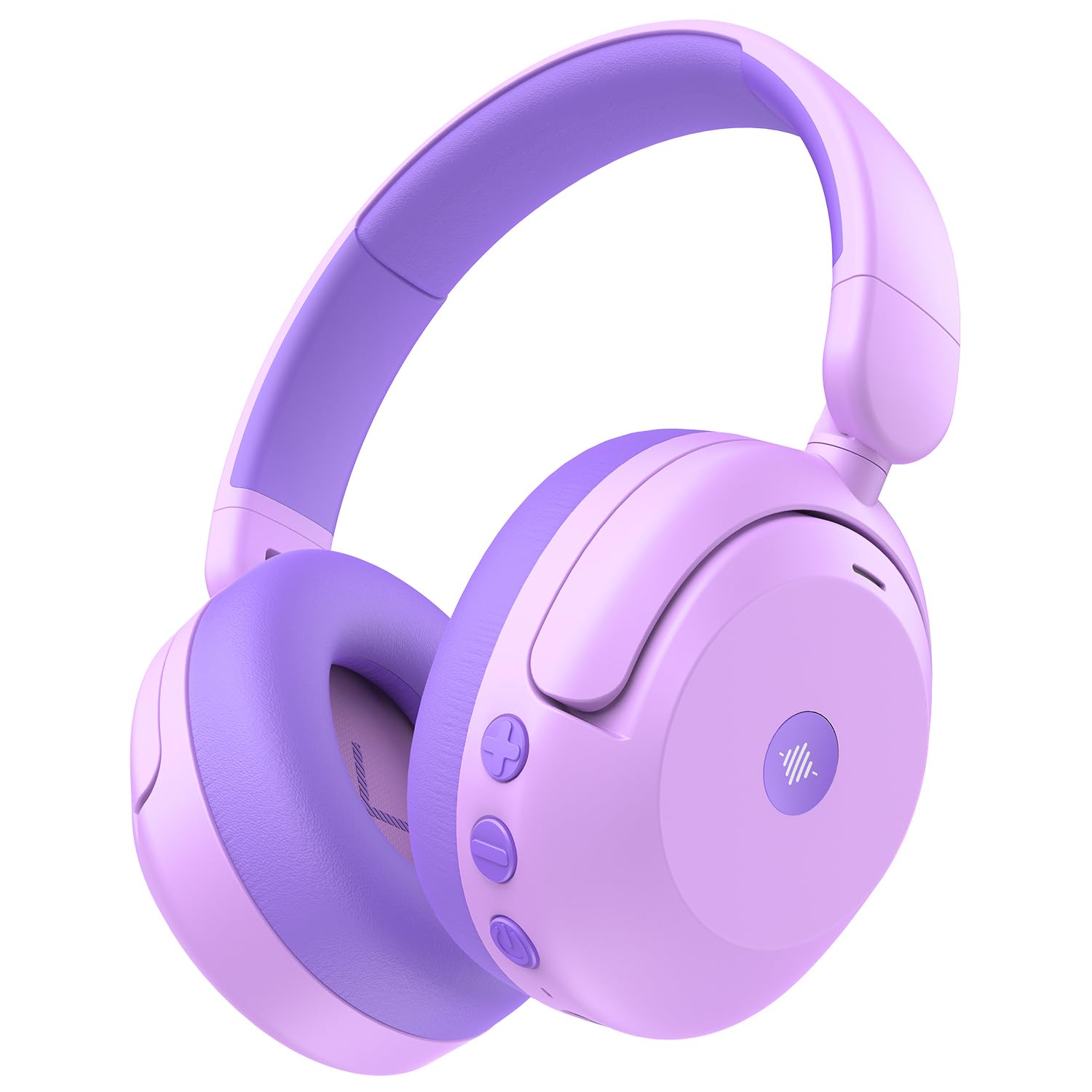
Image: iClever BTH20 headphones in purple, showcasing their over-ear design and vibrant color.

Videyo: Yon gwo plan view of the iClever BTH20 headphones, highlighting the control buttons, charging port, and audio jack. This video demonstrates the physical features and connectivity options.
4. Enstalasyon
4.1 Chaje kas ekoutè yo
- Konekte kab chaje USB-C ki vini ak kas ekoutè a nan pò chaje ki sou kas ekoutè a.
- Branche lòt bout kab USB-C a nan yon adaptè kouran USB konpatib (pa enkli) oubyen nan yon pò USB òdinatè.
- Endikatè LED la ap montre eta chaj la (pa egzanp, wouj pou chaj, ble pou chaj konplè).
- A full charge takes approximately 2 hours. A 10-minute fast charge provides about 5 hours of use.
4.2 Bluetooth Pairing
- Asire w ke kas ekoutè yo chaje epi etenn.
- Peze epi kenbe bouton Pouvwa a jiskaske endikatè LED la flache ble ak wouj, sa ki endike mòd koneksyon an.
- Sou aparèy ou an (telefòn entelijan, tablèt, elatriye), aktive Bluetooth epi chèche aparèy ki disponib yo.
- Chwazi "iClever BTH20" nan lis aparèy yo.
- Yon fwa konekte, endikatè ki ap dirije a ap vire solid ble.
4.3 Koneksyon branche
For devices without Bluetooth or when the battery is low, use the included 3.5mm audio cable:
- Branche yon bout kab odyo 3.5mm lan nan priz odyo ki sou kas ekoutè a.
- Branche lòt bout la nan sòti odyo 3.5mm aparèy ou an.
- Note: Active Noise Cancellation (ANC) is not available when using a wired connection.
5. Operasyon Enstriksyon
5.1 Power On/Off
- Pouvwa sou: Peze epi kenbe bouton Power la pandan 2-3 segonn jiskaske endikatè LED la limen.
- Pouvwa Off: Peze epi kenbe bouton Power la pandan 3-5 segonn jiskaske endikatè LED la etenn.
5.2 Kontwòl Volim
The headphones feature an 80dBA volume limit to protect young hearing. Use the dedicated volume buttons:
- Volim moute: Peze bouton '+' la.
- Volim desann: Peze bouton '-' la.
5.3 Anilasyon aktif bri (ANC)
The BTH20 headphones offer two noise reduction modes for different environments:
- Aktive ANC: Press the ANC button (often marked with a wave icon) to cycle through modes.
- Low Noise Reduction Mode: Provides a gentler ear pressure, suitable for environments with moderate background noise.
- High Noise Reduction Mode: Blocks out most engine and mechanical noises, ideal for travel (e.g., airplanes).

Image: Diagram illustrating the Active Noise Cancellation feature and its effectiveness in reducing ambient sound.
5.4 Itilizasyon Mikwofòn
The headphones include an inbuilt microphone for basic voice chat and calls when connected via Bluetooth.
- Reponn / Fini Apèl: Peze bouton Milti-fonksyon an (souvan bouton Pouvwa a) yon fwa.
- Rejte apèl: Peze epi kenbe bouton Multi-fonksyon an pou 2 segonn.
6. Konfò ak anfòm
The iClever BTH20 headphones are designed for maximum comfort for children:
- Bando reglabl: The 10-level adjustable headband ensures a snug yet comfortable fit for various head sizes, accommodating children from 3 years old and up.
- Kousen zòrèy mou: The ear cushions are made from a pressure-reducing, skin-like texture, providing a gentle fit that prevents discomfort during long listening sessions.
- Konsepsyon ki lejè: Weighing only 220 grams, these headphones are light enough for children to wear without feeling burdened.

Image: A child wearing the iClever BTH20 headphones, demonstrating the comfortable and secure fit.
7. Antretyen
To ensure the longevity and optimal performance of your iClever BTH20 headphones, follow these maintenance guidelines:
- Netwayaj: Use a soft, dry cloth to wipe the headphones. Avoid using harsh chemicals or abrasive materials.
- Depo: When not in use, fold the headphones and store them in the provided carrying pouch to protect them from dust and damage. Store in a cool, dry place.
- Evite dlo: These headphones are not water-resistant. Avoid exposure to liquids, moisture, or extreme temperatures.
- Manyen ak Swen: Although durable, avoid excessive bending or dropping the headphones to prevent damage to internal components.
NAN. Depanaj
| Pwoblèm | Solisyon |
|---|---|
| Kas ekoutè yo pa vle limen. | Ensure the headphones are fully charged. Connect to a power source using the USB-C cable. |
| Pa ka konekte atravè Bluetooth. | Make sure the headphones are in pairing mode (flashing blue/red LED). Turn off and on Bluetooth on your device. Ensure no other devices are connected. |
| Pa gen son oswa volim nan ba. | Check volume levels on both headphones and the connected device. Ensure the headphones are properly paired or the 3.5mm cable is securely connected. |
| ANC a pa fonksyone. | Ensure the headphones are powered on and not connected via the 3.5mm audio cable (ANC is only for Bluetooth mode). Press the ANC button to cycle through modes. |
| Mikwofòn pa mache. | Asire w ke kas ekoutè yo konekte via Bluetooth. Tcheke paramèt mikwofòn sou aparèy ki konekte a. |
9. Espesifikasyon
| Karakteristik | Detay |
|---|---|
| Non modèl | BTH20 |
| Mak | iClever |
| Koneksyon Teknoloji | Wireless (Bluetooth 5.4) / Wired (3.5mm Jack) |
| Bluetooth vèsyon | 5.4 |
| Gamme Bluetooth | 10 mèt |
| Kontwòl bri | Anilasyon Bri Aktif (jiska 40dB) |
| Volim Limit | 80dBA (iClever Sound Refiner Technology) |
| Gwosè Chofè Audio | 40 Milimèt |
| Gamme frekans | 20Hz - 20,000Hz |
| Dire Batri (ANC Off) | Jiska 60 èdtan |
| Dire Batri (ANC Aktive) | Jiska 35 èdtan |
| Tan chaj batri | 2 Hours (10-min fast charge for 5 hours playtime) |
| Port chaje | USB-C |
| Materyèl | Acrylonitrile Butadiene Styrene (ABS), Leather, POK (BPA/PVC free) |
| Pwa atik | 220 gram |
| Ranje laj | 3+ ane |
| Rezistans dlo | Pa reziste dlo |
10. Garanti & Sipò
iClever products come with a standard warranty. For specific warranty details and to register your product, please refer to the warranty card included in your package or visit the official iClever websit.
For technical support, troubleshooting assistance, or any questions regarding your iClever BTH20 headphones, please contact iClever Customer Service:
- Websit: Visit the official iClever websit pou FAQ ak resous sipò.
- Imèl: Refer to your product packaging or the iClever websit pou adrès imel pou sèvis kliyan.