
JUNJIEUNVO YYK-Q16 PRO
JUNJIEUNVO Q30 Bluetooth Earphones User Manual
Model: YYK-Q16 PRO
1. Entwodiksyon
Thank you for choosing the JUNJIEUNVO Q30 Bluetooth Earphones. These earphones are designed to provide a superior audio experience with advanced features such as an intelligent color touch screen, Active Noise Cancellation (ANC), and Environmental Noise Cancellation (ENC). This manual will guide you through the setup, operation, and maintenance of your new earphones.
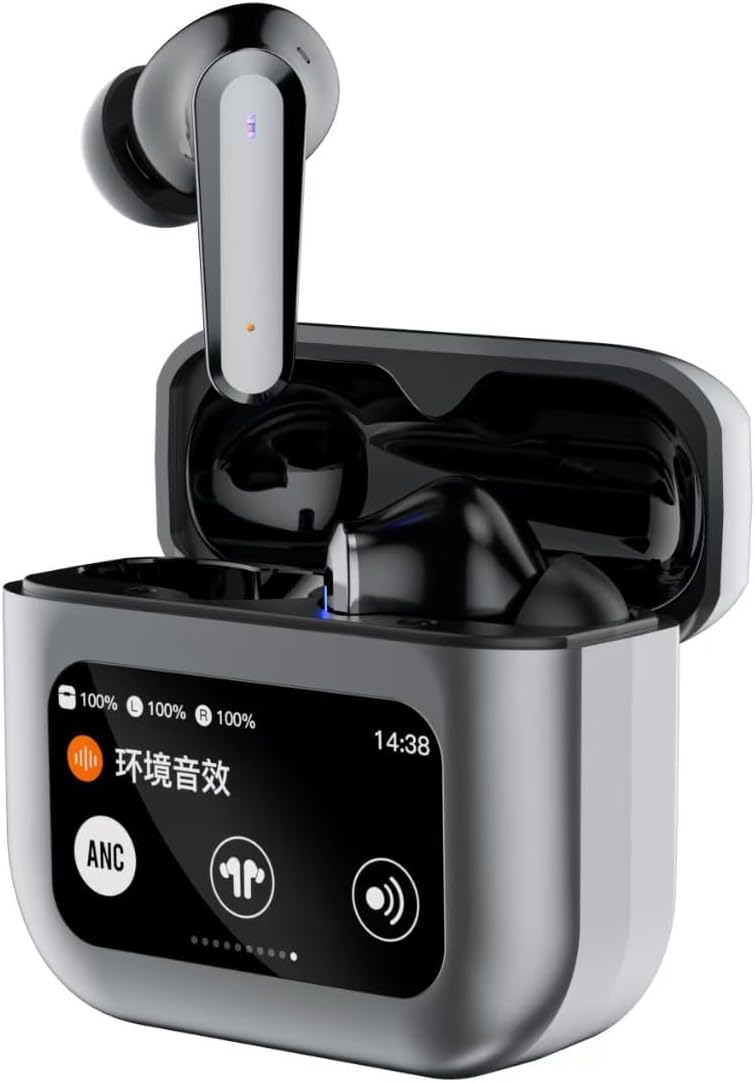
Image 1.1: JUNJIEUNVO Q30 Bluetooth Earphones in their charging case, showcasing the intelligent color touch screen.
2. Pake kontni
Tanpri tcheke pake a pou atik sa yo:
- JUNJIEUNVO Q30 Bluetooth Earphones (Left and Right)
- Charging Case with Intelligent Color Touch Screen
- USB Chaje Kab
- Manyèl itilizatè
- Plizyè gwosè bouchon zòrèy (S, M, L)
3. Enfòmasyon enpòtan sou sekirite
- Pa demonte oswa modifye ekoutè yo oswa bwat chaje a.
- Keep the device away from extreme temperatures, humidity, and liquids.
- Evite ekspoze pwolonje nan nivo volim ki wo pou anpeche domaj tande.
- Sèvi sèlman ak kab chaje ki vini ak li a oswa yon kab ekivalan sètifye.
- Jete aparèy la ak batri li yon fason responsab dapre règleman lokal yo.
4. Enstalasyon
4.1. Chaje ekoutè yo ak bwat la
Anvan premye itilizasyon an, chaje ekoutè yo ak bwat chaje a nèt.
- Konekte kab chaje USB a nan pò chaje ki sou bwat la epi nan yon sous kouran.
- Ekran taktil ki sou bwat la ap montre estati chaj la.
- Mete kas ekoutè yo nan bwat chaje a. Y ap kòmanse chaje otomatikman.
- Yon chaj konplè pran apeprè 1.5 èdtan anjeneral.
4.2. Pè Bluetooth
Pou konekte kas ekoutè ou yo ak yon aparèy:
- Asire w ke ekoutè yo chaje epi yo anndan bwat chaje a.
- Louvri kouvèti bwat chaje a. Kas ekoutè yo ap antre otomatikman nan mòd koneksyon.
- Sou aparèy ou an (telefòn entelijan, tablèt, elatriye), aktive Bluetooth.
- Chèche pou available Bluetooth devices and select "Q30" from the list.
- Once connected, the earphones will indicate successful pairing, and the touch screen on the case may show connection status.
4.3. Mete ekoutè yo
For optimal sound quality and comfort, choose the ear tips that best fit your ears. Insert the earphones gently into your ear canal and rotate them slightly until they feel secure and comfortable.

Image 4.1: Illustration of proper earphone fit for comfort and sound.
5. Operasyon Enstriksyon
5.1. Power On/Off
- Pouvwa sou: Louvri kouvèti bwat chaje a, oubyen retire kas ekoutè yo nan bwat la. Y ap limen otomatikman.
- Pouvwa Off: Mete ekoutè yo tounen nan bwat chaje a epi fèmen kouvèti a. Y ap etenn otomatikman.
5.2. Touch Controls (Earbuds)
The earphones feature touch-sensitive areas for various functions:
- Jwe/Poz: Tape yon sèl sou chak ekoutè.
- Pwochen Track: Tape de fwa sou ekoutè dwat la.
- Track Previous: Tape de fwa sou ekoutè gòch la.
- Reponn/Fen Apèl: Tape yon sèl sou chak ekoutè.
- Rejte apèl: Peze epi kenbe swa ekoutè pou 2 segonn.
- Aktive Asistan Vwa: Tape twa fwa sou nenpòt ekoutè.
- Switch ANC/ENC Modes: Press and hold the left earbud for 2 seconds to cycle through ANC On, Transparency Mode, and ANC Off.
5.3. Intelligent Color Touch Screen Functions (Charging Case)
The charging case features a full-color touch screen for advanced control and settings. Swipe left or right to navigate through the menus.

Imaj 5.1: Plis paseview of the intelligent color touch screen functions on the charging case.
- Kontwòl Mizik: Play, pause, skip tracks directly from the screen.
- Ajisteman Volim: Control the playback volume.
- Revolve: Select from preset equalizer modes or customize your sound profile.
- Pattern Selection (Mode Select): Choose different audio modes, such as gaming or movie mode.
- Lock Wallpaper: Pèsonalize background ekran an.
- Anviwònman tan: Adjust the device's time.
- Klate ekran an: Ajiste klète ekspozisyon an.
- Fonksyon flach: Activate a small flashlight feature.
- Lang: Chanje lang ekspozisyon an.
- Find Earphone: Locate misplaced earbuds by emitting a sound.
- Fonksyon Kamera: Deklanche obturateur kamera telefòn ou a adistans.
- Vwa apèl: Initiate or manage voice calls.
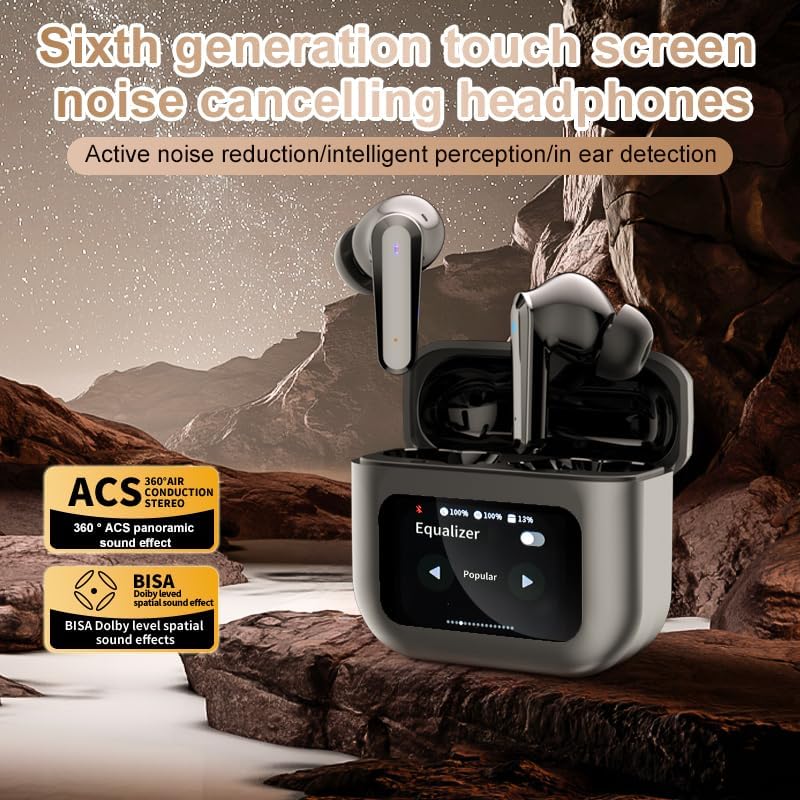
Image 5.2: The touch screen displaying equalizer settings for audio customization.
5.4. Active Noise Cancellation (ANC) and Environmental Noise Cancellation (ENC)
The Q30 earphones feature both ANC for reducing ambient noise and ENC for clear call quality.
- ANC: Reduces external low-frequency noise, ideal for travel or noisy environments. Activate via earbud touch control or the charging case screen.
- Mòd transparans: Allows you to hear your surroundings without removing the earphones. Cycle through modes using the earbud touch control.
- ENC: Enhances voice clarity during calls by filtering out background noise from your microphone. This feature is automatically active during calls.

Image 5.3: The touch screen interface for selecting various modes, including noise cancellation options.
6. Antretyen
6.1. Netwayaj
- Siye ekoutè yo ak bwat chaje a dousman avèk yon twal mou, sèk e ki pa gen pousyè.
- Pa sèvi ak pwodui netwayaj abrazif, alkòl, oswa solvan chimik.
- Netwaye pwent zòrèy yo regilyèman ak adamp twal la epi kite yo seche nèt anvan ou tache yo ankò.
- Ensure charging contacts on both earphones and case are clean and free of debris.
6.2. Depo
- Lè w pa ap itilize ekoutè yo, sere yo nan bwat chaje yo pou pwoteje yo epi kenbe yo chaje.
- Sere nan yon kote ki fre, sèk, lwen limyè solèy la dirèk ak tanperati ekstrèm.
NAN. Depanaj
| Pwoblèm | Kòz posib | Solisyon |
|---|---|---|
| Ekoutè yo pa konekte | Ekoutè yo pa an mòd koneksyon; Bluetooth etenn sou aparèy la; deyò pòte. | Ensure earphones are in pairing mode (open case lid). Turn Bluetooth on your device. Move device closer to earphones. |
| Pa gen son nan ekoutè | Volume too low; earphones not connected; media paused. | Increase volume on device and earphones. Reconnect earphones. Check if media is playing. |
| One earphone has no sound | Batri fèb; pwoblèm koneksyon. | Place both earphones back in the case, close, then reopen to reset connection. Ensure both are charged. |
| Ka chaje pa chaje | Kab ki gen pwoblèm; pwoblèm ak sous kouran an. | Eseye yon lòt kab USB ak adaptè kouran. Asire w koneksyon yo byen fèm. |
| Manyen ekran pa reponn | Pwoblèm lojisyèl tanporè. | Restart the case by closing and reopening it, or allow the battery to drain and recharge. |
8. Espesifikasyon
| Karakteristik | Detay |
|---|---|
| Non modèl | YYK-Q16 PRO (Q30) |
| Bluetooth vèsyon | V5.4 + EDR |
| Chip | Blue Flood |
| Pwotokòl sipòte | AVRCP V1.6, A2DP V1.3, HFP V1.7, Simultaneous LE and BR / EDR |
| Kontwòl bri | Anilasyon Bri Aktif (ANC), Anilasyon Bri Anviwònman (ENC) |
| Lektur Tan | Apeprè 8 èdtan (nan 80% volim) |
| Tan sibstiti | 80 èdtan |
| Tan pou chaje | Apeprè 1.5 èdtan |
| Distans san fil | 10 mèt |
| Kapasite batri kas ekoutè | 40mAh |
| Chaje Ka Batri Kapasite | 500mAh |
| Evalyasyon ki enpèmeyab | IPX5 (Ekoutè) |
| Enpedans | 32 Ohm |
| UPC | 884613749491 |
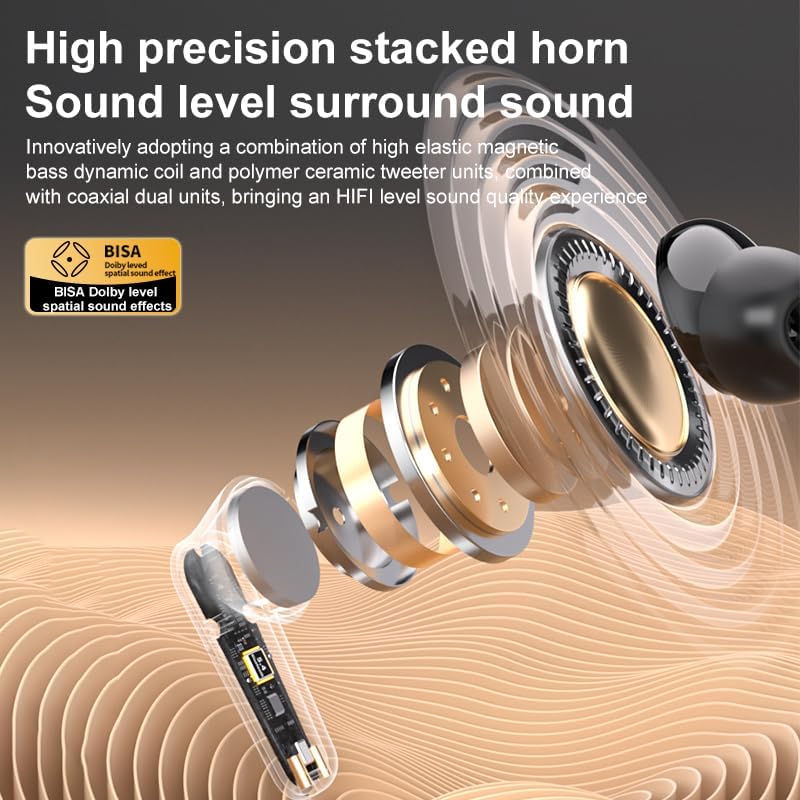
Imaj 8.1: Detaye view of the high-precision stacked horn and internal components for sound delivery.
9. Garanti ak sipò
For warranty information or technical support, please refer to the warranty card included with your product or contact the manufacturer directly. Please have your model number (YYK-Q16 PRO) and purchase details ready when contacting support.
Manufacturer: UNVO
Ask a question about this manual
Ask about setup, troubleshooting, compatibility, parts, safety, or missing instructions. Manuals+ will review the question and use this page’s manual context to help answer it.