
1. Entwodiksyon
This manual provides detailed instructions for the Nitecore NU25 MCT UL 400 Lumen Ultralight USB-C Rechargeable Headlamp. Please read thoroughly before use to ensure proper operation and maintenance.
2. Pake kontni
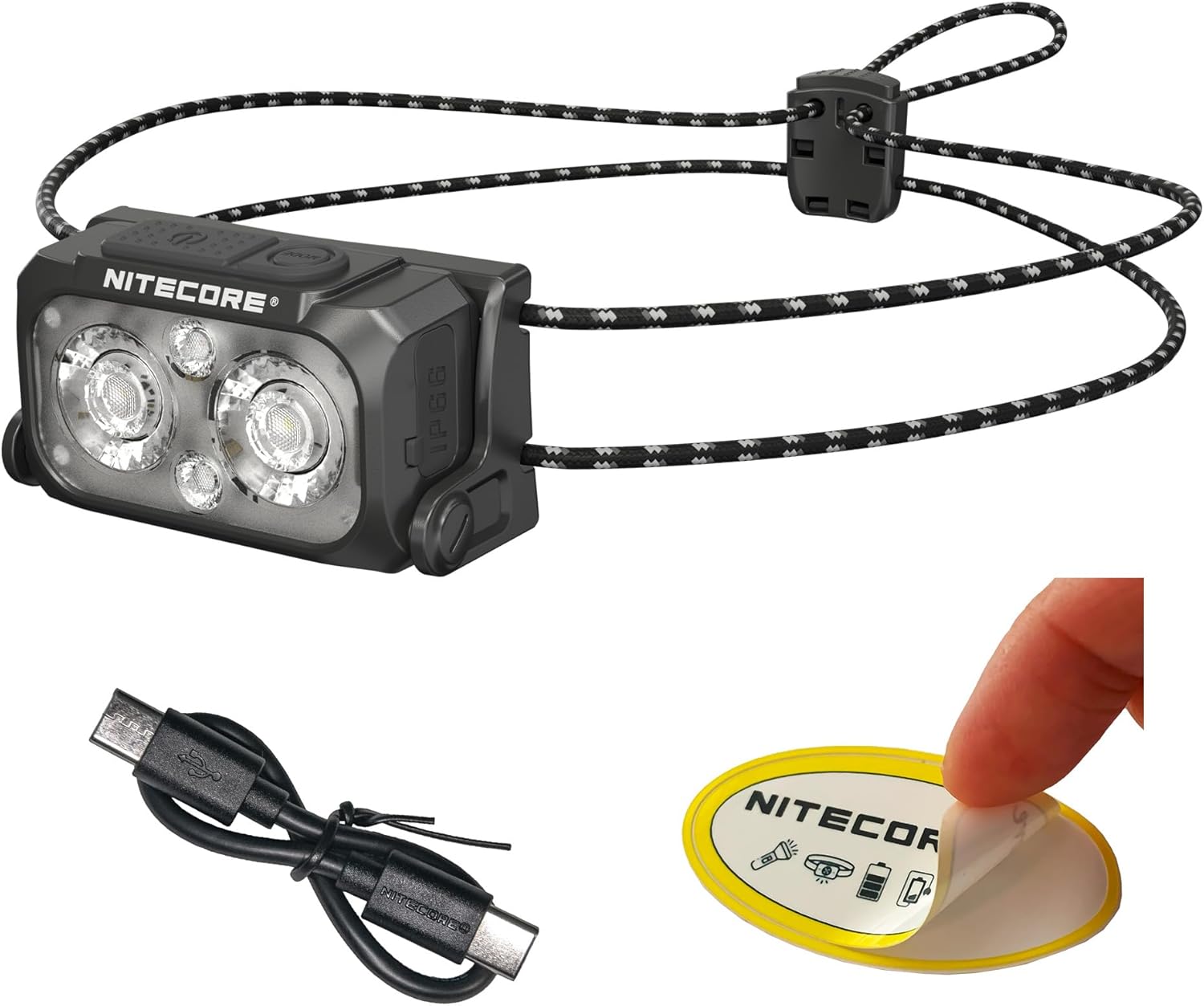
The Nitecore NU25 MCT UL package includes:
- Nitecore NU25 MCT UL Headlamp
- USB-C USB-C chaje kab
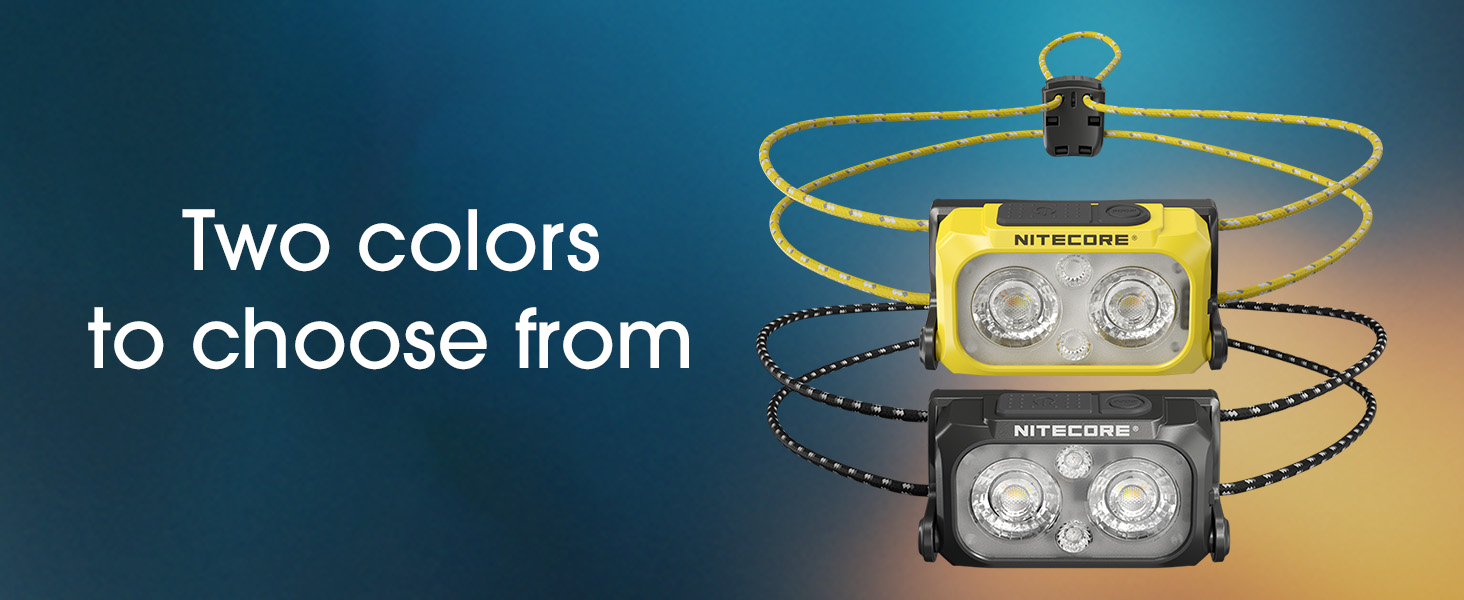
- Elastic Cord Headband (Black)
- Difize Bagay Sak
- Nitecore Sticker
3. Enstalasyon ak Premye Itilizasyon
3.1. Chaje tèt laamp
The NU25 MCT UL features a built-in rechargeable Lithium Ion battery.
- Jwenn pò chaje USB-C a sou bò tèt la.amp.
- Open the protective cover of the USB-C port.
- Connect the included USB-C charging cable to the headlamp and a power source (e.g., USB adapter, computer USB port).
- The power indicator lights will show charging status. A full charge typically takes approximately 1 hour.
- Once fully charged, disconnect the cable and securely close the protective cover to maintain water resistance.
3.2. Ajiste bann tèt la
Headl laamp comes with an elastic cord headband for comfortable and secure fit.
- Mete tèt laamp sou tèt ou.
- Adjust the elastic cord using the cord lock mechanism at the back to achieve a snug fit without being too tight.
- Headl laamp unit can be tilted up or down to direct the beam as needed.

4. Operasyon Enstriksyon
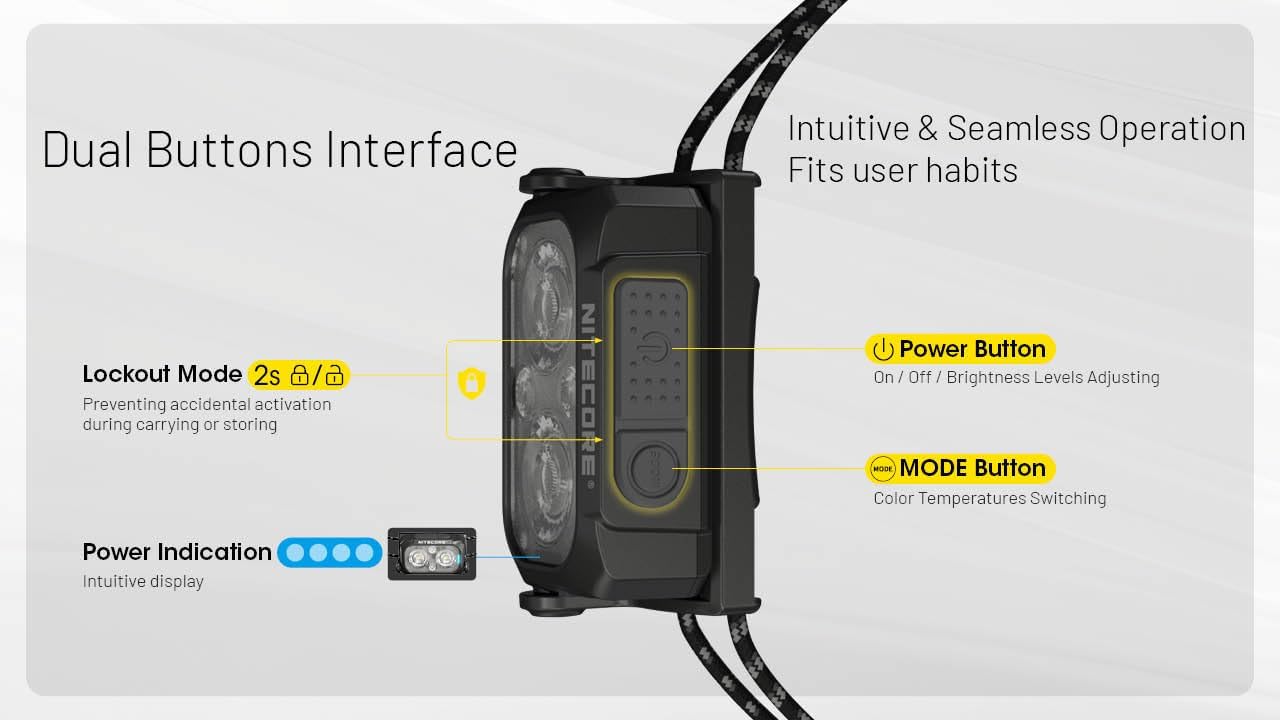
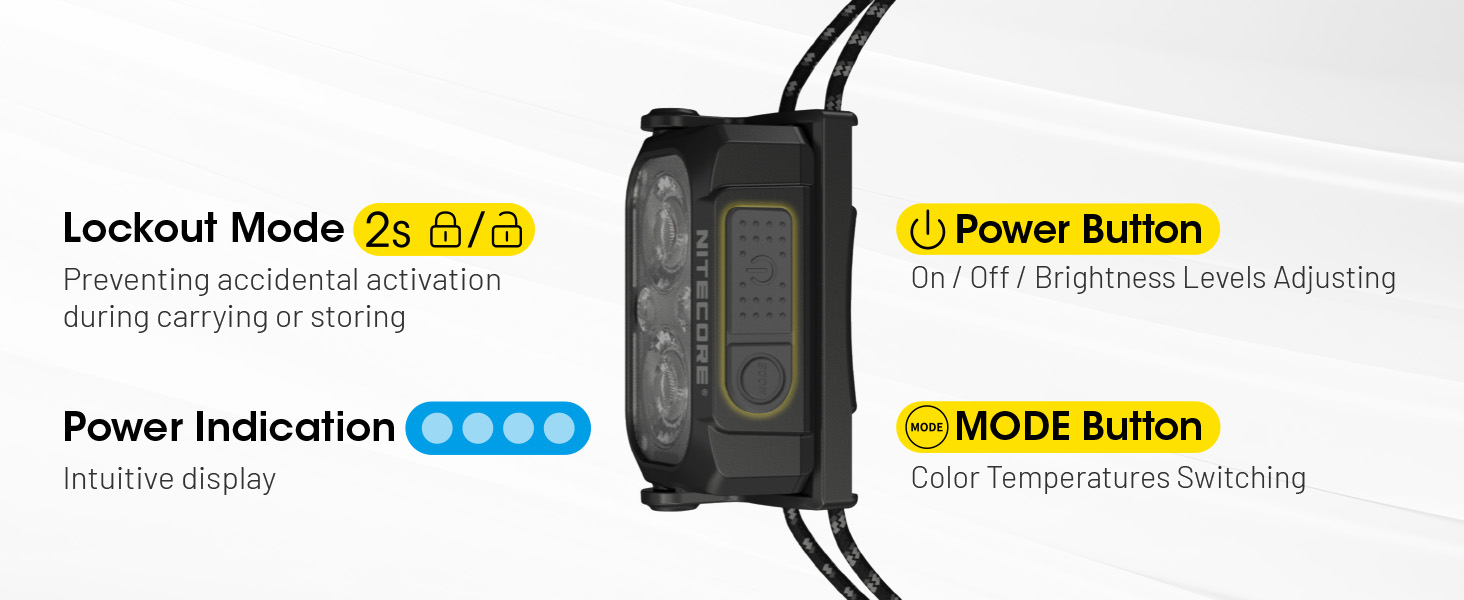
The NU25 MCT UL features a dual-button interface for intuitive control.

4.1. Power On/Off & Brightness Adjustment (White Light)
- Pou limen: Long press the Power button (larger button) for 2 seconds. The headlamp will turn on in the last used white light mode (or low neutral white by default).
- Pou ajiste klète: While the white light is on, short press the Power button to cycle through Ultra Low, Low, Mid, and High brightness levels.
- Pou fèmen: Long peze bouton pouvwa a pou 2 segonn.
4.2. Chanje Tanperati Koulè
Headl laamp offers multiple color temperatures for the primary white light.
- While the white light is on, short press the Mode button (smaller button) to cycle through Warm White (3000K), Neutral White (4500K), and Cool White (6500K).
4.3. Mode limyè wouj
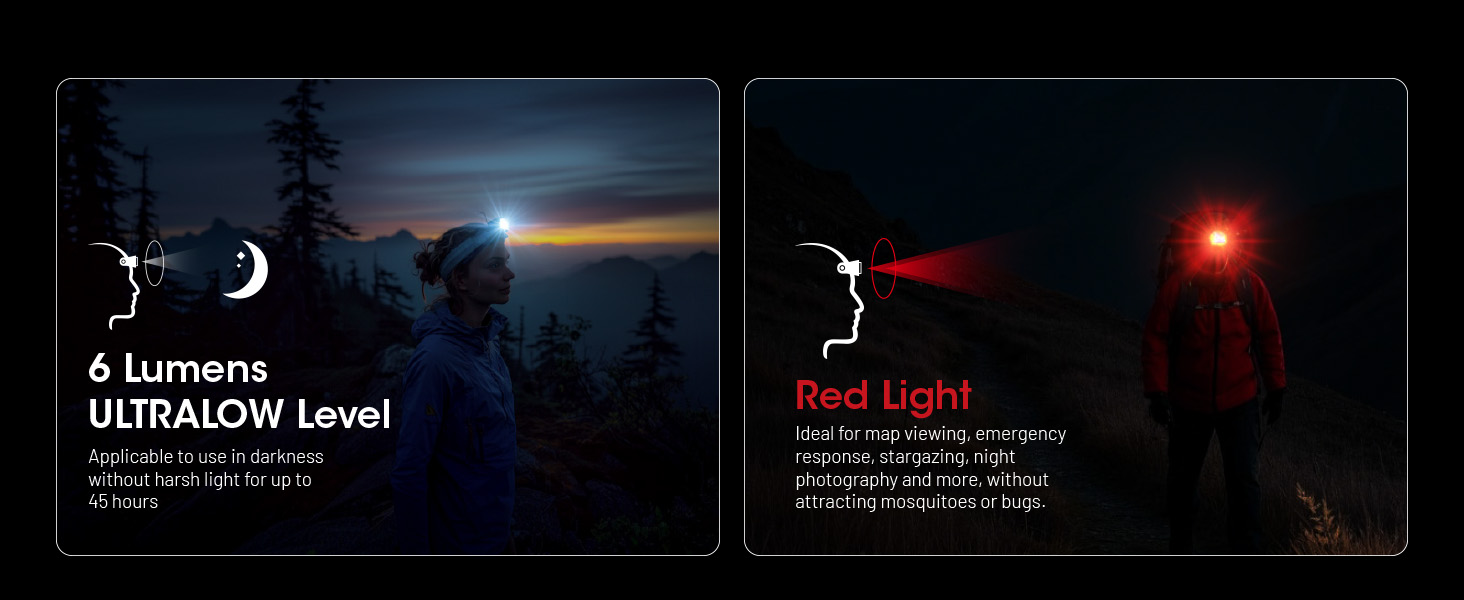
The auxiliary red light is useful for preserving night vision and signaling.
- To turn on red light: Lè tèt laamp is off, long press the Mode button for 2 seconds. It will turn on in Low Red.
- To adjust red light brightness/mode: While the red light is on, short press the Power button to cycle through Low Red, High Red, and Red Flashing.
- To turn off red light: Long press the Mode button for 2 seconds.

4.4. Special Modes (SOS, Beacon)
- To access special modes: Pandan ke tèt laamp is off, double press the Mode button. It will activate SOS mode.
- To cycle through special modes: While in SOS mode, short press the Power button to switch to Beacon mode.
- To exit special modes: Long press the Power button or Mode button for 2 seconds.
4.5. Lockout Function
To prevent accidental activation during transport or storage:
- Pou fèmen: Lè tèt laamp is off, simultaneously press and hold both the Power and Mode buttons for 2 seconds. The headlamp will flash once to indicate it is locked.
- Pou déblotché: Simultaneously press and hold both the Power and Mode buttons for 2 seconds. The headlamp will flash once and turn on in Ultra Low mode.
5. Karakteristik kle
- Ultralight Design: Weighing only 1.65 oz (47g) with the elastic cord, designed for maximum comfort during extended use.
- Multiple Color Temperatures (MCT): Offers Warm (3000K), Neutral (4500K), and Cool (6500K) white light options to suit various environments and preferences.
- Segondè pwodiksyon klète: Up to 400 lumens with a maximum beam distance of 144 yards.
- USB-C Rechargeable: Integrated USB-C port for convenient and fast charging.
- Konstriksyon dirab: Crafted from robust PC material, rated IP66 for water and dust resistance, and impact-resistant up to 1 meter.
- Limyè wouj oksilyè: Preserves night vision and provides signaling capabilities.
- Intuitive Dual-Button Interface: Easy operation for power, brightness, and mode selection.
- Endikatè pouvwa: Built-in indicator displays battery status.
6. Espesifikasyon teknik
| Mode | Sòti | Runtime | Distans gwo bout bwa | Pik entansite gwo bout bwa |
|---|---|---|---|---|
| Primary Light (Neutral White / Warm Light / Cool Light) | ||||
| Segondè | 400 Lumen | 2h 40min | 132m | 4381cd |
| Mid | 200 Lumen | 5h | 94m | 2192cd |
| Ba | 60 Lumen | 13h | 51m | 662cd |
| Ultra ba | 6 Lumen | 45h | 13m | 43cd |
| Oksilyè limyè wouj | ||||
| Segondè | 15 Lumen | 10h | -- | -- |
| Ba | 7 Lumen | 26h | -- | -- |
| Flache dousman | 15 Lumen | -- | -- | -- |
| Mòd espesyal | ||||
| SOS | 400 Lumen | -- | -- | -- |
| Beacon | 400 Lumen | -- | -- | -- |
| Rezistans enpak | 1m | |||
| Rezistans dlo | IP66 | |||
Note: Stated data is measured using the built-in 700mAh Li-ion battery (3.85V) in accordance with international flashlight testing standards ANSI/PLATO FL 1-2019 at an ambient temperature of 22°C (72°F) from the NITECORE Lab. The data may vary in real-world use due to different environmental conditions.
This product is equipped with a thermal protection function, which automatically regulates the output of the product according to the working condition to maintain optimal performance.

7. Swen ak Antretyen
- Netwaye tèt laamp body with a soft, damp twal. Evite materyèl abrazif.
- Ensure the USB-C port cover is securely closed when not charging to maintain water resistance.
- Recharge the battery regularly, even if not in use, to prolong battery life. Avoid fully depleting the battery for extended periods.
- Sere tèt laamp nan yon kote ki fre, sèk lwen limyè solèy la dirèk ak tanperati ekstrèm.
NAN. Depanaj
- Headlamp pa limen:
- Check if the battery is charged. Connect to a USB-C power source.
- Ensure the lockout function is not activated (simultaneously press both buttons for 2 seconds to unlock).
- Limyè ki soti a fèb oswa li pa konsistan:
- The battery might be low; recharge the headlamp.
- Headl laamp may be in thermal regulation mode if it has been operating at high output for an extended period. Allow it to cool down.
- Dlo antre:
- Ensure the USB-C port cover is properly sealed. If water has entered, turn off the device immediately and allow it to dry completely before attempting to use it again. Contact customer support if issues persist.
9. Garanti ak Sipò Kliyan
The Nitecore NU25 MCT UL headlamp comes with a limited warranty. For specific warranty terms and conditions, please refer to the warranty card included in your package or visit the official Nitecore websit.
For technical support, service, or inquiries, please contact Nitecore customer service or your local distributor.
Manufacturer: Sysmax Innovation Co.