
1. Entwodiksyon
This manual provides detailed instructions for the NBCP Wireless Controller, Model 736C. This controller is designed for a versatile gaming experience across multiple platforms, offering advanced features for enhanced gameplay. Please read this manual thoroughly before use to ensure proper operation and to maximize your gaming potential.
2. Pwodwi Features
- Konpatibilite milti-platfòm: Compatible with PS4, PS3, PC (Windows 10/11), iOS, and Android devices.
- Deklanchè Doub Efè Hall: Linear and Hall Effect triggers provide precise linearity and improved stability, eliminating drift for millimeter-level accuracy.
- Jiroskop Sis Aks: Equipped with a six-axis gyroscope for precise motion sensing, enhancing aiming, steering, and complex maneuvers.
- Turbo Fonksyon: Built-in acceleration for continuous high-frequency combos.
- Motè Vibrasyon Doub: Provides an immersive gaming experience with realistic haptic feedback.
- 1200mAh batri: Built-in rechargeable battery offers up to 8 hours of continuous gaming on a single charge.
- Jack ekoutè 3.5mm: Allows direct connection of headphones for clear game audio and real-time chat.
- Touchpad: Integrated touchpad for additional control options.
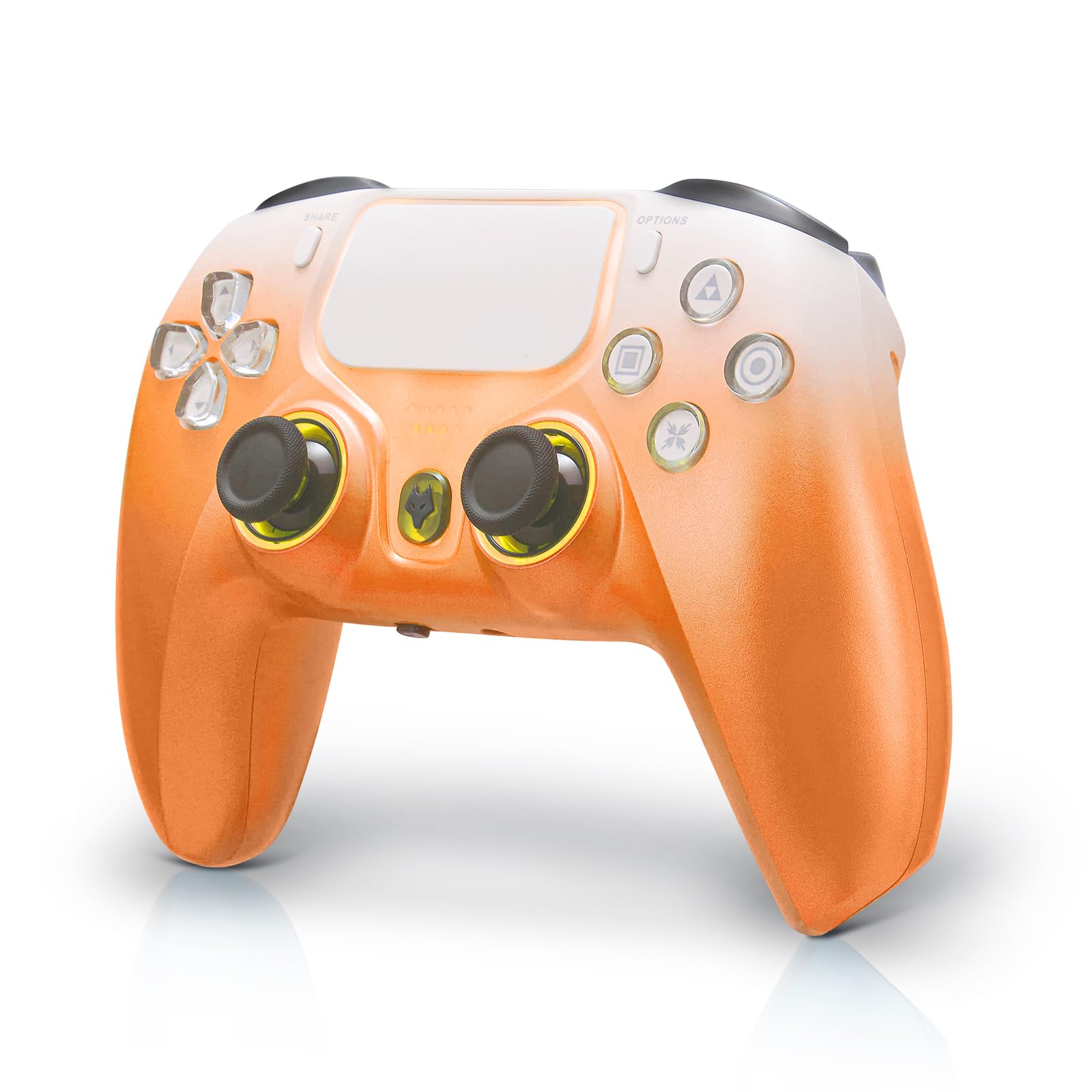
Figure 1: NBCP Wireless Controller (Orange variant).
3. Pake kontni
Atik sa yo enkli nan pake ou:
- 1 x NBCP Wireless Controller
- 1 x USB-C chaje kab
- 1 x manyèl itilizatè
4. Enstalasyon ak Koneksyon
4.1 Premye koneksyon
To pair your controller with a device, ensure the controller is powered off. Press and hold the 'F' key and the 'Triangle' key simultaneously until the joystick light begins to flash. This indicates the controller is in pairing mode.
Video 1: Demonstrates the pairing process for the wireless controller.
4.2 Platform Selection
The controller supports various connection modes. Use the on-screen menu to select your desired platform (PC, Tablet, Android TV, Switch) and connection type (Receiver or Bluetooth). Please manually match for the first connection.
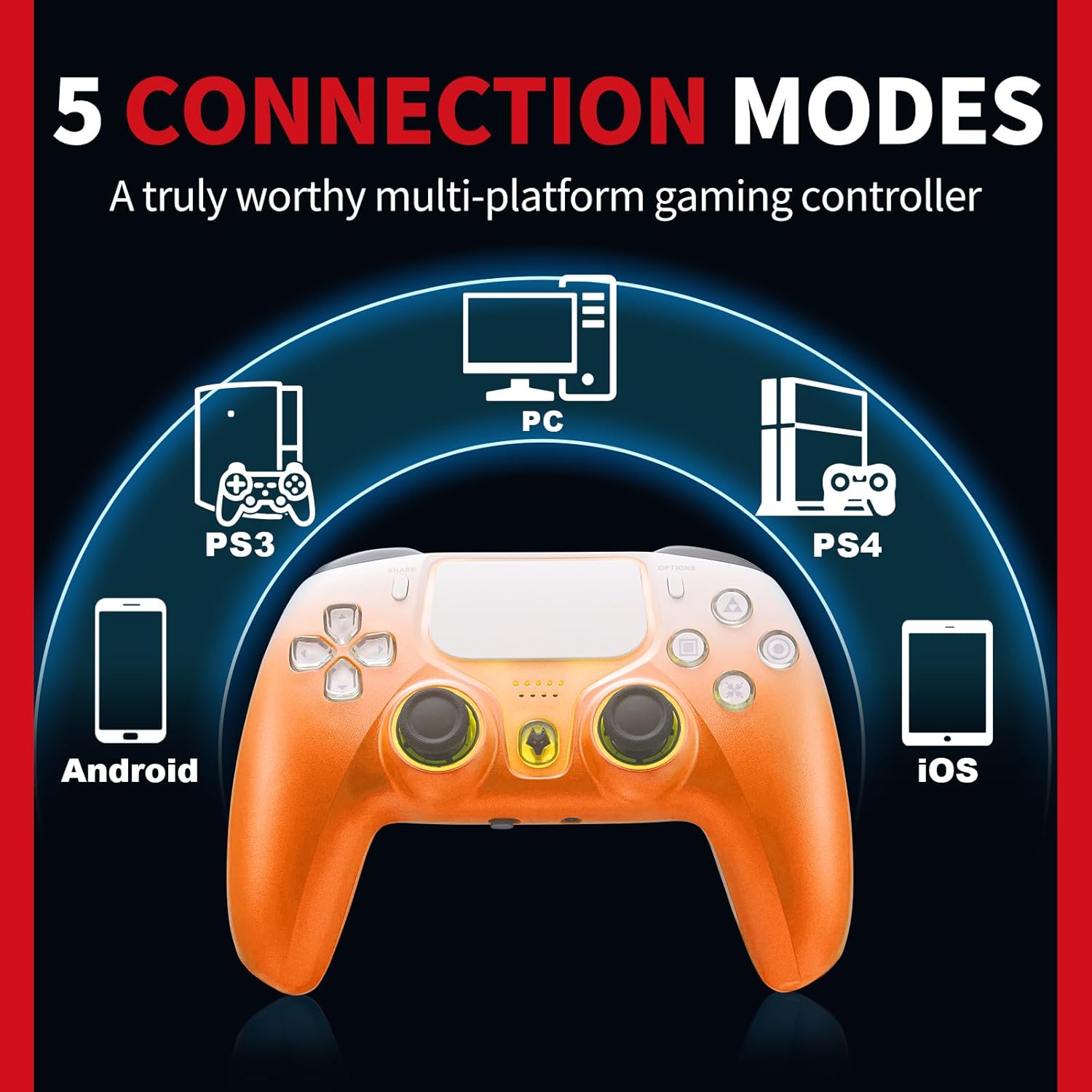
Figure 2: The controller supports 5 connection modes for various devices.
5. Operasyon Enstriksyon
5.1 Deklanchè Efè Hall
The Hall Effect triggers provide precise and consistent input, reducing wear and preventing drift. This technology uses magnetic sensors for improved durability and accuracy in games requiring fine trigger control.

Figure 3: Illustration of Hall Effect Linear Trigger technology.
5.2 Fonksyon Turbo
Activate the Turbo function by pressing the designated button to enable continuous high-frequency input, useful for rapid actions in games.

Figure 4: Visual representation of the Turbo Function in action.
5.3 Six-Axis Gyroscope
The integrated six-axis gyroscope allows for motion-sensing controls, providing an immersive experience in games that utilize tilt and movement for input.

Figure 5: The 6-Axis Gyro Sensor provides precise motion control.
5.4 Vibrasyon Doub
Experience enhanced realism with dual vibration motors that provide tactile feedback during gameplay, reacting to in-game events.

Figure 6: Dual Vibration Motors for a realistic gaming experience.
5.5 Jack kas ekoutè 3.5mm
Connect your headphones directly to the controller's 3.5mm audio jack for private listening and clear voice chat with teammates.

Figure 7: Connect headphones via the 3.5mm audio jack for voice chat.
6. Kalibrasyon
To ensure optimal performance and address any potential input issues, the controller offers calibration options for its joysticks, triggers, and motion sensing.
6.1 Joystick and Trigger Calibration
If you experience issues such as trigger misalignment or joystick drift, follow these steps to recalibrate:
- Asire w ke kontwolè a etenn.
- Press and hold the 'F' key and the 'Triangle' key simultaneously until the joystick light flashes.
- Rotate both joysticks twice as far as possible in all directions.
- Press both triggers down as far as they will go twice.
- Press the 'Triangle' key to complete the setting.
Video 2: Step-by-step guide for calibrating the controller's joysticks and triggers to resolve input issues.
6.2 Motion Sensing Calibration
For precise motion control in games, you can calibrate the motion sensing feature through the controller's menu. Refer to the on-screen 'CAL' option for detailed instructions.
7. Antretyen
To maintain the longevity and performance of your NBCP Wireless Controller:
- Kenbe kontwolè a pwòp lè w siye l avèk yon twal mou epi sèk.
- Evite ekspoze kontwolè a nan tanperati ekstrèm oswa nan limyè solèy dirèk.
- Store the controller in a safe place to prevent physical damage.
- Charge the controller using the provided USB-C cable. The 1200mAh battery provides approximately 8 hours of gameplay on a 3-6 hour charge.

Figure 8: The controller features a 1200mAh built-in battery.
NAN. Depanaj
8.1 Pwoblèm Koneksyon
If the controller fails to connect, ensure it is fully charged and within range of your device. Re-attempt the pairing process as described in Section 4.1.
8.2 Input Inaccuracies
For issues with joystick drift or inaccurate trigger responses, perform the calibration steps outlined in Section 6.1.
8.3 Controller Unresponsive
If the controller becomes unresponsive, locate the reset button (often a small pinhole on the back) and use a thin object (like a paperclip) to press it. This will reset the controller.
9. Espesifikasyon
| Karakteristik | Spesifikasyon |
|---|---|
| Nimewo Modèl | 736C |
| Konpatibilite | PS4, PS3, PC (Windows 10/11), iOS, Android |
| Kapasite batri | 1200mAh |
| Kalite batri | 1 pil 9V (enkli) |
| Entèfas chaje | USB-C |
| Mouvman Capteur | Jiroskop Sis Aks |
| Vibration | Motè Vibration doub |
| Audio Port | Jack kas ekoutè 3.5mm |
| Pwa atik | 13.4 ons |
| Dimansyon pake | 6.57 x 4.61 x 3.23 pous |
| Rated Age | Tout moun 10+ |
10. Garanti ak sipò
NBCP is committed to providing quality products. If you have any questions or require assistance with your controller, please feel free to contact us. We aim to respond to all inquiries within 24 hours.
This product is subject to a return policy allowing for refund or replacement within 30 days of purchase.