
Entwodiksyon
Thank you for choosing the Mibro Smartwatch Lite 3. This manual provides essential information for setting up, operating, and maintaining your device. Please read it carefully to ensure proper use and to maximize the performance of your smartwatch.
Kontni pake
Asire w tout atik yo prezan nan pakè a:
- Mibro Smartwatch Lite 3 (with strap)
- Mayetik kab chaje
- Manyèl itilizatè
Pwodwi souview
The Mibro Smartwatch Lite 3 features a 1.3-inch AMOLED display, designed for clear visuals and intuitive interaction. It integrates various sensors for health monitoring and supports Bluetooth calling.
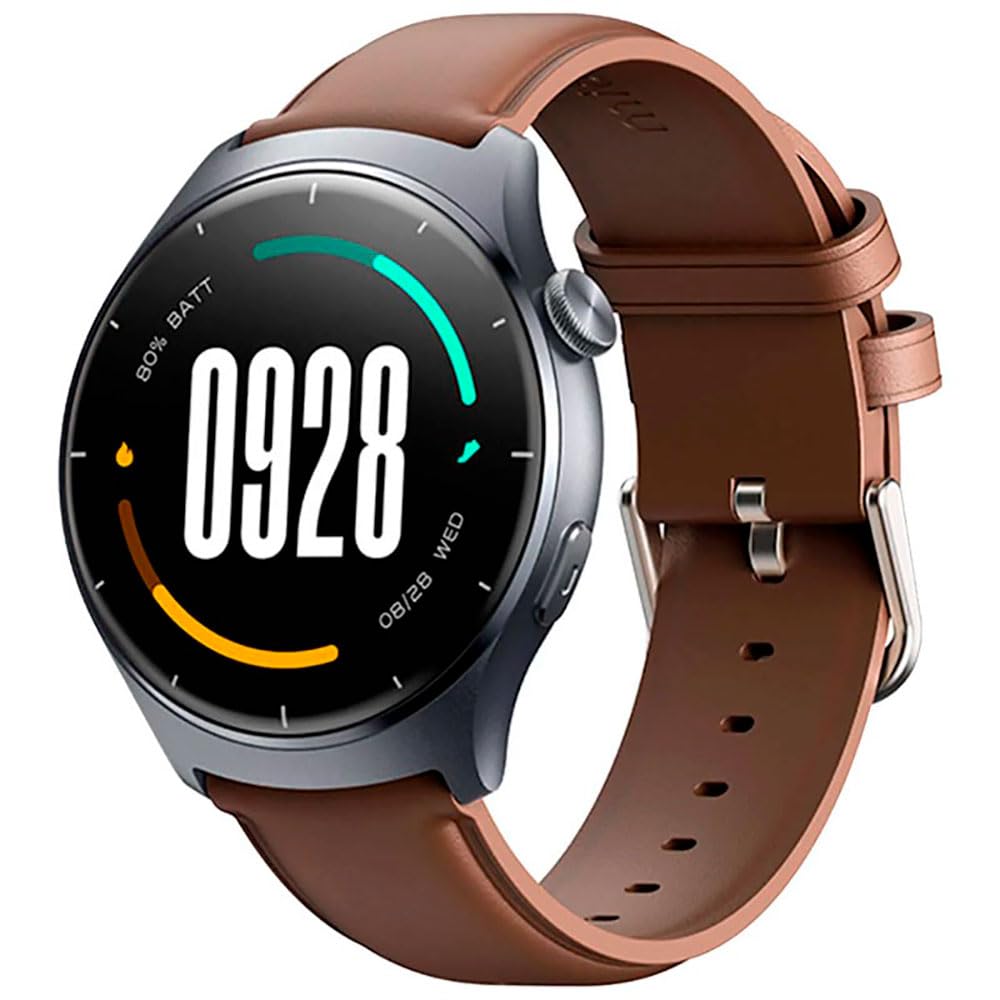
Imaj: Devan view of the Mibro Smartwatch Lite 3, showcasing its round display and strap.
Enstalasyon
1. Chaje mont entelijan an
- Konekte kab chaje mayetik la ak kontak chaje yo sou dèyè mont entelijan an.
- Branche bout USB kab la nan yon adaptè kouran USB estanda (5V/1A rekòmande) oubyen nan yon pò USB òdinatè.
- The watch display will show a charging indicator. Ensure the watch is fully charged before first use.
2. Enstalasyon ak koneksyon aplikasyon an
- Download the official Mibro Fit application from your smartphone's app store (App Store for iOS, Google Play Store for Android).
- Louvri aplikasyon Mibro Fit la epi kreye yon kont oubyen konekte.
- Asire w ke Bluetooth aktive sou smartphone ou.
- In the Mibro Fit app, navigate to 'Device' or 'Add Device' and select 'Mibro Lite 3' from the list of available devices.
- Confirm the pairing request on both your smartphone and the smartwatch. A successful connection will be indicated on the watch display.
Opere
1. Navigasyon debaz
- Glise desann: Access quick settings (e.g., brightness, do not disturb, battery saver).
- Glise moute: View notifikasyon.
- Glise agoch/dwat: Navigate through widgets (e.g., heart rate, weather, activity data).
- Peze bouton bò a: Retounen nan kadran mont lan oubyen ale nan meni prensipal la.
- Peze bouton bò a pandan lontan: Power on/off or restart the device.
2. Mòd Espò
The Mibro Lite 3 supports over 100 sports modes. To start a workout:
- From the main menu, select the 'Workout' or 'Sports' icon.
- Choose your desired activity (e.g., running, cycling, swimming).
- Tap 'Start' to begin tracking. The watch will display real-time data such as duration, heart rate, and calories burned.
- To pause or end a workout, press the side button or swipe on the screen as prompted.
3. Apèl Bluetooth
Once paired with your smartphone, the Mibro Lite 3 allows you to make and receive calls directly from your wrist.
- Resevwa apèl: Lè yon apèl rive, mont lan ap montre idantifikasyon moun kap rele a. Tape ikòn vèt la pou reponn oswa ikòn wouj la pou rejte.
- Fè apèl: Access the 'Phone' or 'Dialer' function on the watch, then select a contact or dial a number.
4. Siveyans Sante
- Batman kè: Mont lan kontwole batman kè w kontinyèlman. View real-time data by swiping to the heart rate widget or accessing the 'Heart Rate' app.
- SpO2 (oksijèn san): Measure your blood oxygen levels through the 'SpO2' app on the watch. Ensure the watch is snug on your wrist for accurate readings.
- Suivi dòmi: Wear the watch to bed for automatic sleep monitoring. Data on sleep stages and duration can be viewed in the Mibro Fit app.
- Stress Monitoring & Breath Training: Utilize these features to manage stress and improve relaxation.
5. Lòt Karakteristik
- Kontwòl Mizik: Kontwole lèktur mizik sou smartphone ou dirèkteman nan mont lan.
- App Message Reminders: Receive notifications from various apps on your watch.
- Tan: Jwenn dènye nouvèl sou metewolojik an tan reyèl.
- Alarm, Timer, Stopwatch: Fonksyon sèvis piblik estanda.
- Jwenn telefòn ou: Deklanche yon son alèt pou lokalize smartphone ou ki konekte a.
- Sante Fanm: Suivi sik règ yo ak done ki gen rapò.
Antretyen
1. Netwayaj
- Netwaye kò mont lan ak braslè a regilyèman avèk yon twal mou.amp twal.
- Ensure the charging contacts are free from dust and debris to maintain efficient charging.
- Evite itilize pwodwi chimik piman bouk oswa materyèl abrazif pou netwaye.
2. Rezistans dlo
The Mibro Lite 3 is 2ATM waterproof, meaning it can withstand splashes, rain, and brief immersion in shallow water. It is suitable for activities like swimming in pools. However, it is not recommended for hot showers, saunas, or diving, as steam and high-pressure water jets may compromise the seal.
Depanaj
- Mont lan pa limen: Asire w ke mont lan chaje nèt. Konekte l nan plato a pou omwen 30 minit.
- Pa kapab konekte ak telefòn nan:
- Tcheke si Bluetooth aktive sou telefòn ou.
- Ensure the watch is within the Bluetooth range of your phone.
- Restart both the watch and your phone, then try pairing again.
- Make sure the Mibro Fit app is updated to the latest version.
- Done sou sante ki pa egzak: Asire w ke mont lan byen sere sou ponyèt ou, apeprè lajè yon dwèt soti nan zo ponyèt la. Evite twòp mouvman pandan w ap pran mezi yo.
- Notifikasyon ki pa resevwa:
- Check notification permissions for the Mibro Fit app in your phone settings.
- Ensure 'Do Not Disturb' mode is not active on either the watch or the phone.
- Verify that the app is running in the background on your phone.
- Kout lavi batri: Reduce screen brightness, disable continuous heart rate monitoring if not needed, and limit background app refresh.
Espesifikasyon
| Karakteristik | Spesifikasyon |
|---|---|
| Non modèl | Mibro Watch Lite 3 |
| Dimansyon | φ44.8mm, T=11.2mm (Without HR protrusion) |
| Pwa | 53.2g (with leather strap), 56g (with rubber strap) |
| Ekspozisyon | 1.3-inch AMOLED, 360*360 resolution, AOD, PPI 277 |
| Koneksyon | Bluetooth V5.3 |
| Detèktè | PPG Heart Rate/SpO2 Sensor/Accelerometer |
| Evalyasyon ki enpèmeyab | 2ATM |
| Dire Batri (Mòd Chak Jou) | Jiska 12 jou |
| Battery Life (Standby Mode) | Jiska 50 jou |
| Battery Life (Music Mode) | Jiska 5 èdtan |
| Battery Life (BT-Calling Mode) | Jiska 6 èdtan |
| Tanperati Fonksyònman | 0°C ~ 45°C |
Garanti ak sipò
The Mibro Smartwatch Lite 3 comes with a 12-month warranty from the date of purchase. This warranty covers manufacturing defects under normal use. It does not cover damage caused by misuse, accidents, unauthorized modifications, or normal wear and tear.
For technical support, warranty claims, or further assistance, please contact Mibro customer service through the official Mibro websit la oswa enfòmasyon kontak yo bay nan dokiman acha ou a.