
1. Entwodiksyon
Thank you for choosing the Angrox Universal Remote Control. This manual provides essential information for setting up, operating, and maintaining your new remote control. Please read it carefully to ensure optimal performance and longevity of your device.
This remote control is designed specifically for Roku Built-in TVs from brands such as TCL, ONN, Hisense, Sharp, Element, Westinghouse, and Philips. It is an infrared remote control and does PA work with external Roku streaming players (e.g., Roku Box, Roku Stick, Roku Express, Roku Player) or Roku audio devices.
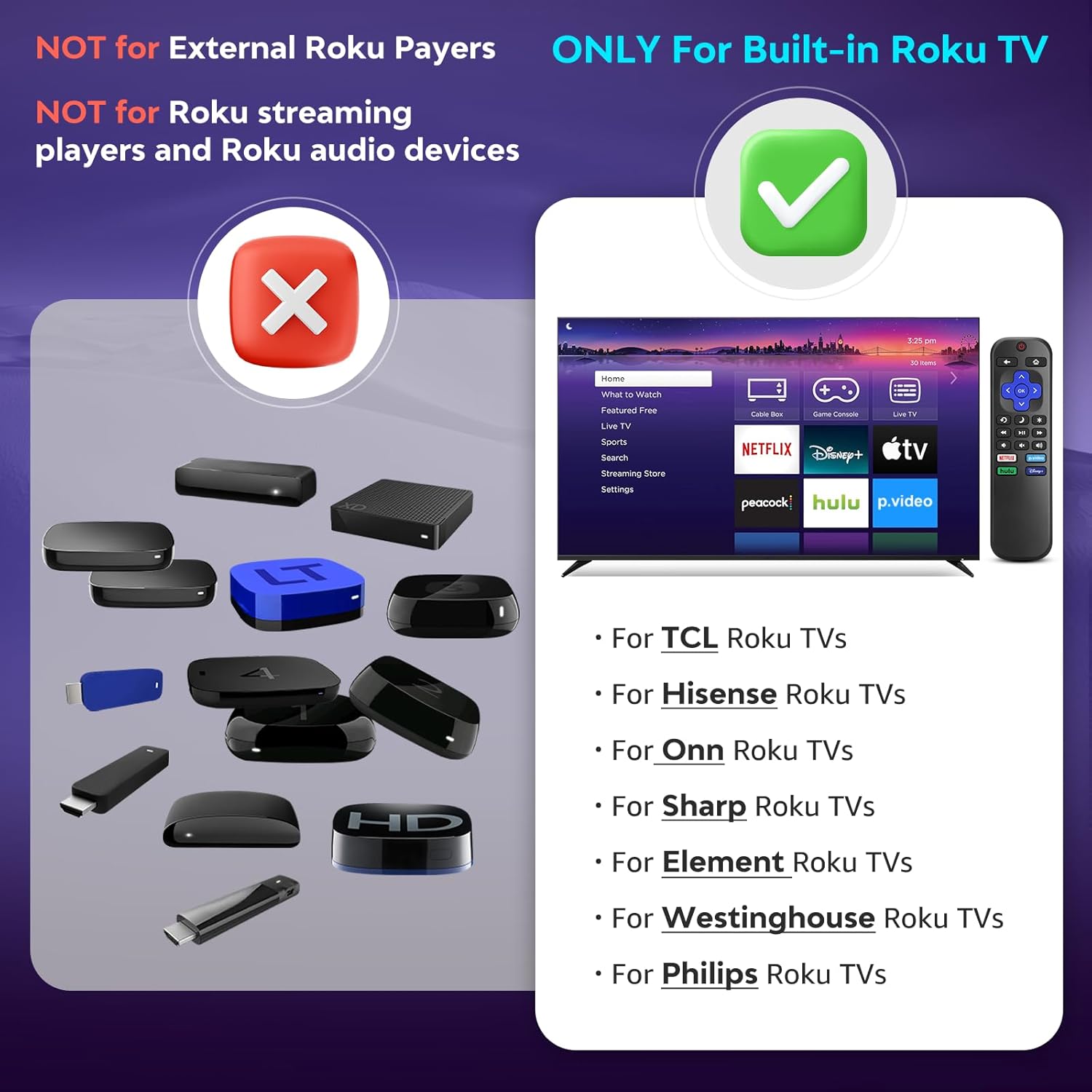
Image 1.1: Compatibility overview. The remote is compatible with TVs that have Roku built-in, but not with standalone Roku streaming devices.
2. Enstalasyon
2.1 Enstalasyon batri
- Jwenn lòj batri a sou do a nan kontwòl remote la.
- Glise kouvèti batri a anba pou ouvri li.
- Insert two (2) AAA alkaline batteries, ensuring the positive (+) and negative (-) terminals match the diagrams inside the compartment.
- Glise kouvèti batri a tounen nan plas li jiskaske li klike byen.
Nòt: Pil yo pa vini ak kontwòl remote la.
2.2 Premye Itilizasyon
This Angrox Universal Remote Control requires no programming or pairing. Once batteries are correctly installed, it is ready for immediate use with your compatible Roku Built-in TV.

Image 2.1: Battery installation guide. The remote requires two AAA batteries and no setup.
3. Operasyon Enstriksyon
The remote control features a standard layout for intuitive navigation and control of your Roku Built-in TV.
3.1 Fonksyon bouton yoview

Image 3.1: Detailed button layout and functions of the Angrox Universal Remote Control.
- TV Power (Red Button): Limen oswa etenn televizyon an.
- Retounen: Retounen nan ekran oswa meni anvan an.
- Kay: Navigates to the Roku home screen.
- Directional Pad (Up, Down, Left, Right) & OK: Itilize pou navigasyon meni ak seleksyon.
- Mòd dòmi: Activates the TV's sleep timer function.
- Lektur enstantane: Retounen kèk segond dèyè nan lekti videyo a.
- Opsyon: Accesses context-sensitive options or settings.
- Rewind Scan (RWD Scan): Rembobine lekti videyo a.
- Jwe/Poz: Plays or pauses video content.
- Fast Forward Scan (FWD Scan): Avanse rapidman lèktur videyo.
- Kontwòl Volim (+/-): Ajiste volim televizyon an.
- Bèbè: Sere oswa dekole odyo televizyon an.
3.2 bouton chemen kout
The remote includes four dedicated shortcut buttons for quick access to popular streaming services:
- NETFLIX
- p.video (Prime Video)
- hulu
- Disney+
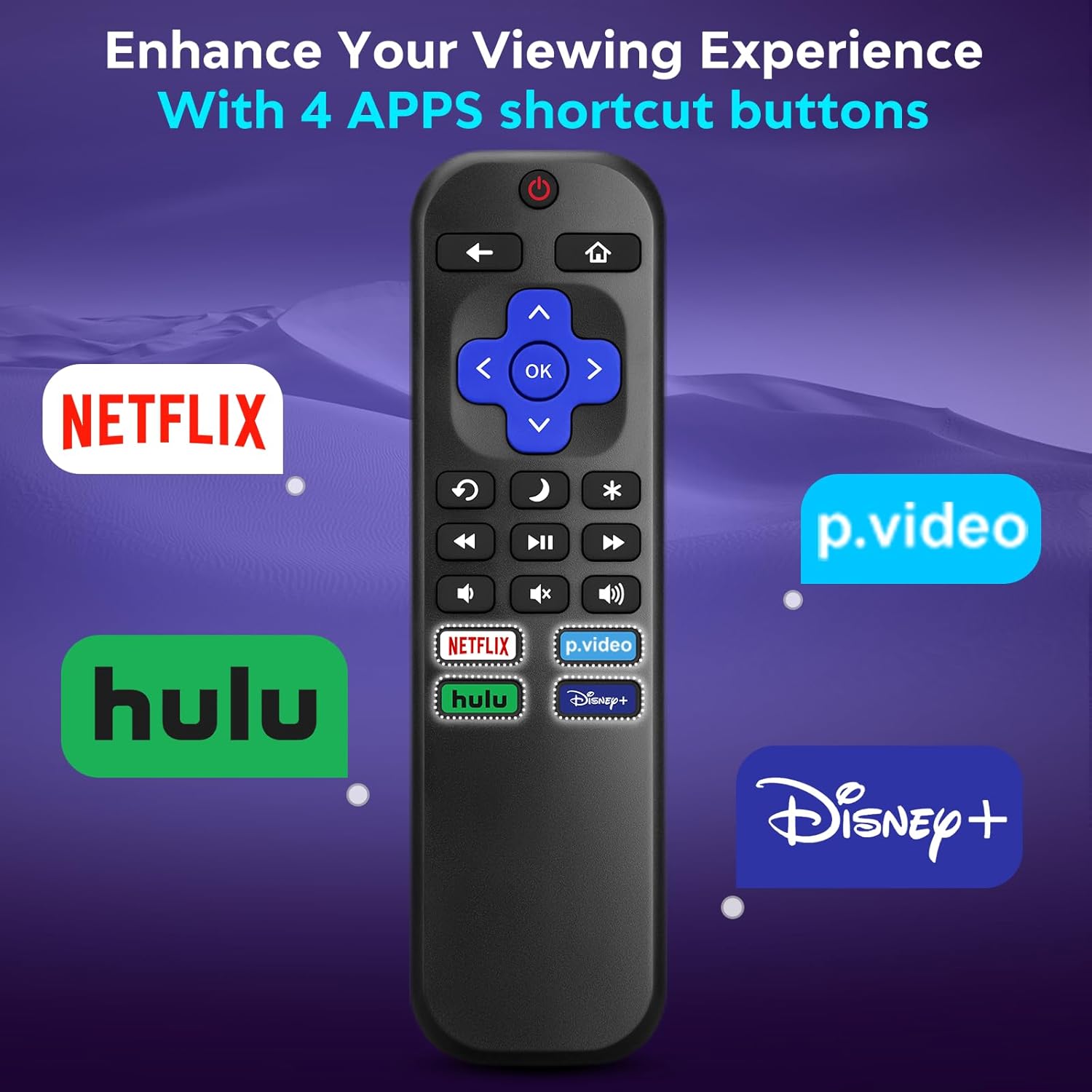
Image 3.2: The remote features dedicated shortcut buttons for popular streaming services.
3.3 Pèfòmans
The remote operates using infrared technology, providing a sensitive response and precise control. It has an effective transmission distance of up to 10 meters (32 feet).

Image 3.3: The remote offers fast response and a wide transmission range.
4. Antretyen
4.1 Netwayaj
Pou netwaye kontwòl remote ou a, siye l dousman ak yon twal mou epi sèk. Pou pousyè tè ki difisil pou netwaye, siye l yon ti kras.ampRense twal la avèk dlo. Evite itilize pwodui chimik ki agresif, pwodui netwayaj abrazif, oswa solvan, paske sa yo ka domaje sifas telekòmand lan oswa konpozan entèn yo.
4.2 Ranplasman batri
Ranplase pil yo lè repons telekòmand lan vin ralanti oswa li sispann fonksyone. Toujou ranplase tou de pil AAA yo an menm tan ak pil nèf. Pa melanje pil fin vye granmoun ak pil nèf, oswa diferan kalite pil.
4.3 Depo
When not in use for extended periods, it is recommended to remove the batteries to prevent leakage, which could damage the remote. Store the remote in a cool, dry place away from direct sunlight and extreme temperatures.
The remote is constructed from high-quality ABS plastic and silicone for durability.
NAN. Depanaj
- Remote pa reponn:
- Asire w ke pil yo byen mete ak polarite ki kòrèk la.
- Ranplase pil fin vye yo ak nouvo pil alkalin AAA.
- Check for any obstructions between the remote and the TV's infrared sensor. Ensure a clear line of sight.
- Verify that the remote is pointed directly at the TV.
- Remote only controls some functions:
- This remote is designed for Roku Built-in TVs. Ensure your TV has Roku integrated and is not an external Roku player connected to a standard TV.
- Some advanced TV functions not directly related to Roku may not be supported by this universal remote.
- TV does not turn on/off:
- Confirm the TV is plugged into a power source and is not in a deep sleep mode that requires a manual power button press on the TV itself.
6. Espesifikasyon
| Karakteristik | Detay |
|---|---|
| Mak | Angrox |
| Modèl | B0DW7SW5C4 |
| Karakteristik espesyal | Ergonomic, No Programming Required, Universal |
| Koulè | Nwa |
| Max Kantite Aparèy Sipòte | 1 (Roku Built-in TV) |
| Aparèy konpatib | Television (Roku Built-in TVs: TCL, ONN, Hisense, Sharp, Element, Westinghouse, Philips, etc.) |
| Sous pouvwa | 2 x AAA pil (pa enkli) |
| Teknoloji | Enfrawouj (IR) |
| Distans fonksyònman | Jiska 10 mèt (32 pye) |
| Materyèl | High-quality ABS plastic and silicone |
7. Garanti ak sipò
For warranty information, please refer to the documentation provided with your purchase or contact your retailer. Angrox is committed to providing quality products and customer satisfaction.
For further assistance or inquiries, please visit the official Angrox store on Amazon: Angrox Store.