
1. Pwodwi souview
Walker's Suppressor Earbuds are engineered to provide superior hearing protection by effectively canceling dangerous-level noises, such as those encountered at a gun range or during target shooting. These earbuds also feature advanced technology to enhance desired environmental sounds, offering a comprehensive noise protection and best-in-class sound enhancement solution. They boast HD sound, a 36-hour battery life with the charging case, and a waterproof design for versatile use.
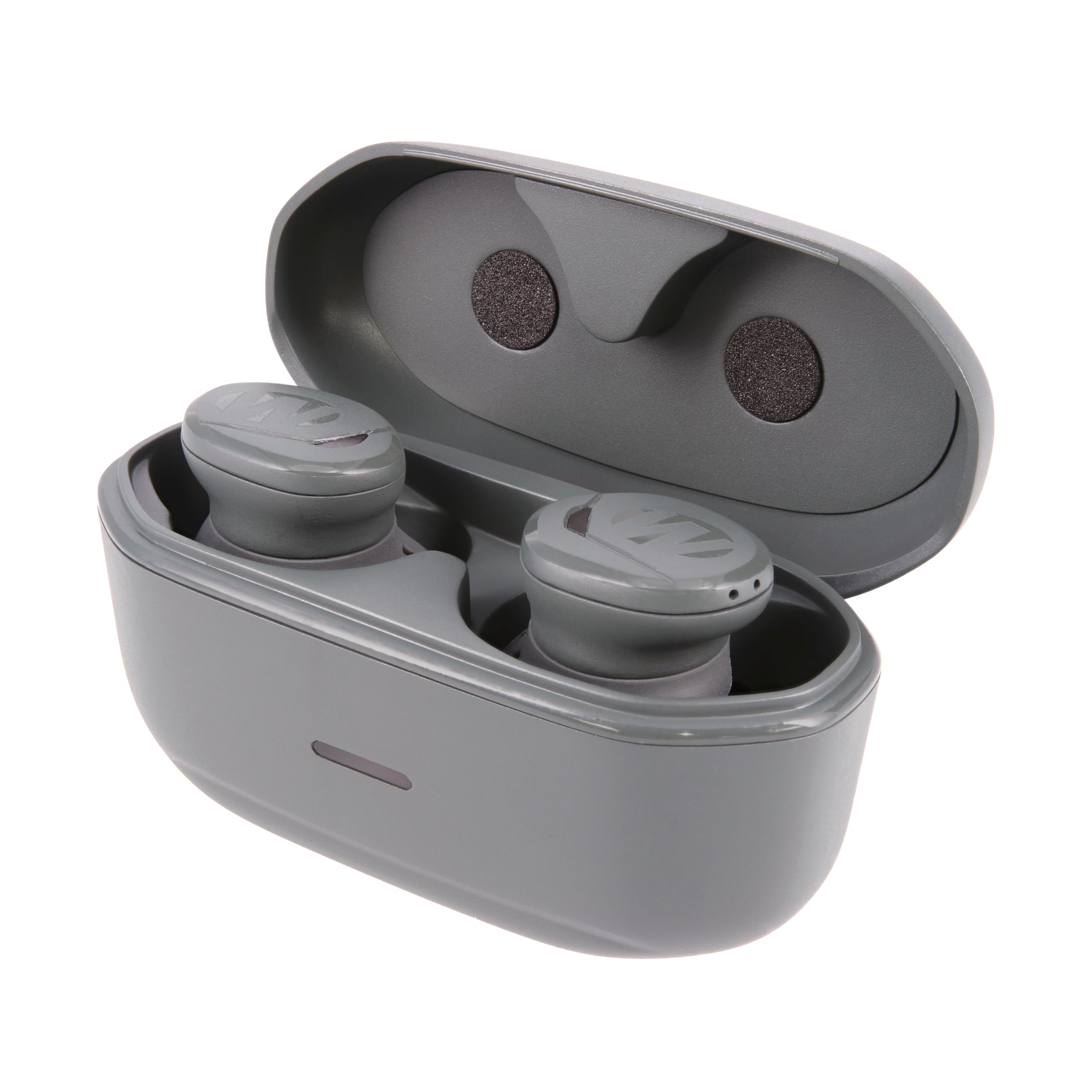
Image 1: Walker's Suppressor Earbuds and their charging case.
2. Ki sa ki nan bwat la
- Walker's Suppressor Earbuds (1 pair)
- Ka chaje pòtab
- USB-C Chaje Kab
- 3 sizes of Sure-Lock Fins for secure fit
- 3 sizes of Memory Foam Tips for optimal noise isolation and comfort
- 4 sizes of Silicone Tips for versatile fit and comfort

Image 2: Included ear tips and locking fins for customized fit.
3. Gid Enstalasyon
3.1 Premye chaj
- Mete tou de ekouteur nan ka chaje a.
- Konekte kab chaje USB-C a nan pò chaje ki sou bwat la epi nan yon sous kouran.
- The LED indicator on the case will show charging status. Ensure the earbuds and case are fully charged before first use.
3.2 Konekte ak Aparèy ou an
- Open the lid of the charging case. The earbuds will automatically enter pairing mode, indicated by flashing blue and red lights.
- Sou aparèy mobil ou a, ale nan paramèt Bluetooth yo.
- Select "Walker's Suppressor" from the list of available devices to connect.
- Once connected, the LED indicators on the earbuds will stop flashing.
3.3 Reyalize yon anfòm optimal
A proper fit is crucial for both comfort and effective noise reduction. Experiment with the included ear tips and locking fins to find the best combination for your ears.
- Konsèy zòrèy: Choose between memory foam (for maximum noise isolation) and silicone tips. Select the size that creates a snug seal in your ear canal.
- Locking Fins: Attach the appropriate size locking fin to each earbud. These fins are designed to tuck into the folds of your outer ear, providing stability during active use.

Image 3: Proper placement of the earbud in the ear for a secure fit.
4. Operasyon Enstriksyon
4.1 Power On/Off
The earbuds automatically power on when removed from the charging case and power off when returned to the case.
4.2 Noise Reduction & Sound Enhancement
The Suppressor Earbuds feature Sound Activated Compression (SAC), which instantly mutes loud, harmful noises (like gunshots) while amplifying ambient sounds for improved situational awareness. The earbuds utilize multiple microphones (3x per earbud) to provide directional sound, allowing you to identify the source of sounds around you.
4.3 App Control (Walker's Link App)
For advanced control and customization, download the Walker's Link app on your mobile device. The app allows you to:
- Adjust ambient sound volume.
- Select from 4 sound settings: Universal, Clear Voice, High Frequency, Power Boost.
- Siveye nivo batri yo.
- Update auto shut-off time.
4.4 Kontwòl manyen
The earbuds feature intuitive touch controls for managing audio and calls:
- Tap sèl: Play/Pause music, Answer/End phone call.
- Double Tap: Skip to next music track, Deny incoming phone call.
- Triple Tap: Skip to previous music track.
Video 1: Official product video demonstrating the features and use of Walker's Suppressor Earbuds.
5. Karakteristik ak Benefis
- Pwoteksyon pou tande: 25dB Noise Reduction Rating (NRR) with Sound Activated Compression (SAC) to protect against harmful loud noises.
- Amelyorasyon son: Clear digital hearing enhancement and superior audio quality, allowing you to hear environmental sounds and conversations clearly.
- Comfort Fit: Includes multiple sizes of Sure-Lock fins, memory foam tips, and silicone tips for a secure and comfortable fit during extended wear.
- App Supported: Customizable settings via the Walker's Link app for personalized sound profiles ak kontwòl.
- Long lavi batri: Up to 36 hours of total use with the portable charging case (6 hours per earbud charge, case provides 3 additional charges).
- Konsepsyon ki enpèmeyab: Water-resistant construction ensures durability in various environments.
- Son direksyonèl: 3 microphones per earbud provide directional sound for enhanced situational awareness.
6. Espesifikasyon
| Karakteristik | Spesifikasyon |
|---|---|
| Mak | Walker a |
| Nimewo Modèl | GWP-SUPR |
| Evalyasyon Rediksyon Bri (NRR) | 25dB |
| Dire batri (ekoutè) | 6 èdtan |
| Dire total batri a (ak bwat la) | 36 èdtan |
| Koneksyon Teknoloji | San fil (Bluetooth) |
| Nivo rezistans dlo | Dlo rezistan |
| Metòd kontwòl | Manyen |
| Plasman Zòrèy | Nan Zòrèy |
| Materyèl | Blend, Memory Foam, Silicone |
7. Antretyen
To ensure the longevity and optimal performance of your Walker's Suppressor Earbuds, follow these maintenance guidelines:
- Netwayaj: Regularly clean the ear tips and the earbuds themselves with a soft, dry cloth. For earwax buildup, gently wipe with a slightly damp twal epi kite l seche nèt nan lè a anvan ou itilize li.
- Kontak chaje: Periodically inspect and clean the charging contacts on both the earbuds and inside the charging case to ensure a reliable connection. Use a dry cotton swab or soft brush.
- Depo: Always store the earbuds in their charging case when not in use to protect them from dust, debris, and physical damage.
- Evite kondisyon ekstrèm: Do not expose the earbuds or charging case to extreme temperatures, direct sunlight for prolonged periods, or corrosive liquids.
NAN. Depanaj
If you encounter issues with your Suppressor Earbuds, try the following solutions:
- Pa gen pouvwa / pa chaje: Ensure the charging case is charged and the earbuds are correctly seated in the case with contacts aligned. Try a different USB-C cable and power adapter.
- Pwoblèm kouple: Make sure Bluetooth is enabled on your device and the earbuds are in pairing mode (flashing blue/red). Forget the device from your phone's Bluetooth list and attempt to re-pair.
- Poor Sound Quality/Noise Reduction: Check that the ear tips are the correct size and form a tight seal in your ear canal. Clean any debris from the ear tips and earbud speakers.
- Koneksyon tanzantan: Ensure your device is within the Bluetooth range of the earbuds. Avoid physical obstructions between the earbuds and your device.
- Aplikasyon an pa konekte: Ensure the earbuds are paired to your phone's Bluetooth. Close and reopen the Walker's Link app. Check for app updates.
9. Garanti & Sipò
Pou enfòmasyon detaye sou garanti a ak sipò kliyan, tanpri al gade nan paj ofisyèl manifakti a. website or contact their customer service directly. The warranty description is available from the manufacturer.


