
1. Entwodiksyon
This manual provides instructions for the proper installation, operation, and maintenance of your HOLMES 9-Inch CleanBreeze Digital Window Fan. This fan is designed to enhance airflow in your home with features such as twin high-performance blades, automatic reversible functionality, a programmable thermostat, and remote control. Please read this manual thoroughly before use and retain it for future reference.
2. Enfòmasyon sou Sekirite
Pou diminye risk dife, chòk elektrik, oswa blesi, obsève prekosyon sekirite sa yo:
- Toujou debranche vantilatè a anvan ou netwaye oswa fè nenpòt antretyen.
- Do not operate the fan with a damaged cord or plug. If the cord or plug is damaged, contact customer service.
- Kenbe dwèt ak lòt objè lwen lam vantilatè a pandan l ap fonksyone.
- Pa plonje fanatik la nan dlo oswa nan lòt likid.
- This fan is designed for indoor use. While it features a water-resistant design, avoid direct exposure to heavy rain.
- Ensure the fan is securely installed in the window opening to prevent it from falling.
- Pa pase fil elektrik la anba tapi oswa pa kouvri l ak tapi, kourè, oswa kouvèti menm jan an. Fè aranjman pou kòd la lwen zòn trafik yo kote li pa pral tonbe sou li.
- Aparèy sa a gen yon ploge polarize (yon lam pi laj pase lòt la). Pou diminye risk pou chòk elektrik, ploge sa a gen entansyon anfòm nan yon priz polarize sèlman yon fason. Si ploge a pa anfòm nèt nan priz la, ranvèse ploge a. Si li toujou pa anfòm, kontakte yon elektrisyen ki kalifye. Pa eseye defèt karakteristik sekirite sa a.
3. Pake kontni
Verifye ke tout konpozan yo prezan:
- HOLMES 9-Inch CleanBreeze Digital Window Fan
- Kontwòl remote (gen ladan l 2 pil AAA)
- Built-in Extender Panels

4. Enstalasyon ak Enstalasyon
Follow these steps to install your window fan:
- Prepare fenèt la: Open the window to the desired width. Ensure the window sill is clean and clear of obstructions.
- Pozisyon fanatik la: Place the fan unit into the window opening. The fan is designed to fit most double-hung and slider windows.
- Extend Panels: Adjust the built-in extender panels on both sides of the fan to securely fit the window frame. The panels expand up to 35.5 inches to fill larger window openings. Ensure a snug fit to prevent air leakage and secure the fan in place.
- Fikse vantilatè a: Lower the window sash until it rests firmly on top of the fan unit, further securing it.
- Ploge nan: Branche vantilatè a nan yon priz elektrik estanda 120V.

5. Operasyon Enstriksyon
5.1 Panèl kontwòl ak kontwòl remote
The fan can be operated using the digital control panel located on the unit or the included remote control. The remote control requires 2 AAA batteries (included).

5.2 Power On/Off
- Peze a Bouton pouvwa (
 ) sou panèl kontwòl la oswa sou kontwòl remote la pou limen oswa etenn vantilatè a.
5.3 Anviwònman Vitès Vantilatè
The fan offers three speed settings: Low, Medium, and High.
- Peze a Bouton vitès () repeatedly to cycle through the speed options.
5.4 Airflow Modes (Reversible Airflow)
The fan features automatic reversible airflow, allowing it to operate in three modes:
- Konsomasyon: Draws fresh air into the room.
- Egzèsis: Expels warm, stale air from the room.
- Echanj: Alternates between intake and exhaust to circulate air.
- Peze a bouton mòd () to select the desired airflow mode.

5.5 Thermostat pwogramasyon
The integrated thermostat allows the fan to operate automatically based on a set temperature.
- Peze a Bouton tèmostat () to activate the thermostat function.
- Sèvi ak la Flèch moute/desann to set the desired temperature. The fan will turn on or off to maintain this temperature.
6. Antretyen
Regular cleaning ensures optimal performance and extends the life of your fan.
6.1 Cleaning the Fan Blades and Grille
- Unplug the fan nan priz kouran an anvan ou netwaye li.
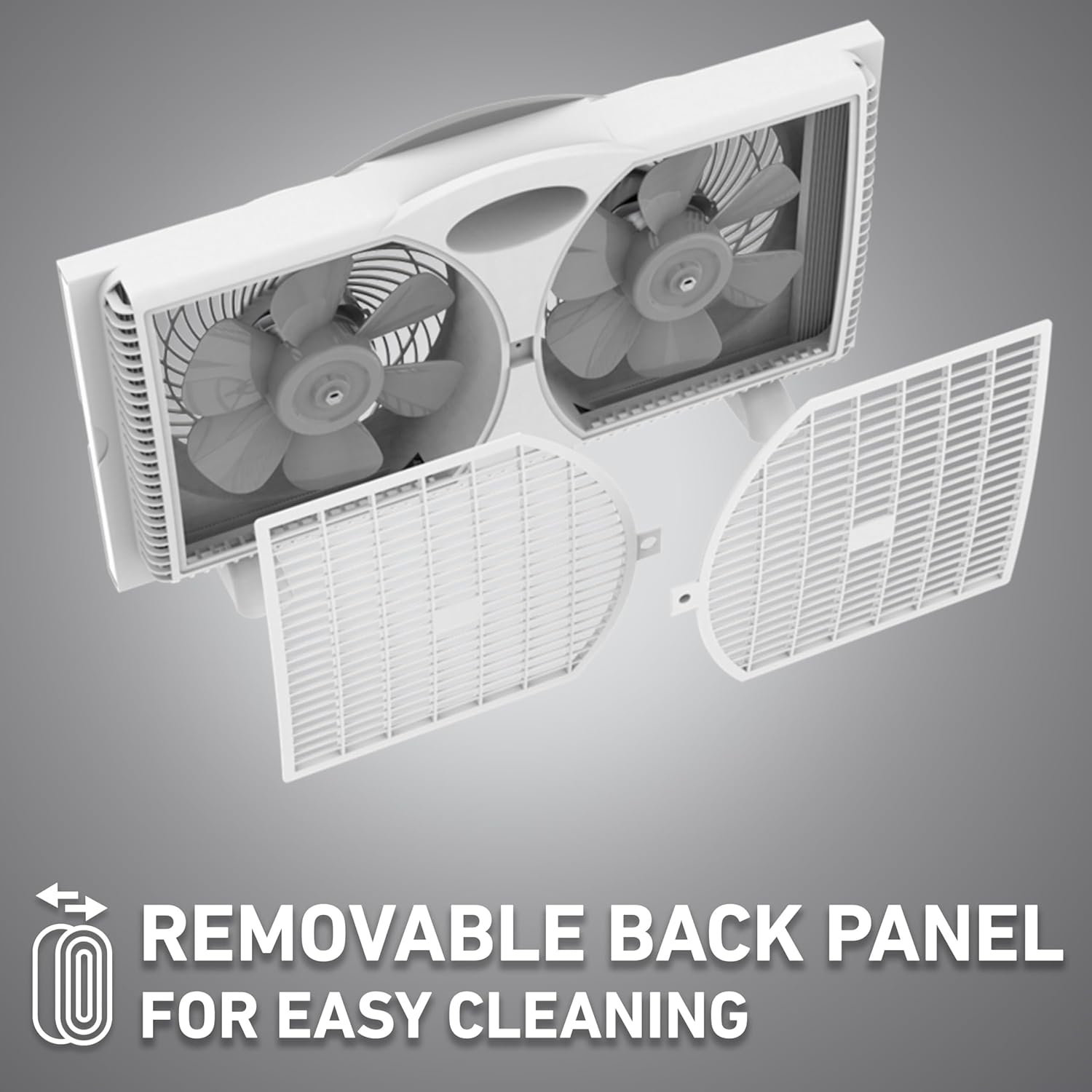
- The fan features Clean Breeze Technology with a removable back panel for easy access to the blades. Gently unclip and remove the back panel.
- Use a soft cloth or vacuum cleaner with a brush attachment to remove dust and debris from the fan blades and grilles.
- Do not use abrasive cleaners or solvents, as these may damage the fan's surface.
- Once clean, reattach the back panel securely.
6.2 Netwayaj Eksteryè
- Siye sifas ekstèn vantilatè a ak yon twal mou, damp twal.
- Asire w ke vantilatè a sèk nèt anvan ou branche l tounen.
NAN. Depanaj
If your fan is not operating as expected, refer to the following common issues and solutions:
| Pwoblèm | Kòz posib | Solisyon |
|---|---|---|
| Vantilatè a pa limen. | Pa gen ekipman pou pouvwa. | Ensure the fan is securely plugged into a working electrical outlet. Check the circuit breaker. |
| Fan operates but airflow is weak. | Lam oswa griy vantilatè yo sal. | Unplug the fan and clean the blades and grilles as described in the Maintenance section. |
| Fanatik fè bwi. | Loose components or debris. | Unplug the fan and inspect for any loose parts or foreign objects. Clean the fan thoroughly. Ensure the back panel is securely attached. |
| Kontwòl remote pa travay. | Pil mouri oswa obstak. | Replace the 2 AAA batteries in the remote control. Ensure there is no obstruction between the remote and the fan's sensor. |
8. Espesifikasyon
Technical details for the HOLMES 9-Inch CleanBreeze Digital Window Fan:
- Non modèl: Holmes Digital Window Fan
- Nimewo Modèl: 32510557
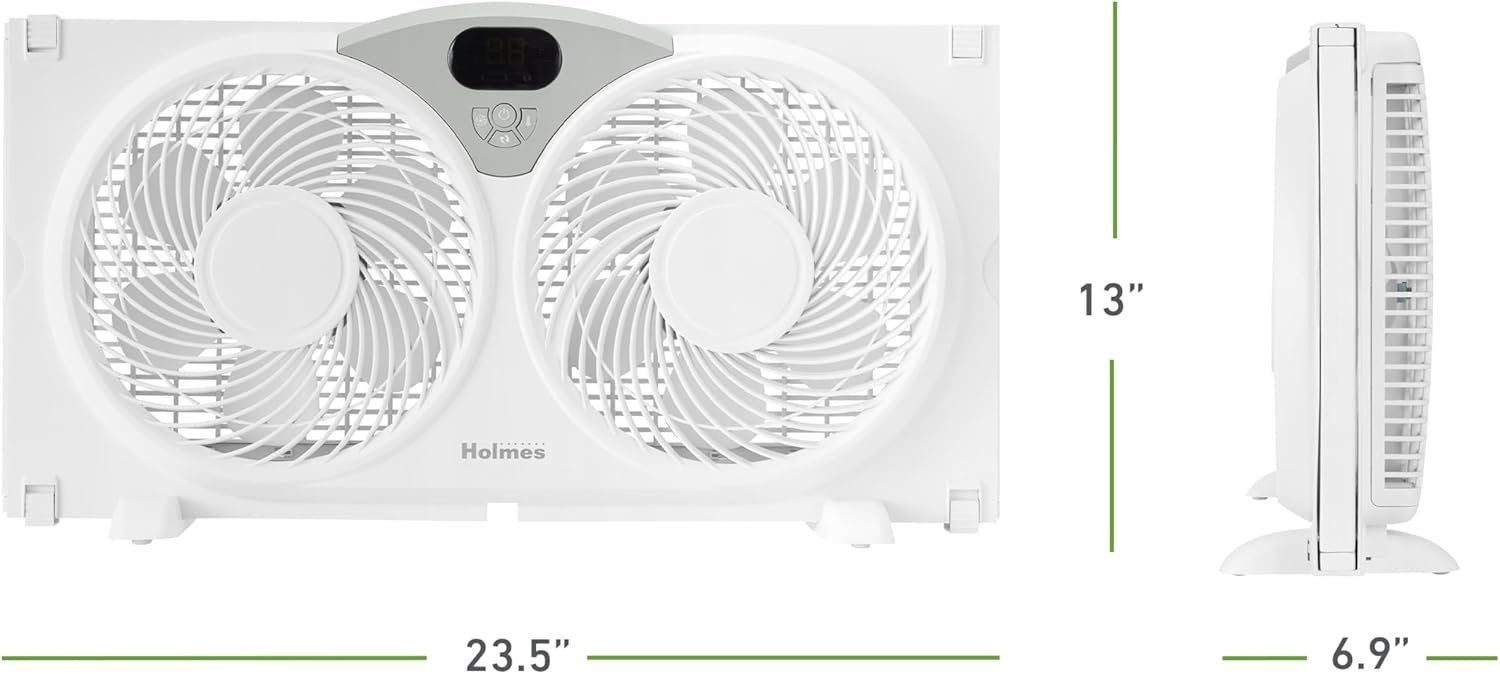
- Dimansyon pwodwi: 4.92"D x 23.46"W x 12.24"H
- Lajè reglabl: Up to 35.5 inches (with extender panels)
- Pwa atik: 6.2 liv
- Konsepsyon fanatik elektrik: Fannèt Fenèt
- Sous pouvwa: Standard 120V Outlet
- Voltage: 120V
- Wattage: 60 wat
- Kantite Nivo pouvwa: 3 (Vitès Fanatik)
- Kapasite koule lè: Jiska 1896 pye kib pa minit (CFM)
- Vitès lè a: 14.4 pye/seg
- Nivo bri: 47 Decibels (on low setting)
- Metòd kontwòl: Bouton pouse, Aleka, Manyen
- Karakteristik espesyal: Remote Controlled, Programmable Thermostat, Reversible Airflow, Water-Resistant Design, Removable Back Panel
- Sètifikasyon: ETL sètifye
9. Garanti ak sipò
The HOLMES 9-Inch CleanBreeze Digital Window Fan is backed by a 3-ane garanti limiteGaranti sa a kouvri domaj nan materyèl ak nan fabrikasyon anba itilizasyon nòmal nan kay la.
For warranty claims, technical support, or replacement parts, please contact HOLMES customer service. Keep your proof of purchase for warranty validation.
