
Entwodiksyon
Thank you for choosing Raycon Bone Conduction Headphones. These open-ear Bluetooth sports earbuds are designed to provide a unique listening experience, allowing you to enjoy audio while remaining aware of your surroundings. With IP68 water resistance and a lightweight build, they are ideal for workouts, running, and daily use. This manual provides detailed instructions on how to set up, operate, maintain, and troubleshoot your new headphones.

Raycon Bone Conduction Headphones, Gray model.
Ki sa ki nan bwat la
Your Raycon Bone Conduction Headphones package includes the following items:
- Raycon Bone Conduction Headphones
- Magnetic Ping Charging Cable
Pwodwi souview ak Karakteristik
The Raycon Bone Conduction Headphones are engineered for comfort and performance, featuring an open-ear design that transmits sound through your cheekbones, leaving your ears open to ambient sounds. This design enhances safety during outdoor activities.
Konsepsyon zòrèy louvri: Stay aware of your surroundings and remain connected for a safer, smarter way to listen. The design allows for a 35-degree rotation for optimal fit.

Bati ki lejè: Designed for extended wear, these featherlight headphones combine a comfortable frame with an ergonomic design, allowing free movement without discomfort.
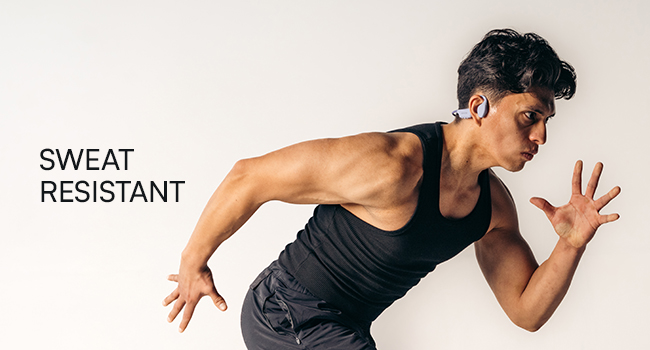
IP68 Water-Resistance: Your headphones are built to withstand rain, sweat, storms, and spills, ensuring your music continues without interruption, regardless of weather conditions.
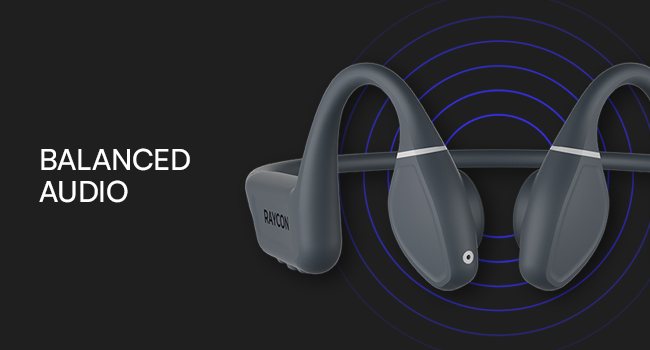
Balanced Tunes: Innovative bone conduction technology delivers clear audio without blocking your ears. The adjustable conduction buds allow you to slide them closer for louder sound or pull them back for more environmental awareness.
Enstalasyon
1. Chaje kas ekoutè yo
Before first use, fully charge your Raycon Bone Conduction Headphones. Use the provided Magnetic Ping Charging Cable. Connect the magnetic end to the charging port on the headphones and the USB end to a compatible power source (e.g., computer USB port, wall adapter).
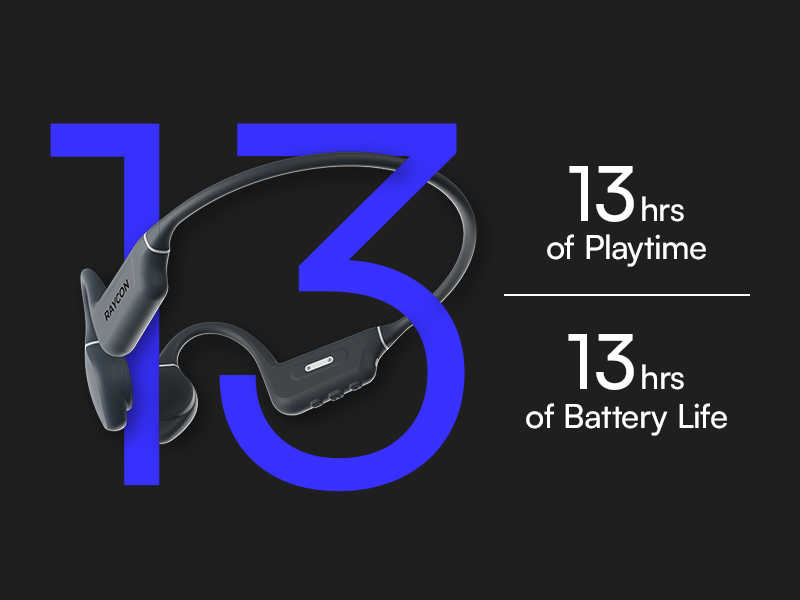
- Yon chaj konplè bay apeprè 13 èdtan tan jwe.
- Ensure charging connections are properly aligned for efficient charging.
2. Pè Bluetooth
Pou konekte kas ekoutè ou yo ak yon aparèy:
- Asire w ke kas ekoutè yo etenn.
- Peze epi kenbe bouton pouvwa a jiskaske endikatè LED la flache, sa ki endike mòd koneksyon an.
- On your Bluetooth-enabled device (smartphone, tablet, laptop, desktop), go to the Bluetooth settings.
- Select "Raycon Bone Conduction Headphones" from the list of available devices.
- Once connected, the LED indicator will change to a steady light, and you will hear an audible confirmation.
The headphones utilize Bluetooth 5.3 technology, providing a stable connection up to 33 feet (10 meters).
Enstriksyon Operasyon
Your Raycon Bone Conduction Headphones feature intuitive button and touch controls for easy management of your audio and calls.
Kontwòl debaz yo
- Limen/Etenyen: Peze epi kenbe bouton pouvwa a.
- Jwe/Poz: Peze bouton milti-fonksyon an yon sèl fwa.
- Volim monte/desann: Sèvi ak bouton volim espesyal yo.
- Pwochen Track: Peze bouton milti-fonksyon an de fwa.
- Track Previous: Peze bouton milti-fonksyon an twa fwa.
Jesyon Rele
- Reponn/Fen Apèl: Peze bouton milti-fonksyon an yon sèl fwa pandan yon apèl k ap antre oswa yon apèl aktif.
- Rejte apèl: Peze epi kenbe bouton milti-fonksyon an pandan yon apèl k ap antre.
Adjustable Conduction Buds
The conduction buds can be adjusted to optimize sound and awareness. Slide the buds closer to your ear for a louder, more immersive sound experience, or pull them back slightly to increase your awareness of ambient sounds.
Antretyen
Bon swen ap pwolonje lavi ak pèfòmans kas ekoutè ou yo.
- Netwayaj: Siye kas ekoutè yo ak yon mou, damp twal. Evite itilize pwodwi chimik piman bouk oswa materyèl abrazif.
- Rezistans dlo: The headphones are IP68 water-resistant, meaning they can withstand submersion up to 1.5 meters for 30 minutes. However, it is recommended to dry them thoroughly after exposure to water, sweat, or spills. Do not charge if wet.
- Depo: Sere kas ekoutè yo nan yon kote ki fre epi sèk, lwen tanperati ekstrèm ak limyè solèy dirèk.
Depanaj
If you encounter issues with your Raycon Bone Conduction Headphones, refer to the following common solutions:
| Pwoblèm | Kòz posib | Solisyon |
|---|---|---|
| Ekoutè pa limen | Batri ki ba | Charge the headphones fully using the provided cable. |
| Pa ka konekte ak aparèy la | Headphones not in pairing mode; device Bluetooth off; out of range | Ensure headphones are in pairing mode. Turn Bluetooth off and on on your device. Make sure headphones are within 10 meters (33 feet) of the device. |
| Sound cutting out or poor quality | Low battery; too far from device; interference | Check battery level. Move closer to your device. Avoid environments with strong Wi-Fi or other Bluetooth signals. |
| Pwoblèm chaje | Cable not properly connected; dirty charging contacts | Ensure the Magnetic Ping Charging Cable is properly aligned and securely connected. Clean the charging contacts on both the cable and headphones. |
| No official product videos found. | No relevant seller-created videos available in product data. | Refer to the text descriptions and images for product information. |
Espesifikasyon
Detailed technical specifications for your Raycon Bone Conduction Headphones:
| Karakteristik | Spesifikasyon |
|---|---|
| Non modèl | Bone Conduction Headphones |
| Nimewo Modèl Atik | RBB842-24E-PUR |
| Koneksyon Teknoloji | San fil (Bluetooth) |
| Bluetooth vèsyon | 5.3 |
| Gamme Bluetooth | 33 pye (10 mèt) |
| Kalite chofè odyo | Chofè kondiksyon zo |
| Gwosè Chofè Audio | 16 Milimèt |
| Repons Frekans | 20 Hz - 20,000 Hz (20 KHz) |
| Sansiblite | 91 dB |
| Enpedans | 8 Ohm |
| Lavi batri | 13 èdtan |
| Nivo rezistans dlo | IP68 Dlo Rezistan |
| Kalite kontwòl | Kontwòl bouton, Manyen |
| Materyèl | Acrylonitrile Butadiene Styrene (ABS), Silikon |
| Pwa atik | 6.4 ons |
| Koulè | Gri |
| Plasman Zòrèy | Louvri Zòrèy |
| Manifakti | Raycon Global |
| UPC | 811162032552 |
Garanti ak sipò
For warranty information and customer support, please visit the official Raycon website or contact Raycon customer service directly. Keep your proof of purchase for any warranty claims.
Raycon also offers optional protection plans for extended coverage. Details on these plans can typically be found where the product was purchased or on the Raycon websit.