
Entwodiksyon
This manual provides essential information for the setup, operation, and maintenance of your PowerA Enhanced Wireless Controller, featuring the unique Pikachu vs. Gengar design. This officially licensed controller is designed to enhance your gaming experience on Nintendo Switch, Nintendo Switch Lite, and Nintendo Switch (OLED Model) consoles.
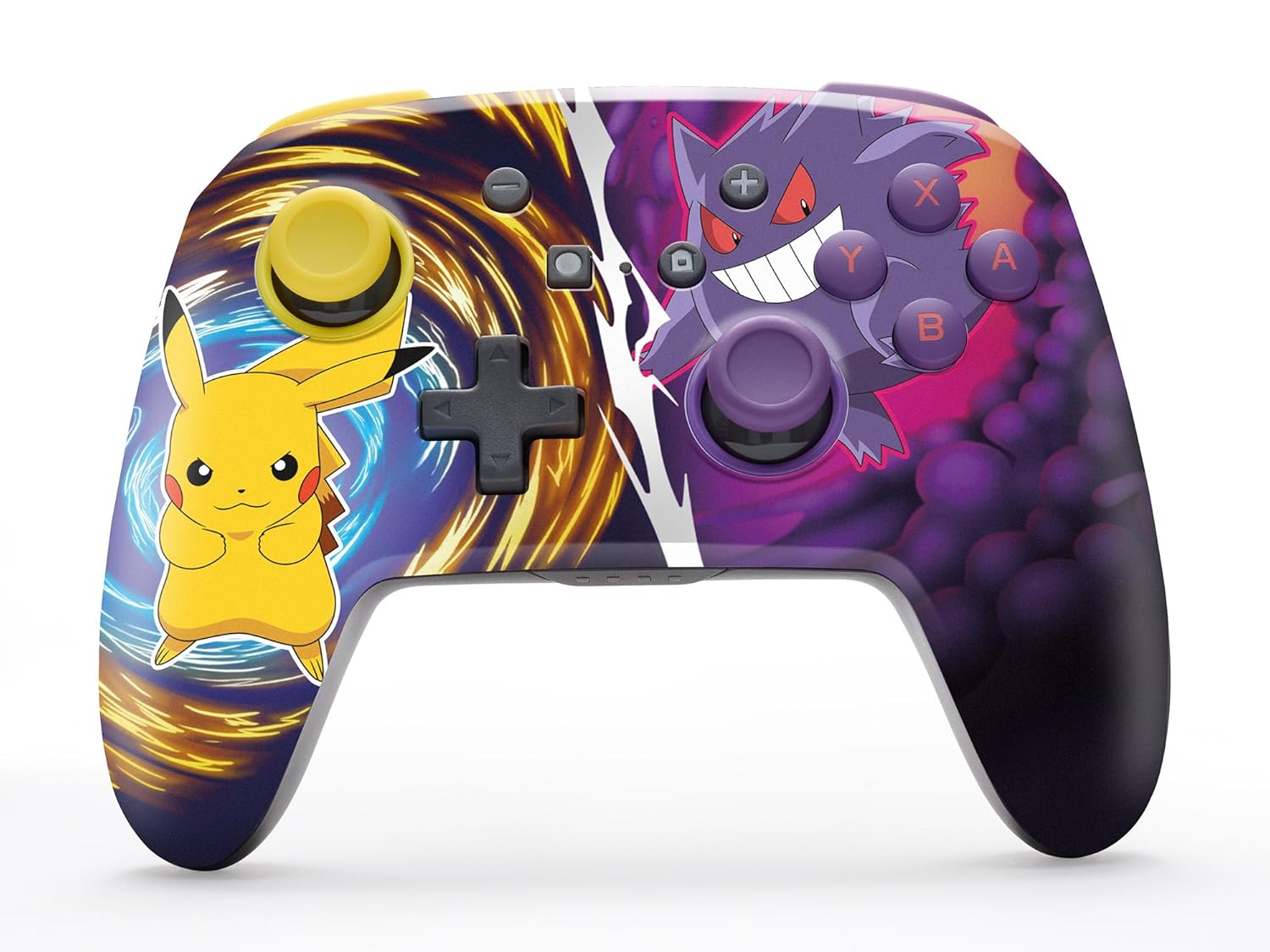
The PowerA Enhanced Wireless Controller with Pikachu vs. Gengar artwork.
Karakteristik kle
- Koneksyon Wireless: Utilizes Bluetooth 5.0 technology for a stable connection.
- Batri rechargeable: Integrated lithium-ion battery provides up to 30 hours of gameplay per charge.
- Bouton jwèt avanse ki ka trase: Two programmable buttons on the back for custom control.
- Konsepsyon ergonomique: Superior ergonomics for extended comfortable gaming sessions.
- Smooth Thumbstick Control: Embedded anti-friction rings ensure precise and fluid movement.
- Kontwòl Mouvman: Supports intuitive motion controls for compatible games.

Ergonomic design for comfortable gameplay.
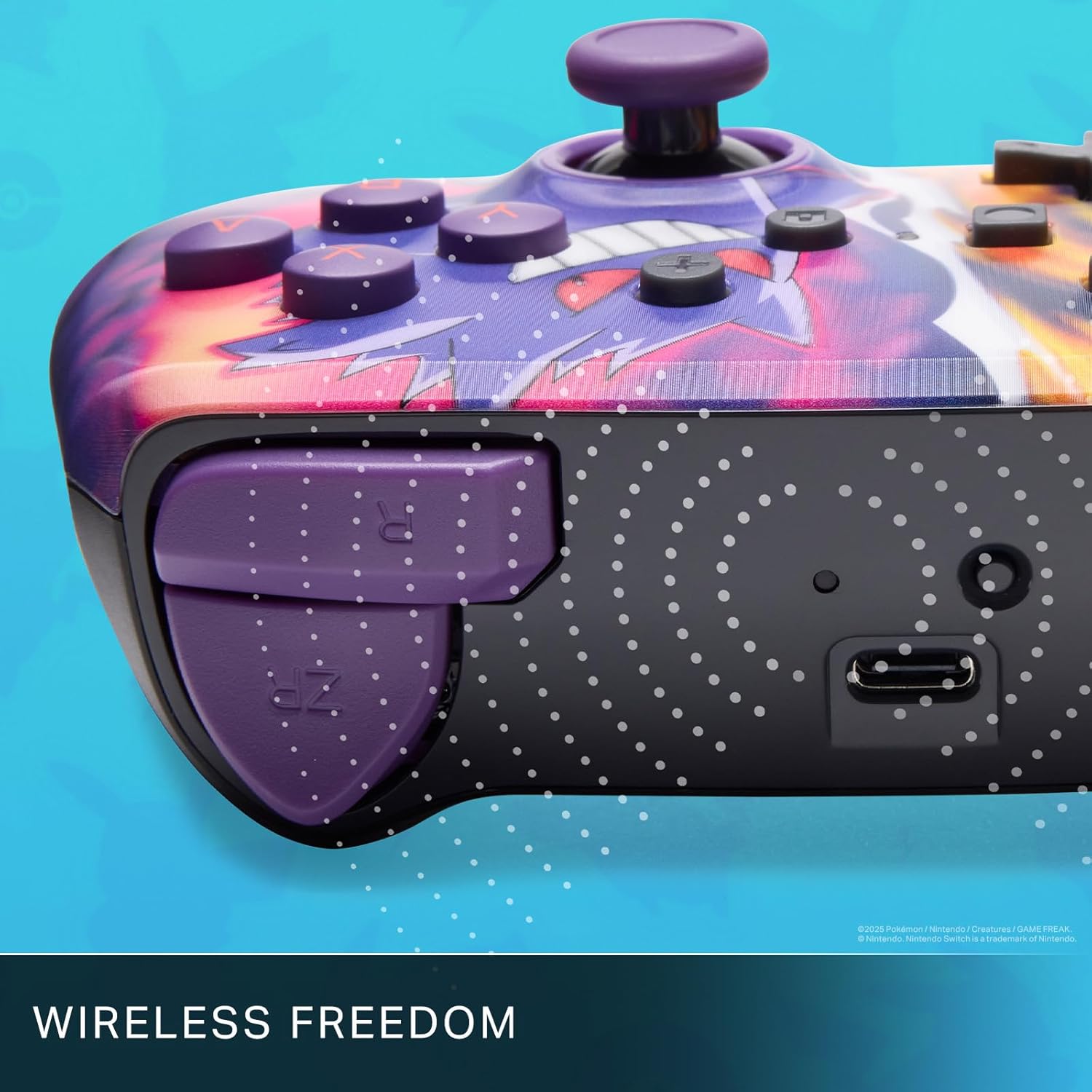
Enjoy wireless freedom with Bluetooth 5.0 technology.
Enstalasyon ak Pairing
- Asire w ke konsole Nintendo Switch ou a limen epi li mete ajou ak dènye lojisyèl sistèm lan.
- Soti nan la HOME Menu, chwazi Kontwolè, lè sa a Chanje Grip/Lòd.
- Peze epi kenbe la Bouton SYNC on the top edge of your PowerA Enhanced Wireless Controller for at least one second. The Player LED(s) will flash.
- Once paired, the Player LED(s) corresponding to the controller number will remain lit.
- Peze a Yon bouton to confirm and exit the menu. Your controller is now ready for use.
Chaje kontwolè a
The controller features an internal 900mAh lithium-ion rechargeable battery, providing up to 30 hours of gameplay on a single charge. To charge your controller:
- Connect the included 10ft (3m) USB-C charge cable to the USB-C port on the top of the controller.
- Connect the other end of the USB-C cable to a USB power source (e.g., Nintendo Switch dock, USB wall adapter, or computer USB port).
- The LED indicator on the controller will show charging status. It will typically turn off or change color when fully charged.

Connect the USB-C cable to charge your controller.
Advanced Gaming Buttons
Your PowerA Enhanced Wireless Controller includes two mappable Advanced Gaming Buttons (AGBs) on the back, allowing you to assign specific button functions for quick access during gameplay.
Programming AGBs:
- Peze a Bouton Pwogram on the back of the controller. The Program LED will flash, indicating programming mode.
- Press the button you wish to map (A/B/X/Y/L/R/ZL/ZR/Left Stick Click/Right Stick Click/D-Pad). The Program LED will flash rapidly.
- Press the Advanced Gaming Button (AGB L or AGB R) you want to assign the function to. The Program LED will stop flashing, indicating the AGB is now programmed.
Resetting AGBs:
To reset all Advanced Gaming Buttons to their default (no function) state, press and hold the Bouton Pwogram for five seconds. The Program LED will flash slowly, then turn off, confirming the reset.
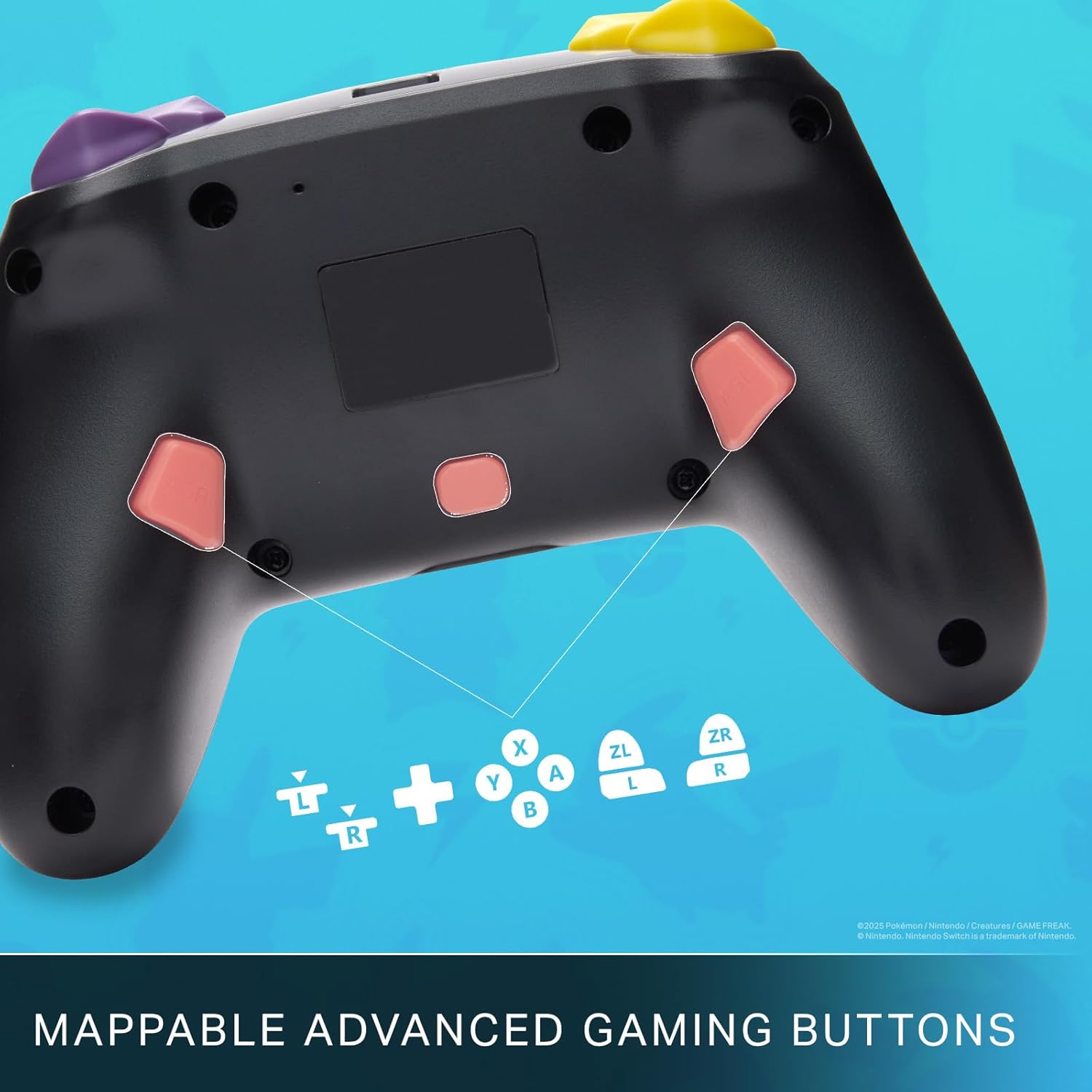
Mappable Advanced Gaming Buttons for personalized control.
Konpatibilite
This PowerA Enhanced Wireless Controller is compatible with the following Nintendo consoles:
- Nintendo switch
- Nintendo switch Lite
- Nintendo Switch (OLED Model)
- Nintendo Switch 2 (Note: C button not available)

The controller is compatible with Nintendo Switch 2, though the C button functionality is not available.
Espesifikasyon
| Karakteristik | Detay |
|---|---|
| Aparèy konpatib | Nintendo switch |
| Kalite kontwolè | Gamepad |
| Koneksyon Teknoloji | Bluetooth, USB |
| Karakteristik adisyonèl | Ègonomik, San fil |
| Kantite bouton | 12 |
| Platfòm pyès ki nan konpitè | Konsole Gaming |
| Sous pouvwa | Batri Powered (rechargeable ityòm-ion) |
| Modèl Konsole Jwèt Videyo Konpatib | Nintendo switch, Nintendo switch Lite |
| Pwa atik | 0.68 liv |
| Dimansyon atik | 6.02 x 4.41 x 2.48 pous |
| Koulè | Pikachu vs Gengar |
| Non modèl | Pikachu vs. Gengar |
| Nimewo Modèl | NSGP0420-01R |
Swen ak Antretyen
- Keep the controller dry. Avoid exposure to moisture or extreme temperatures.
- Netwaye kontwolè a avèk yon twal mou epi sèk. Pa sèvi ak pwodui chimik ki agresif oswa materyèl abrazif.
- Sere kontwolè a nan yon kote ki an sekirite lè w pa ap itilize li pou evite domaj.
Depanaj
Kontwolè a pa konekte:
- Asire w ke kontwolè a chaje nèt.
- Verify the controller is within the Bluetooth range of your Nintendo Switch console.
- Attempt to re-pair the controller following the "Setup and Pairing" instructions.
Bouton/joystick ki pa reponn:
- Tcheke pou nenpòt obstak fizik oswa debri ozalantou bouton yo oswa joystick yo.
- Perform a hard reset by holding the SYNC button for 10 seconds, then attempt to re-pair.
- Ensure the controller's firmware is up to date (check PowerA's official websit la pou mizajou).
Garanti ak sipò
This PowerA Enhanced Wireless Controller comes with a De-ane garanti limite. For detailed warranty information, product support, and troubleshooting assistance, please visit the official PowerA support websit: