
1. Entwodiksyon
This manual provides detailed instructions for the operation and maintenance of your XTOOL IP900BT Wireless OBD2 Diagnostic Scanner. The IP900BT is a professional automotive diagnostic tool designed for comprehensive vehicle system analysis, offering advanced functions such as full-system diagnostics, bi-directional control, ECU coding, and various reset services. Please read this manual thoroughly before using the device to ensure proper and safe operation.
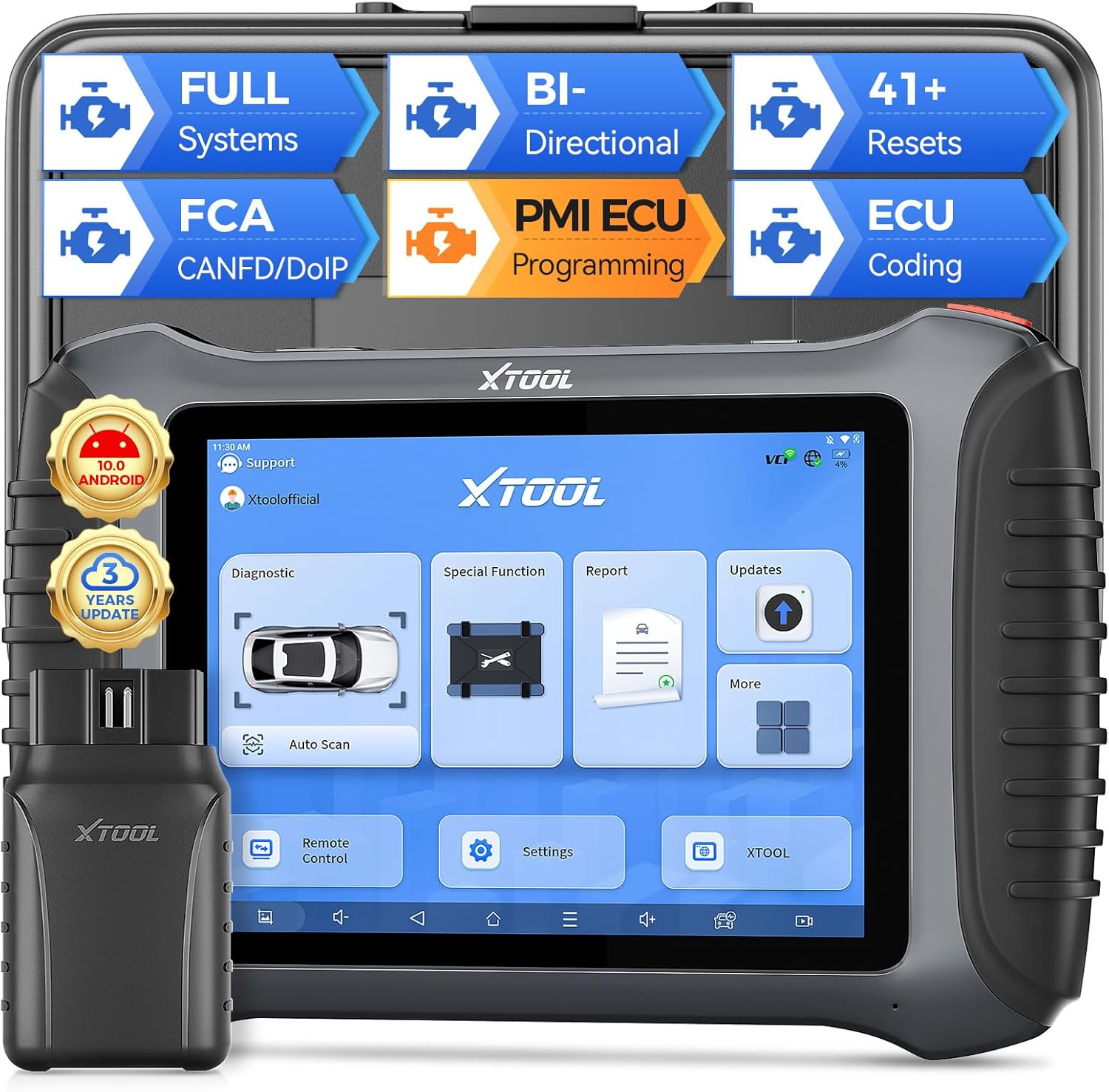
Image 1.1: XTOOL IP900BT Diagnostic Scanner with its Wireless VCI module.
2. Sa ki enkli
Verifye ke tout atik yo prezan nan pakè ou a:
- IP900BT Diagnostic Scan Tool (Tablet)
- Wireless VCI Box (OBD II -16 Connector)
- Charger Adapter (US, UK, EU)
- Type-C to Type-C Charger Cable
- Type-C to Type-A Adapter
- Ka zouti
- QuickStart Guide & Packing List
- Various OBD Adapters: for Honda-3, for Hyundai/for KIA-10, for KIA-20, for BMW-20, for Toyota -17, for Mazda-17, for Nissan-14, for GM/for Daewoo-12, for SUZUKI-3, for FIAT-3, for MITSUBISHI-12+16, for BENZ-38, for Audi-4, for UNIVERSAL-3, for BD15 M to VAG

Image 2.1: Visual representation of the items included in the XTOOL IP900BT package.
3. Initial Setup and Connection
3.1 Limen epi chaje
- Connect the provided charger to the Type-C port on the IP900BT tablet.
- Plug the charger into a power outlet. The device will begin charging.
- Peze epi kenbe bouton pouvwa a pou vire sou tablèt la.
3.2 Koneksyon Modil VCI a
- Locate the vehicle's OBD2 port, typically under the dashboard on the driver's side.
- Plug the Wireless VCI Box (OBD II -16 Connector) firmly into the vehicle's OBD2 port. The VCI indicator lights will illuminate.
- On the IP900BT tablet, ensure Wi-Fi is enabled and connected to a stable network for updates and certain online functions. The VCI module communicates wirelessly with the tablet.
3.3 Mizajou lojisyèl
It is recommended to update the software upon initial setup to ensure access to the latest vehicle models and diagnostic functions. The IP900BT includes 3 years of free software updates.
- Konekte tablèt la ak yon rezo Wi-Fi ki estab.
- Navigate to the 'Updates' section on the tablet's main menu.
- Select and download available updates for your vehicle makes.
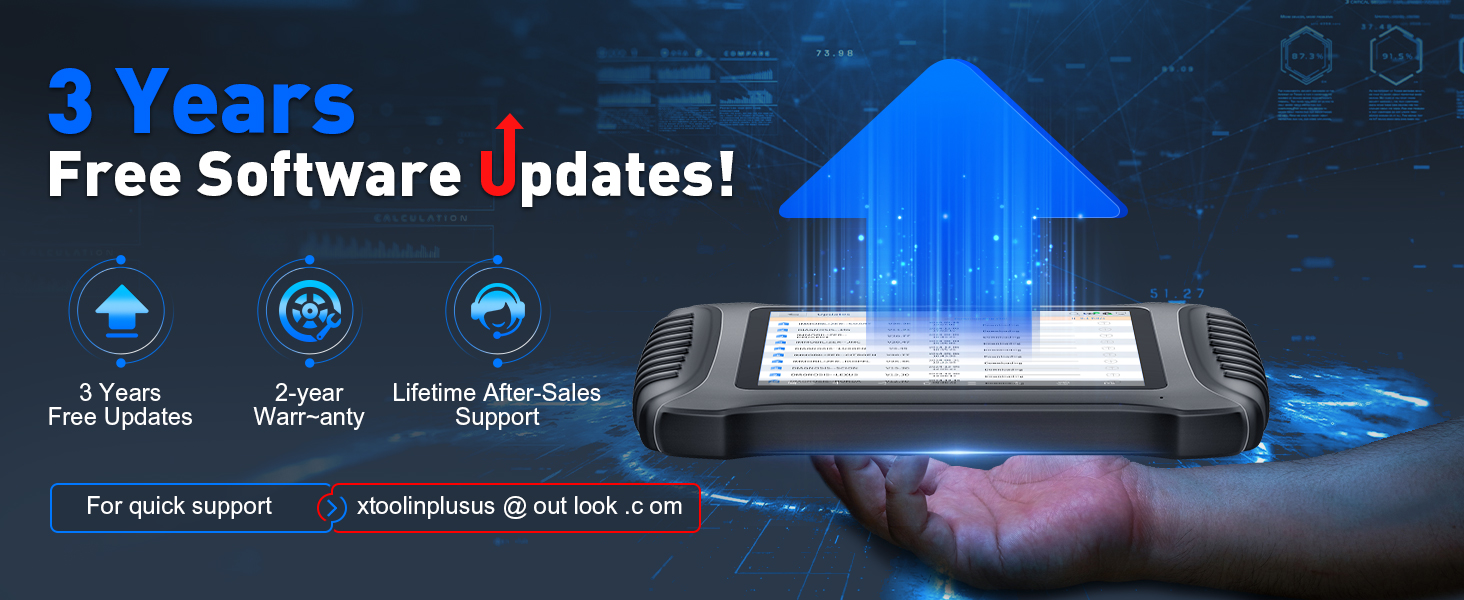
Image 3.1: The XTOOL IP900BT displaying the software update interface.
4. Operating the Device: Key Features and Functions
4.1 Dyagnostik Sistèm Konplè
The IP900BT performs OE-level diagnostics across all available vehicle systems, including Engine, Transmission, ABS, SRS, EPB, BMS, TPMS, and more. It supports CAN fast scan for quick fault detection.
- Li/Efase DTC yo: Retrieve and erase diagnostic trouble codes.
- Auto Scan VIN: Automatically identify vehicle information for faster diagnostics.
- Done vivan: View done detèktè an tan reyèl.

Image 4.1: The IP900BT interface showing full system diagnostic capabilities.
4.2 Kontwòl Bi-direksyonèl (Tès Aktif)
This function allows you to send commands to vehicle subsystems and components to perform active tests, verifying their functionality without using the vehicle's controls. This is useful for quickly pinpointing issues.
- Test components such as fuel injectors, cooling fans, windshield wipers, power mirrors, and electronic throttle body.

Image 4.2: Illustration of bi-directional control functionality, sending commands to vehicle components.
4.3 41+ Special Functions (Resets)
The IP900BT provides over 41 essential maintenance and reset services, covering common repair jobs.
- Lwil Reyajiste
- Reyajisteman Fren Pakin Elektwonik (EPB)
- Kalibrasyon Capteur Angle Volan (SAS).
- Battery Management System (BMS) Reset
- ABS senyen
- Throttle Relearn
- Piki kodaj
- Adaptasyon Transmisyon
- Tire Size Reset
- Èrbag Reyajiste
- Ak anpil ankò.

Image 4.3: Screen showing a selection of the 41+ special functions available on the device.
4.4 Kodaj ECU
ECU Coding adapts the vehicle to different operating conditions after maintenance or component replacement. It provides component matching and adaptive data reset for various vehicle brands.
- Kodaj sou Entènèt: For BMW.
- Offline Coding: For VW, Audi, Skoda, BENZ, Mitsubishi.

Image 4.4: Diagram explaining the online and offline ECU coding capabilities.
4.5 PMI Function (Programmable Module Installation)
The PMI function supports Ford, Mazda, and Lincoln vehicles. It allows for adjusting parameters like engine power output, fuel injection, and shift logic. It also enables coding new hardware components to ensure compatibility with the vehicle's existing systems.

Image 4.5: Visual representation of the PMI (Programmable Module Installation) function.
4.6 ECU Configuration
This feature allows users to customize vehicle functions by activating or deactivating certain features that may be hidden or redundant. Note that this function is only compatible with specific vehicle models.
- Unfold desired functions.
- Turn off unwanted functions.

Image 4.6: The ECU Configuration interface on the IP900BT tablet.
4.7 CANFD/DoIP/FCA Autoauth Support
The IP900BT supports advanced communication protocols for a wider range of modern vehicles.
- CANFD: Improves on the original CAN protocol with faster transmission speeds (up to 8x faster).
- DoIP: Enables high-speed data transmission via Ethernet/IP networks for diagnostic tools.
- Oto-otorizasyon FCA: Provides OE vehicle-approved Security Gateway access for FCA SGW-equipped vehicles (2018+ Chrysler, Dodge, Jeep, Fiat). Note: FCA account registration and subscription plan selection are required, administered by FCA. An XTOOL 12+8 cable can be used as an alternative.
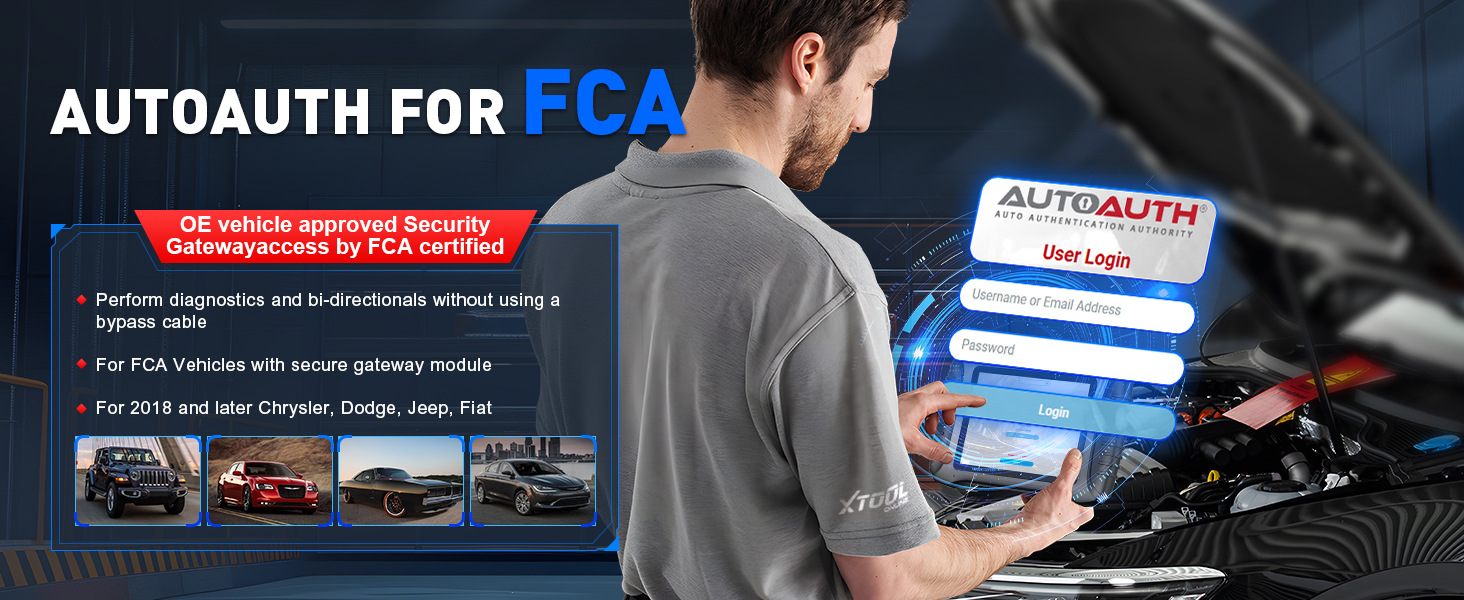
Image 4.7: The FCA AutoAuth login screen on the IP900BT.
4.8 Live Data Visualization & Export
The device allows for detailed analysis of live sensor data.
- Graph up to 8 live data PIDs (Parameter IDs) into one chart.
- Display up to 8 individual graphs on one screen.
- Dosye ak view done.
- Export data as a CSV file pou plis analiz.

Image 4.8: The IP900BT showing multiple live data streams graphically.
4.9 Pre/Post Scan
This feature allows you to document the vehicle's condition before and after repairs.
- Generate reports to track repair progress.
- Create comprehensive analysis reports for clients or colleagues.

Image 4.9: The Pre/Post Scan function displaying diagnostic reports.
4.10 Kalibrasyon ADAS
The IP900BT supports ADAS (Advanced Driver-Assistance Systems) calibration, which is crucial for maintaining the proper functionality of safety features after repairs or component replacements. This function may require additional calibration tools.
5. Pwoteksyon Veyikil
The XTOOL IP900BT is designed to work on most OBD2-compliant vehicles from 1996 onwards, covering over 10,000 OBDII/EOBD vehicle models. It supports diagnostics of CAN-FD and DoIP compliant models without requiring specialized adapters, facilitating faster diagnostic speeds.

Image 5.1: Illustration of the extensive vehicle coverage provided by the IP900BT.
6. Espesifikasyon
| Karakteristik | Spesifikasyon |
|---|---|
| Modèl | XTOOL-IP900 BT |
| Sistèm operasyon | Android 10.0 |
| Processeur | Quad-core 1.5GHz |
| memwa | 4GB RAM + 64GB Depo |
| Ekspozisyon | Ekran taktil 8 pous (rezolisyon 1024x768) |
| Batri | 5000mAh 7.3V Lityòm Ion (enkli) |
| Koneksyon | Wireless (Wi-Fi), Type-C |
| Pwotokòl sipòte | CANFD, DoIP, FCA AutoAuth |
| Pwa atik | 1.65 liv |
| Dimansyon pake | 15.5 x 12 x 5 pous |
7. Antretyen
7.1 Swen Aparèy
- Kenbe aparèy la pwòp epi san pousyè ak imidite.
- Evite lage aparèy la oswa ekspoze li nan tanperati ekstrèm.
- Sèvi sèlman ak chargeur ak kab yo bay yo.
7.2 Mizajou lojisyèl
Regularly check for and install software updates to ensure optimal performance and compatibility with the latest vehicle models. Updates are provided free for 3 years from the date of purchase.
NAN. Depanaj
If you encounter issues with your XTOOL IP900BT, consider the following general troubleshooting steps:
- Aparèy pa limen: Asire w batri a chaje. Konekte chajè a epi eseye ankò.
- VCI Not Connecting: Verify the VCI module is securely plugged into the vehicle's OBD2 port and that the vehicle's ignition is on. Check the tablet's wireless connection.
- Erè kominikasyon: Ensure the vehicle's ignition is in the ON position (engine off). Check for loose connections. Try another vehicle to rule out a vehicle-specific issue.
- Blokaj/Retardasyon lojisyèl: Close unnecessary applications. Restart the device. Ensure sufficient storage space.
- Pwoblèm Mizajou: Ensure a stable and strong Wi-Fi connection. Try updating at a different time.
For persistent issues, refer to the support section below.
9. Enfòmasyon sou Sekirite
- Toujou itilize aparèy la nan yon zòn ki byen ayere.
- Do not wear loose clothing or jewelry when working near moving engine parts.
- Keep the device away from water, oil, and other liquids.
- Ensure the vehicle is in Park (P) or Neutral (N) with the parking brake engaged before performing any diagnostic tests.
- Never attempt to disassemble or modify the device.
10. Garanti ak sipò
The XTOOL IP900BT comes with a 2-year warranty and lifetime after-sales support. For technical assistance, troubleshooting, or warranty claims, please contact XTOOL customer support.
- Mizajou lojisyèl: 3 years of free software updates are included.
- Kontakte sipò: For quick support, you may reach out via email at xtoolinplusus@outlook.com.