
1. Entwodiksyon
The Yasola RC Drone Car Model 828 is a versatile 2-in-1 remote control vehicle designed for both ground driving and aerial flight. This manual provides essential instructions for safe operation, setup, and maintenance to ensure an enjoyable experience.
2. Prekosyon sekirite
- Sipèvizyon granmoun: Always ensure adult supervision when children are operating the drone car.
- Anviwònman vòl: Operate the drone in open, clear areas, away from people, animals, buildings, and other obstacles. Avoid flying in strong winds or rain.
- Sekirite batri:
- Sèvi sèlman ak kab chaje ak pil yo bay la.
- Pa chaje pil yo twòp oswa fè yo kout sikwi.
- Do not expose batteries to extreme temperatures or fire.
- If batteries swell or leak, discontinue use immediately.
- Sekirite Elis: Kenbe dwèt, cheve, ak rad lach lwen elis k ap vire yo.
- Evite enpak: Avoid collisions with objects or people to prevent damage to the drone car and potential injury.
- Ekspozisyon dlo: Do not expose the drone car to water or moisture.
3. Pake kontni
Tanpri verifye ke tout atik yo prezan nan pakè a:
- 1 x Yasola RC Drone Car (Model 828)
- 1 x kontwòl remote
- 2 x Lithium Batteries (for drone car)
- 1 x USB Chaje Kab
- 4 x Elis Rezèv
- 1 x Manyèl Itilizatè (dokiman sa a)
4. Gid Enstalasyon
4.1 Enstalasyon batri
For the Drone Car:
- Locate the battery compartment on the underside of the drone car.
- Ak anpil atansyon louvri kouvèti lòj batri a.
- Connect the drone battery to the drone's power connector.
- Place the battery inside the compartment and close the cover securely.
- Use a small screwdriver to turn the battery cover screw to secure it.


Pou Kontwòl Remot la:
- Louvri lòj batri a sou do a nan kontwòl remote la.
- Insert 2 LR44 batteries (included) according to the polarity markings.
- Fèmen lòj batri a.
4.2 Chaje Batri Dròn nan
- Konekte kab chaje USB a nan batri dron an.
- Branche bout USB a nan yon sous kouran USB konpatib (pa egzanp, yon òdinatè, yon adaptè USB nan miray).
- The indicator light on the USB cable will show charging status (refer to charger for specific light indications).
- Charging typically takes approximately 60-90 minutes. Do not leave unattended while charging.
4.3 Pairing the Remote Control with the Drone Car
- Ensure the drone car battery is installed and fully charged.
- Long press the power button on the drone car to turn it on. The LED lights will begin to flash.
- Limen kontwòl remote la. Limyè endikatè ki sou kontwòl remote la ap flache.
- Move the left joystick (throttle) on the remote control up and then down. The remote control will beep, and the drone car's lights will become solid, indicating successful pairing.
- The default mode after pairing is typically Flight Mode.
5. Operasyon Enstriksyon
5.1 Remote Control Overview
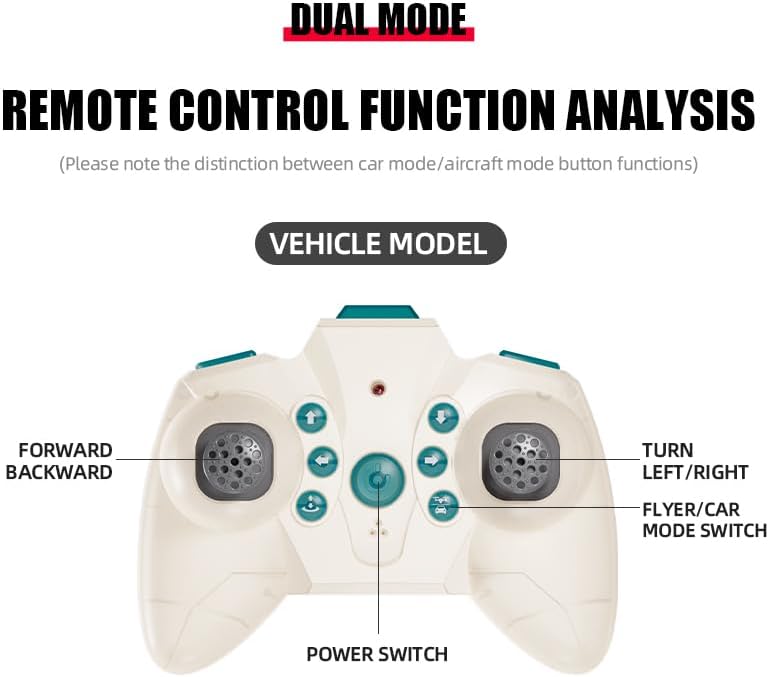
The remote control features dual modes for car and flight operation. Familiarize yourself with the controls:
- Joystick gòch (akseleratè): Controls forward/backward movement in car mode, and ascent/descent in flight mode.
- Right Joystick (Steering/Direction): Controls left/right turns in car mode, and directional flight (forward, backward, left, right) in flight mode.
- Bouton switch mòd: Toggles between Flight Mode and Car Mode.
- One-Key Take Off/Landing Button: Initiates automatic take-off or landing in flight mode.
- Speed Shift Button: Adjusts the speed setting (low/high).
- Bouton mòd san tèt: Activates headless mode for simplified flight control.
- Bouton switch limyè: Toggles the LED lights.
5.2 Switching Between Flight Mode and Car Mode
- After pairing, the drone car is typically in Flight Mode.
- Pou chanje a Machin mòd: Ensure the drone car has landed and propellers have stopped spinning. Press the Mode Switch button on the remote control. The lights on the drone car will turn red to indicate Car Mode.
- Pou chanje a Mòd vòl: Press the Mode Switch button again. The lights on the drone car will turn blue to indicate Flight Mode.

5.3 Flight Operations
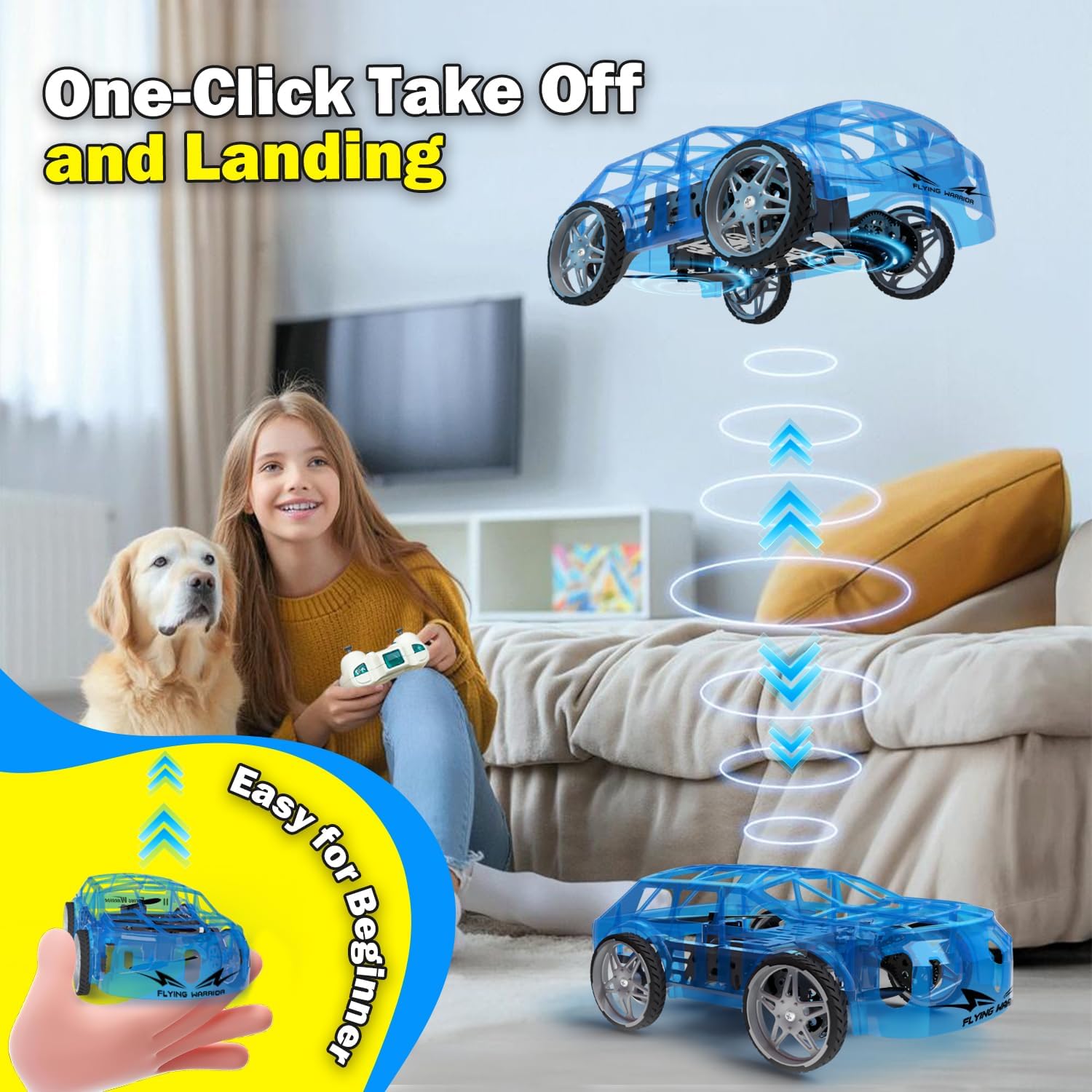
- One-Key Take Off: With the drone car in Flight Mode, press the One-Key Take Off/Landing button. The drone will automatically ascend to a stable hovering altitude.
- Altitude Control: Pouse joystick gòch la pou monte epi desann pou desann.
- Directional Flight: Push the right joystick forward to fly forward, backward to fly backward, left to fly left, and right to fly right.
- Wotasyon: Push the left joystick left or right to rotate the drone car.
- Ajisteman vitès: Press the Speed Shift button to toggle between low and high-speed modes.
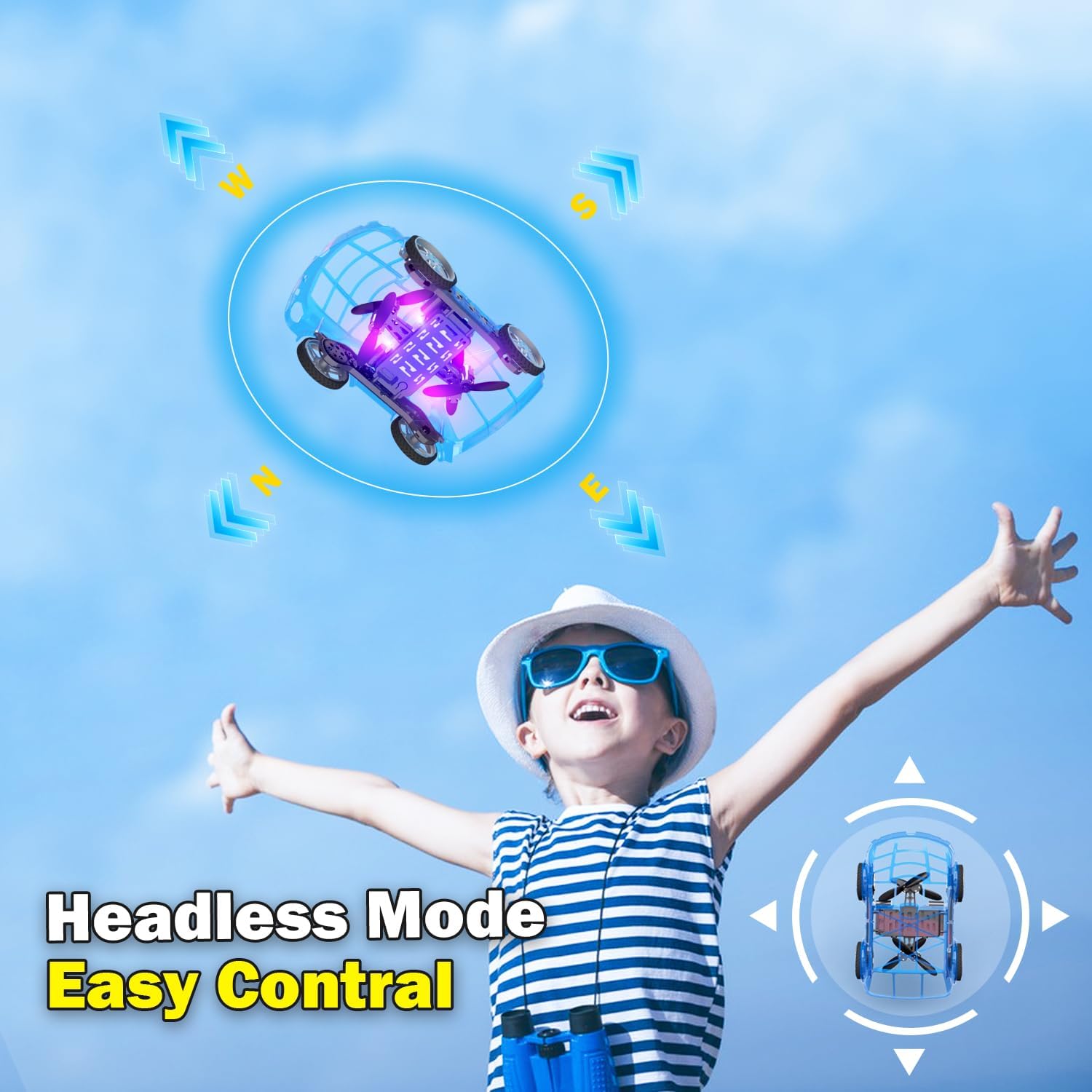
- Mòd san tèt: Press the Headless Mode button to activate. In this mode, the drone's orientation is relative to the pilot, regardless of the drone's front direction. Press again to exit.
- Aterisaj yon sèl kle: Press the One-Key Take Off/Landing button again to initiate an automatic landing. The drone will slowly descend and land.

5.4 Car Operations
- Avant/Atè: Push the left joystick up to drive forward and down to drive backward.
- Vire: Push the right joystick left to turn left and right to turn right.
- Ajisteman vitès: Press the Speed Shift button to toggle between low and high-speed modes.
6. Antretyen
- Netwayaj: Use a soft, dry cloth to clean the drone car. Do not use water or chemical cleaners.
- Ranplasman elis: If a propeller is damaged, carefully remove it and replace it with a spare propeller, ensuring correct orientation.
- Swen batri:
- Sere pil yo nan yon kote ki fre, sèk lè yo pa itilize yo.
- Do not store fully charged or completely depleted batteries for extended periods.
- Charge batteries at least once every three months to maintain their health.
NAN. Depanaj
| Pwoblèm | Kòz posib | Solisyon |
|---|---|---|
| Drone car does not respond to remote control. | Not paired; low battery in drone or remote; drone not powered on. | Ensure drone and remote are powered on. Re-pair the remote control (Section 4.3). Charge drone battery. Replace remote control batteries. |
| Drone car cannot take off or flies unstably. | Low drone battery; damaged propellers; incorrect calibration; operating in windy conditions. | Charge drone battery. Check and replace damaged propellers. Perform "Outer eight calibration" (refer to video demonstration). Operate in calm conditions. |
| Short flight time (e.g., 3-5 minutes). | Normal battery capacity for mini drones; battery not fully charged. | Ensure battery is fully charged before use. Utilize the second included battery for extended play. |
| Drone car drifts during flight. | Needs fine-tuning/trimming; environmental factors (e.g., slight breeze). | Use the direction fine-tuning buttons on the remote control to correct drift. Ensure operation in a calm environment. |
8. Espesifikasyon
- Mak: Yasola
- Non modèl: 828
- Dimansyon pwodwi: 9.56"L x 5.11"L x 3.54"H
- Pwa atik: 9.4 ons (0.59 Liv)
- Materyèl: Plastik
- Koulè: Ble
- Koneksyon Teknoloji: Remote control 2.4G
- Kapasite batri: 600 Miliamp Èdtan (Iyon Lityòm)
- Ranje laj (Deskripsyon): Kid (recommended for ages 8-12)
- Karakteristik espesyal: Drone car, UFO, flying and running RC drone, flying car, One-Key Take Off/Landing, LED Lights, 2 Mode Control, Headless Mode, High-Low Speed Shift.
9. Garanti ak sipò
For warranty information, technical support, or any inquiries regarding your Yasola RC Drone Car Model 828, please refer to the contact information provided on the product packaging or visit the official Yasola websit.