
1. Entwodiksyon
This manual provides instructions for the setup, operation, and maintenance of your Blackview R50Pro Smartwatch. Please read this manual thoroughly before using the device to ensure proper function and safety.
2. Ki sa ki nan bwat la
- 1 x Nwaview R50Pro Smartwatch
- 1 x Silicone senti
- 1 x braslè trese nilon
- 1 x kab chaje
- 1 x manyèl enstriksyon

Imaj: Kontni Nwa aview R50Pro Smartwatch packaging.
3. Enstalasyon ak Koneksyon
3.1 Premye chaj
Before first use, fully charge the smartwatch using the provided charging cable. Connect the magnetic end of the cable to the charging points on the back of the watch and the USB end to a compatible power source (e.g., computer USB port, USB wall adapter).
3.2 Telechaje Aplikasyon an ak Koneksyon
Nwa aview R50Pro Smartwatch uses the "Da Fit" application for full functionality. Follow these steps to download and pair your device:
- Download the "Da Fit" app from your smartphone's app store (iOS App Store or Google Play Store).
- Asire w ke Bluetooth aktive sou smartphone ou.
- Open the "Da Fit" app and follow the on-screen instructions to add a new device.
- The app may prompt you to scan a QR code displayed on the watch screen for quick pairing.
- Grant necessary permissions (e.g., notifications, location) to the app for optimal performance.

Image: Connecting the Blackview R50Pro Smartwatch to the Da Fit app.
Videyo: Yon finiview nan Nwa aview R50Pro Smartwatch features and unboxing, demonstrating its design and basic functionalities.
4. Kijan pou itilize mont entelijan an
4.1 Navigasyon debaz
Nwa aview R50Pro features a 1.85-inch HD touchscreen for navigation. Swipe left, right, up, or down to access different menus and functions. The physical button on the side typically serves as a power button or a return-to-home function.
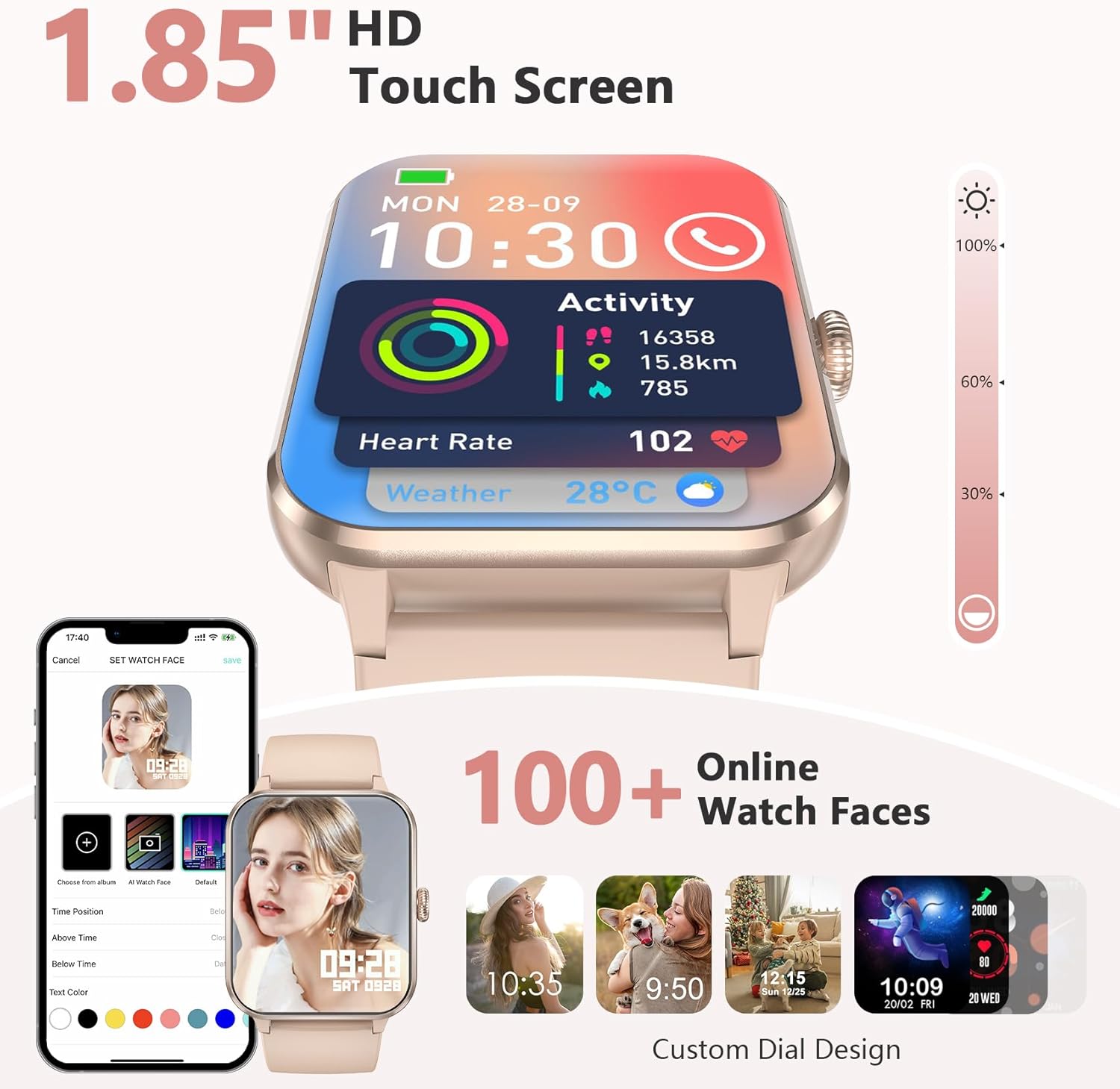
Image: 1.85-inch HD Touch Screen and Watch Face Customization.
4.2 Fonksyonalite Apèl
The smartwatch allows you to answer and make calls directly via Bluetooth. The "Da Fit" app can store multiple contacts and provides real-time notifications for incoming calls and messages.

Image: Make/Answer Calls Feature.
4.3 Notifikasyon
Receive smart notifications for incoming calls, messages, and alerts from various social media applications directly on your wrist.

Image: Smart Message Reminders.
4.4 Asistan Vwa IA
Utilize the built-in AI voice assistant for quick help with tasks such as weather forecasts and setting alarms.

Image: AI Voice Assistant and Bluetooth Call.
5. Siveyans Sante
Nwa aview R50Pro Smartwatch uses high-performance optical sensors to provide comprehensive health monitoring.
5.1 Siveyans batman kè
Monitor your dynamic heart rate in real-time. Continuous 24-hour heart rate measurement data is stored in the "Da Fit" app for review.

Image: Heartbeat Monitoring.
5.2 Siveyans Oksijèn nan San (SpO2)
Intelligent SpO2 saturation monitoring allows you to check the last 7 measurement values on the smartwatch to protect your health.

Image: Blood Oxygen Control.
5.3 Siveyans dòmi
Track your sleep quality and stress levels. The monitoring provides suggestions for improvement to help adjust your work and rest schedule.

Image: Sleep Monitoring Display.

Image: Sleep Tracker in use.
5.4 Siveyans Estrès
Perform stress tests to see if your stress is above average and allow your body to relax properly.

Image: Stress Test Feature.
6. Mòd Espò
Swiv aktivite chak jou ou avèk plis pase 100 mòd espò, tankou kouri, monte bisiklèt, yoga, ak foutbòl. Konekte ak GPS la atravè aplikasyon "Da Fit" la pou anrejistre wout antrènman ou yo ak pwogrè kapasite fizik ou.
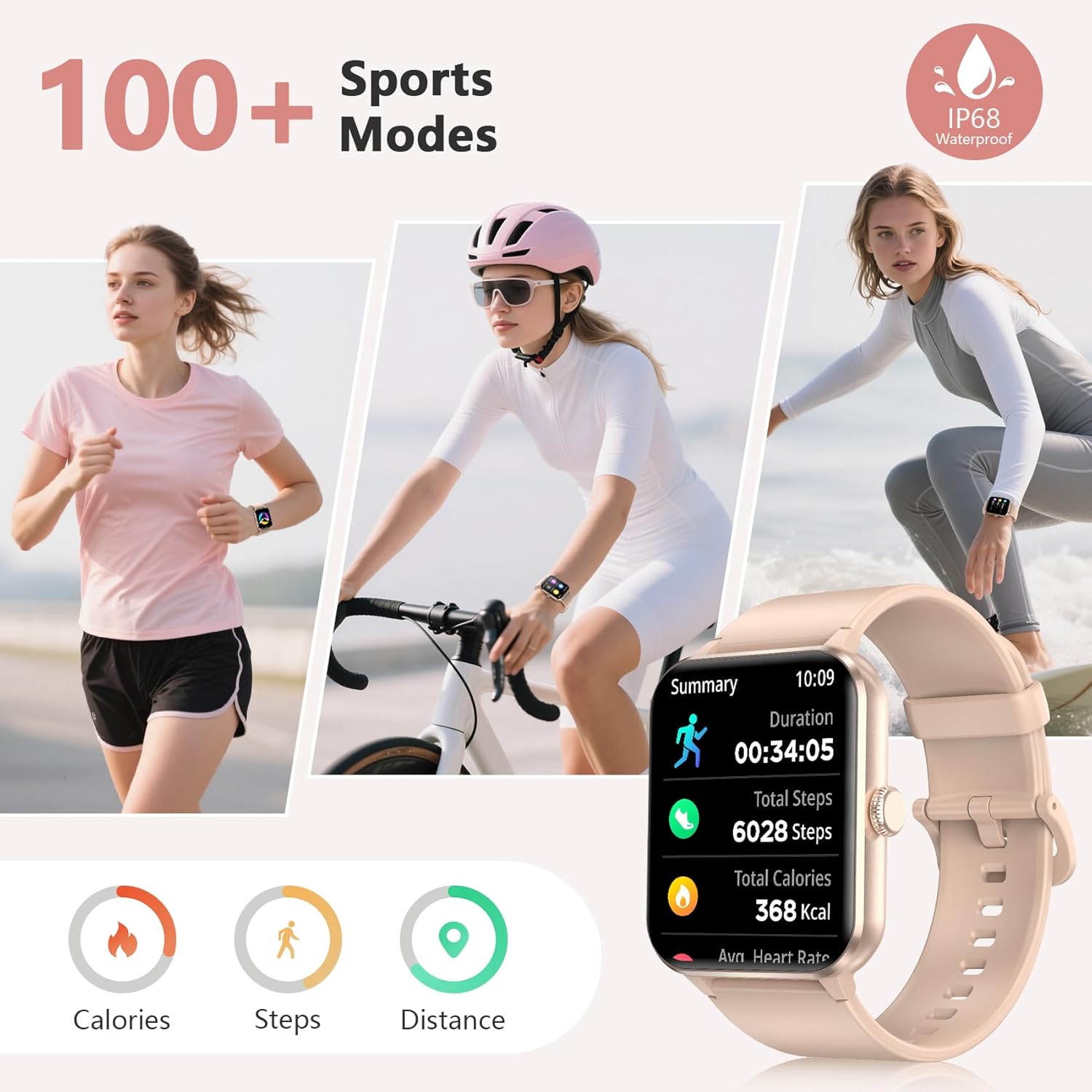
Image: 100+ Sports Modes and IP68 Waterproof.

Image: Diverse Sports Modes.
7. Personnalisation
7.1 Watch Faces
Personalize your watch face with your favorite photos or choose from over 100 watch face options available through the "Da Fit" app.

Image: Over 100 Watch Faces.
7.2 Interchangeable Straps
The smartwatch comes with two types of interchangeable watch straps: Nylon and Silicone, allowing for versatility in style and comfort.
8. Additional Smart Tools
Nwa aview R50Pro includes various daily functions for added convenience:
- Kontwòl Mizik
- Kontwòl Kamera Remote
- Pwedi tan
- Rapèl Sedantèr
- Revèy
- Revèy ak kronomètr
- Kalkilatè
- Jwèt
- Tracker sik règ
- Bwè Dlo Rapèl

Image: More Features to Discover.
9. Espesifikasyon
| Karakteristik | Detay |
|---|---|
| Non modèl | R50Pro |
| Mak | Nwaview |
| Sistèm operasyon | iOS, andwad |
| Gwosè ekran | 1.85 pous |
| Kalite ekspozisyon | LCD |
| Koneksyon Teknoloji | Bluetooth 5.3 |
| Kapasite batri | 350 Miliamp Orè |
| Tan chaj batri | 2 èdtan |
| Itilizasyon tipik Dire lavi batri a | Jiska 7 jou |
| Tan sibstiti | Apeprè 30 jou |
| Nivo rezistans dlo | IP68 Waterproof (up to 10 meters) |
| Kalite Materyèl Band | Nylon, Silicone |
| Antre Entèfas Imèn | Mikwofòn, ekran taktil |
| GPS | GPS Via Smartphone |
| Kapasite Depo memwa | 128 MB |
10. Antretyen
10.1 Netwayaj
Regularly clean your smartwatch and straps to prevent skin irritation and maintain device hygiene. Use a soft, damp cloth to wipe the screen and body. For straps, follow the manufacturer's recommendations for cleaning based on material (silicone or nylon).
10.2 Depo
Sere mont entelijan an nan yon kote ki fre epi sèk, lwen limyè solèy dirèk ak tanperati ekstrèm lè w pa itilize li pou yon bon bout tan.
10.3 Rezistans dlo
The device is IP68 waterproof, meaning it can withstand immersion in water up to 10 meters. However, it is not recommended for hot water activities, saunas, or deep diving, as steam and high pressure can compromise the seals.
NAN. Depanaj
Si ou rankontre pwoblèm ak Black ou aview R50Pro Smartwatch, try the following general troubleshooting steps:
- Aparèy pa Limen: Asire w ke mont lan byen chaje. Konekte l ak kab chaje a epi kite l chaje pou omwen 30 minit anvan ou eseye limen l.
- Pwoblèm kouple: Make sure Bluetooth is enabled on your smartphone and the watch is within range. Restart both your phone and the smartwatch. Try unpairing and re-pairing the device through the "Da Fit" app.
- Done Sante ki pa kòrèk: Ensure the watch is worn snugly on your wrist, not too tight or too loose. Clean the sensors on the back of the watch. Environmental factors and individual physiology can affect readings.
- Notifikasyon ki pa parèt: Check the notification settings within the "Da Fit" app and your smartphone's system settings to ensure all necessary permissions are granted. Ensure the app is running in the background.
- Kout lavi batri: Reduce screen brightness, disable unnecessary notifications, and limit continuous heart rate monitoring if not required. Ensure the watch is fully charged each time.
For persistent issues, refer to the "Da Fit" app's help section or contact customer support.
12. Garanti ak sipò
Nwaview provides a 2-year warranty for the R50Pro Smartwatch. For technical support or warranty claims, please contact Blackview customer service. Details can typically be found on the official Blackview website or through the "Da Fit" app.