
BNCF Bpad Mini
BNCF Bpad Mini User Manual
Model: Bpad Mini
Entwodiksyon
Thank you for choosing the BNCF Bpad Mini. This compact and powerful tablet is designed to enhance your digital experience, offering seamless performance for entertainment, productivity, and communication. This manual provides essential information on setting up, operating, and maintaining your device.
Ki sa ki nan bwat la
- BNCF Bpad Mini Tablet
- Manyèl itilizatè
- Bwat kado
- Charge (5V/2A)
- PIN pou ejektè kat SIM
- Type-C (5V/2A) Cable

Enstalasyon
1. Premye Chajman
Before first use, fully charge your BNCF Bpad Mini. Connect the provided Type-C cable to the tablet's USB-C port and the other end to the included 5V/2A charger. The 6050mAh battery supports 18W PD fast charging for quick power-ups.

2. Enstalasyon Kat SIM ak Kat MicroSD
Locate the SIM/MicroSD card tray on the side of the tablet. Use the provided SIM ejector pin to open the tray. Insert your 4G LTE SIM card and/or a MicroSD card (up to 1TB expandable storage) into the designated slots. Ensure the tray is fully reinserted.
3. Powering On / Off
Press and hold the power button (located on the side) until the BNCF logo appears to power on the tablet. To power off, press and hold the power button, then select "Power off" from the options.
4. Inisyal Enstalasyon
Upon first startup, follow the on-screen prompts to configure your Android 14 system. This includes selecting your language, connecting to Wi-Fi, signing in with your Google account, and setting up security features like facial recognition.
Opere tablèt ou a
Ekspozisyon ak Vizyèl
The Bpad Mini features an 8.4-inch FHD IPS display with a 1920x1200 resolution and 60Hz refresh rate. It supports Widevine L1 for high-definition streaming on platforms like Netflix and Prime Video. The Incell screen technology provides improved touch accuracy and response.

Pèfòmans
Powered by the 6nm Snapdragon 685 (2.8GHz) processor and Adreno 610 GPU, the tablet offers smooth performance for various tasks. With 16GB (8GB physical + 8GB virtual) RAM and 256GB UFS storage (expandable to 1TB via MicroSD), you have ample space and speed for apps, games, and media.

Karakteristik Kamera
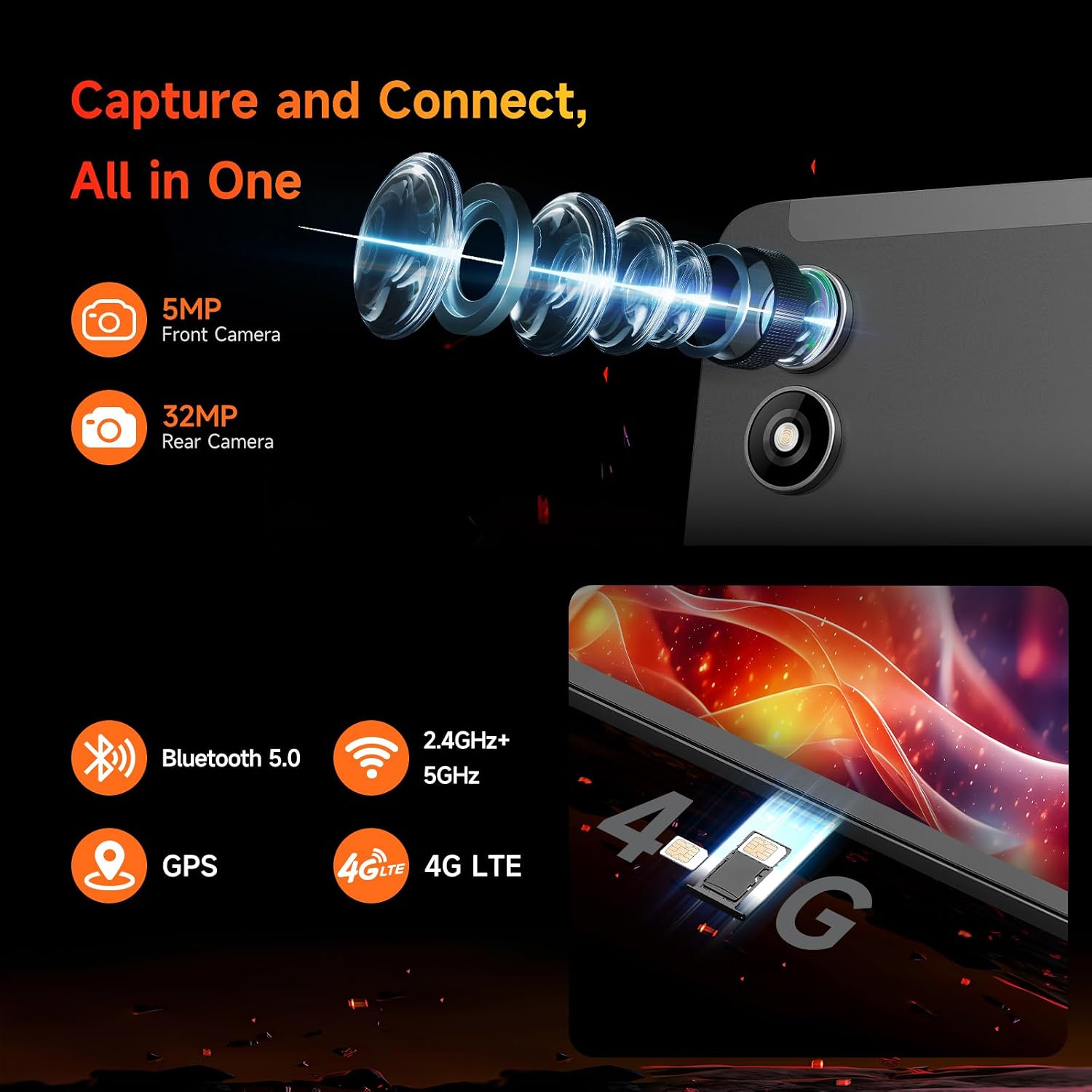
The Bpad Mini is equipped with a 5MP front camera and a 32MP rear camera, capable of capturing high-quality photos and 4K videos. It's ideal for video calls, selfies, and content creation.
Koneksyon
Stay connected with dual-band Wi-Fi (2.4G/5G), 4G LTE for mobile data, and Bluetooth 5.0 for seamless accessory pairing. Integrated GPS provides reliable navigation.
Eksperyans odyo
Enjoy immersive audio with the tablet's dual speakers, delivering a cinematic sound experience for movies, music, and games.
Jwèt ak amizman
The 6-Axis gyroscope sensor enhances gaming stability and precision. The tablet is compatible with Bluetooth game controllers and supports native Android games, game streaming, and emulators.
Antretyen
Swen batri
- Evite tanperati ekstrèm, ki ka diminye lavi batri a.
- Sèvi sèlman ak plato ki vini ak plato a oswa yon plato konpatib ki sètifye.
- Pou depo alontèm, chaje tablèt la a apeprè 50% epi etenn li.
Netwayaj
- Sèvi ak yon twal mou ki pa gen pousyè pou netwaye ekran an ak kò a.
- Evite itilize pwodwi chimik piman bouk oswa materyèl abrazif.
Mizajou lojisyèl
Regularly check for system updates to ensure optimal performance, security, and access to the latest features. Navigate to Settings > System > System update.
Depanaj
| Pwoblèm | Kòz posib / Solisyon |
|---|---|
| Tablèt la pa limen | Ensure the battery is charged. Press and hold the power button for at least 10 seconds to force a restart. |
| Pèfòmans ralanti / Ralanti | Close unnecessary background apps. Clear cache. Restart the tablet. Ensure sufficient storage space. |
| Pwoblèm koneksyon Wi-Fi | Restart your Wi-Fi router. Forget and reconnect to the network on the tablet. Ensure the tablet is within Wi-Fi range. |
| Apps crashing or not loading | Clear the app's cache and data (Settings > Apps > [App Name] > Storage). Reinstall the app. Ensure the tablet's software is up to date. |
| Touch screen unresponsiveness | Rekòmanse tablèt la. Asire w ekran an pwòp epi sèk. |
Espesifikasyon
| Karakteristik | Detay |
|---|---|
| Non modèl | Bpad Mini |
| Sistèm operasyon | Android 14 |
| Processeur | Snapdragon 685 (2.8GHz) |
| Gwosè ekran | 8.4 pous |
| Rezolisyon ekran | 1920 x 1200 piksèl (FHD IPS) |
| RAM | 16GB (8GB fizik + 8GB vityèl) |
| Depo Entèn | 256GB UFS (Expandable to 1TB) |
| Kamera dèyè | 32 MP |
| Kamera devan | 5 MP |
| Kapasite batri | 6050mAh (18W PD Fast Charging) |
| Koneksyon | 4G LTE, Dual-band Wi-Fi (802.11ax), Bluetooth 5.0, GPS |
| Dimansyon (LxWxH) | 7.9 x 4.9 x 0.3 pous |
| Pwa atik | 11.2 ons (apeprè 318g) |
Garanti ak sipò
BNCF is committed to providing high-quality products and excellent customer service. For tablets purchased from the BNCF Official Flagship Store, customers benefit from a 12-month free repair warranty epi sipò teknik pou tout lavi.
If you encounter any issues or have questions, please contact BNCF Global customer service. You can expect a response within 24 hours. For more information, visit the BNCF Store on Amazon.

Ask a question about this manual
Ask about setup, troubleshooting, compatibility, parts, safety, or missing instructions. Manuals+ will review the question and use this page’s manual context to help answer it.