
1. Entwodiksyon
Welcome to the user manual for your new BNCF Bpad Mini Tablet. This 8.4-inch tablet, powered by the Snapdragon 685 processor and running Android 14, is designed for versatile use, from entertainment to productivity. This manual provides essential information on setting up, operating, maintaining, and troubleshooting your device to ensure optimal performance and a seamless user experience.

Imaj: Devan view of the BNCF Bpad Mini Tablet showcasing its main features like Snapdragon 685, 8.4-inch FHD display, Android 14, 6050mAh battery, and 16GB+128GB memory.
2. Ki sa ki nan bwat la
Upon unboxing your BNCF Bpad Mini Tablet, please ensure all the following items are present:
- BNCF Bpad Mini Tablet
- Manyèl itilizatè
- Charge (5V/2A)
- PIN ejèkteur kat SIM
- Type-C (5V/2A) Cable
- Bwat kado
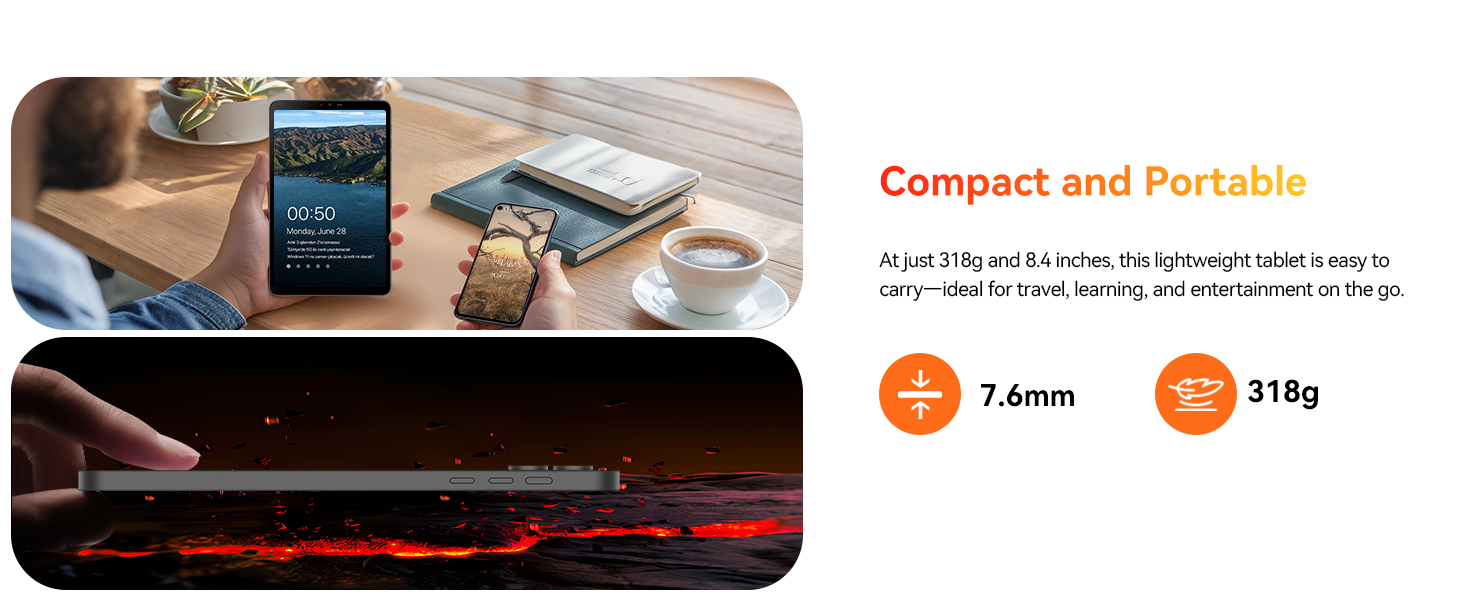
Image: A visual representation of the tablet and its included accessories, such as the charger, USB-C cable, SIM ejector tool, and user manual.
3. Pwodwi Features
The BNCF Bpad Mini Tablet is equipped with advanced features for a superior user experience:
3.1. Snapdragon 685 & Android 14
Powered by the 6nm Snapdragon 685 (2.8GHz), the Bpad Mini tablet ensures smooth performance, low power consumption, and extended battery life. Android 14 enhances multitasking, security, and features like facial recognition, split-screen, smart projection, three-finger screenshot, and parental controls.

Imaj: Detaye view of the Snapdragon 685 processor, highlighting its 2.8GHz clock speed, 6nm process, Adreno 610 GPU, and 6-Axis Gyro Sensor.
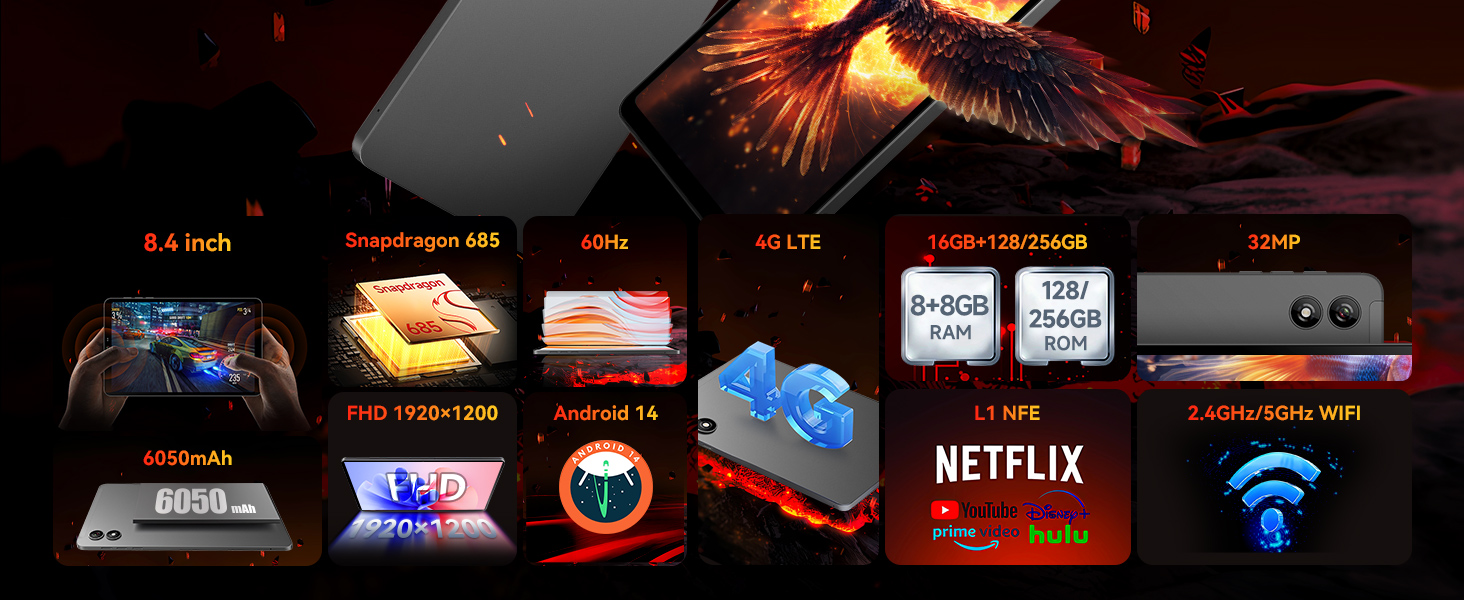
Image: Visual representation of Android 14's key functionalities such as Face Unlock, Smart Projection, Split-Screen, and Three-finger Screen Capture, emphasizing GMS certification and Google Play support.
3.2. 8.4" FHD IPS & Widevine L1
Weighing only 310g, this 8.4" tablet features Incell technology for improved touch accuracy and response. The 1920x1200 resolution with Widevine L1 supports HD streaming on Netflix and Prime Video. Dual speakers deliver immersive audio for work and entertainment.

Image: The tablet's display specifications, including 1920x1200 FHD resolution, 60Hz refresh rate, 350 Nits brightness, IPS Incell screen, and Widevine L1 certification for HD streaming.

Image: Illustrates the difference between Widevine L1 (1080P) and L3 (720P) certification, highlighting the tablet's L1 support for high-definition video streaming on popular platforms.
3.3. 5MP+32MP Dual Cameras
Equipped with 5MP and 32MP cameras, this tablet captures high-quality photos, 4K videos, and HD video calls. Ideal for selfies, content creation, and streaming. Sensors like a gyroscope and light sensor enhance the experience while optimizing power consumption.
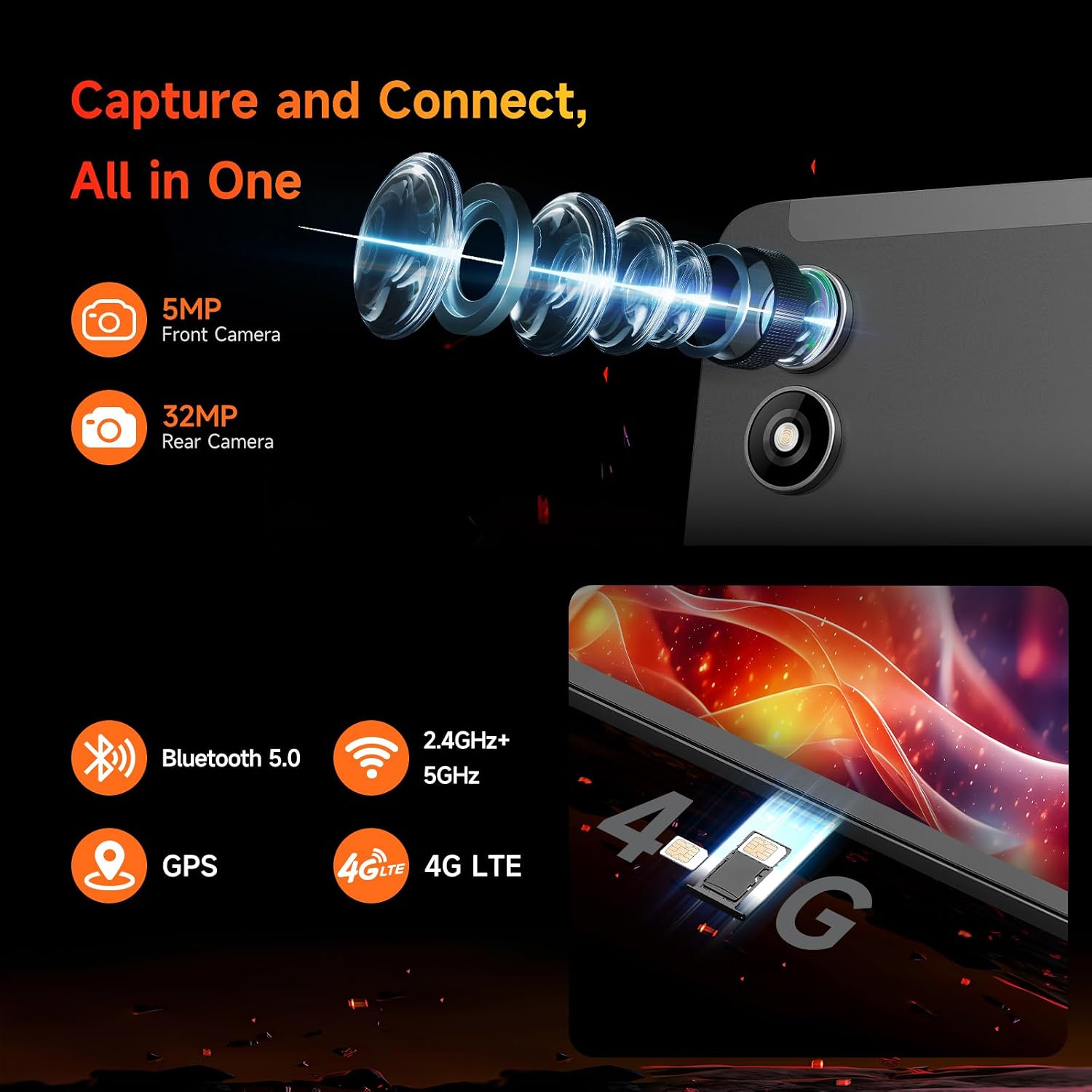
Imaj: Gwo plan view of the tablet's 5MP front camera and 32MP rear camera, emphasizing their capability for capturing high-resolution images and videos.
3.4. 16GB RAM+128GB ROM & 6050mAh Battery
With 16GB (8+8GB) RAM and 128GB UFS storage (expandable to 1TB), this tablet ensures smooth performance. The 6050mAh battery supports 18W PD fast charging for extended use without worries.

Image: Visual representation of the tablet's ample storage (16GB RAM + 128GB ROM, expandable to 1TB) and its 6050mAh large-capacity battery with 18W PD fast charging support.
3.5. 4G LTE & GPS & BT 5.0
Bpad mini tablet supports dual-band WiFi, 4G LTE for connectivity without WiFi, Bluetooth 5.0 for seamless audio device pairing, and GPS for reliable navigation, making it perfect for entertainment, travel, and daily use.

Imaj: Yon analiz konplèview of the tablet's connectivity options, including 4G LTE, dual-band 2.4GHz/5GHz WiFi, Bluetooth 5.0, and GPS, along with its core specifications.
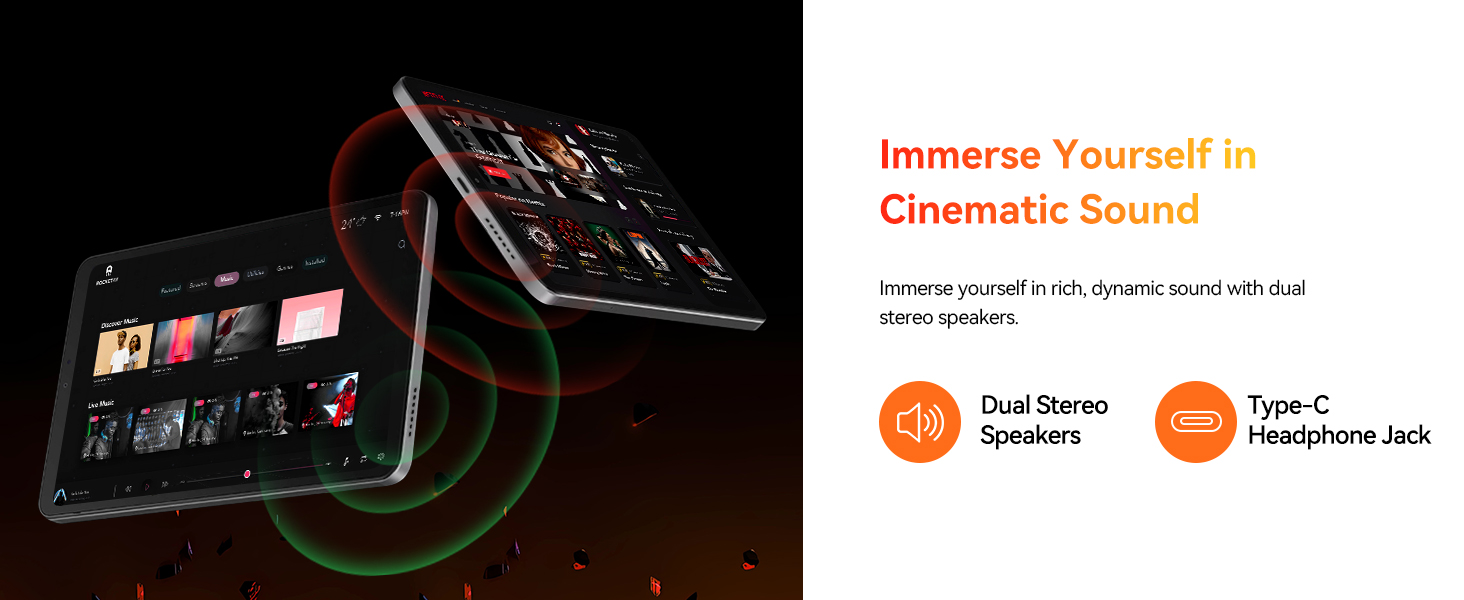
Image: Depicts the tablet's SIM card slots and lists supported 4G LTE bands (GSM, WCDMA, LTE-TDD, LTE-FDD), Bluetooth 5.0, 2.4GHz+5GHz WiFi, and GPS capabilities.
4. Gid Enstalasyon
4.1. Premye Chajman
Before first use, fully charge your tablet. Connect the provided Type-C cable to the tablet's charging port and the other end to the included power adapter. Plug the adapter into a wall outlet. The charging indicator will show the charging status. A full charge typically takes approximately 2 hours with the 18W fast charger.
4.2. Power On/Off
- Pou limen: Press and hold the Power button on the side of the tablet until the BNCF logo appears on the screen.
- Pou etenn: Peze epi kenbe bouton pouvwa a jiskaske meni opsyon pouvwa a parèt. Chwazi 'Etenn' epi konfime.
- Pou rekòmanse: Nan meni opsyon pouvwa a, chwazi 'Rekòmanse'.
4.3. Inisyal Konfigirasyon
Lè w limen tablèt la pou premye fwa, li pral gide w nan pwosesis konfigirasyon inisyal la. Sa gen ladan l:
- Chwazi lang ou.
- Konekte nan yon rezo Wi-Fi.
- Signing in with your Google account (or creating a new one).
- Setting up screen lock (PIN, pattern, password, or face recognition).
- Reviewantre epi aksepte tèm ak kondisyon yo.
5. Itilizasyon Tablèt ou a
5.1. Navigasyon debaz
- Ekran Kay: Glise agoch oswa adwat pou navige ant ekran prensipal yo.
- Tiwa aplikasyon: Glise anlè soti anba ekran an pou jwenn aksè a tout aplikasyon ki enstale yo.
- Notifikasyon ak Paramèt Rapid: Glise desann soti nan tèt ekran an pou view notifikasyon ak aksè rapid pou paramèt yo (Wi-Fi, Bluetooth, elatriye).
- Aplikasyon ki sot pase yo: Tape bouton navigasyon kare a (oswa glise anlè epi kenbe l soti anba si w ap itilize navigasyon ak jès) pou wè aplikasyon ki fèk louvri yo.
5.2. Jesyon App
- Enstale aplikasyon: Telechaje epi enstale aplikasyon yo nan Google Play Store la.
- Dezenstalasyon aplikasyon yo: Press and hold an app icon on the home screen or in the app drawer, then drag it to 'Uninstall' or select 'App info' and choose 'Uninstall'.
- Split-Screen: For multitasking, use the split-screen feature by accessing recent apps and tapping the app icon at the top of the window, then selecting 'Split screen'.
5.3. Koneksyon
- Wi-Fi: Go to Settings > Network & internet > Wi-Fi to connect to available networks. The tablet supports dual-band 2.4G/5G Wi-Fi.
- Bluetooth: Go to Settings > Connected devices > Bluetooth to pair with Bluetooth devices like headphones or speakers.
- 4G LTE: Insert a compatible SIM card into the tablet's SIM slot. Ensure your mobile data plan is active.
- GPS: The tablet has built-in GPS for navigation and location services. Ensure location services are enabled in Settings.
5.4. Itilizasyon kamera
Open the Camera app to capture photos and videos. Switch between the 5MP front camera and the 32MP rear camera. Utilize various modes and settings for optimal results.
6. Antretyen
To ensure the longevity and optimal performance of your BNCF Bpad Mini Tablet, follow these maintenance guidelines:
- Swen batri: Avoid extreme temperatures. Do not let the battery completely drain frequently. Use the original charger for optimal charging.
- Netwayaj: Sèvi ak yon twal mou ki pa gen pousyè pou netwaye ekran an ak kò a. Evite materyèl abrazif oswa pwodui chimik ki agresif.
- Mizajou lojisyèl: Tcheke epi enstale mizajou sistèm yo regilyèman pou asire tablèt ou a gen dènye fonksyonalite yo, patch sekirite yo, ak amelyorasyon pèfòmans yo. Ale nan Anviwònman > Sistèm > Mizajou sistèm.
- Jesyon Depo: Netwaye sa ki pa nesesè detanzantan files and uninstall unused apps to free up storage space and maintain smooth performance.
NAN. Depanaj
Men kèk solisyon pou pwoblèm komen ou ka rankontre:
| Pwoblèm | Solisyon |
|---|---|
| Tablèt la pa vle limen | Ensure the battery is charged. Connect to the charger for at least 30 minutes. If it still doesn't turn on, try holding the Power button for 10-15 seconds. |
| Pwoblèm koneksyon Wi-Fi | Rekòmanse routeur Wi-Fi ou a. Bliye rezo a sou tablèt ou a epi rekonekte li. Asire w ke ou nan zòn siyal Wi-Fi a. |
| Pèfòmans dousman | Close unused apps. Clear cache for frequently used apps (Settings > Apps > [App Name] > Storage > Clear cache). Restart the tablet. Consider a factory reset if issues persist (back up data first). |
| Aplikasyon yo ap plante oswa bloke | Update the app to its latest version. Clear the app's cache and data (Settings > Apps > [App Name] > Storage). Reinstall the app. |
| Tablet pa chaje | Check if the charging cable and adapter are securely connected and undamaged. Try a different compatible charger and cable. Clean the charging port gently. |
8. Espesifikasyon
Detailed technical specifications for the BNCF Bpad Mini Tablet:
| Karakteristik | Spesifikasyon |
|---|---|
| Mak | BNCF |
| Non modèl | AD8Z |
| Sistèm operasyon | Android 14 |
| Gwosè ekran | 8.4 pous |
| Rezolisyon ekran | 1920 x 1200 piksèl (FHD) |
| Processeur | Snapdragon 685 (2.8 GHz) |
| Mak processeur | Qualcomm |
| Kapasite Depo memwa | 16 GB RAM |
| Gwosè memwa flash | 128 GB (Ekspansib a 1TB) |
| Dèyè WebCam Rezolisyon | 32 MP |
| Devan WebCam Rezolisyon | 5 MP |
| Kalite san fil | 802.11ax (Dual-band Wi-Fi), Bluetooth 5.0, 4G LTE |
| Pwa atik | 11.2 ons (apeprè 318g) |
| Dimansyon pwodwi | 7.9 x 4.9 x 0.3 pous |
| Koulè | Gri |
| Kapasite batri | 6050mAh |
| Chaje | Chaje rapid 18W PD |
9. Garanti ak sipò
BNCF is committed to providing high-quality products and excellent customer service. We uphold rigorous standards from design to production, ensuring each product undergoes thorough quality checks.
9.1. Règleman Garanti
For tablets purchased from the BNCF Official Flagship Store, customers benefit from a 12-month free repair warranty. This warranty covers manufacturing defects and ensures your device functions as intended under normal use.
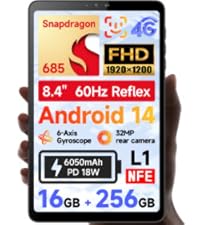
Image: BNCF One-Year Warranty & Support graphic, indicating commitment to quality and customer satisfaction.
9.2. Sipò teknik
BNCF offers sipò teknik pou tout lavi for its products. If you encounter any issues or have questions regarding your tablet, please contact our customer service team. You can expect a response within 24 hours, ensuring that any inquiries are addressed in a timely manner.
Enfòmasyon pou kontakte: Please refer to the official BNCF website or your purchase documentation for the most up-to-date contact details for support.
9.3. Return and Exchange Service
If your product has issues, please leave us a message. We will use our expertise to solve the problem for you, or provide a return or exchange service as per our policy.