
1. Entwodiksyon
Mèsi pou acha aasing the AGPTEK A02XT MP3 Player. This device is designed to provide a high-quality audio experience with its HIFI lossless sound and Bluetooth 5.3 connectivity. It features a compact design, button operation, and various functions including FM radio, voice recording, and a pedometer. This manual will guide you through the setup, operation, and maintenance of your new MP3 player.

Figure 1.1: AGPTEK A02XT MP3 Player with accessories.
2. Pwodwi souview
2.1 Kontni pake a
- AGPTEK A02XT MP3 Player (1)
- USB-C chaje kab (1)
- Manyèl itilizatè (1)
- Earphones (1 pair) - May vary by region/package

Figure 2.1: Contents of the AGPTEK A02XT package.
2.2 Aparèy la ak Kontwòl yo
Familiarize yourself with the buttons and ports on your A02XT MP3 player.

Figi 2.2: Devan view of the A02XT MP3 Player.
- Ekran: Displays menus, music information, and settings.
- M bouton: Menu/Back button. Long press to lock/unlock the screen.
- Bouton jwe/poz: Kòmanse oswa poz lèktur.
- Bouton Anvan/Apre: Navigates through tracks or menu options.
- bouton VOL: Kontwòl volim.
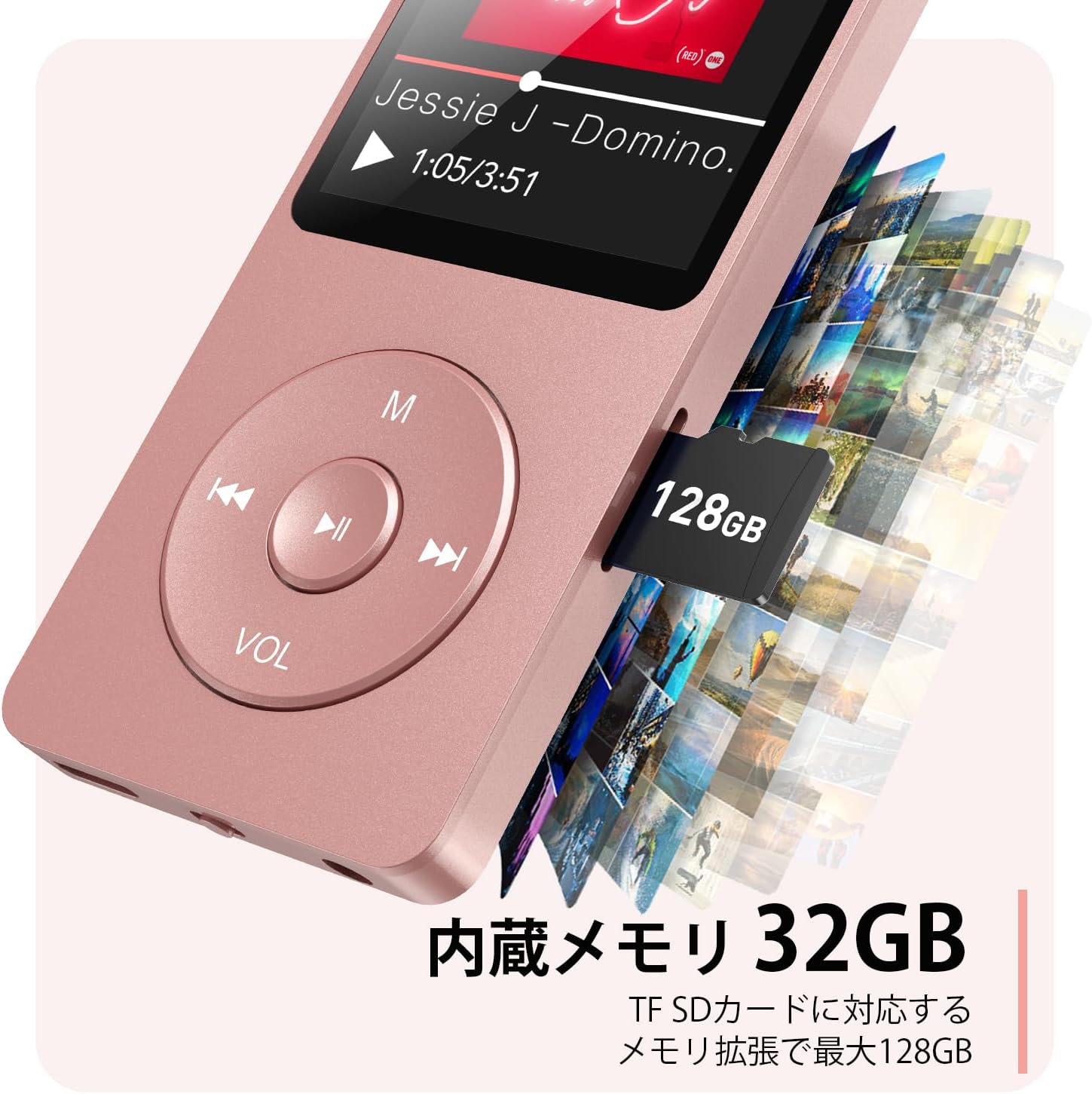
Figi 2.3: Side view with microSD card slot.
- USB-C pò: Pou chaje ak transfè done.
- Jack ekoutè 3.5mm: For wired audio output.
- MicroSD Kat plas: Pou depo ekspansyon jiska 64GB.
3. Enstalasyon
3.1 Chaje Aparèy la
Before first use, fully charge the MP3 player. Connect the provided USB-C cable to the player's USB-C port and the other end to a USB power adapter (not included) or a computer's USB port. The screen will indicate charging status. A full charge takes approximately 2 hours and provides up to 40 hours of music playback.

Figure 3.1: MP3 Player charging indication.
3.2 Mete yon Kat MicroSD
The player has 32GB of internal storage. To expand storage, insert a microSD card (up to 64GB, not included) into the microSD card slot until it clicks into place. Ensure the card is inserted correctly to avoid damage.
3.3 Transfè Mizik Files
- Konekte lektè MP3 a ak òdinatè w la avèk kab USB-C a.
- The player will appear as a removable disk on your computer.
- Trennen epi depoze mizik ou files (MP3, WMA, OGG, WAV, APE, FLAC, AAC, ACELP) into the 'Music' folder on the player or microSD card.
- Retire aparèy la nan òdinatè w la san danje anvan ou dekonekte kab la.
4. Operasyon Enstriksyon
4.1 Power On/Off
- Pouvwa sou: Long press the Power button (usually on the side or top edge) until the screen lights up.
- Pouvwa Off: Long press the Power button until the 'Power Off' option appears, then select it.
4.2 Navigasyon debaz
Use the navigation buttons (Previous, Next, Play/Pause, M) to move through menus and select options. The Play/Pause button often acts as a 'Confirm' button in menus.

Figure 4.1: Main menu interface with various functions.
4.3 Mizik lèktur
- Nan meni prensipal la, chwazi 'Mizik'.
- Browse by Artist, Album, Songs, Playlists, etc.
- Chwazi yon chante pou kòmanse jwe l.
- Use the Previous/Next buttons to skip tracks, and Play/Pause to control playback.
- Ajiste volim nan avèk bouton VOL la.
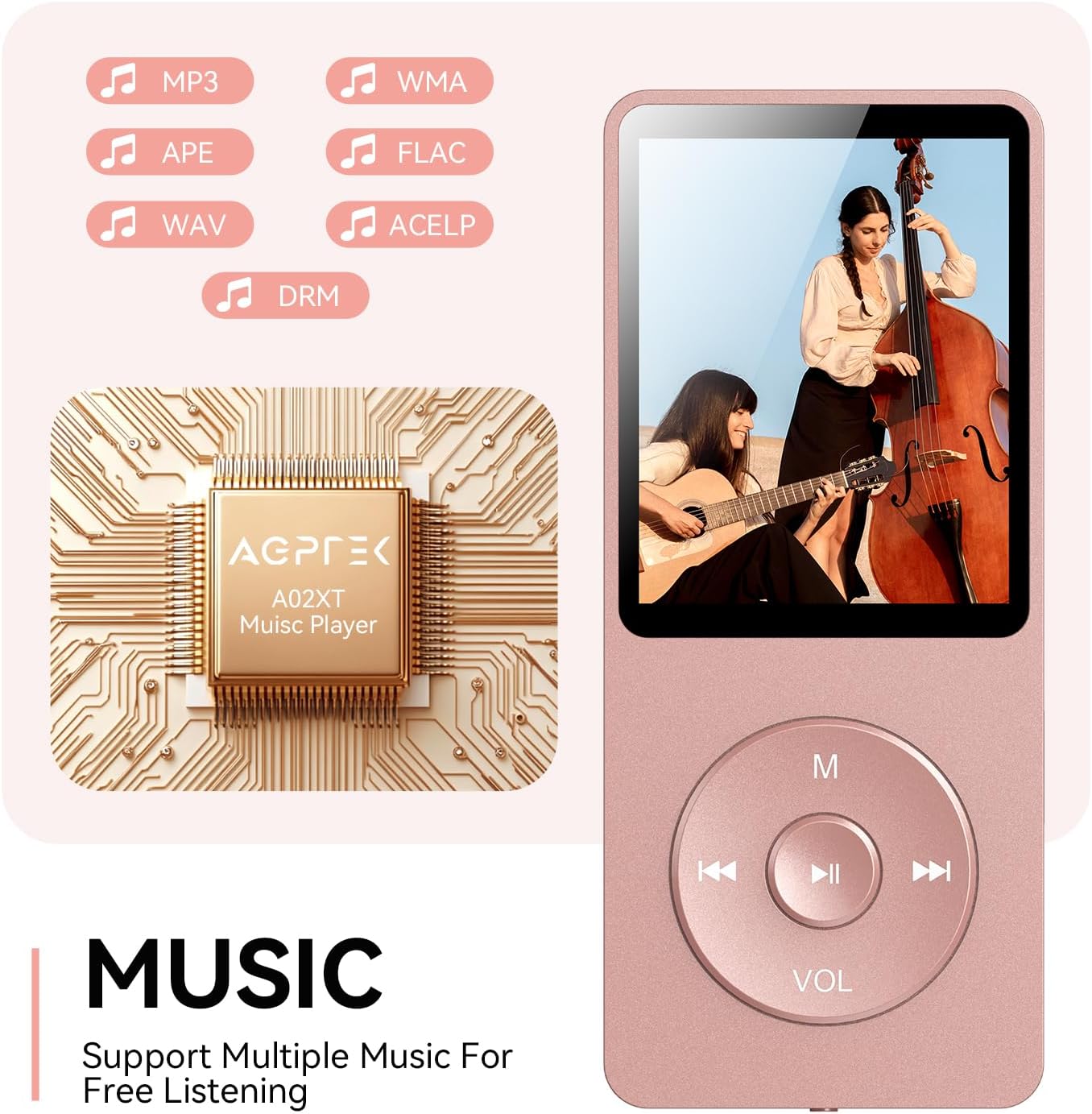
Figure 4.2: Music playback screen and supported formats.
4.4 Bluetooth Koneksyon
The A02XT supports Bluetooth 5.3 for wireless audio output to headphones or speakers.
- From the main menu, select 'Bluetooth'.
- Turn on Bluetooth on the player.
- Ensure your Bluetooth headphones/speaker are in pairing mode.
- The player will search for nearby devices. Select your device from the list to pair.
4.5 FM Radyo
- Connect wired earphones to the 3.5mm jack; they act as the antenna.
- Nan meni prensipal la, chwazi 'Radyo FM'.
- Use the navigation buttons to scan for stations or manually tune.
4.6 Anrejistreman vwa
- From the main menu, select 'Record'.
- Choose 'Start Voice Recording' to begin.
- Press Play/Pause to stop and save the recording.
4.7 Fèmen ekran
To prevent accidental button presses, long press the 'M' button to lock the screen. Repeat the action to unlock.
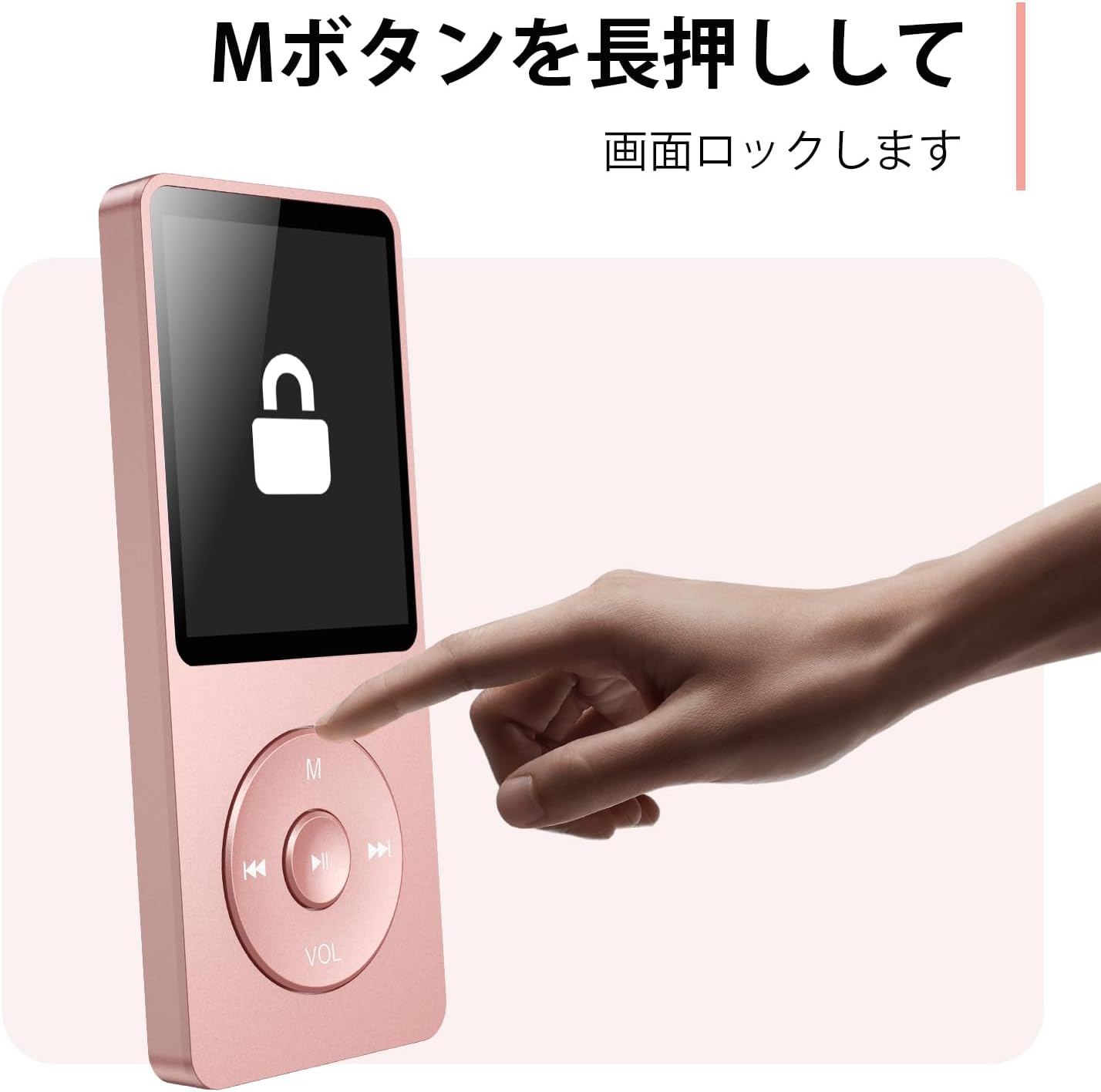
Figure 4.3: Screen lock function using the M button.
5. Antretyen
5.1 Netwayaj
- Siye aparèy la ak yon mou, twal sèk.
- Pa sèvi ak pwodui netwayaj likid oswa solvan.
5.2 Depo
- Sere jwè a nan yon kote ki fre epi sèk, lwen limyè solèy dirèk ak tanperati ekstrèm.
- Evite jete oswa sibi aparèy la nan gwo enpak.
5.3 Swen Batri
- Charge the battery regularly, even if not in use, to maintain battery health.
- Evite vide batri a nèt souvan.
NAN. Depanaj
6.1 Aparèy la pa limen
- Asire w batri a chaje. Konekte l nan yon sous kouran epi eseye ankò.
- Perform a hard reset by pressing and holding the power button for 10-15 seconds.
6.2 Cannot Transfer Files
- Check the USB-C cable connection. Try a different cable or USB port.
- Ensure the device is properly recognized by your computer.
- Verifye ke file fòma a sipòte pa jwè a.
6.3 Pwoblèm koneksyon Bluetooth
- Ensure both the player and the Bluetooth device are in pairing mode and within range.
- Turn off and on Bluetooth on both devices.
- Delete previous pairings and try pairing again.
6.4 Pa gen son
- Tcheke nivo volim.
- Ensure headphones are properly connected or Bluetooth device is paired.
- Test with different headphones or Bluetooth device.
7. Espesifikasyon
| Mak | AGPTEK |
| Non modèl | A02XT |
| Kapasite Depo memwa | 32 GB (expandable up to 64 GB via microSD card) |
| Koulè | Woz |
| Gwosè ekran | 8.9 santimèt (apeprè 3.5 pous) |
| Kalite Medya | kat microSD |
| Teknoloji ekspozisyon | LCD |
| Fòma odyo sipòte | MP3, WMA, OGG, WAV, APE, FLAC, AAC, ACELP |
| Lavi batri | Jiska 40 èdtan |
| Pwa atik | 130 gram |
8. Garanti ak sipò
8.1 Enfòmasyon sou Garanti
This AGPTEK A02XT MP3 Player comes with a 1-ane garanti apati dat acha a. Garanti sa a kouvri domaj fabrikasyon ak fonksyònman ki pa kòrèk nan itilizasyon nòmal. Li pa kouvri domaj ki koze pa move itilizasyon, aksidan, modifikasyon san otorizasyon, oswa mete ak chire nòmal.
8.2 Sipò pou Kliyan
If you encounter any issues or have questions regarding your AGPTEK A02XT MP3 Player, please refer to the troubleshooting section of this manual first. If the problem persists, contact AGPTEK customer support through the official website or your retailer's support channels. Please have your purchase receipt and product model number (A02XT) ready when contacting support.