
Entwodiksyon
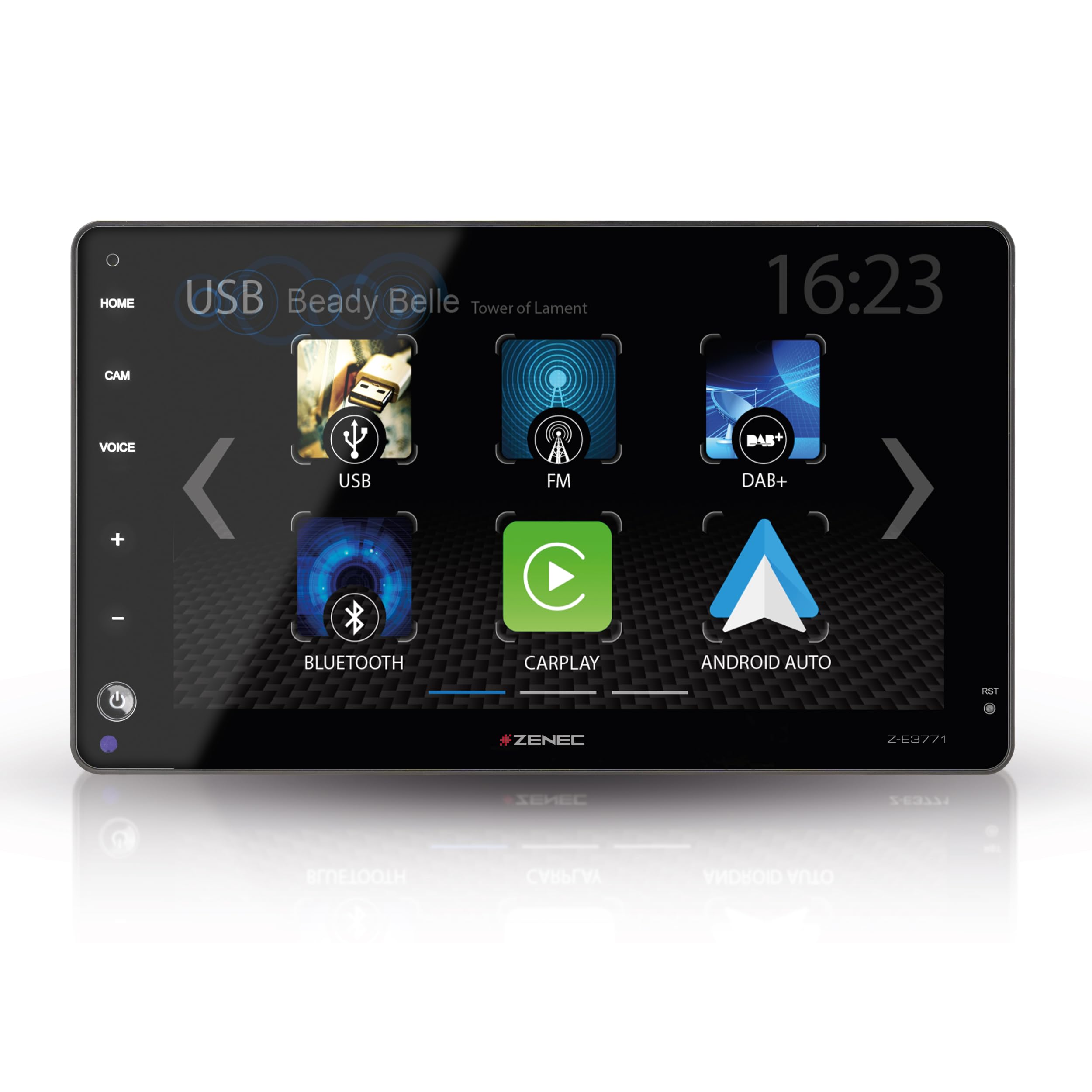
This manual provides detailed instructions for the installation, operation, and maintenance of your ZENEC Z-E3771 multimedia system. Designed for seamless integration into various vehicle models, including Fiat Ducato, Citroën Jumper, Peugeot Boxer, Opel Movano, and Toyota Proace Max, this system offers advanced features such as a 9-inch touchscreen, wireless Android Auto and Apple CarPlay, DAB+ digital radio, and versatile USB connectivity.
Please read this manual thoroughly before using the device to ensure proper operation and to maximize your user experience.
1. Enstalasyon ak Enstalasyon
1.1 Konpatibilite Veyikil
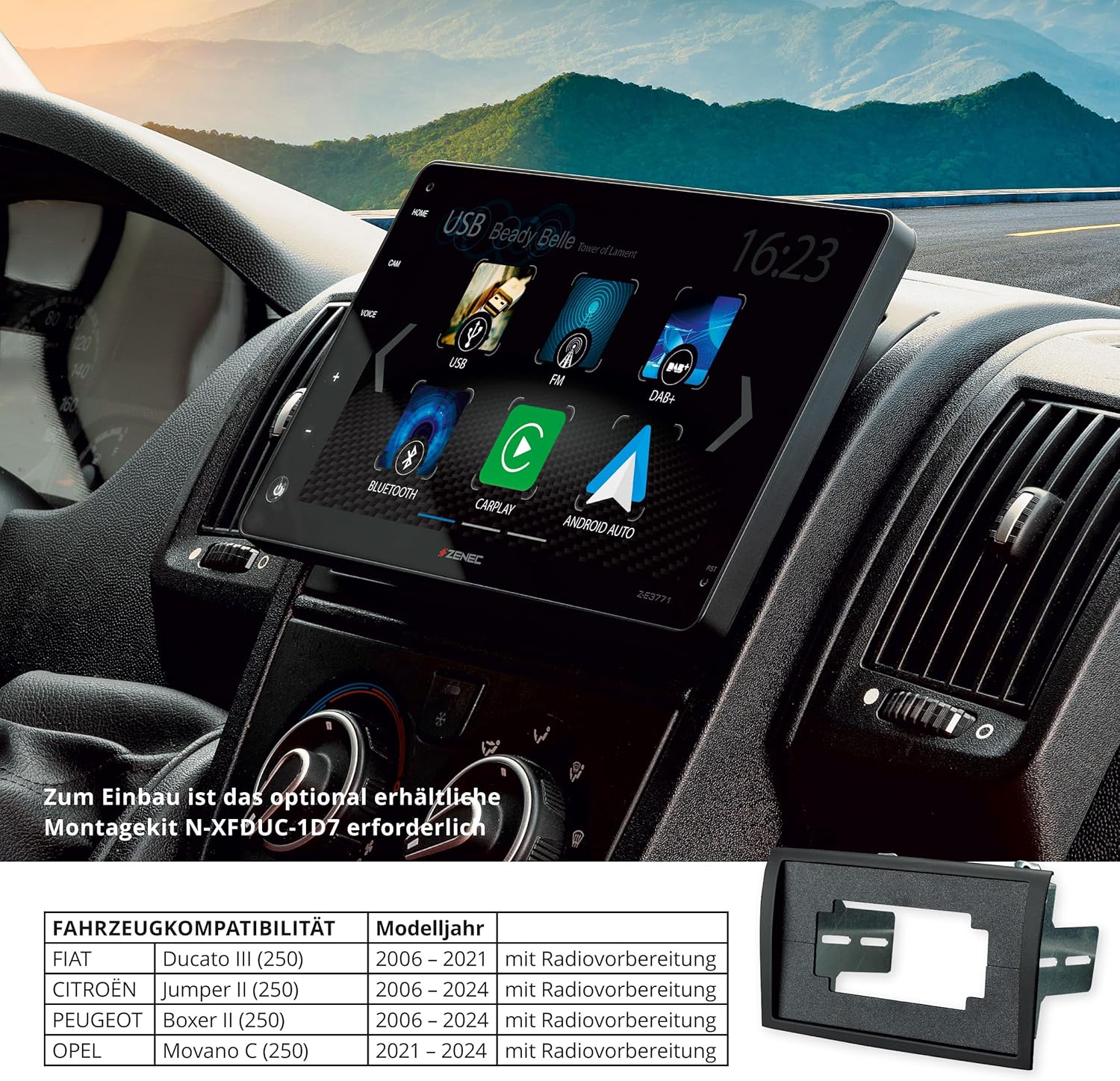
The Z-E3771 is compatible with the following vehicle models. Specific mounting kits may be required for proper integration.
- Fiat Ducato III (Series 8, 9) (Model Year 2021-2024) - Requires mounting kit N-XFDUC-1D8
- Fiat Ducato III (Series 2) (Model Year 2006-2024) - Requires mounting kit N-XFDUC-1D7
- Citroën Jumper II (Series 2) (Model Year 2006-2024) - Requires mounting kit N-XFDUC-1D7
- Peugeot Boxer II (Series 2) (Model Year 2006-2024) - Requires mounting kit N-XFDUC-1D7
- Opel Movano C (Series 2) (Model Year 2021-2024) - Requires mounting kit N-XFDUC-1D8
- Toyota Proace Max (Model Year 2024 onwards) - Requires mounting kit N-XFDUC-1D8
These kits ensure optimal fit and functionality within the vehicle's cockpit, allowing easy operation via touch controls and the capacitive 9-inch touchscreen.
1.2 Bwat sa ki nan liv
Verifye ke tout konpozan yo prezan nan anbalaj la:
- ZENEC Z-E3771 Multimedia System Unit
- External Hands-Free Microphone
- Analog LFB Adapter (Steering Wheel Control Adapter)
- USB Antenna Adapter
- FM antèn adaptè
- 2 x USB Câbles
- Connection Cable (20-pin)
- Connection Cable (24-pin)
- GPS antèn
- 2 x Remote Controls (including maxi remote control)
1.3 Enstalasyon Fizik
Installation should be performed by a qualified professional. Ensure the vehicle's power is disconnected before beginning installation.
The Z-E3771 features an adjustable display mechanism. The screen's vertical tilt can be adjusted by ±5° (forward/backward), and the vertical display height can be adjusted from 0 to 27.5 mm (up/down) to optimize viewing angle for the driver.


2. Operasyon Enstriksyon
2.1 Touchscreen and User Interface
The Z-E3771 features a capacitive 9-inch touchscreen for intuitive control. The user interface is designed for clear readability and easy navigation. All functions can be controlled via the touchscreen or, where applicable, via voice assistants.

2.2 Wireless Android Auto and Apple CarPlay
The system supports wireless Android Auto and Apple CarPlay. Connect your smartphone wirelessly to access navigation, make calls, send messages, and stream music directly from your phone's interface displayed on the Z-E3771 screen. Control these functions using Siri, Google Assistant, or the touchscreen.


2.3 Radio Functions (DAB+ and FM)
The integrated DAB+ tuner provides high-quality digital radio reception with features such as DAB-DAB following, DLS text, MOT slideshow, and Comfort Scan. An RDS FM tuner is also included for analog radio reception.

2.4 Lekti Medya USB
Two USB 2.0 ports are available. USB1 and USB2 can be used for audio/video file playback. USB1 also supports smartphone connection for charging and data transfer.

2.5 Bluetooth Hands-Free and Audio Streaming
The integrated Bluetooth module provides excellent voice quality for hands-free calling. It supports importing up to 1000 phonebook contacts with 3 numbers per contact and a search function. A2DP music streaming with AVRCP control from smartphones is also supported.

2.6 Anviwònman odyo
The system features a 4 x 50 W amplifier, a 16-band graphic equalizer, and an integrated subwoofer control to fine-tune the audio output for your vehicle. This allows for a perfectly adapted sound experience.

2.7 Antre kamera
The Z-E3771 includes two camera inputs with switched power supply, supporting AHD (720p) cameras. It features an automatic maneuvering/switching function. Guide lines can be displayed and adjusted for improved distance assessment during parking or reversing.
3. Antretyen
3.1 Swen Jeneral
Keep the unit clean and free from dust. Use a soft, dry cloth for cleaning. Avoid abrasive cleaners or solvents that could damage the screen or finish.
3.2 Netwayaj ekran
For the touchscreen, use a microfiber cloth specifically designed for electronics. If necessary, slightly dampRense twal la avèk dlo oswa yon solisyon netwayaj ki an sekirite pou ekran. Pa flite likid la dirèkteman sou ekran an.
NAN. Depanaj
If you encounter issues with your ZENEC Z-E3771, please refer to the following common troubleshooting steps:
- Pa gen pouvwa: Tcheke tout koneksyon kouran yo ak tout fizib yo. Asire w ke machin nan limen.
- Pa gen son: Verifye koneksyon oratè yo. Tcheke nivo volim yo ak paramèt silans yo. Asire w ke sous odyo ki kòrèk la chwazi.
- Ekran taktil la pa reponn: Try restarting the unit. If the issue persists, a factory reset might be necessary (consult a professional).
- Pwoblèm koneksyon Bluetooth: Ensure Bluetooth is enabled on both the Z-E3771 and your smartphone. Delete previous pairings and attempt to re-pair the devices.
- Pèt siyal GPS: Asire w antèn GPS la byen enstale epi li gen yon vizyon klè. view nan syèl la.
- Android Auto/Apple CarPlay Not Connecting: Ensure your smartphone is compatible and the app is updated. Try connecting with a different USB cable if using a wired connection, or re-establish the wireless connection.
For more complex issues, it is recommended to contact a qualified service technician or ZENEC customer support.
5. Espesifikasyon
| Karakteristik | Detay |
|---|---|
| Nimewo Modèl | Z-E3771 |
| Manifakti | ZENEC |
| Ekspozisyon | 9-inch / 22.9 cm Capacitive Touchscreen |
| Koneksyon | Bluetooth, USB, Wi-Fi |
| Entegrasyon Smartphone | Wireless Android Auto, Wireless Apple CarPlay |
| Radio Tuner | DAB+ (with DAB-DAB following, DLS, MOT slideshow, Comfort Scan), RDS FM Tuner |
| Pò USB | 2 x USB 2.0 (Audio/Video playback, Smartphone connection) |
| Karakteristik Bluetooth | Hands-free calling, Phonebook import (up to 1000 contacts), A2DP music streaming, AVRCP control |
| Pouvwa Sòti Audio | 4 x 50 Watts |
| Pwosesis odyo | 16-band Graphic Equalizer, Subwoofer control |
| Antre kamera | 2 (with switched power supply, AHD 720p support, auto-switching, adjustable guide lines) |
| Pò HDMI | 1 |
| Supported Video Encoding | H.264, H.265/HEVC |
| Internet Applications | YouTube, Browser, Netflix (via connected smartphone/hotspot) |
| Peyi orijin | Lachin |
6. Enfòmasyon sou Garanti
ZENEC products are covered by a manufacturer's warranty. The specific terms and duration of the warranty may vary by region and retailer. Please retain your proof of purchase for any warranty claims.
For detailed warranty information, please refer to the documentation provided with your product or contact your authorized ZENEC dealer.
7. Sipò ak Kontak
If you require further assistance or have questions not covered in this manual, please contact your ZENEC dealer or visit the official ZENEC websit pou resous sipò.
Resous sou entènèt: www.zenec.com
For technical support, please have your model number (Z-E3771) and purchase details ready.