
1. Plis paseview
The Vansuny 2TB Portable External SSD is a compact and high-performance solid-state drive designed for fast data transfer and reliable storage. Its durable metal casing ensures longevity and efficient heat dissipation. This device offers broad compatibility with various operating systems and devices, making it a versatile solution for expanding your storage.

Image: The Vansuny Portable SSD connected to a laptop via a USB-C cable, highlighting its ultra-fast USB 3.1 Gen 2 transmission with indicated read and write speeds.
- Ultra-Fast Transfer Speed: Achieves read speeds up to 500MB/s and write speeds up to 450MB/s for efficient data backup and retrieval.
- Mini Design & Lightweight: Smaller than a palm, making it highly portable and easy to carry.
- Konstriksyon dirab: Features a metal-made design for enhanced solidity, durability, and fast heat dissipation.
- Ekselan pèfòmans: Offers stable and secure data transfer, with waterproof, shockproof, and wear-resistant properties.
- Bonjan konpatibilite: Compatible with Windows, Mac OS, and Android systems, supporting PCs, laptops, and smartphones with USB or Type-C ports.
2. Ki sa ki nan bwat la
Verifye ke tout atik yo prezan nan pakè a:
- 1 x Vansuny 2TB Portable External SSD
- 1 x Type-A to Type-C Data Adapter
- 1 x Type-A to Type-C Data Cable
- 1 x depo sak
- 1 x Gid Quick Start
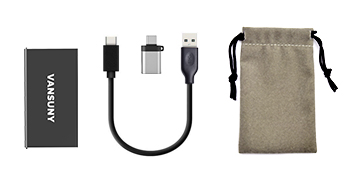
Image: The package contents laid out, showing the Vansuny SSD, a USB-C to USB-A cable, a USB-A to USB-C adapter, and a protective storage bag.
3. Enstalasyon
The Vansuny Portable SSD is designed for plug-and-play functionality, requiring no additional drivers for most operating systems.
- Konekte kab la: Insert the USB-C end of the provided data cable into the USB-C port on the Vansuny SSD.
- Konekte ak aparèy:
- For USB-C Ports (Laptops, Phones, Tablets): Connect the other USB-C end of the cable directly to your device's USB-C port.
- For USB-A Ports (Older PCs, Laptops): Attach the Type-A to Type-C data adapter to the USB-C end of the cable, then connect the USB-A adapter to your device's USB-A port.
- Endikatè pouvwa: A blue LED light on the SSD will illuminate when it is successfully connected and receiving power.
- Aksè nan Drive la: Your operating system should automatically detect the SSD. It will appear as an external drive in your file explorer (Windows) or Finder (Mac). For Android devices, access it through a file aplikasyon jesyon.

Image: The Vansuny Portable SSD connected to a laptop, smartphone, and tablet, showcasing its strong compatibility across different device types using the included cables and adapter.
4. Operasyon Enstriksyon
Once connected, the Vansuny Portable SSD functions like any other external storage device.
- Transfè Done: Trennen epi gout files or folders to and from the SSD. Utilize its high-speed capabilities for large files ak sovgad.
- Fòma: If the drive is not recognized or you wish to change its file system (e.g., for specific operating system compatibility or larger file support), you may need to format it. Refer to your operating system's documentation for instructions on how to format an external drive. Remak: Fòmataj la ap efase tout done ki sou disk la.
- Gaming and Media Storage: The SSD can be used to expand storage for gaming consoles like PS4, PS5, or Xbox, or to store large media files for video editing and music production.
- Ejeksyon an sekirite: Always safely eject the SSD from your device before disconnecting it to prevent data corruption. This can typically be done through your operating system's taskbar (Windows) or by dragging the drive icon to the Trash (Mac).
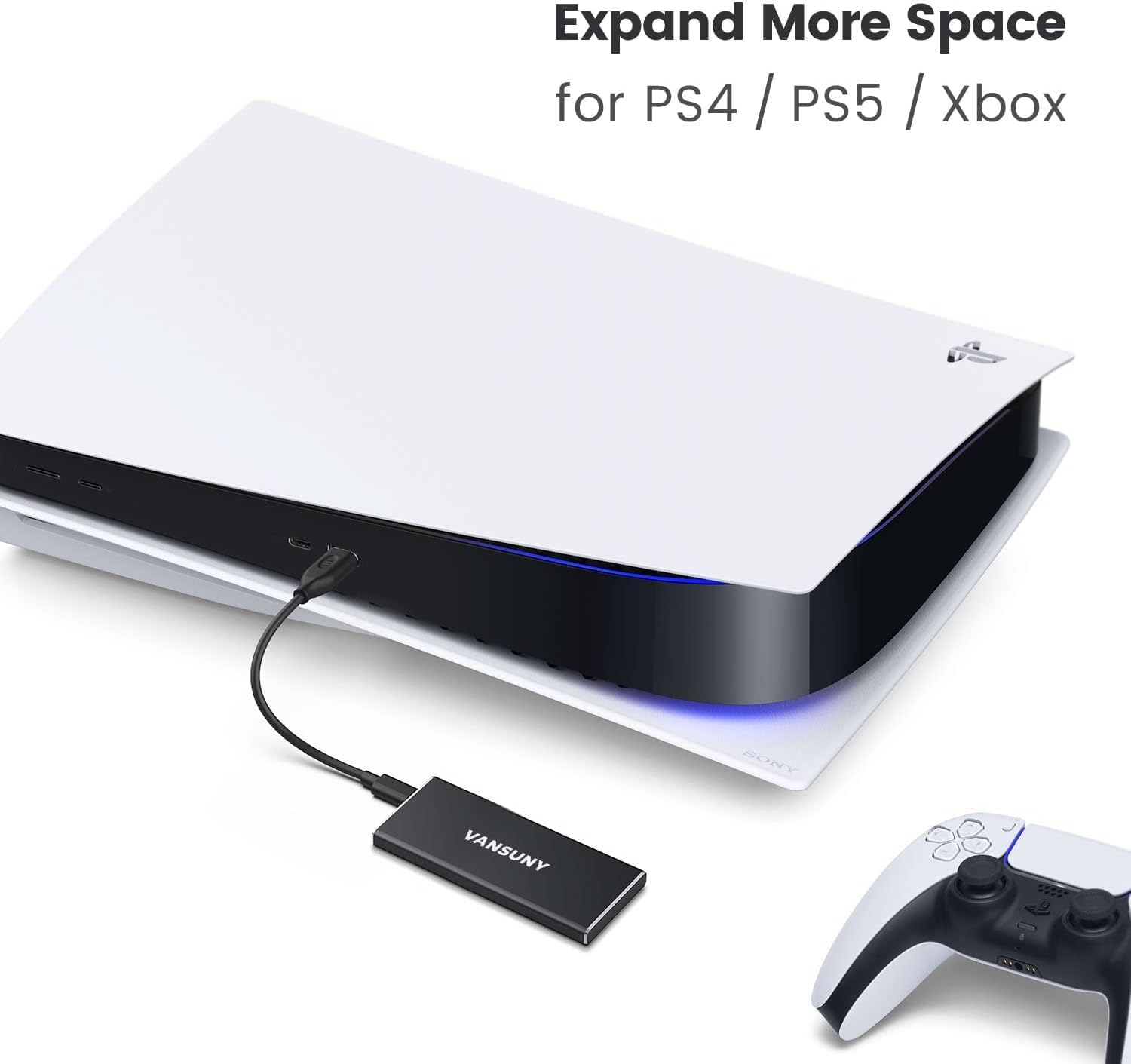
Image: The Vansuny Portable SSD connected to a PlayStation 5 console, demonstrating its capability to expand storage for gaming systems.
5. Antretyen
To ensure the longevity and optimal performance of your Vansuny Portable SSD, follow these maintenance guidelines:
- Pwoteksyon fizik: Metal la casing provides robust protection against shocks and wear. However, avoid dropping the device from significant heights or subjecting it to extreme physical impact.
- Rezistans dlo: The SSD is designed to be waterproof. While it can withstand splashes, avoid prolonged submersion in water.
- Tanperati: Operate and store the SSD within recommended temperature ranges to prevent damage. Avoid exposing it to extreme heat or cold.
- Netwayaj: Use a soft, dry cloth to clean the exterior of the SSD. Do not use harsh chemicals or abrasive materials.
- Depo: When not in use, store the SSD in the provided storage bag to protect it from dust and scratches.

Image: The Vansuny Portable SSD, highlighting its durable full-metal design and rugged aluminum alloy casing, which provides excellent shock and drop resistance.
NAN. Depanaj
If you encounter issues with your Vansuny Portable SSD, refer to the following common troubleshooting steps:
- SSD pa rekonèt:
- Asire w kab la byen konekte ak SSD a ak aparèy ou an.
- Try connecting the SSD to a different USB port on your computer or device.
- If using the adapter, ensure it is properly attached and functioning.
- Test the SSD with a different cable if available.
- Check your device's Disk Management (Windows) or Disk Utility (Mac) to see if the drive is detected but unformatted or uninitialized.
- Vitès transfè ki ba:
- Ensure you are using a USB 3.0/3.1/3.2 compatible port on your device for optimal speeds. Older USB 2.0 ports will result in significantly slower transfers.
- Verifye ke chofè aparèy ou an yo ajou.
- Evite transfere anpil ti files simultaneously, as this can reduce overall transfer speed compared to large single files.
- Endikatè ki ap dirije pa limen:
- Confirm the SSD is properly connected to a powered USB port.
- Eseye yon pò USB diferan oswa aparèy.
7. Espesifikasyon
| Karakteristik | Detay |
|---|---|
| Kapasite depo dijital | 2 TB |
| Entèfas Disk Difisil | USB 2.0/3.0 |
| Koneksyon Teknoloji | USB |
| Mak | Vansuny |
| Karakteristik espesyal | Pòtab |
| Disk Disk Fòm Faktè | 2.5 pous |
| Deskripsyon Hard Disk | Kondwi eta solid |
| Aparèy konpatib | Laptop, PC, Phones, Tablets, PS4, PS5, Xbox |
| Kalite enstalasyon | Ekstèn Disk Disk |
| Koulè | Nwa |
| Li vitès | 500 Megabytes pou chak segonn |
| Media Speed (Write Speed) | 450 MB/s |
| Pousantaj Transfè Done | 500 Megabits Per Second (USB 3.1 Gen2) |
| Faktè fòm | 2.5-pous |
| Koneksyon Materyèl | USB 3.1 Kalite C |
| Materyèl patiraj | Aliminyòm |
| Nimewo Modèl | Vansuny-2TB-Portable-External-SSD |
| Pwa atik | 0.09 Kilogram |
8. Garanti ak sipò
The Vansuny Portable External SSD comes with a manufacturer's warranty to cover defects in materials and workmanship.
- Peryòd garanti: 2 mwa apati dat acha a.
- Règleman retounen: This product is eligible for a refund or replacement within 30 days of purchase, subject to the retailer's return policy.
- Sipò Kliyan: For technical assistance, warranty claims, or product inquiries, please refer to the contact information provided in the Quick Start Guide or visit the official Vansuny websit.