1. Entwodiksyon
Mèsi pou acha aasing the Portable Mini Projector. This device is designed to provide a versatile and immersive viewing experience, supporting high-definition decoding and various connectivity options for both indoor and outdoor use. Please read this manual thoroughly before operating the projector to ensure proper use and to maximize its performance and lifespan.
2. Enfòmasyon sou Sekirite
To prevent fire, electric shock, or damage to the projector, please observe the following safety precautions:
- Do not block the ventilation openings. Ensure adequate airflow around the projector.
- Do not expose the projector to rain or moisture. Keep it away from water sources.
- Sèvi sèlman ak adaptè kouran ki vini ak pwojektè a.
- Evite gade dirèkteman nan lantiy pwojektè a lè lamp limen, paske limyè klere a ka fatige oswa domaje je yo.
- Pa eseye demonte oswa modifye pwojektè a. Konfye tout antretyen bay pèsonèl kalifye.
- Mete pwojektè a sou yon sifas ki estab e plat pou anpeche l tonbe.
- Keep the projector away from direct sunlight, heat sources, and extreme temperatures.
3. Pake kontni
Tanpri verifye sa ki nan pake a lè w ap debale l:
- Mini pwojektè pòtab
- Adaptè pouvwa
- Remote Control (Pil pa enkli)
- HDMI kab
- Manyèl itilizatè
4. Karakteristik ak konpozan pwodwi yo
Familiarize yourself with the projector's key features and components:
- Lantiy pwojeksyon: Emits the image onto the screen or surface.
- Bag konsantre: Ajiste klète imaj pwojekte a.
- Pò Antre: HDMI, USB, AV, Memory Card slot for various device connections.
- Oratè entegre: Bay pwodiksyon odyo.
- Griyaj vantilasyon: Pou disipasyon chalè.
- Bouton pouvwa: Limen/éteint pwojektè a.
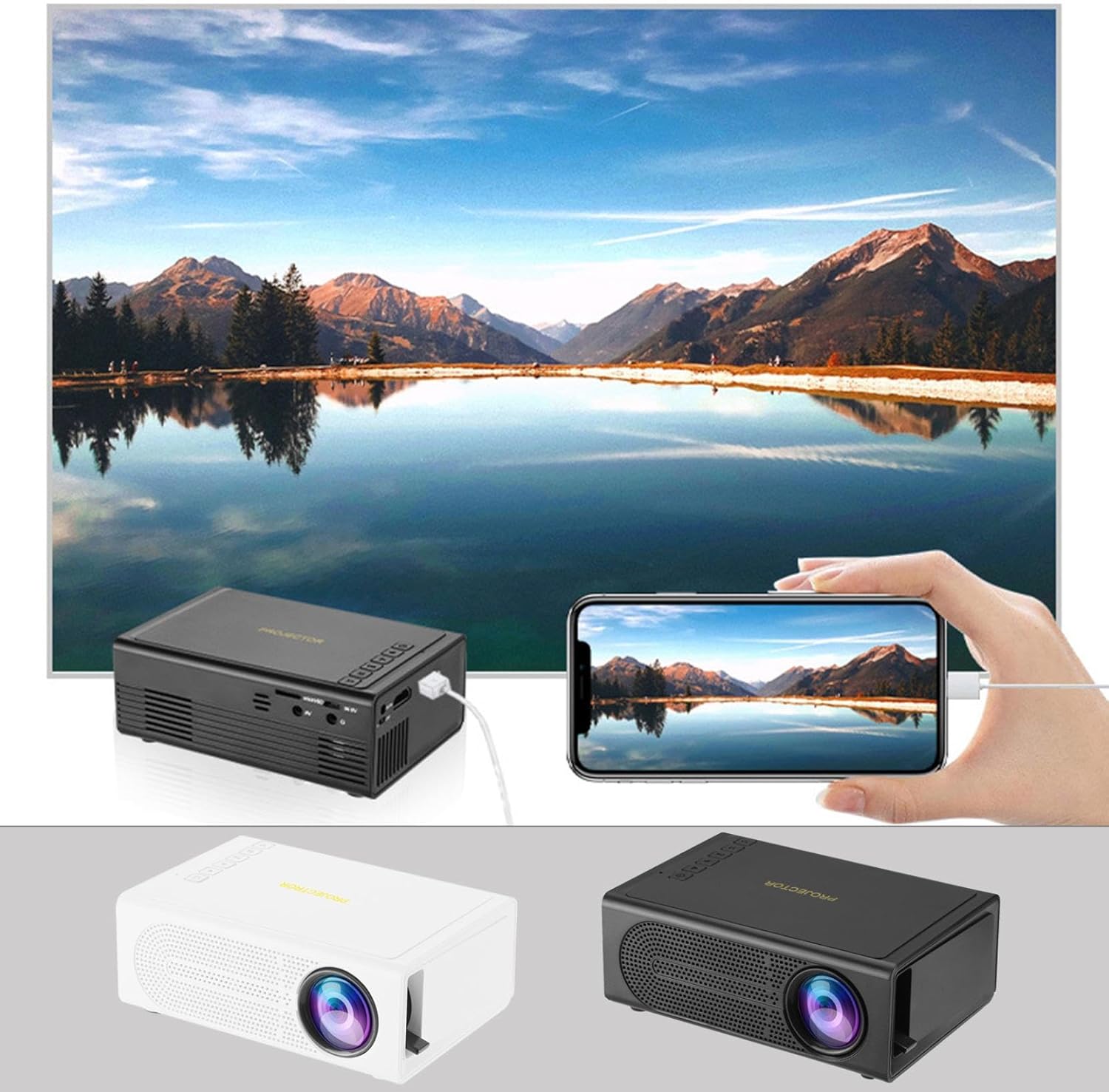
Image: The Portable Mini Projector in use, demonstrating its ability to mirror a smartphone screen onto a large display. Both black and white color options of the projector are shown.

Image: Physical dimensions of the projector, indicating its compact size.
5. Enstalasyon
- Koneksyon pouvwa: Connect the supplied power adapter to the projector's power input port and then plug it into a power outlet.
- Plasman: Mete pwojektè a sou yon sifas ki estab e plat. Pou yon pi bon rezilta viewing, position the projector perpendicular to the projection surface (wall or screen).
- Pouvwa sou: Peze bouton pouvwa a sou pwojektè a oswa kontwòl remote la pou limen aparèy la.
- Ajisteman konsantre: Once powered on, rotate the focus ring on the projector until the projected image appears clear and sharp.
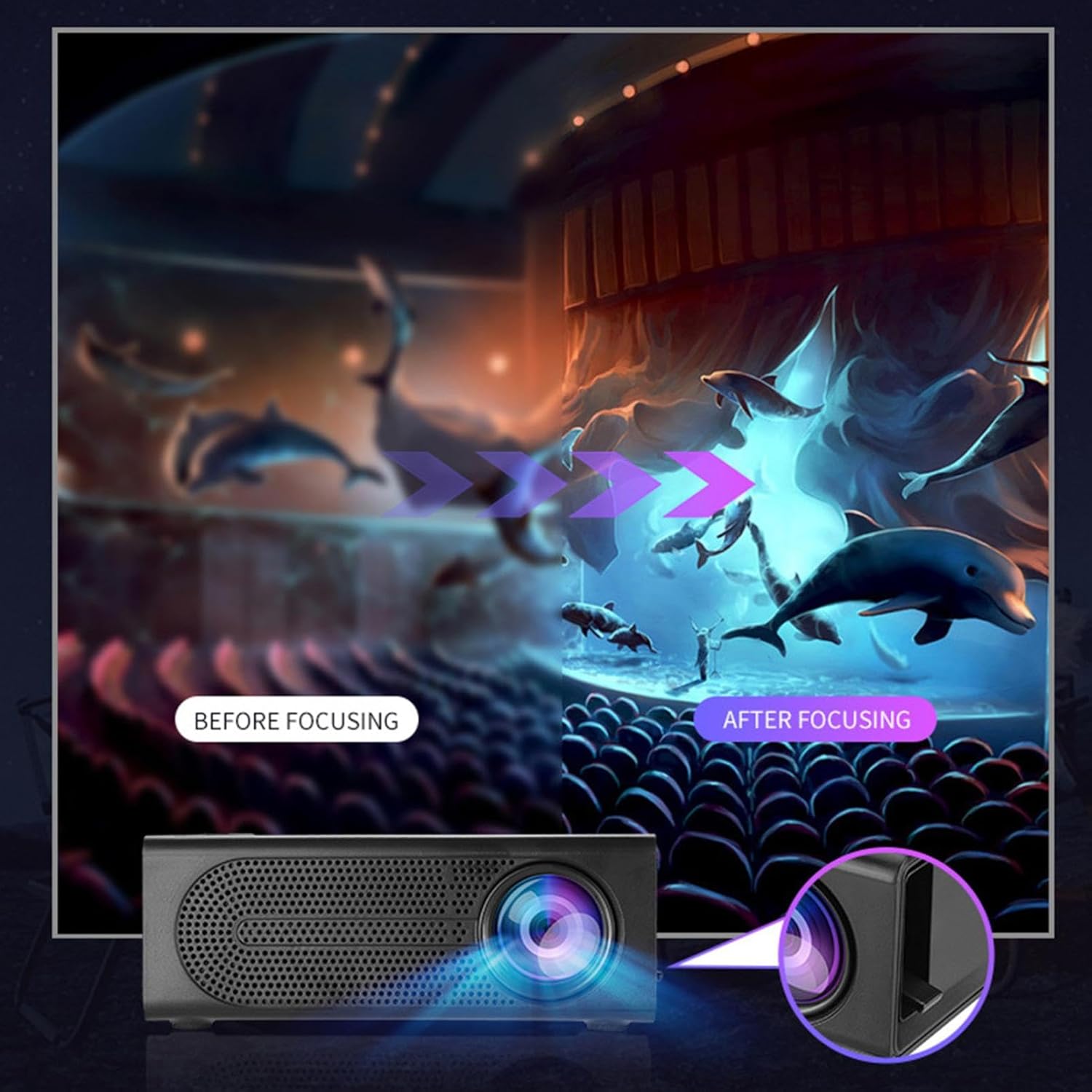
Image: Visual demonstration of focus adjustment, showing the difference between a blurry and a sharp image.
6. Operasyon Enstriksyon
6.1 Konekte Aparèy
The projector supports various input sources. Select the appropriate input mode from the projector's menu after connecting your device.
- HDMI: Connect laptops, gaming consoles, DVD players, or other HDMI-enabled devices using an HDMI cable.
- USB: Mete yon kle USB pou li medya yo files dirèkteman.
- DE: Use an AV cable to connect older devices like VCRs or some set-top boxes.
- Kat memwa: Insert a compatible memory card to view foto oswa videyo.
- Smartphone/Tablet: For wired phone same screen playback, connect your smartphone or tablet via a compatible cable (e.g., USB to Lightning/USB-C for screen mirroring, if supported by your device and the projector).

Image: Connectivity diagram illustrating the wide range of devices compatible with the projector.
6.2 Adjusting Projection Size
The projector can project images ranging from 32 to 100 inches. The projection size is determined by the distance between the projector and the projection surface. Move the projector closer to the surface for a smaller image, and further away for a larger image.
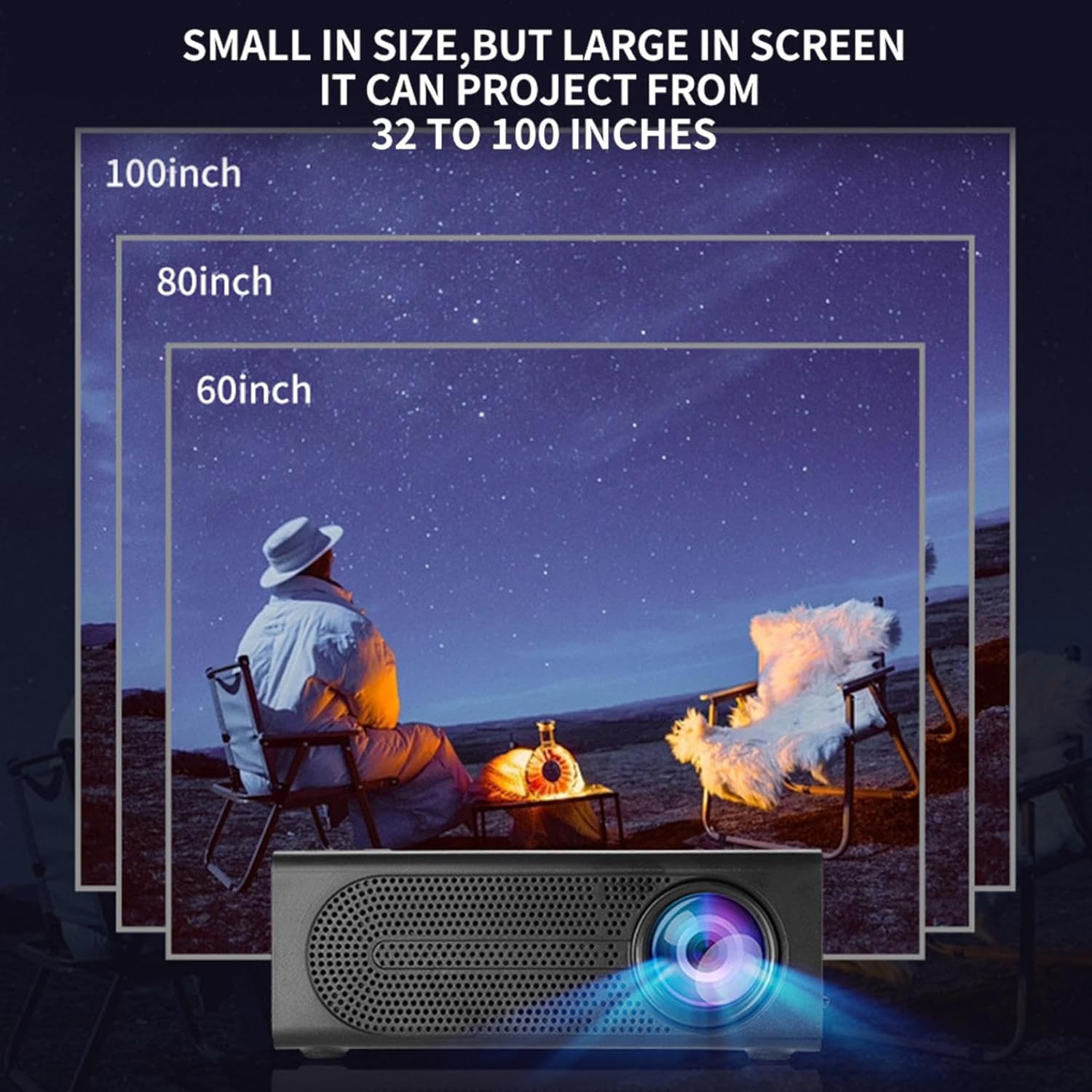
Image: Illustration of various projection sizes achievable with the projector, from 32 to 100 inches.
6.3 Senaryo Itilizasyon
This projector is suitable for a variety of environments and uses:
- Parent-child interaction: Enjoy movies or educational content with family.
- Outdoor cinema: Set up a movie night in your backyard.
- Bedroom projection: Watch content comfortably from your bed.
- Living room cinema: Transform your living space into a home theater.

Imaj: Egzamples of diverse usage scenarios for the projector, from indoor home theater to outdoor entertainment.

Image: Depiction of family entertainment using the projector, alongside a technical diagram explaining the benefit of diffuse reflection for eye comfort compared to direct-ray light from a TV.
7. Antretyen
Bon antretyen asire lonjevite ak pèfòmans optimal pwojektè ou a:
- Netwayaj lantiy: Sèvi ak yon twal mou ki pa gen pousyè, espesyalman fèt pou lantiy optik, pou siye lantiy pwojektè a dousman. Pa sèvi ak pwodui netwayaj abrazif oswa fòs twòp.
- Retire pousyè: Regularly clean the ventilation grilles with a soft brush or compressed air to prevent dust buildup, which can affect cooling and performance.
- Depo: Lè w pa itilize pwojektè a pou yon bon bout tan, sere l nan yon kote ki fre epi sèk, lwen limyè solèy dirèk ak tanperati ekstrèm.
- Kouran koupe byen: Always turn off the projector using the power button and allow it to cool down before unplugging or moving it.
NAN. Depanaj
Si ou rankontre pwoblèm ak pwojektè ou a, gade pwoblèm ak solisyon komen sa yo:
| Pwoblèm | Kòz posib | Solisyon |
|---|---|---|
| Pa gen imaj projeté | Power not connected; Input source not selected; Lens cap on. | Ensure power is connected and unit is on; Select correct input source; Remove lens cap. |
| Imaj la twoub | Fokus la pa ajiste; Pwojektè a twò pre/lwen ekran an. | Adjust the focus ring; Adjust projection distance. |
| Pa gen son | Volume too low; Audio cable not connected; Muted. | Increase volume; Check audio connections; Unmute projector/source device. |
| Remote kontwòl pa travay | Pil yo mouri/yo pa byen mete; Gen pwoblèm ant telekòmand lan ak pwojektè a. | Ranplase pil yo; Asire w ke liy vizyon an klè ak reseptè IR la. |
Si pwoblèm nan pèsiste apre ou fin eseye solisyon sa yo, tanpri kontakte sèvis kliyan.
9. Espesifikasyon
- Kalite pwodwi: Mini pwojektè pòtab
- Mak: Jenerik
- Aparèy konpatib: Laptop, Gaming Console, Tablet, Camera, Smartphone
- Pwopòsyon kontras imaj: Segondè
- Gwosè pwojeksyon: 32 a 100 pous
- Dekodaj videyo: H.264, H.265
- Koneksyon: HDMI, USB, AV, Memory Card
- Dimansyon: Approximately 5in (L) x 3.2in (W) x 1.9in (H) / 12.7cm (L) x 8.15cm (W) x 4.85cm (H)
10. Garanti ak sipò
This product comes with a standard manufacturer's warranty. Please refer to the warranty card included in your package for specific terms and conditions. For technical support, troubleshooting assistance, or warranty claims, please contact the retailer or manufacturer's customer service department.
Kontakte Sipò Kliyan: Please refer to retailer or manufacturer websit pou detay kontak.