
ELEPHAS BL128-PLUS
ELEPHAS Projector User Manual
Model: BL128-PLUS
1. Entwodiksyon
Thank you for choosing the ELEPHAS Projector. This projector is designed to provide a high-quality home theater experience with its 800 ANSI lumens brightness, 1080p HD resolution, and versatile connectivity options. Enjoy officially licensed streaming apps like Netflix, Prime Video, and YouTube directly from the device, along with seamless dual-band WiFi and Bluetooth 5.0 for enhanced audio. This manual will guide you through the setup, operation, and maintenance of your new projector.
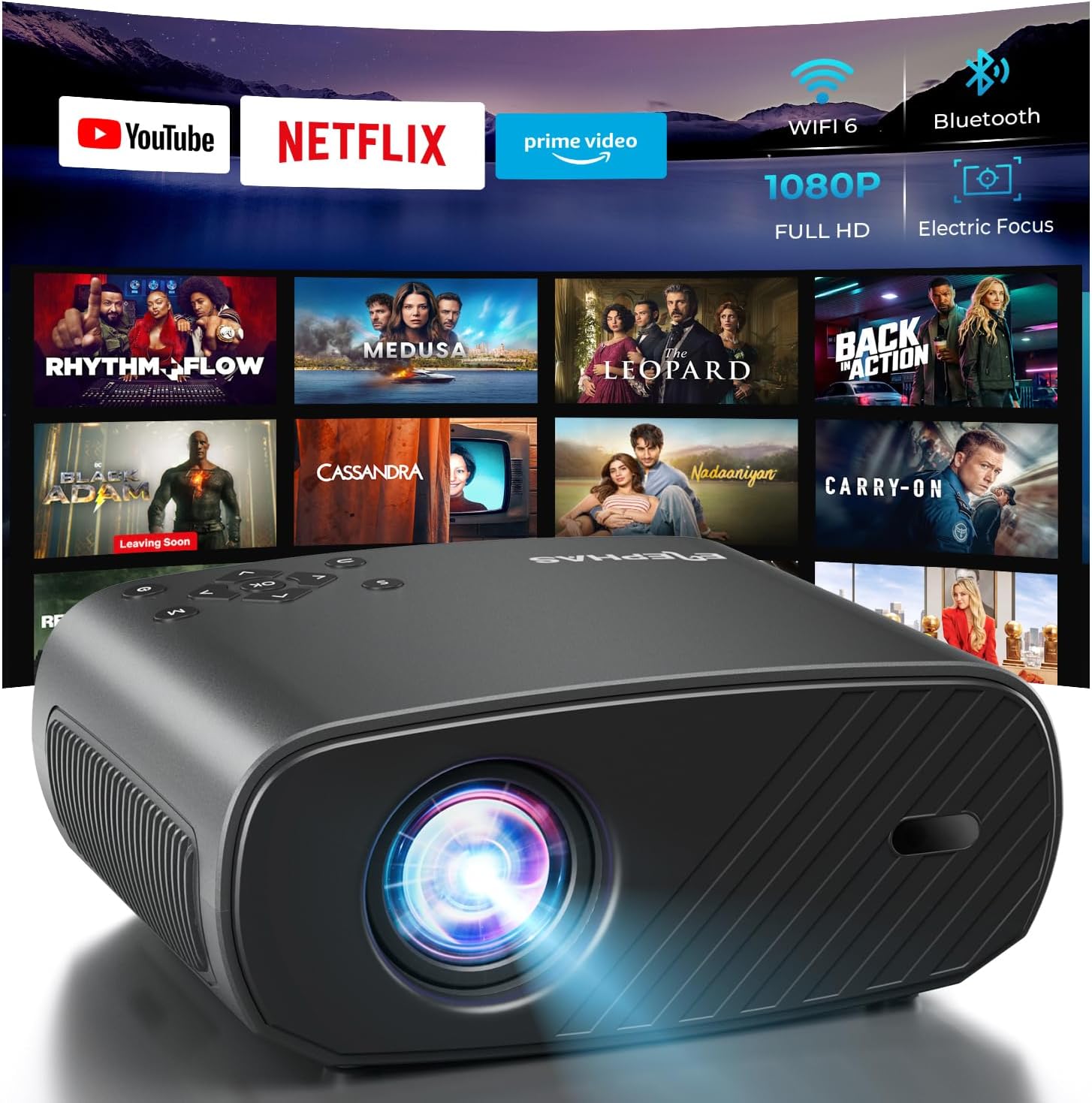
The ELEPHAS Projector offers a comprehensive entertainment solution with integrated streaming services and advanced display technology.
2. Enfòmasyon sou Sekirite
- Pa bloke ouvèti vantilasyon yo. Asire w ke gen ase lè k ap sikile toutotou pwojektè a pou anpeche l chofe twòp.
- Pa gade dirèkteman nan lantiy pwojektè a lè l ap limen.amp limen, paske limyè klere a ka domaje je yo.
- Keep the projector away from water or any liquids. Do not expose it to rain or moisture.
- Sèvi sèlman ak adaptè kouran ki vini ak pwojektè a.
- Avoid placing the projector on unstable surfaces where it could fall.
- Dekonekte pwojektè a pandan tanpèt zèklè oswa lè ou pa itilize li pou yon bon bout tan.
3. Pake kontni
Tanpri tcheke kare a pou atik sa yo:
- ELEPHAS Projector (BL128-PLUS)
- Pouvwa kab
- HDMI kab
- Kontwòl Remote
- Manyèl itilizatè
4. Pwodwi souview
Familiarize yourself with the various components and ports of your ELEPHAS Projector.

The projector features multiple connectivity options for diverse media sources.
Panèl devan:
- Lantiy: Pwojte imaj la sou ekran an.
Dèyè Panel:
- HDMI Ports (HDMI1, HDMI2): Connect to devices like laptops, gaming consoles, or streaming sticks.
- USB Ports (USB1, USB2): Konekte kle USB yo pou li medya oswa pou bay aparèy ekstèn kouran.
- Pò AV: Connect to older devices using an AV cable.
- Pò ekoutè: Connect external headphones or speakers via a 3.5mm audio jack.
- Antre pouvwa: Konekte kab pouvwa a.
5. Enstalasyon
5.1 Plasman
Mete pwojektè a sou yon sifas ki estab e plat. Pou yon pi bon rezilta viewing, ensure the projector is aligned with your projection surface (wall or screen). The projector can project images up to 150 inches. The ideal projection distance will vary based on desired screen size.

The ELEPHAS Projector delivers stunning brightness and clarity for an immersive vieweksperyans nan.
5.2 Koneksyon pouvwa
- Konekte kab kouran an nan pò antre kouran pwojektè a.
- Ploge lòt bout kab pouvwa a nan yon priz kouran.
- Peze bouton pouvwa a sou pwojektè a oswa sou kontwòl remote la pou limen li.
5.3 Initial Image Adjustment
The ELEPHAS Projector features cutting-edge electric focus and auto keystone correction for instant image perfection.
- Koreksyon Keystone Auto: The projector will automatically adjust the image to correct trapezoidal distortion, ensuring a rectangular picture even if the projector is not perfectly aligned.
- Konsantre elektrik: The projector will automatically adjust the focus for a sharp image. Manual adjustments can typically be made via the remote control if needed.
6. Operasyon Enstriksyon
6.1 Konekte Aparèy
Your projector supports various input sources:
- HDMI: Connect your laptop, gaming console, Blu-ray player, or streaming devices (e.g., Firestick) to the HDMI ports. Select the corresponding HDMI input from the projector's source menu.
- USB: Insert a USB flash drive into a USB port to play media files (videos, photos, music). Navigate to the media player application on the projector's interface.
- Wireless Connectivity (Wi-Fi): The projector supports dual-band WiFi (2.4G and 5G) for seamless screen mirroring from iOS and Android devices. Access the screen mirroring function from the main menu and follow the on-screen instructions to connect your device.

Effortlessly connect your mobile devices wirelessly for screen mirroring.
6.2 Aplikasyon pou difizyon an dirèk
The ELEPHAS Projector comes with officially licensed Netflix, Prime Video, and YouTube apps pre-installed, allowing direct access to a vast library of content.

Enjoy seamless access to popular streaming platforms directly from the projector.
- Navigate to the desired app from the home screen using the remote control.
- Log in with your account credentials to start streaming.
6.3 Bluetooth Audio
Enhance your audio experience by connecting external Bluetooth speakers or headphones.

Connect wirelessly to your favorite audio devices via Bluetooth 5.0.
- Ale nan meni paramèt pwojektè a.
- Chwazi 'Bluetooth' epi aktive li.
- Mete aparèy odyo Bluetooth ou a nan mòd appariement.
- Select your device from the list of available devices on the projector screen to connect.
7. Antretyen
7.1 Netwaye Lantiy la
Use a soft, lint-free cloth specifically designed for optical lenses. Do not use abrasive cleaners or cloths, as they can scratch the lens.
7.2 Netwayaj kò pwojektè a ak ouvèti yo
Wipe the projector's exterior with a soft, dry cloth. Use a small brush or vacuum cleaner with a soft brush attachment to gently clean the ventilation openings to prevent dust buildup, which can affect performance and lifespan.
NAN. Depanaj
| Pwoblèm | Kòz posib | Solisyon |
|---|---|---|
| Pa gen imaj sou ekran an | Kab kouran an dekonekte; Sous opinyon ki pa kòrèk la chwazi; Aparèy la pa limen. | Check power connection; Select correct input source (HDMI1/2, USB); Ensure connected device is on. |
| Imaj la twoub | Out of focus; Projector not perpendicular to screen. | Allow auto-focus to adjust or manually adjust focus via remote; Auto keystone correction should fix image shape. |
| Pa gen son | Volume too low/muted; External audio device not connected properly; Incorrect audio output selected. | Increase volume; Check Bluetooth connection or 3.5mm cable; Ensure projector's audio output is set correctly. |
| Pwoblèm koneksyon Wi-Fi/Bluetooth | Out of range; Interference; Incorrect password. | Move closer to router/device; Reduce interference; Re-enter password. |
| Fan noise is noticeable | Normal operation; Blocked vents. | A slight fan noise is normal for projectors. Ensure vents are not blocked and are clean. |
9. Espesifikasyon
| Karakteristik | Detay |
|---|---|
| Mak | ELEPHAS |
| Nimewo Modèl | BL128-PLUS |
| Rezolisyon ekspozisyon | 1920 x 1080 (Full HD) |
| Klète | 800 ANSI lumèn |
| Pwopòsyon kontras | 10,000:1 |
| Koneksyon Teknoloji | Bluetooth, HDMI, USB, Wi-Fi |
| Karakteristik espesyal | Auto Focus, Built-In Speaker, Netflix Official License, Prime Video, YouTube Support |
| Itilizasyon Rekòmande | Home Cinema |
| Pwa atik | 4.64 liv |
| Dimansyon pake | 13.98 x 10.87 x 5.28 pous |
10. Garanti ak sipò
The ELEPHAS Projector is backed by a 1-ane garanti from the date of purchase. This warranty covers manufacturing defects and ensures reliable performance of your device.
For any questions, setup assistance, troubleshooting, or warranty claims, please contact ELEPHAS customer support. Our dedicated team is available 24/7 to provide prompt and helpful service.
Please refer to the contact information provided on the ELEPHAS official website or your purchase documentation for the most up-to-date support channels.
Ask a question about this manual
Ask about setup, troubleshooting, compatibility, parts, safety, or missing instructions. Manuals+ will review the question and use this page’s manual context to help answer it.