
RODEDIO V519
RODEDIO V519 OBD2 Scanner User Manual
Modèl: V519
1. Entwodiksyon
The RODEDIO V519 OBD2 Scanner is a powerful diagnostic tool designed to help you understand and resolve issues with your vehicle's engine and emissions systems. This manual provides detailed instructions on how to set up, operate, and maintain your scanner to ensure optimal performance and accurate diagnostics.
Karakteristik kle:
- Full OBD2 Modes: Supports all OBD2 modes for comprehensive vehicle diagnostics.
- Batri Voltage tès: Integrated feature allows checking battery voltage to diagnose charging system issues.
- Kouran Done An Dirèk: Real-time data streaming capability provides insights into vehicle's operating parameters.
- Preparasyon I/M: Checks readiness status for emissions testing to ensure compliance.
- DTC Functions: Read, erase, and lookup diagnostic trouble codes for efficient repairs.
2. Pake kontni
Tanpri verifye pakè a ak anpil atansyon pou asire w tout atik yo la epi yo an bon kondisyon:
- RODEDIO V519 OBD2 Scanner (fuselage)
- Manyèl itilizatè
3. Pwodwi souview
The RODEDIO V519 OBD2 Scanner features a user-friendly design with a clear color screen and intuitive button layout for easy navigation and operation.
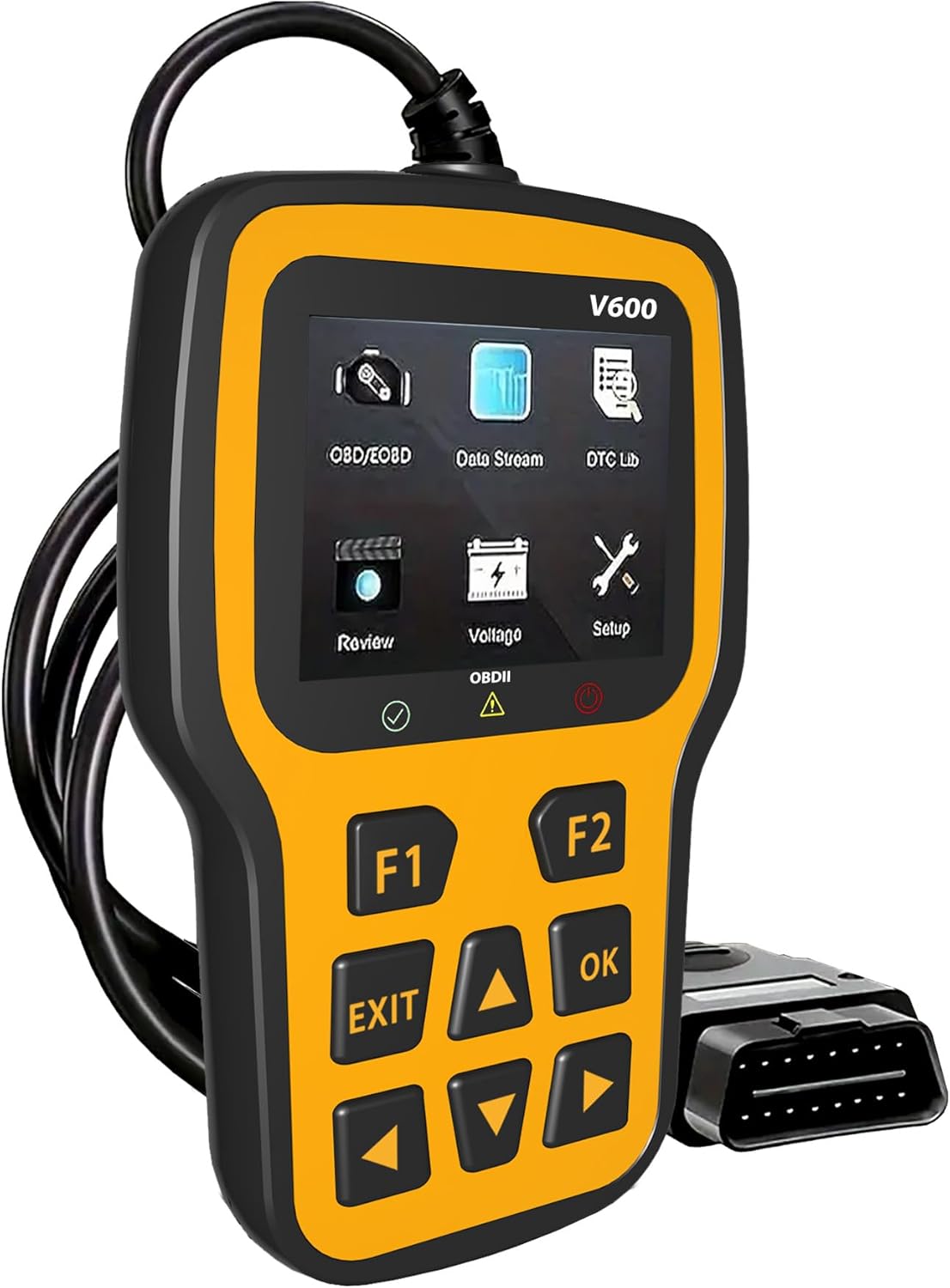
Devan view of the RODEDIO V519 OBD2 Scanner, showing the display screen and control buttons.
Idantifikasyon konpozan:
- Ekran koulè 2.4-pous: Displays diagnostic information, menus, and results.
- Function Buttons (F1, F2): Used for specific functions as indicated on the screen.
- Bouton Navigasyon (Anwo, Anba, Agoch, Adwat): For menu navigation and data scrolling.
- OK bouton: Konfime seleksyon yo oubyen antre nan sou-meni yo.
- SOTI bouton: Retounen nan ekran anvan an oswa sòti nan yon fonksyon.
- OBDII Connector (16-pin): Connects the scanner to the vehicle's OBDII port.

Detaye view of the RODEDIO V519 scanner highlighting the 2.4-inch color screen and the 16-pin OBDII interface, along with connection status indicators (Red for fault, Yellow for failed, Green for successful).
Dimansyon:
The scanner measures approximately 5.1 inches (13 cm) in length, 1.5 inches (3.8 cm) in width, and 7.8 inches (19.8 cm) in height, making it compact and easy to handle.

Image showing the physical dimensions of the RODEDIO V519 OBD2 Scanner, approximately 9.6 cm (3.7 inches) in height and 15.8 cm (6.2 inches) in width.
4. Enstalasyon ak Premye Itilizasyon
Follow these steps to set up your RODEDIO V519 OBD2 Scanner and begin diagnostics:
- Jwenn pò OBDII a: The 16-pin OBDII Data Link Connector (DLC) is usually located under the dashboard on the driver's side of the vehicle. Refer to your vehicle's service manual for the exact location if needed.
- Konekte eskanè a: With the vehicle's ignition off, firmly plug the scanner's OBDII connector into the vehicle's DLC.
- Limen ignisyon an: Turn the vehicle's ignition to the 'ON' position (do not start the engine). The scanner will automatically power on and establish communication with the vehicle.
- Verifye Koneksyon: The scanner's screen will display a connection status. A green indicator typically signifies a successful connection. If the connection fails (yellow or red indicator), ensure the cable is securely connected and the ignition is on.
5. Itilizasyon eskanè a
The RODEDIO V519 offers a range of diagnostic functions accessible through its main menu. Use the navigation buttons to scroll through options and the OK button to select.

Plis paseview of the various OBDII functions available on the RODEDIO V519 scanner, including Read Codes, Erase Codes, Live Data, I/M Readiness, Freeze Frame, O2 Sensor Test, On-board Monitor Test, Vehicle Information, and Evap System.
5.1. Full OBD2 Modes
The scanner supports all 10 OBD2 diagnostic modes:
- Li Kòd: Retrieves Diagnostic Trouble Codes (DTCs) from the vehicle's computer. These codes indicate specific issues detected by the system.
- Efase kòd: Clears DTCs from the vehicle's memory and turns off the Malfunction Indicator Lamp (MIL) or Check Engine Light. Note: Erasing codes does not fix the underlying problem. Address the root cause before clearing codes.
- Kouran Done An Dirèk: Displays real-time data parameters from the vehicle's sensors and modules. This can include engine RPM, vehicle speed, oxygen sensor readings, coolant temperature, and more.
- Preparasyon I/M: Checks the status of the vehicle's emission-related monitors. This is crucial for preparing for emissions tests.
- Batri Voltage tès: Kontwole volim batri machin nantage in real-time, helping to diagnose potential issues with the battery or charging system.
- Chèche DTC: Provides definitions for generic (P0, P2, P3, B0, C0, U0) and manufacturer-specific (P1, P3, B1, C1, U1) codes.
- Friz done ankadreman: Captures a snapshot of critical vehicle operating conditions at the moment a DTC is set. This data helps in diagnosing intermittent problems.
- Tès Capteur O2: Retrieves oxygen sensor monitor test results for the most recently completed tests from the vehicle's on-board computer.
- Tès monitè abò: Rekipere rezilta tès pou konpozan ak sistèm motè ki gen rapò ak emisyon ki pa kontwole kontinyèlman.
- Enfòmasyon sou machin: Retrieves the Vehicle Identification Number (VIN), Calibration ID (CALID), and Calibration Verification Number (CVN) of the vehicle.
- Evap System Test: Initiates a test of the Evaporative Emission Control System (EVAP) for leaks.

Visual representation of the 'Read Codes' function, typically used to retrieve diagnostic trouble codes from the vehicle.

Visual representation of the 'Erase Codes' function, used to clear diagnostic trouble codes and turn off the check engine light.

The scanner screen showing live data parameters and freeze frame information, providing real-time insights into vehicle performance and conditions at the time a fault occurred.

Visual representation of the 'I/M Readiness' function, which indicates whether the vehicle's emission monitoring systems have completed their diagnostic cycles.

The scanner displaying the battery voltage test results, indicating the current voltage of the vehicle's battery.
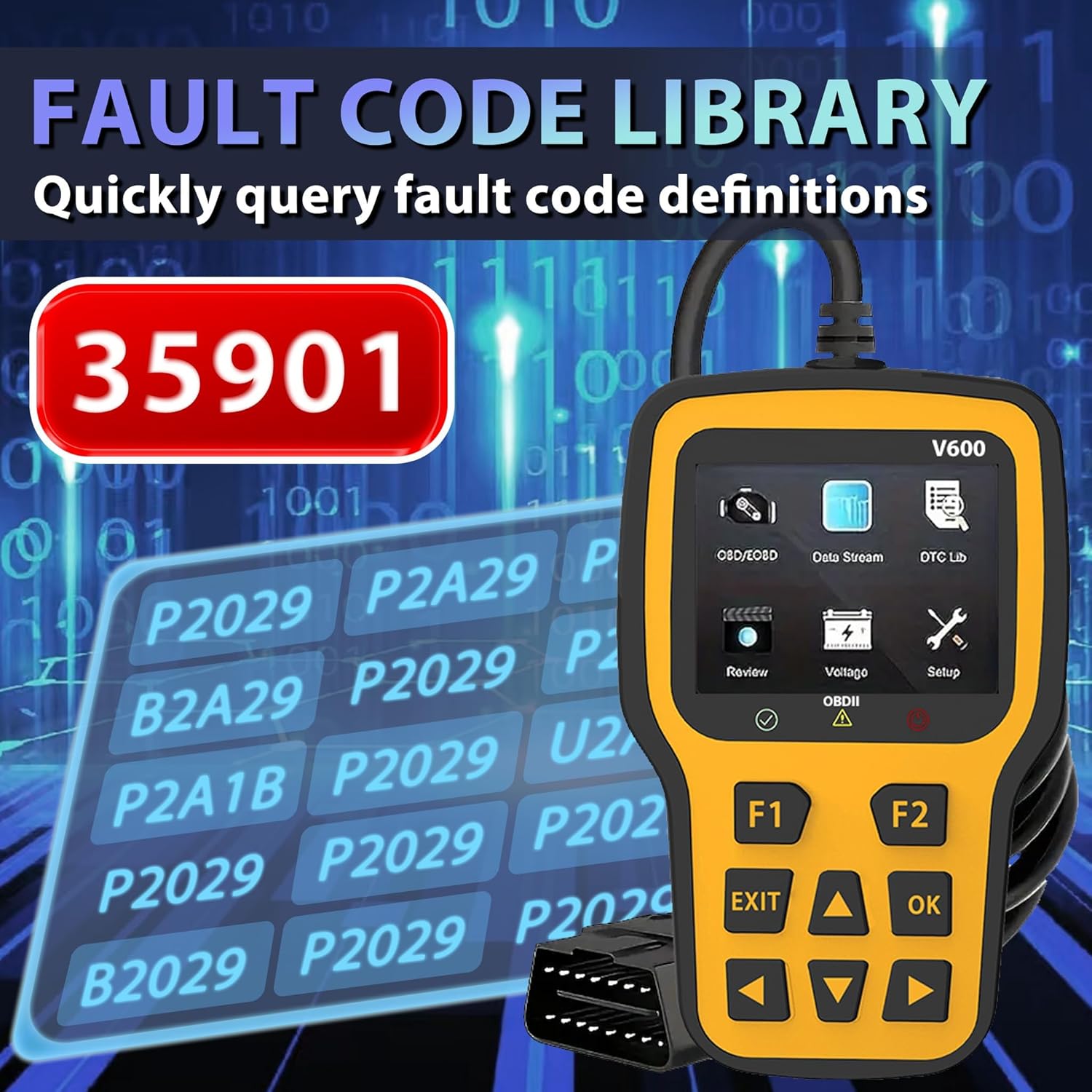
The scanner screen showing the fault code library, allowing users to quickly query definitions for diagnostic trouble codes.

A close-up of the scanner screen displaying Freeze Frame data, including parameters like DTCFRZE, FUELSYS1, FUELSYS2, LOAD_PCT(%), ETC(°C), and SHRFT1(%).
5.2. Engine Fault Diagnosis
The scanner can quickly read and clear engine fault codes, helping to diagnose and turn off the engine failure light.

The RODEDIO V519 scanner positioned next to a car dashboard, illustrating its use in quickly reading current engine faults and clearing the engine failure light.
6. Antretyen
Proper maintenance ensures the longevity and reliability of your RODEDIO V519 OBD2 Scanner:
- Netwayaj: Sèvi ak yon twal mou epi sèk pou netwaye pati eskanè a.asing ak ekran. Evite itilize pwodui netwayaj abrazif oswa solvang.
- Depo: Store the scanner in a clean, dry environment away from extreme temperatures, direct sunlight, and excessive dust.
- Swen kab: Do not pull on the cable to disconnect the scanner. Always grasp the connector firmly. Avoid bending or kinking the cable excessively.
- Mizajou lojisyèl: Tcheke manifakti a regilyèman website for available software updates to ensure your scanner has the latest vehicle compatibility and features. (Specific update instructions are not provided in this manual; refer to the manufacturer's websit pou plis detay).
NAN. Depanaj
If you encounter issues while using your RODEDIO V519 OBD2 Scanner, refer to the following common problems and solutions:
| Pwoblèm | Kòz posib | Solisyon |
|---|---|---|
| Eskanè a pa limen. | Koneksyon ki lach; Ignisyon machin nan koupe; Fuzib boule nan sikwi OBDII machin nan. | Ensure the OBDII cable is securely connected. Turn vehicle ignition to 'ON'. Check vehicle's fuse box for a blown fuse related to the OBDII port. |
| Erè kominikasyon ak machin nan. | Incorrect protocol; Faulty cable; Vehicle not OBDII compliant. | Verify vehicle is OBDII compliant (most vehicles 1996 and newer). Reconnect the cable. Try on another OBDII compliant vehicle if possible. |
| Pa ka efase DTC yo. | Ignition not on; Underlying fault still present; Multiple ECUs. | Ensure ignition is on. Diagnose and repair the underlying issue first. Some vehicles may require specific procedures or multiple attempts. |
| Ekran an bloke oswa li pa reponn. | Software glitch; Power interruption. | Disconnect the scanner from the vehicle, wait a few seconds, then reconnect. If the issue persists, contact customer support. |
8. Espesifikasyon
| Karakteristik | Detay |
|---|---|
| Mak | RODEDIO |
| Modèl | V519 |
| Pwa atik | 8 ons (apeprè 227 gram) |
| Dimansyon pwodwi | 5.1 x 1.5 x 7.8 pous (apeprè 13 x 3.8 x 19.8 cm) |
| Sistèm operasyon | Windows XP (for PC connectivity, if applicable for updates) |
| Kalite anfòm otomobil | Universal Fit (for OBDII compliant vehicles) |
| Ekspozisyon | 2.4-pous ekran koulè |
| Koneksyon | 16-pin OBDII Standard Connector |
9. Garanti ak sipò
RODEDIO products are manufactured to high-quality standards. For specific warranty information, please refer to the warranty card included with your product or visit the official RODEDIO website. If you require technical assistance, have questions about product operation, or need to report an issue, please contact RODEDIO customer support through the contact information provided on the official websit entènèt la oswa platfòm acha ou a.
Ask a question about this manual
Ask about setup, troubleshooting, compatibility, parts, safety, or missing instructions. Manuals+ will review the question and use this page’s manual context to help answer it.