
1. Entwodiksyon
This manual provides instructions for the safe and efficient use of your boogostore PS-618 Solar Charger Power Bank. This device is designed to provide portable power for various electronic devices, featuring multiple charging methods including solar, hand-crank, and traditional wall charging, along with an integrated LED flashlight for outdoor and emergency situations.
2. Pwodwi Features
- Kapasite segondè: 63200mAh Li-polymer battery for extended power supply.
- Multiple Charging Inputs: Dual input ports (Type-C and Micro USB) for fast charging the power bank.
- Emergency Charging Options: Integrated solar panel and hand-crank for emergency power generation.
- Chaje plizyè aparèy: Dual USB outputs and built-in cables (Lightning, Micro USB, USB-C) for charging various devices simultaneously.
- Lanp pòch LED entegre: 4 LED flashlights with 3 modes (lighting, flashing, SOS) for illumination and signaling.
- Konsepsyon dirab: Constructed from professional ABS material, offering waterproof (IPX66), dropproof, and dustproof capabilities.
- Pwoteksyon Sekirite: Automatic output adjustment to prevent overcharging, over-current, over-voltage, ak sikui kout.
- Long Lifespan: Designed for over 1600 charge life cycles.
3. Pake kontni
Verifye ke tout atik yo prezan nan pakè ou a:
- 1x boogostore PS-618 Solar Charger Power Bank
- 1x USB Kalite-C Chaje Kab
- 1x Lanyard
- 1x Manyèl Itilizatè (dokiman sa a)

Image: Contents of the product package, including the power bank, Type-C cable, lanyard, and user manual.
4. Pwodwi souview
Familyarize w ak konpozan ki nan bank pouvwa ou a:
- Panèl solè: Located on the front surface for passive solar charging.
- Flach ki ap dirije: Four bright LEDs on one end for illumination.
- Bouton pouvwa: Controls power and flashlight modes.
- Manivèl men: Foldable crank on the side for manual power generation.
- Charging Ports (under protective cover):
- 2x USB Type-A Output ports
- 1x USB Type-C Input/Output port
- 1x Micro USB Input port
- Built-in Charging Cables: Integrated cables for Lightning, Micro USB, and USB-C devices.
- Limyè endikatè batri: LEDs indicating remaining battery capacity.

Imaj: Plis paseview of the power bank's multiple charging methods: USB, solar, and hand crank.

Imaj: Detaye view of the Micro USB and Type-C input ports, solar panel, and hand-crank mechanism.
5. Premye enstalasyon ak chaje Power Bank la
It is highly recommended to fully charge the power bank via a wall charger before its first use to ensure optimal battery performance.
5.1. Wall Charging (Recommended)
- Open the protective cover on the side of the power bank to reveal the charging ports.
- Connect the provided USB Type-C cable to the Type-C input port on the power bank. Alternatively, use a Micro USB cable with the Micro USB input port.
- Connect the other end of the USB cable to a compatible USB wall adapter (not included) and plug it into a power outlet.
- The battery indicator lights will illuminate to show the charging progress. All lights will be solid when fully charged.
- Charging time via wall adapter is approximately 9-12 hours.
5.2. Solar Charging (Emergency Use Only)
The solar panel is designed for emergency charging and maintaining battery levels, not as a primary charging source. Direct sunlight is required for effective solar charging.
- Mete bank pouvwa a ak panèl solè a anfas limyè solèy dirèk.
- The solar charging indicator light will illuminate when charging via solar power.
- For best results, ensure no obstructions block the solar panel from sunlight.
5.3. Hand-Crank Charging (Emergency Use Only)
The hand-crank feature provides an alternative emergency charging method when no other power sources are available.
- Locate the foldable hand crank on the side of the power bank.
- Unfold the crank handle.
- Rotate the crank clockwise at a steady pace to generate power. The battery indicator lights will show charging activity.
- Continuous cranking is required to provide a meaningful charge.

Image: Demonstrates hand-crank charging, useful in emergencies without electricity or sunlight.
6. Chaje Aparèy Ekstèn yo
The power bank can charge multiple devices simultaneously using its various output options.
6.1. Using Built-in Cables
- Pull out the desired built-in charging cable (Lightning, Micro USB, or USB-C) from its storage slot on the back of the power bank.
- Connect the cable to your electronic device.
- The power bank will automatically begin charging your device. If not, press the power button once to activate charging.
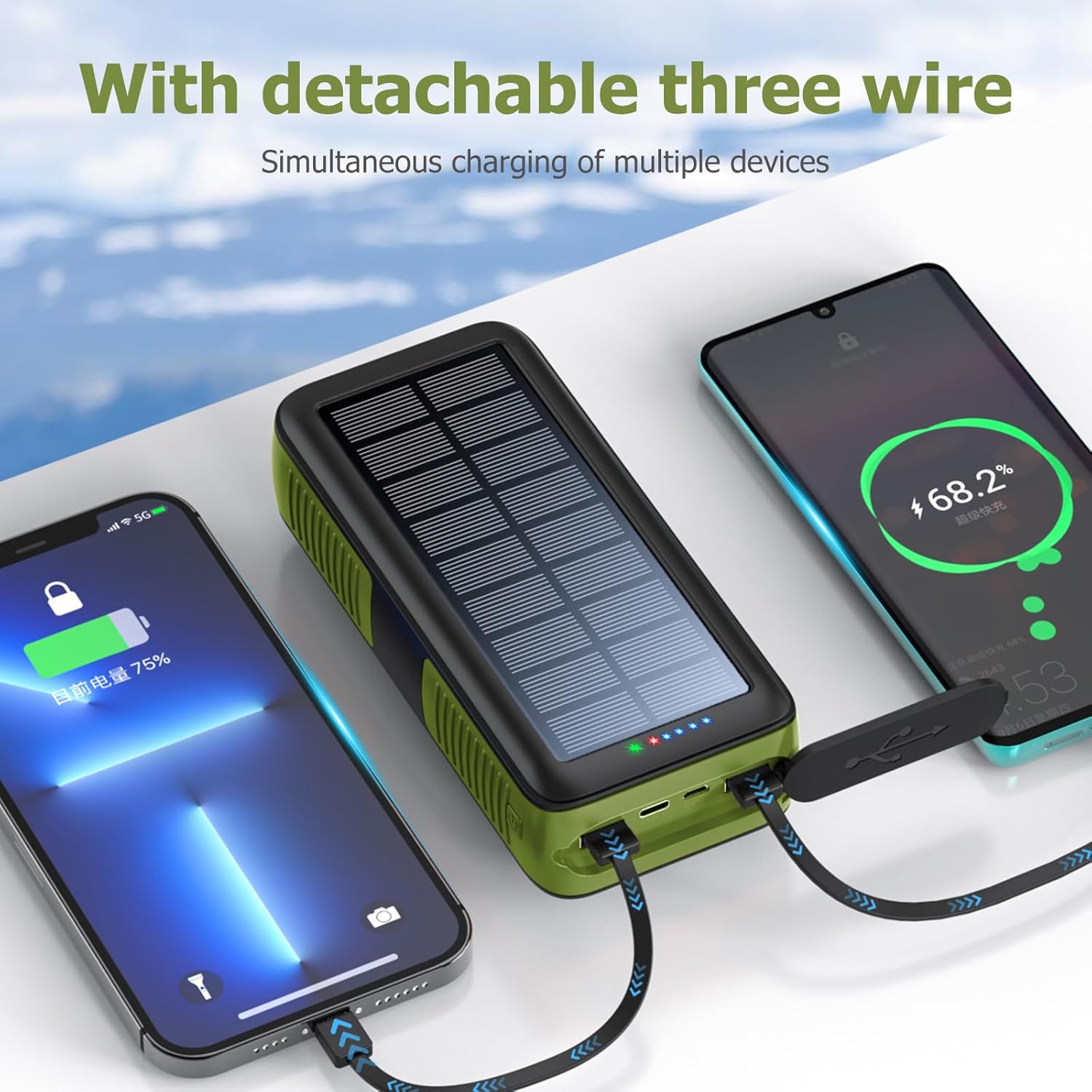
Image: The power bank's built-in cables charging multiple devices simultaneously.
6.2. Using USB Output Ports
- Open the protective cover on the side of the power bank.
- Connect your device's charging cable to one of the USB Type-A output ports or the USB Type-C output port.
- Connect the other end of your cable to your electronic device.
- The power bank will automatically begin charging your device. If not, press the power button once to activate charging.

Image: The power bank's built-in cables charging multiple devices simultaneously.
7. Operasyon Flach LED
The integrated LED flashlight offers multiple lighting modes for different situations.
- Limen/Etenyen: Double-press the power button on the side of the power bank to turn the flashlight on or off.
- Mòd sik: While the flashlight is on, single-press the power button to cycle through the modes:
- Limyè klere
- Dim Limyè
- SOS Mode (flashing)
- Warning Light (rapid flashing)

Image: The power bank's LED flashlight demonstrating its various modes for different uses.
8. Espesifikasyon
| Karakteristik | Detay |
|---|---|
| Nimewo Modèl | PS-618 |
| Kapasite batri | 63200 Miliamp Hours (Li-polymer) |
| Dimansyon pwodwi | 6.7 x 3 x 2 pous |
| Pwa atik | 1.74 liv |
| Pò Antre | Micro USB, USB Type-C, Solar Panel, Hand Crank |
| Sòti pò | 2x USB Type-A, 1x USB Type-C, Built-in Cables (Lightning, Micro USB, USB-C) |
| Karakteristik espesyal | Built-in Cables, Flashlight, Solar Charging, Hand Crank, Waterproof (IPX66), Dropproof, Dustproof |
| Manifakti | Shenzhen Ente Intelligent Co., Ltd |
9. Antretyen
- Keep the power bank away from extreme temperatures, direct heat, and open flames.
- Avoid dropping or subjecting the device to severe impacts, despite its durable design.
- Netwaye deyò a avèk yon twal mou epi sèk. Pa sèvi ak pwodui chimik ki agresif oswa pwodui netwayaj abrazif.
- Ensure protective covers for ports are securely closed when not in use to maintain water and dust resistance.
- Sere bank pouvwa a nan yon kote ki fre epi sèk lè w pa itilize li pou yon bon bout tan.
NAN. Depanaj
- Bank pouvwa pa chaje:
- Asire w ke kab chaje a byen konekte ak pò antre bank pouvwa a ak sous kouran an.
- Verify the wall adapter and power outlet are functional.
- For solar charging, ensure the panel is in direct, strong sunlight. Remember solar charging is slow and for emergencies.
- For hand-crank charging, ensure continuous and steady rotation.
- Aparèy la pa chaje ak Power Bank la:
- Press the power button once to activate the power bank's output.
- Ensure your device's charging cable is properly connected to an output port or using one of the built-in cables.
- Check if the power bank has sufficient battery charge.
- Try a different output port or cable.
- Flach pa travay:
- Double-press the power button to turn the flashlight on.
- Ensure the power bank has sufficient battery charge.
11. Enfòmasyon sou Sekirite
- Pa demonte, modifye, oswa repare aparèy la tèt ou.
- Do not expose the power bank to water or moisture for prolonged periods, or immerse it in water, despite its water-resistant rating.
- Avoid extreme temperatures (above 60°C/140°F or below -10°C/14°F).
- Kenbe soti nan atenn timoun yo.
- Jete bank pouvwa a dapre règleman lokal yo pou dechè elektwonik.
12. Garanti ak sipò
Your boogostore PS-618 Solar Charger Power Bank comes with a user manual and lifetime friendly customer service. If you have any questions or encounter issues after purchasing our products, please feel free to contact us. We are committed to providing you with the most satisfactory solution.
For support, please refer to the contact information provided with your purchase or visit the official boogostore websit.