
RUIMEN L2B
RUIMEN Fitness Tracker Manyèl Itilizatè
Model: L2B
Entwodiksyon
This manual provides detailed instructions for the RUIMEN Fitness Tracker. This device is designed to monitor various health and fitness metrics, offering a comprehensive overview of your daily activity and well-being. It features a 1.47-inch HD full-touch display and comes with two interchangeable bands for versatile use.
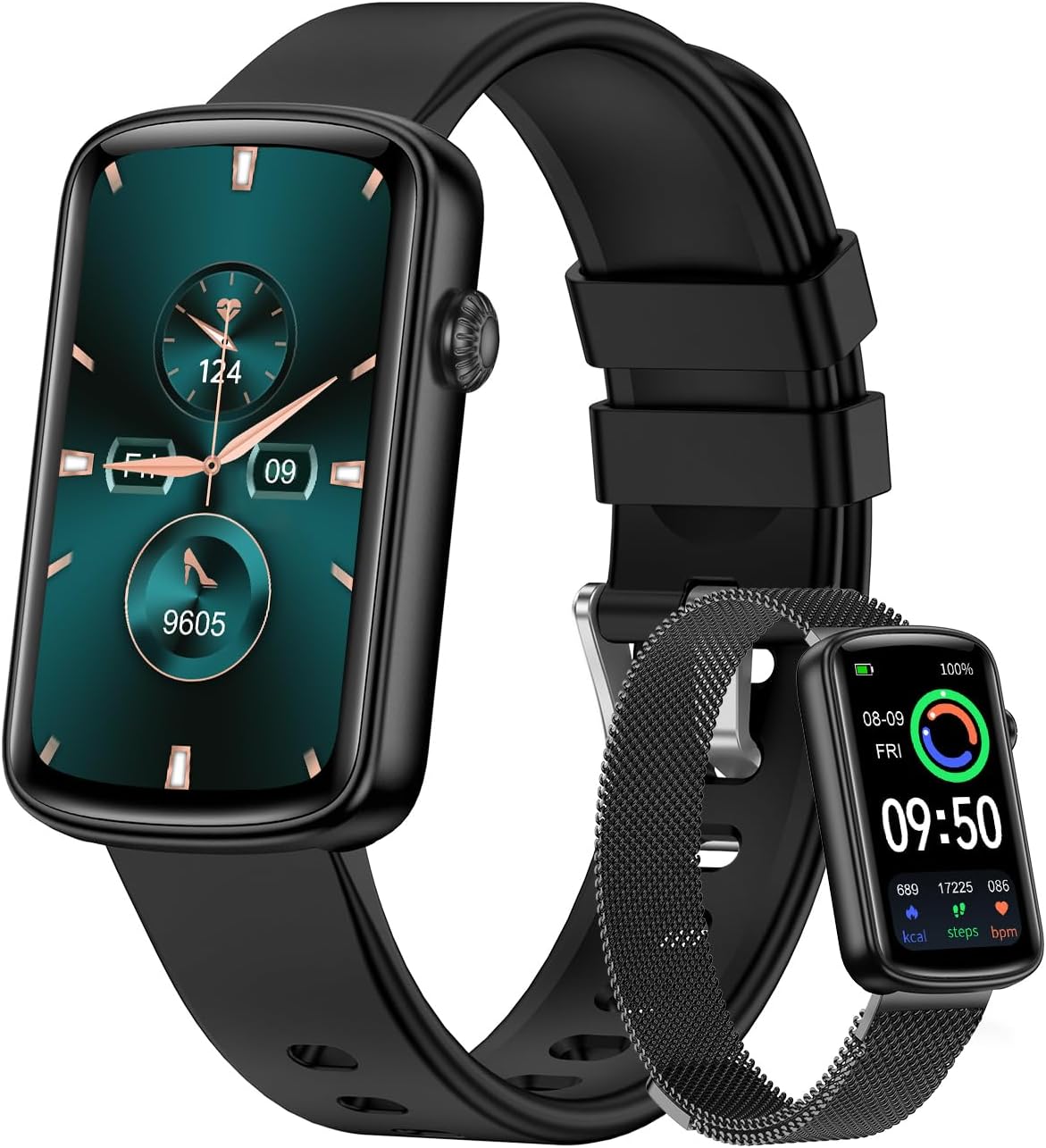
Image: The RUIMEN Fitness Tracker shown with both the black sport band and the elegant stainless steel mesh band.
Ki sa ki nan bwat la
- Fòm Tracker
- Chaje kab
- Manyèl itilizatè
Enstalasyon
Inisyal chaje
Before first use, fully charge the fitness tracker. Connect the charging cable to the charging port on the device and a compatible USB power source. A full charge typically takes approximately 2.5 hours.

Image: The fitness tracker connected to its charging cable, illustrating the charging process and indicating long battery life.
Konekte ak Smartphone ou
To utilize all features, connect the fitness tracker to your smartphone via the companion app. The device is compatible with iOS 9.0/Android 5.0 and Bluetooth 5.0 or above.
- Download the "GloryFit" app from your smartphone's App Store (for iOS) or Google Play Store (for Android).
- Asire w ke Bluetooth aktive sou smartphone ou.
- Open the "GloryFit" app and follow the on-screen prompts to add a new device.
- The app will search for nearby devices. Select "L2B" from the list to initiate the pairing process. Confirm the Bluetooth pairing request on both your phone and the tracker.
Enstriksyon Operasyon
Navigasyon jeneral
The fitness tracker features a full-touch display. Swipe left/right or up/down to navigate through menus and functions. Tap to select options or confirm actions.
Espò mòd
The tracker supports 24 sports modes, including running, cycling, yoga, and dancing. Select your desired activity from the sports menu to track real-time data such as steps, calories burned, and distance.

Image: The fitness tracker screen showing a list of various sport modes, including dancing, yoga, spinning bike, and sit-ups.
Siveyans Sante
The device provides 24/7 health monitoring capabilities, including heart rate, blood oxygen level (SpO2), and sleep quality tracking. Access these features through the health monitoring section on the device or the companion app for detailed insights.

Image: Two fitness trackers displaying heart rate (BPM) and blood oxygen (SpO2) measurements, indicating continuous health monitoring.
Siveyans dòmi
Wear the tracker during sleep to automatically monitor your sleep patterns, including deep sleep, light sleep, and REM sleep. View detailed sleep scores and analysis in the GloryFit app.

Image: The fitness tracker screen showing sleep duration and breakdown into deep and light sleep, with a graphic representation of sleep cycles.
Notifikasyon
Once connected to your smartphone, the tracker will display real-time notifications for incoming calls, text messages, and various app alerts (e.g., Instagram, Facebook, WhatsApp). Ensure app permissions are granted for notifications in your phone settings.

Image: A smartphone screen displaying notifications from various social media and messaging apps, indicating the watch's notification capabilities.
Fè fas a gade Customized
Personalize your fitness tracker with over 100 watch dials available in the GloryFit app. You can also upload your own photos to create unique customized watch faces.

Image: A variety of digital and analog watch faces displayed, along with a phone interface showing options to customize the watch face with personal photos and color schemes.
Fonksyon adisyonèl
The fitness tracker includes several other useful functions:
- Revèy Alam: Set alarms directly on the device or through the app.
- Kronomètr: Use the built-in stopwatch for timing activities.
- Sante Fanm: Track menstrual cycles and receive reminders.
- Jwenn telefòn: Deklanche yon son alèt pou lokalize smartphone ou ki konekte a.
- Revèy: Set countdown timers for various tasks.
- Kontwòl Mizik: Control music playback on your smartphone (play/pause, next/previous track).
- Pwedi metewolojik: View current weather conditions and forecasts (requires app connection).

Image: The fitness tracker displaying various additional functions such as Alarm Clock, Stopwatch, and Women's Health tracking, with illustrative images of people using these features.
Antretyen
Rezistans dlo
The RUIMEN Fitness Tracker has an IP68 waterproof rating, meaning it is resistant to dust and can withstand immersion in water up to 1.5 meters for 30 minutes. It is suitable for daily use, such as washing hands or light rain, but not recommended for swimming or showering with hot water.
Lavi batri ak chaje
A full charge provides up to 5 days of normal use and up to 30 days of standby time. To maintain optimal battery health, avoid fully discharging the battery frequently and charge the device using the provided cable.
Netwayaj
Wipe the device and bands regularly with a soft, dry cloth to remove sweat, dirt, and debris. Avoid using harsh chemicals or abrasive materials.
Ranplasman Gwoup Mizik
The tracker comes with two interchangeable bands. To replace a band, locate the quick-release pins on the underside of the band where it connects to the watch body. Slide the pin to detach the band, and then align and slide the pin of the new band into place until it clicks securely.

Image: The fitness tracker displayed with both the soft sport band and the elegant stainless steel mesh band, highlighting their interchangeability.
Depanaj
- Aparèy pa limen: Asire w ke aparèy la chaje nèt.
- Pa ka konekte ak telefòn nan: Check if Bluetooth is enabled on your phone and the tracker is within range. Restart both devices and try pairing again. Ensure the GloryFit app has necessary permissions.
- Lekti ki pa egzak: Ensure the tracker is worn snugly on your wrist, not too tight or too loose. Clean the sensor regularly.
- Notifikasyon yo pa parèt: Verify that app notifications are enabled in your phone's settings and within the GloryFit app.
Espesifikasyon
| Non modèl | L2B |
| Gwosè ekran | 1.47 pous |
| Pwa atik | 25 gram (0.882 ons) |
| Koneksyon Teknoloji | Bluetooth |
| Sistèm operasyon | Mete OS |
| Kalite batri | Lityòm Polymère |
| Nivo ki enpèmeyab | IP68 |
| Itilizasyon nòmal lavi batri | Jiska 5 jou |
| Tan sibstiti | Jiska 30 jou |
Garanti ak sipò
For warranty information and technical support, please refer to the contact details provided in the packaging or visit the official RUIMEN websit la. Kenbe resi acha ou kòm prèv acha pou reklamasyon garanti.
Ask a question about this manual
Ask about setup, troubleshooting, compatibility, parts, safety, or missing instructions. Manuals+ will review the question and use this page’s manual context to help answer it.