Automatic TikTok Scrolling Ring User Manual
Bluetooth Remote Clicker, Smart Ring for Kindle Page Turner Remote, TikTok Remote Control Ring with Holder, Finger Scroller for iPhone iPad iOS Android
Entwodiksyon
This manual provides comprehensive instructions for the Automatic TikTok Scrolling Ring. This versatile Bluetooth remote clicker functions as a smart ring with a holder, designed to enhance your digital experience across various applications and devices. It is compatible with iPhone, iPad, iOS, and Android devices, offering seamless control for TikTok, Kindle app page turning, and camera remote functions.
Ki sa ki nan bwat la
- Automatic TikTok Scrolling Ring
- Charging Case (Battery Case)

Image: The Automatic TikTok Scrolling Ring, its charging case, and a remote control, alongside a smartphone displaying its use.
Karakteristik
- Seamless scrolling remote for iOS and Android devices.
- Kindle app page turner functionality (not for Kindle devices).
- TikTok video control with integrated holder.
- Fingertip wireless Bluetooth remote control for camera and page turning.
- Konsepsyon ergonomic pou itilizasyon konfòtab.
Enstalasyon
1. Chaje Aparèy la
Before first use, ensure the ring and its charging case are fully charged. Place the ring into the charging case. The digital display on the case will indicate the charging status.

Image: A diagram showing the ring inside its charging case, highlighting the 60mAh ring battery, 300mAh case battery, digital display, and magnetic charging.
2. Pè Bluetooth
- Ensure the ring is charged and powered on (long press the power button).
- Sou telefòn entelijan ou oswa tablèt ou, ale nan paramèt Bluetooth yo.
- Chèche pou available devices. The ring should appear as a discoverable device.
- Select the ring from the list to pair. Once paired, the device is ready for use.
Enstriksyon Operasyon
Kontwòl Jeneral
- Long peze: Power On/Off
- Klike sèl: Pause/Play (for media), Scroll (directional buttons)
- Double Klike: Like (on TikTok/social media)
- Triple Klike: Cursor Mode (for advanced navigation)

Image: A hand holding the remote ring, illustrating the functions of long press, single click, double click, and triple click for various operations.
Operasyon Doub-Mòd
The ring supports two primary modes for versatile control:
- Short Video Mode: Optimized for applications like TikTok, Instagram Reels, and YouTube Shorts for seamless scrolling and interaction.
- Cursor Mode: Provides more precise control, allowing you to move a cursor on screen for navigation in various apps.
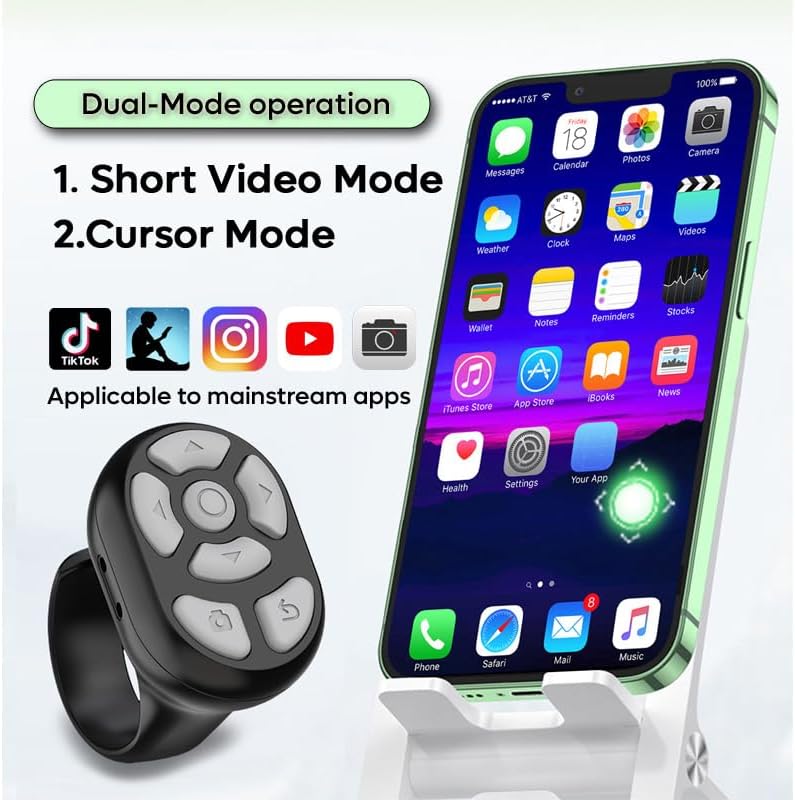
Image: A smartphone screen showing various apps like TikTok, Instagram, YouTube, and a remote ring, illustrating the dual-mode operation for short video and cursor control.
Kindle/iBook App Page Turner
Use the directional buttons on the ring to turn pages in reading applications like Kindle and iBook. Single clicks typically move forward or backward, while long presses can adjust volume.

Image: A smartphone displaying the iBook app with the remote ring overlayed, showing how single clicks on directional buttons control page turning (left, right, up, down) and long presses control volume.
Bluetooth Kamera Remote
The ring can also function as a remote shutter for your smartphone camera, allowing you to take photos or start/stop video recording from a distance of up to 33 feet (10 meters).
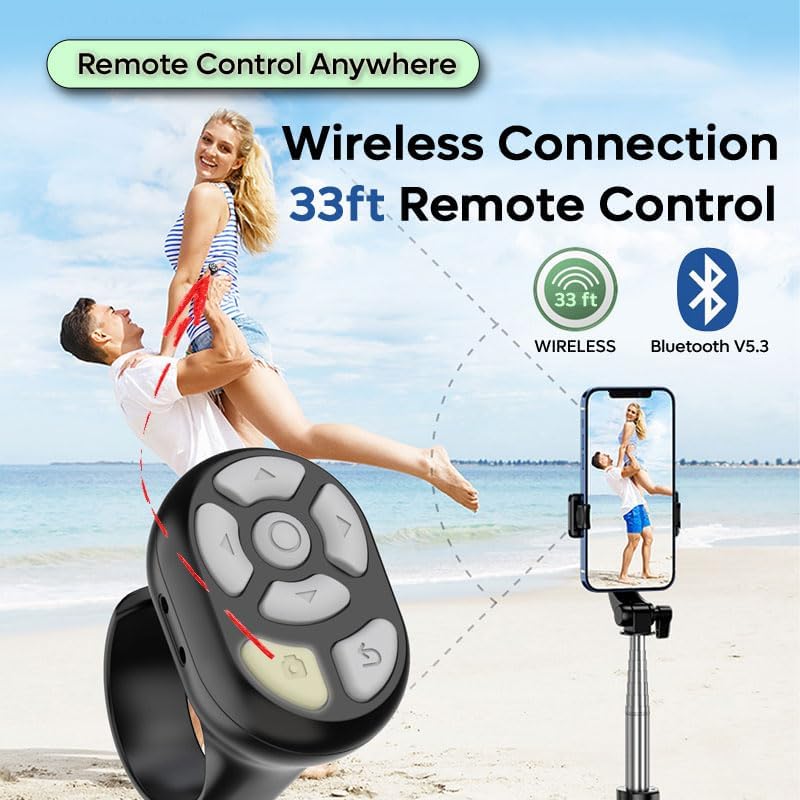
Image: A couple posing for a photo on a beach, with a smartphone on a tripod and the remote ring in hand, illustrating the 33ft wireless Bluetooth V5.3 connection for remote control.
Mobile Devices Holder
The charging case doubles as a convenient mobile phone holder, allowing you to prop up your device for hands-free viewing while using the remote ring.
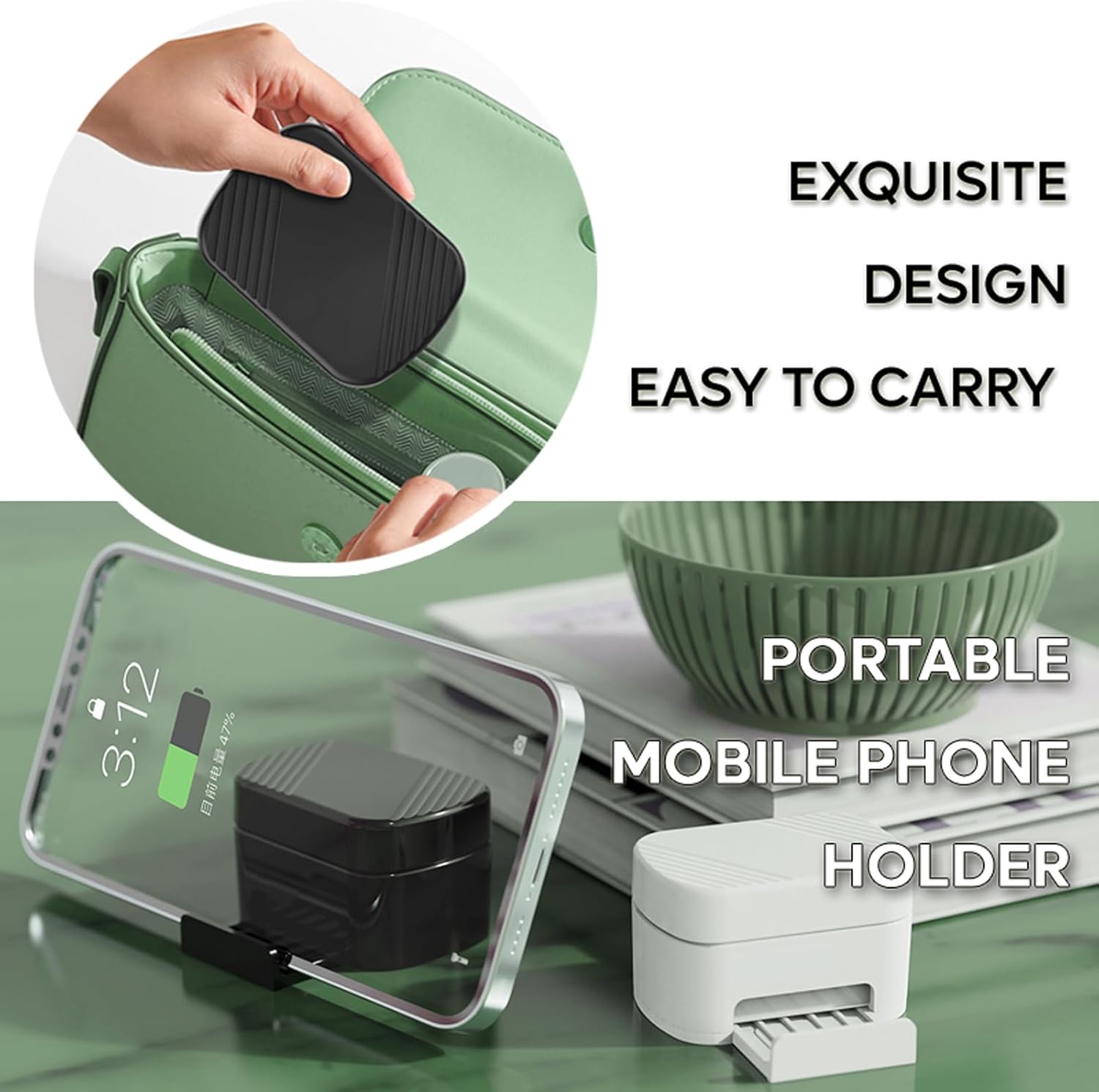
Image: The charging case being used as a portable mobile phone holder, demonstrating its exquisite design and ease of carrying.
Demonstrasyon Videyo Pwodwi
Video: A demonstration of the TikTok Scrolling Ring, showcasing its features such as digital display, multifunctional buttons, mobile device holder, Bluetooth camera remote, and 33ft remote control range. The video also highlights the 300mAh battery case and available color options.
Antretyen
Netwayaj
Wipe the ring and charging case with a soft, dry cloth. Avoid using harsh chemicals or abrasive materials that could damage the device.
Swen batri
To prolong battery life, avoid fully discharging the device frequently. Store the device in a cool, dry place when not in use for extended periods. The ring has a 60mAh battery, and the case has a 300mAh battery.
Depanaj
Aparèy pa konekte
- Asire w ke Bluetooth aktive sou smartphone/tablet ou.
- Make sure the ring is charged and powered on.
- Eseye dekonekte epi konekte aparèy la ankò nan paramèt Bluetooth ou yo.
- Restart your smartphone/tablet and the ring.
Scrolling/Page Turning Not Working
- Ensure the ring is properly paired and connected.
- Check if the application you are using supports external controls.
- Verify the ring is in the correct operating mode (e.g., Short Video Mode for TikTok).
- Some apps may require specific accessibility settings to be enabled for remote control. Consult your device's accessibility options.
Espesifikasyon
| Nimewo Modèl | TK Ring 2025 |
| Ring Battery Capacity | 60mAh |
| Chaje Ka Batri Kapasite | 300mAh |
| Koneksyon | Bluetooth V5.3 |
| Range opere | Jiska 33 pye (10 mèt) |
| Koulè ki disponib | Black, White, Pink |
| Manifakti | ZL-HOME |
Garanti ak sipò
For warranty information and customer support, please refer to the seller's policy on the platform where the product was purchased. If you encounter any issues not covered in this manual, please contact the seller directly for assistance.


