
Entwodiksyon
This manual provides detailed instructions for the setup, operation, and maintenance of your Weofly Nova Active Noise Cancelling Headphones. Please read this manual thoroughly before using the product to ensure optimal performance and longevity.
Ki sa ki nan bwat la
Upon unboxing your Weofly Nova headphones, please verify that all the following components are included:
- Weofly Nova Over-Ear Headphones
- USB-A pou USB-C chaje kab
- 3.5mm AUX Cable (USB-C to 3.5mm TRS)
- Manyèl itilizatè

Image: The Weofly Nova Active Noise Cancelling Headphones in Sliver, showcasing konsepsyon yo.
Pwodwi souview
The Weofly Nova headphones are designed for comfort and high-quality audio, featuring Active Noise Cancellation and Bluetooth 5.4 connectivity.

Image: A woman wearing the Weofly Nova headphones, illustrating their lightweight and stylish design. The headphones weigh only 130g.

Image: Two pairs of Weofly Nova headphones, one in brown and one in white, highlighting their distinct aesthetic and color options.
Karakteristik kle:
- Anilasyon aktif bri (ANC): Advanced technology to reduce ambient noise.
- Bluetooth V5.4: For faster and more stable wireless connections.
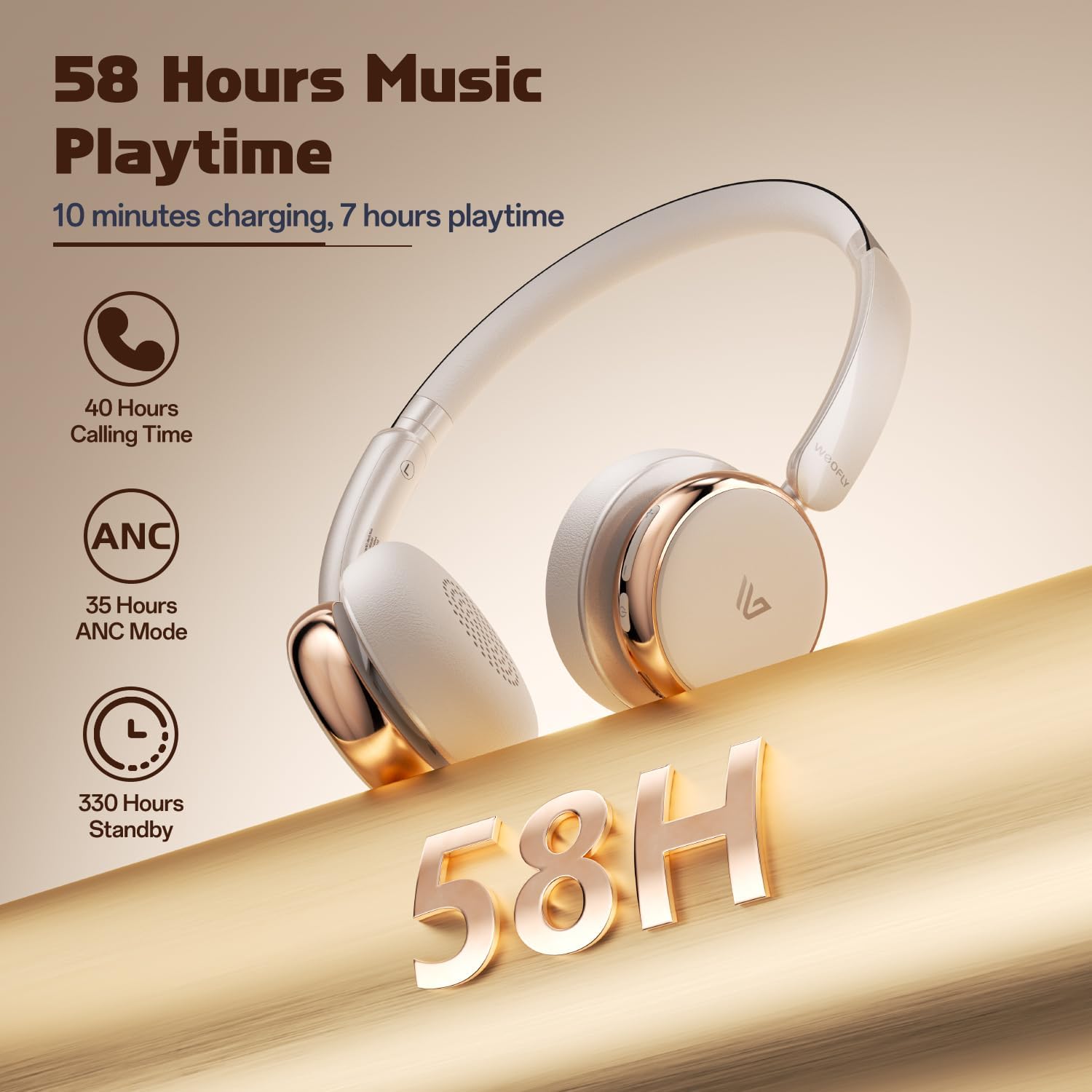
- Long lavi batri: Up to 58 hours of music playtime on a single charge.
- Konfòtab konsepsyon: Ultra-soft memory protein earcups and adjustable headband.
- Son fidelite: 40mm dynamic drivers for clear audio with rich bass.
- Koneksyon plizyè aparèy: Connect to two smart devices simultaneously.
Videyo: Yon finiview of the Weofly Nova Active Noise Cancelling Headphones, demonstrating their features and design.
Enstriksyon Enstalasyon
1. Chaje kas ekoutè yo
Before first use, fully charge your Weofly Nova headphones. A full charge takes approximately 2 hours.
- Connect the USB-C end of the charging cable to the headphone's charging port.
- Konekte bout USB-A a nan yon adaptè kouran USB konpatib (pa enkli) oubyen nan yon pò USB òdinatè.
- Limyè endikatè a ap montre estati chaj la epi li ap etenn oswa chanje koulè lè li konplètman chaje.

Image: The Weofly Nova headphones being charged via a USB-C cable, illustrating the fast charging capability.
2. Powering On / Off
- Pou limen: Press and hold the Power button until the indicator light flashes.
- Pou etenn: Peze epi kenbe bouton Power la jiskaske limyè endikatè a etenn.
3. Pè Bluetooth
The headphones support quick pairing. The first time you power them on, they will automatically enter pairing mode.
- Asire w ke kas ekoutè yo etenn.
- Press and hold the Power button for approximately 5 seconds until the indicator light flashes blue and red alternately, indicating pairing mode.
- Sou aparèy ou an (telefòn entelijan, tablèt, òdinatè pòtab), aktive Bluetooth epi chèche aparèy ki disponib yo.
- Select "Weofly Nova" from the list of devices.
- Yon fwa konekte, limyè endikatè a ap vin ble fiks oswa ap flache ble dousman.
The headphones can connect to two devices simultaneously. To connect a second device, repeat the pairing process. The headphones will automatically switch between devices for calls or media playback.

Image: An illustration showing the Weofly Nova headphones connecting to a laptop and a smartphone via advanced Bluetooth 5.4, highlighting faster transmission and stable connection.
Enstriksyon Operasyon
1. Anilasyon Bri Aktif (ANC)
The Weofly Nova headphones feature Active Noise Cancellation to minimize ambient sounds.
- To Activate/Deactivate ANC: Press the dedicated ANC button on the earcup. An audible prompt will confirm the status.

Image: A woman wearing Weofly Nova headphones while focused on her laptop, demonstrating the effectiveness of ANC in reducing distractions.
2. Mizik lèktur
Kontwole mizik ou dirèkteman nan kas ekoutè yo:
- Jwe/Poz: Peze bouton Multi-fonksyon an yon fwa.
- Pwochen Track: Peze epi kenbe bouton Volim Monte a.
- Track Previous: Peze epi kenbe bouton Volim desann.
- Volim moute: Peze bouton Ogmante Volim nan yon ti tan.
- Volim desann: Peze bouton Diminye Volim nan yon ti tan.
3. Rele Jesyon
Jere apèl telefòn yo fasilman:
- Reponn/Fen Apèl: Peze bouton Multi-fonksyon an yon fwa.
- Rejte apèl: Peze epi kenbe bouton Multi-fonksyon an pou 2 segonn.
- Recomposition Dènye Nimewo: Doub peze bouton Multi-fonksyon an.
4. Asistan vwa
Aktive asistan vwa aparèy ou an:
- Aktive Asistan Vwa: Triple peze bouton Multi-fonksyon an.

Image: A multi-panel image illustrating the comfort of the headphones during travel, and the functionality of voice assistance and built-in microphone for hands-free calls.
5. Mode jwèt
For reduced latency during gaming, activate Game Mode:
- Activate/Deactivate Game Mode: Press and hold the Multi-function button for 2 seconds (while not on a call or playing music).
6. Filè Koneksyon
Use the provided 3.5mm AUX cable for a wired connection:
- Connect the USB-C end of the AUX cable to the headphone's USB-C port.
- Connect the 3.5mm end to your audio source's headphone jack.
- Kas ekoutè yo ap chanje otomatikman nan mòd filaire.
Antretyen
To ensure the longevity and optimal performance of your Weofly Nova headphones, follow these maintenance guidelines:
- Netwayaj: Sèvi ak yon twal mou epi sèk pou netwaye kas ekoutè yo. Pa sèvi ak pwodui netwayaj abrazif oswa solvan.
- Depo: Sere kas ekoutè yo nan yon kote ki fre epi sèk, lwen limyè solèy dirèk ak tanperati ekstrèm.
- Evite imidite: Pa ekspoze kas ekoutè yo nan dlo oswa imidite twòp.
- Manyen ak Swen: Evite lage kas ekoutè yo oswa soumèt yo a gwo enpak.
Depanaj
If you encounter issues with your Weofly Nova headphones, refer to the following common solutions:
| Pwoblèm | Solisyon |
|---|---|
| Kas ekoutè yo pa limen | Ensure the headphones are fully charged. Connect to a power source and allow to charge for at least 30 minutes before attempting to power on again. |
| Pa ka konekte ak aparèy la | Ensure headphones are in pairing mode (flashing blue/red). Turn off and on your device's Bluetooth. Move headphones closer to the device. Clear previous Bluetooth connections on your device. |
| Pa gen son oswa volim ki ba | Check headphone and device volume levels. Ensure headphones are properly connected via Bluetooth or AUX cable. Test with a different audio source. |
| ANC pa fonksyone byen | Ensure ANC is activated. Adjust headphone fit to ensure a good seal around your ears. ANC is most effective against low-frequency, constant noise. |
| Koneksyon tanzantan | Ensure no obstacles are between the headphones and your device. Move away from other wireless devices that may cause interference. Ensure headphones are fully charged. |
Espesifikasyon
Technical details for the Weofly Nova Active Noise Cancelling Headphones:
- Non modèl: Nova
- Koneksyon Teknoloji: San fil (Bluetooth)
- Teknoloji kominikasyon san fil: Bluetooth 5.4
- Kalite chofè odyo: 40mm chofè dinamik
- Kontwòl bri: Anile aktif bri
- Lavi batri: Up to 58 hours (music playtime), 40 hours (talk time), 35 hours (ANC mode)
- Tan pou chaje: Apeprè 2 èdtan
- Kapasite batri: 500mAh
- Pwa atik: 0.26 kilogram (9.1 ons)
- Plasman Zòrèy: Sou Zòrèy
- Aparèy konpatib: Cellphones, Tablets, Laptops, Smart Speakers
Imaj: Yon imaj detaye view of the Weofly Nova earcup, emphasizing the 40mm dynamic driver responsible for high-fidelity sound quality.

Image: The Weofly Nova headphones prominently displaying '58H', signifying their extended battery life of 58 hours for music playback.
Garanti ak sipò
Weofly products come with a standard manufacturer's warranty. For specific warranty details, please refer to the warranty card included in your product packaging or visit the official Weofly website. For technical support, troubleshooting assistance, or any inquiries regarding your Weofly Nova headphones, please contact Weofly customer service through the contact information provided on our websit la oubyen nan dokimantasyon pwodwi ou a.