
Entwodiksyon
Thank you for choosing the CREATE Speaker Retro. This portable Bluetooth speaker combines a classic retro design with modern audio technology, offering versatile connectivity and powerful sound. This manual will guide you through the setup, operation, and maintenance of your new speaker to ensure optimal performance and longevity.

Image: The CREATE Speaker Retro, highlighting its elegant retro aesthetic and compact form factor.
Enstriksyon Sekirite Enpòtan
- Li tout enstriksyon yo ak anpil atansyon anvan ou sèvi ak pwodwi a.
- Kenbe manyèl sa a pou referans nan lavni.
- Do not expose the speaker to water or excessive moisture. This product is pa enpèmeyab.
- Pa mete l toupre sous chalè tankou radyatè, recho, recho, oswa lòt aparèy (ki gen ladan amplifiers) ki pwodui chalè.
- Sèvi ak sèlman atachman/akseswa manifakti a espesifye.
- Debranche aparèy sa a pandan tanpèt zèklè oswa lè li pa itilize pou yon peryòd tan.
- Refere tout sèvis yo bay pèsonèl sèvis kalifye.
Kontni pake
The CREATE Speaker Retro package includes:
- CREATE Speaker Retro Portable Bluetooth Speaker (1 unit)
- USB-C Chaje Kab
- Manyèl Itilizatè (dokiman sa a)
Controls and Ports Overview
Familyarize w avèk kontwòl ak pò koneksyon oratè a:

Imaj: Detaye view of the speaker's top control panel.
- Volim bouton: Adjusts the overall sound volume.
- Bouton bas: Ajiste nivo bas la.
- Treble bouton: Ajiste nivo treble a.
- Chanjman Seleksyon Antre: Toggles between AUX, Bluetooth (BT), and USB input modes.
- Pouvwa switch: Limen/Etenn oratè a.
- Antre AUX (3.5mm): For connecting external audio devices via an audio cable.
- Pò USB: Pou lekti sou kle USB.
- DC-IN 5V Port: Pou chaje oratè a.
- Limyè Endikatè: Montre estati pouvwa a, estati chaj la, ak estati koneksyon Bluetooth la.
Enstalasyon
1. Chaje Oratè a
Before first use, fully charge the speaker. Connect the provided USB-C charging cable to the DC-IN 5V port on the speaker and the other end to a compatible USB power adapter (not included) or a computer's USB port. The indicator light will show the charging status. A full charge takes approximately 4-5 hours.
- Chaje: Indicator light glows (color may vary).
- Konplètman chaje: Indicator light turns off or changes color.
2. Powering On / Off
To power on the speaker, flip the Chanjman pouvwa to the "ON" position. To power off, flip the switch to the "OFF" position.
Enstriksyon Operasyon
1. Bluetooth mòd
The speaker features Bluetooth 5.2 for wireless audio streaming with a range of up to 10 meters.
- Pouvwa sou oratè a.
- Mete la Antre Seleksyon switch to "BT/AUX" and then ensure it's in Bluetooth mode (indicator light will blink, indicating pairing mode).
- Sou telefòn entelijan ou, tablèt ou, oswa lòt aparèy ki gen Bluetooth, aktive Bluetooth epi chèche aparèy ki disponib yo.
- Select "CREATE Speaker Retro" from the list.
- Once paired, the indicator light will stop blinking and remain solid. You can now play music wirelessly.
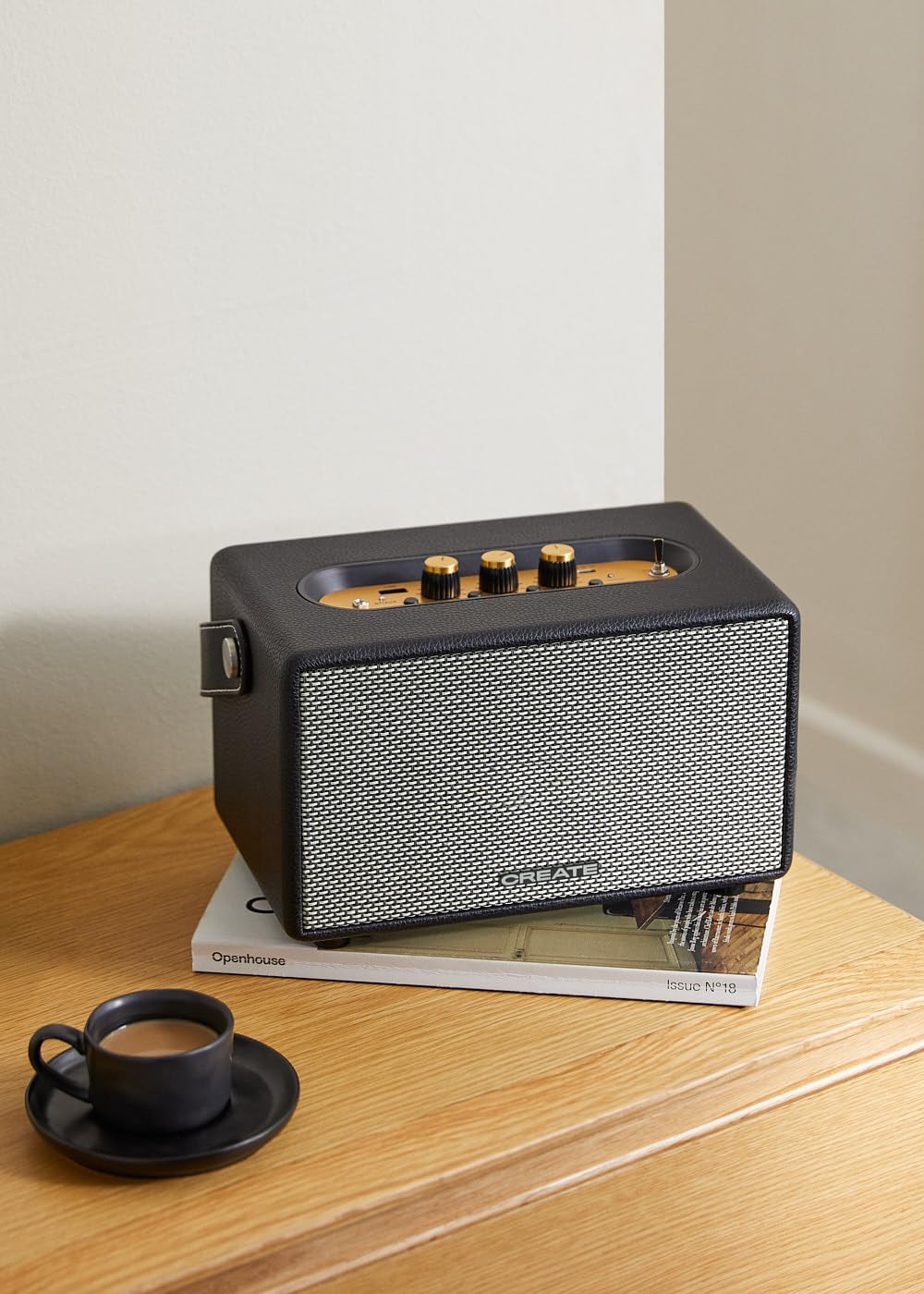
Image: Connecting to the speaker via Bluetooth from a mobile device.
2. USB Playback Mode
Jwe odyo files dirèkteman nan yon kondwi flash USB.
- Pouvwa sou oratè a.
- Mete yon kondwi flash USB ki gen odyo files nan Port USB.
- Mete la Antre Seleksyon switch to "USB". The speaker will automatically begin playing music from the USB drive.

Image: Inserting a USB drive for direct audio playback.
3. Mòd Antre AUX
Konekte aparèy odyo ekstèn yo lè l sèvi avèk yon kab odyo 3.5mm.
- Pouvwa sou oratè a.
- Konekte yon bout kab odyo 3.5mm (pa enkli) nan AUX Antre pò sou oratè a.
- Connect the other end of the cable to the headphone jack or audio output of your external device (e.g., MP3 player, laptop).
- Mete la Antre Seleksyon switch to "AUX". The speaker will now play audio from your connected device.
4. Ajiste son
Use the dedicated knobs on the control panel to fine-tune your audio experience:
- Vire a Volim bouton to increase or decrease the overall sound level.
- Vire a Bas Knob to adjust the low-frequency sounds.
- Vire a Treble bouton to adjust the high-frequency sounds.
Antretyen
Netwayaj
To clean the speaker, use a soft, dry cloth. Do not use abrasive cleaners, waxes, or solvents as they may damage the finish. Avoid spraying liquids directly onto the speaker.
Depo
When not in use for extended periods, store the speaker in a cool, dry place away from direct sunlight and extreme temperatures. Ensure the speaker is fully charged before storing to preserve battery health.
Swen batri
The speaker is equipped with a built-in rechargeable battery. To maximize battery life:
- Evite dechaje batri a nèt souvan.
- Recharge the battery regularly, even if the speaker is not used often.
- Do not expose the speaker to temperatures above 45°C (113°F) or below 0°C (32°F).
Depanaj
If you encounter any issues with your CREATE Speaker Retro, please refer to the following common problems and solutions:
| Pwoblèm | Kòz posib | Solisyon |
|---|---|---|
| Oratè a pa limen. | Batri ap vide. | Charge the speaker for 4-5 hours using the USB-C cable. |
| Pa gen son soti nan oratè la. | Volim nan twò ba; mòd antre a pa kòrèk; aparèy la pa byen konekte. | Increase volume. Ensure the correct input mode (BT, USB, AUX) is selected. Reconnect Bluetooth device or AUX cable. |
| Bluetooth appariement echwe. | Oratè a pa nan mòd koneksyon; aparèy la pa nan zòn nan; entèferans. | Ensure speaker is in Bluetooth pairing mode (blinking indicator). Move device closer to speaker (within 10m). Turn off other Bluetooth devices. |
| Lektur USB a pa fonksyone. | Incorrect input mode; USB drive not formatted correctly or no compatible files. | Ensure "USB" input mode is selected. Check USB drive for compatible audio files (e.g., MP3). Try a different USB drive. |
| Play/Pause button not responding. | Potential hardware issue or software glitch. | Restart the speaker. If the issue persists, contact customer support. (Note: A user review mentioned this issue.) |
Espesifikasyon
| Non modèl | SPEAKER RETRO |
| Nimewo Modèl | 181643_452174 |
| Dimansyon (D x W x H) | 17 x 26 x 15 cm |
| Pwa | 2.5 kg |
| Max. Speaker Output Power | 40 W |
| Audio Sòti Mode | Stereo (2.0 Chanèl) |
| Koneksyon Teknoloji | Bluetooth 5.2, USB, AUX (3.5mm) |
| Gamme Bluetooth | Jiska 10 mèt |
| Kapasite batri | 3000 mAh |
| Lavi batri | Jiska 5 èdtan (selon itilizasyon) |
| Tan pou chaje | Apeprè. 4-5 èdtan |
| Metòd kontwòl | Touch (knobs and switches) |
| Koulè | Nwa |
| Ki enpèmeyab | Non |
Garanti ak sipò
Enfòmasyon sou Garanti
The CREATE Speaker Retro comes with a standard manufacturer's warranty. Please retain your proof of purchase for warranty claims. The warranty covers defects in materials and workmanship under normal use. It does not cover damage caused by misuse, accidents, unauthorized modifications, or exposure to water.
For specific warranty terms and conditions, please refer to the warranty card included with your product or contact CREATE customer service.
Sipò pou Kliyan
If you have any questions, require technical assistance, or need to report an issue that cannot be resolved using the troubleshooting guide, please contact CREATE customer support.
Ou ka jwenn plis enfòmasyon ak enfòmasyon kontak sou sit ofisyèl CREATE la. website or through their Amazon brand store: