
Entwodiksyon
Thank you for choosing the RORSOU B8 Bluetooth Headphones. These over-ear headphones are designed to provide a superior audio experience with deep bass and Hi-Fi stereo sound, powered by a 40mm audio driver and advanced Bluetooth 5.4 technology. Enjoy extended listening with up to 50 hours of playtime and versatile connectivity options. This manual will guide you through the setup, operation, and maintenance of your new headphones.

Figure 1: RORSOU B8 Bluetooth Headphones (Beige White)
The RORSOU B8 headphones feature a sleek beige white finish with gold accents, designed for comfort and portability.
Ki sa ki nan bwat la
- Manyèl itilizatè
- Ear Cushions (pre-installed)
- Protective Case (Drawstring Bag)
- USB-C Chaje Kab
- 3.5mm AUX Audio Kab

Figure 2: Included accessories with the RORSOU B8 Headphones.
The box contains the headphones, a user manual, a USB-C charging cable, a 3.5mm AUX cable, and a soft drawstring protective case.
Pwodwi souview & Kontwòl
Familiarize yourself with the buttons and ports on your RORSOU B8 headphones for optimal use.

Figi 3: Detaye view of headphone controls and ports.
The right earcup features the main controls including the EQ button, USB-C charging port, 3.5mm audio jack, and power/playback buttons.
- Bouton Pouvwa/Jwe/Pòz: Long press to power on/off. Short press to play/pause music or answer/end calls.
- Bouton pou monte volim (+): Peze yon ti kras pou ogmante volim nan. Peze lontan pou ale nan pwochen mizik la.
- Bouton Diminye Volim (-): Peze yon ti kras pou diminye volim nan. Peze lontan pou ale nan mizik anvan an.
- EQ bouton: Press to cycle through 6 preset EQ modes (Standard, Classical, Metal, Jazz, Rock, Bass).
- USB-C chaje pò: Pou chaje kas ekoutè yo.
- 3.5mm Audio Jack: For wired connection using the AUX cable.
- Mikwofòn: Pou apèl men-gratis.
Enstalasyon
Chaje kas ekoutè ou yo
- Connect the USB-C charging cable to the headphone's charging port.
- Connect the other end of the USB cable to a compatible USB power source (e.g., computer USB port, wall adapter).
- Endikatè LED la ap montre eta chaj la. Yon chaj konplè pran apeprè 2 èdtan.
- Once fully charged, the headphones provide up to 50 hours of playtime.
Pè Bluetooth
- Asire w ke kas ekoutè yo etenn.
- Long press the Power/Play/Pause button until the LED indicator flashes blue and red alternately. This indicates pairing mode.
- Sou aparèy ou an (telefòn entelijan, tablèt, òdinatè), aktive Bluetooth epi chèche aparèy ki disponib yo.
- Select "RORSOU B8" from the list of found devices.
- Once successfully paired, the LED indicator will turn solid blue or flash blue slowly.
- The headphones can be paired with two devices simultaneously and seamlessly switch between them.
Wired Connection (AUX)
If your headphones run out of battery or you prefer a wired connection, you can use the included 3.5mm AUX cable.
- Connect one end of the 3.5mm AUX cable to the headphone's 3.5mm audio jack.
- Konekte lòt bout la nan sòti odyo aparèy ou an.
- Kas ekoutè yo ap chanje otomatikman nan mòd filaire.
Enstriksyon Operasyon
Power On/Off
- Pouvwa sou: Long press the Power/Play/Pause button until the LED indicator lights up.
- Pouvwa Off: Long press the Power/Play/Pause button until the LED indicator turns off. The headphones will automatically shut down after 5 minutes if no device is connected.
Kontwòl Volim
- Ogmante Volim: Peze bouton pou monte volim nan (+) yon ti tan.
- Diminye Volim: Peze bouton Diminye Volim nan (-) yon ti tan.
Kontwòl lèktur
- Jwe/Poz: Peze bouton Pouvwa/Jwe/Pòz la yon ti tan.
- Pwochen Track: Peze bouton pou monte volim nan (+) pandan yon bon bout tan.
- Track Previous: Peze bouton Diminye Volim nan (-) pandan yon bon bout tan.
Jesyon Rele
- Reponn apèl k ap vini: Peze bouton Pouvwa/Jwe/Pòz la yon ti tan.
- Fini apèl: Peze bouton Power/Play/Pause la yon ti tan pandan yon apèl.
- Rejte apèl: Long press the Power/Play/Pause button when a call is incoming.
- Call Back Last Number: Double click the Power/Play/Pause button.
Mod EQ
The RORSOU B8 headphones offer 6 preset EQ modes to optimize your listening experience for different music genres.
- Mòd estanda: Pwofesyonèl son balansefile.
- Classical Mode: Enhanced for classical music.
- Mòd metal: Optimized for heavy metal and rock.
- Jazz Mode: Tailored for jazz music.
- Mòd Wòch: Boosted for rock music.
- Mòd Bass: Enhanced bass for powerful low-end sound.
To switch between modes, press the EQ button on the right earcup.
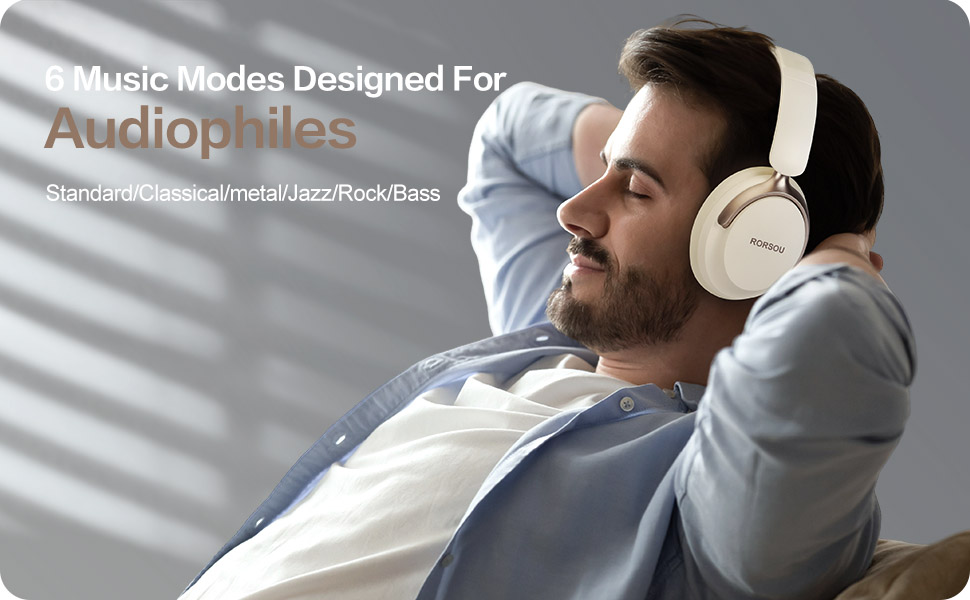
Figure 4: Experience optimized sound with 6 EQ modes.
The EQ modes allow users to customize the audio output to match their preferred music style.

