
1PLIS P10
Manyèl Itilizatè Kas Ekoutè 1MORE Piston-Fit USB-C
Modèl: P10
Entwodiksyon
Thank you for choosing the 1MORE Piston-Fit USB-C Headphones. This manual provides detailed instructions for the proper setup, operation, and maintenance of your new headphones. Please read this manual thoroughly before use to ensure optimal performance and longevity of your device.

Image: The 1MORE Piston-Fit USB-C Headphones in use, highlighting their design and comfort.
Kontni pake
Verifye ke tout atik yo prezan nan pakè ou a:
- 1MORE Piston-Fit USB-C Headphones (2 pairs if 2-pack)
- Bouchon zòrèy silikon (divès gwosè)
- Manyèl Itilizatè (dokiman sa a)

Imaj: Yon konplè view of the 1MORE Piston-Fit USB-C Headphones, including the USB-C connector and inline remote.
Pwodwi souview
The 1MORE Piston-Fit USB-C Headphones are designed for clear audio and comfortable wear. Key components include:
- Ekouteur: Featuring a 45° angled fit for secure placement and noise isolation.
- USB-C Connector: For direct connection to compatible devices.
- Telekòmand anliy: Integrated control button for music and call management.
- Mikwofòn: Built into the inline remote for hands-free communication.
- Kevlar-Reinforced Cable: Designed for durability and tangle resistance.

Imaj: Yon imaj detaye view of the earbuds, highlighting their construction.
Enstalasyon
- Chwazi Bouchon Zòrèy: Choose the silicone eartips that provide the most comfortable and secure fit for your ears. A proper seal enhances sound quality and noise isolation.
- Konekte ak aparèy: Insert the USB-C connector into the USB-C port of your compatible smartphone, tablet, or laptop. The headphones are plug-and-play and do not require additional drivers for most devices.

Image: Illustration of the 45° angled in-ear design for optimal fit and comfort.
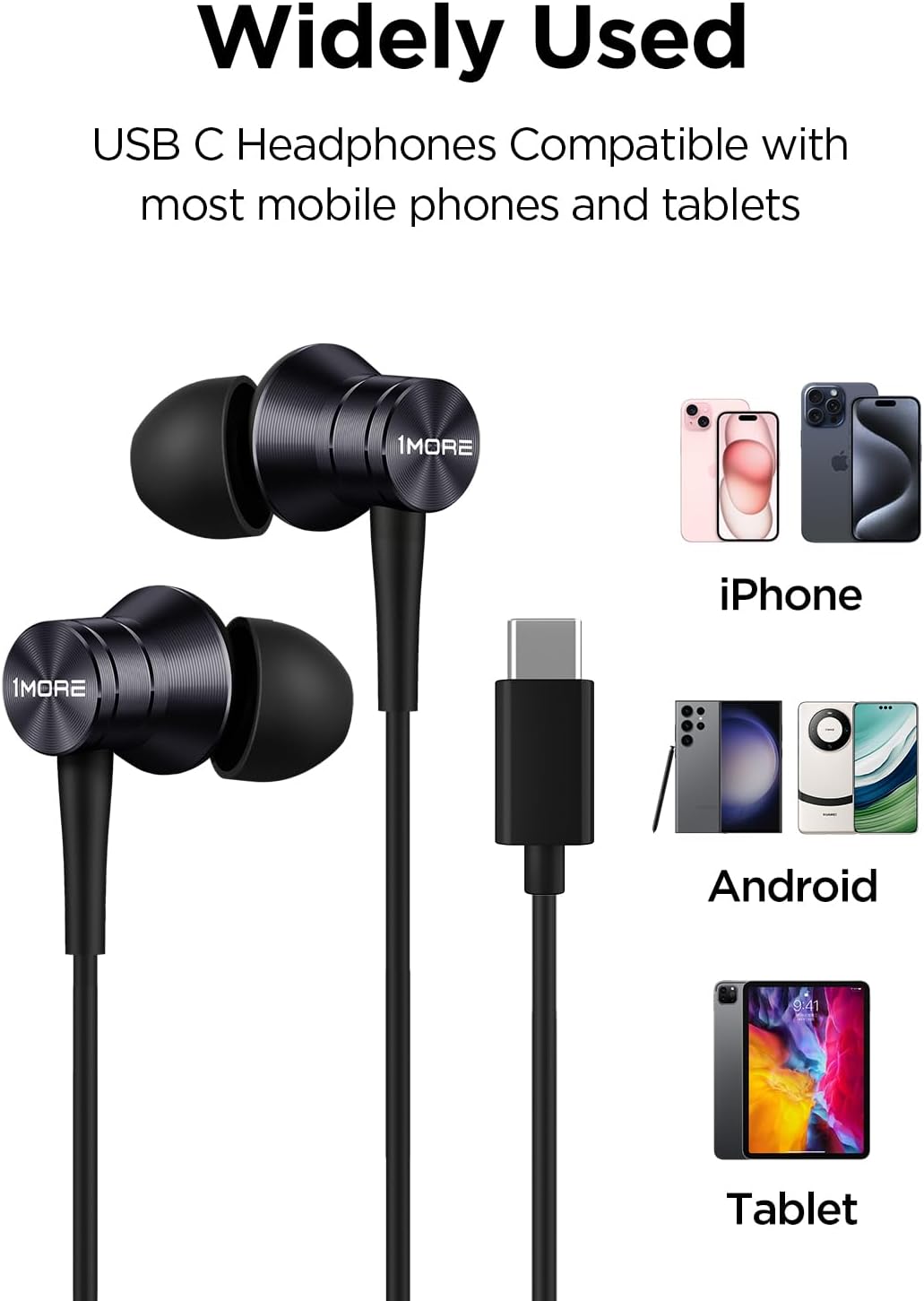
Image: Visual representation of the headphones' wide compatibility with USB-C devices.
Enstriksyon Operasyon
The inline remote provides convenient control over your audio and calls.
Lèktur Klas Mizik
- Jwe/Poz: Peze bouton kontwòl la yon fwa.
Jesyon Rele
- Reponn apèl: Peze bouton kontwòl la yon fwa.
- Fini apèl: Peze bouton kontwòl la yon fwa pandan yon apèl.
- Rejte apèl: Press and hold the control button for approximately 2 seconds.

Image: Detailed functions of the inline microphone and multi-function control button.
Antretyen ak Swen
- Netwayaj: Regularly clean the eartips with a soft, dry cloth. For deeper cleaning, remove the silicone eartips and wash them with mild soap and water, ensuring they are completely dry before reattaching.
- Depo: When not in use, store the headphones in a clean, dry place. Avoid extreme temperatures.
- Swen kab: The Kevlar-reinforced cable is designed to be durable and tangle-free. Avoid sharp bends or excessive pulling to prevent damage.
- Evite imidite: Pa ekspoze kas ekoutè yo nan dlo oswa imidite twòp.
Depanaj
| Pwoblèm | Kòz posib | Solisyon |
|---|---|---|
| Pa gen son oswa volim ki ba |
|
|
| Mikwofòn pa mache |
|
|
| Son estatik oswa defòme |
|
|
Espesifikasyon
- Non modèl: P10
- Koneksyon Teknoloji: Filaire (USB-C)
- Plasman Zòrèy: Nan Zòrèy
- Kontwòl bri: Izolasyon son
- Kalite chofè odyo: Dynamic Driver (Aerospace-grade composite diaphragm)
- Enpedans: 32 Ohm
- Karakteristik kab: Tangle Free, Kevlar-Reinforced
- Metòd kontwòl: Remote (Inline button)
- Pwa atik: Approximately 14 grams (0.08 Kilograms)
- Aparèy konpatib: Cellphones, Laptops, Tablets (e.g., iPhone 15, Samsung Galaxy, Pixel 10, OnePlus)
- Eleman ki enkli: Bout zòrèy

Image: Illustration of the aerospace-grade composite diaphragm for powerful sound.
Garanti ak sipò
1MORE products are covered by a limited warranty. For detailed warranty information, please refer to the warranty card included with your product or visit the official 1MORE website. For technical support, troubleshooting assistance, or to inquire about replacement parts, please contact 1MORE customer service through their official channels.
Sipò sou entènèt: www.1more.com/support
Ask a question about this manual
Ask about setup, troubleshooting, compatibility, parts, safety, or missing instructions. Manuals+ will review the question and use this page’s manual context to help answer it.