
Entwodiksyon
The SALLOOT Trinity iGlow 10 is an advanced IPL (Intense Pulsed Light) laser hair removal device designed for effective and comfortable permanent hair reduction at home. Featuring 25J Triple-Pulse technology and a 12 cm² Sapphire Ice-Cooling system, it targets hair follicles with precision while ensuring a painless experience. This manual provides comprehensive instructions for safe and optimal use of your device.
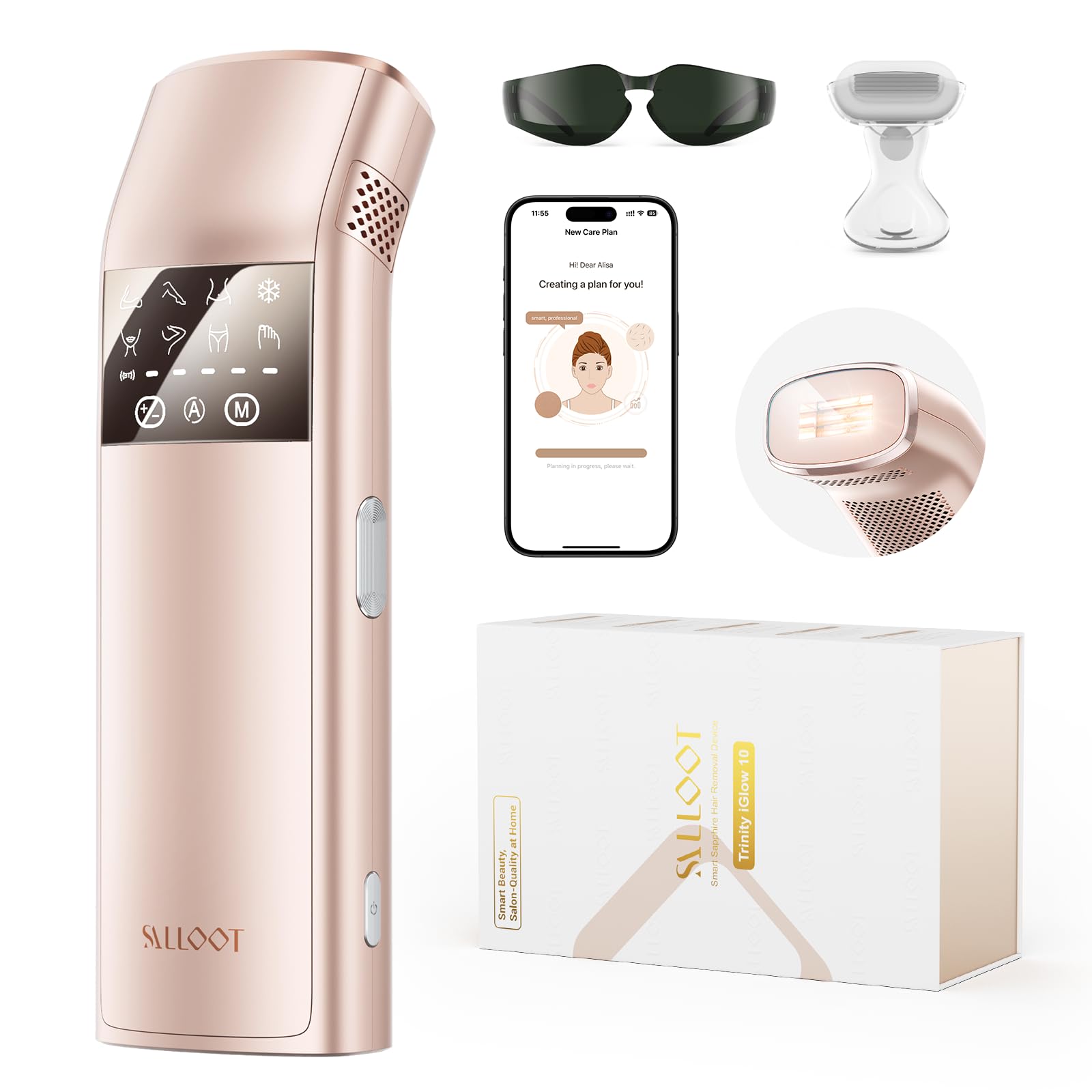
Figure 1: SALLOOT Trinity iGlow 10 IPL Laser Hair Removal Device.
Enfòmasyon sou Sekirite
Before using the SALLOOT Trinity iGlow 10, please read all safety instructions carefully. Improper use can lead to skin irritation or injury.
Skin Tone and Hair Color Compatibility
IPL technology works by targeting melanin in the hair follicle. Therefore, it is most effective on darker hair colors and lighter skin tones. It is not suitable for very dark skin tones (which have higher melanin levels and increased risk of burns) or very light hair colors (blonde, red, grey, white) which lack sufficient melanin for effective treatment.

Figure 2: IPL compatibility chart for skin tone and hair color. IPL is safe and effective for white, beige, light brown, and brown skin tones with black, dark brown, brown, and light brown hair. It is ineffective or unsafe for dark brown and black skin tones, and red, light blonde, white/grey hair.
Pwoteksyon Je
Always wear the provided protective eyewear during treatment to shield your eyes from the intense pulsed light. Do not look directly into the flash window.
Prekosyon Jeneral
- Pa sèvi ak li sou po ki irite, ki boule nan solèy, oswa ki fann.
- Avoid using on tattoos, permanent makeup, or moles.
- Consult a doctor before use if you have any underlying skin conditions or are taking photosensitizing medications.
- Kenbe soti nan atenn timoun yo.
Kontni pake
Your SALLOOT Trinity iGlow 10 package includes:
- SALLOOT Trinity iGlow 10 IPL Device
- Adaptè pouvwa
- Linèt pwoteksyon
- Manyèl itilizatè
- Shaving Razor
Videyo 1: Debale ak plis ankòview of the SALLOOT Trinity iGlow 10 device and its components.
Enstalasyon
- Konekte pouvwa: Plug the power adapter into the device and then into a wall outlet. The device will power on automatically.
- Telechaje App a: Download the Smart AI APP (CTONE) from your device's app store.
- Konekte via Bluetooth: Open the app, authorize Bluetooth and positioning functions. The app will automatically search for and connect to your SALLOOT Trinity iGlow 10 device.
- Personalized Plan: Use the app to analyze your skin tone and hair color. The AI will create a personalized treatment plan, recommending ideal intensity and flash settings for each session.

Figure 3: The Smart AI APP provides personalized hair removal reports and recommendations.
Enstriksyon Operasyon
Preparasyon
- Shave the Area: Before each treatment, shave the desired area to ensure the IPL light can effectively reach the hair follicles.
- Po pwòp epi sèch: Ensure your skin is clean, dry, and free from any lotions, oils, or deodorants.
- Mete linèt pwoteksyon: Put on the provided protective eyewear before starting the treatment.
Etap Tretman
- Chwazi mòd ak entansite: The device features 7 body modes (legs, underarms, bikini, face, fingers, toes, upper body) and 5 intensity levels. You can select these manually via the device's LCD screen or through the connected Smart AI APP. The app will recommend optimal settings based on your personalized plan.
- Activate Sapphire Ice-Cooling: The 12 cm² sapphire crystal cooling system instantly cools the skin's surface to 37°F (3°C), maintaining a comfortable temperature below 59°F (15°C) even during prolonged use. This ensures a pain-free experience.
- Apply Device to Skin: Place the device's flash window firmly against your skin at a 90-degree angle. The device will detect skin contact.
- Initiate Flashes:
- Mòd manyèl: Press the flash button for a single flash.
- Auto-Glide Mode: Press and hold the flash button, then glide the device slowly over the treatment area. The device will automatically emit flashes at up to 200 flashes per minute, allowing for fast full-body treatments in 2-8 minutes.
- Move to Next Area: After each flash or glide, move the device to the adjacent skin area. Avoid overlapping flashes on the same spot.

Figure 4: Step-by-step guide for using the IPL device, including shaving, wearing goggles, choosing intensity, and pressing the flash button.
Video 2: Demonstration of the Triple-Pulse technology and 25J power for stubborn hair.
Orè Tretman
For optimal results, follow this recommended treatment schedule:
- Semèn 1-2: 3-4 fwa pa semèn.
- Semèn 3-4: 2-3 fwa pa semèn.
- Apre 4 semèn: 2 times per month for long-lasting results.
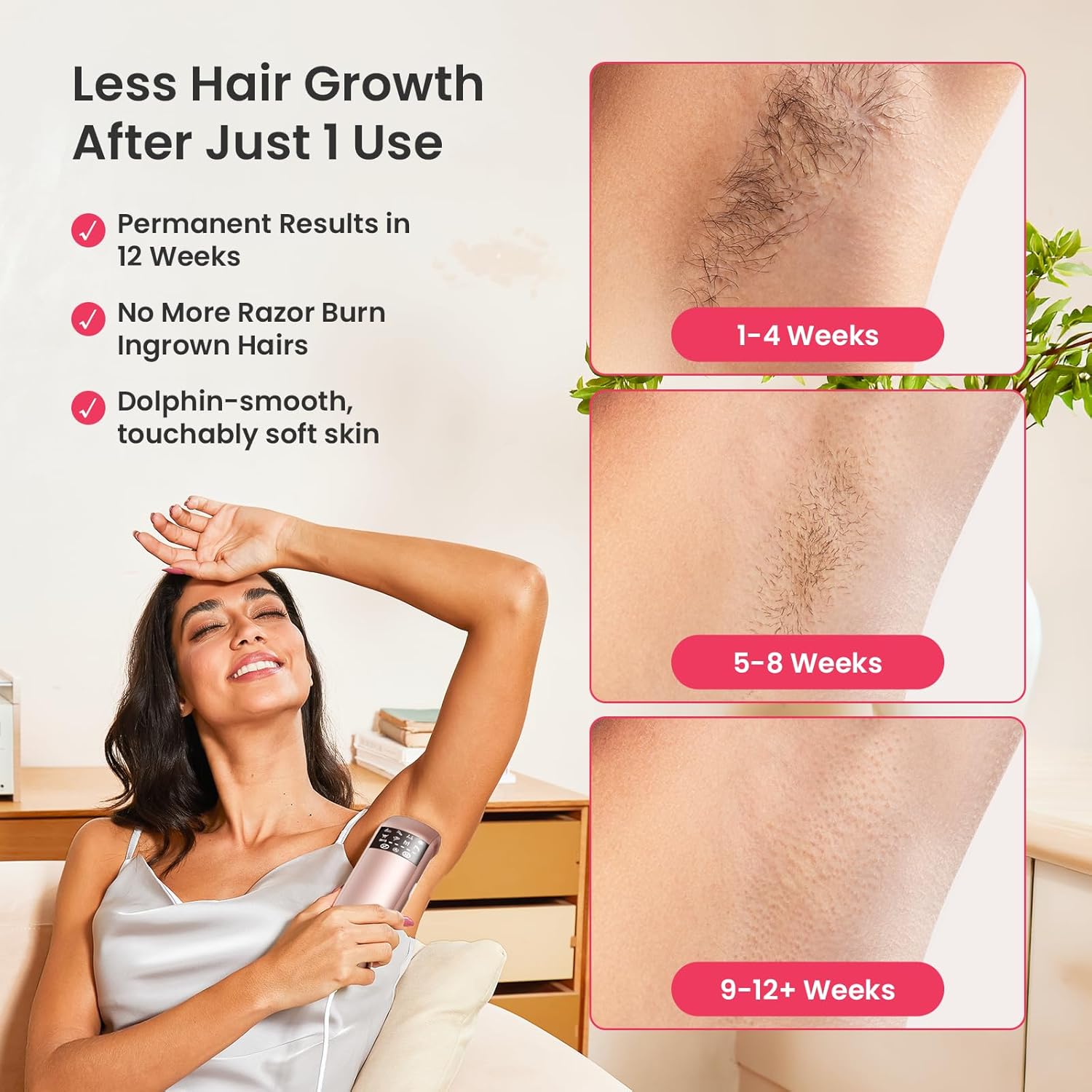
Figure 5: Visual representation of hair growth reduction over 1-4, 5-8, and 9-12+ weeks of consistent use.
Swen apre Tretman
After each session, apply a moisturizing lotion to the treated skin area to soothe and hydrate.
Antretyen
Netwaye Aparèy la
After each use, ensure the device is unplugged. Use a soft, dry cloth to gently wipe the flash window and the device body. Do not use abrasive cleaners or immerse the device in water.
Depo
Store the SALLOOT Trinity iGlow 10 in a cool, dry place, away from direct sunlight and moisture. Keep it out of reach of children.
Depanaj
- Aparèy pa limen: Asire w adaptè kouran an byen konekte ak aparèy la ak yon priz kouran ki fonksyone.
- No flash emitted: Check if the device is firmly pressed against the skin. The skin contact sensor must be fully engaged for a flash to occur. Also, ensure the intensity level is set correctly.
- Cooling not active: Verify that the ice-cooling mode is selected on the device or through the app. Allow a few moments for the sapphire surface to cool down after activation.
- Pwoblèm koneksyon aplikasyon an: Ensure Bluetooth is enabled on your smartphone and the device is within range. Restarting both the app and the device may resolve connection problems.
- Iritasyon po: If you experience persistent redness, swelling, or discomfort, discontinue use and consult a healthcare professional. Ensure you are using the correct intensity level for your skin tone and hair color.
Espesifikasyon
| Nimewo Modèl Atik | DT015 |
| Mak | SALLOOT |
| UPC | 642380741113 |
| Dansite enèji | Up to 25J (7-8J/cm²) |
| Sistèm refwadisman | 12 cm² Sapphire Ice-Cooling (down to 37°F / 3°C) |
| Flash vitès | Up to 200 flashes per minute |
| Mòd | 7 Body Modes |
| Nivo entansite | 5 Nivo |
| Ergonomik konsepsyon | Ang 30 degre |
Garanti ak sipò
SALLOOT offers extended 3-year support for the Trinity iGlow 10 device. For any questions, technical assistance, or warranty claims, please contact SALLOOT customer service through the Smart AI APP or visit the official SALLOOT websit.
Videyo 3: Detaye review and testing of the SALLOOT Trinity iGlow 10 IPL hair removal device.