
1. Entwodiksyon
This manual provides essential instructions for the setup, operation, and maintenance of your CAPOXO Capoxo-SQ-21-Charger-NV 4K Full HD Wired Security Camera. This device is designed for indoor surveillance, offering continuous recording, motion detection, and night vision capabilities. Please read this manual thoroughly before using the product to ensure proper functionality and safety.

Image 1.1: The CAPOXO Capoxo-SQ-21-Charger-NV wired security camera, designed to resemble a standard USB wall charger.
2. Pwodwi souview
2.1 Kontni pake a
Verifye ke tout atik yo prezan nan pakè ou a:
- CAPOXO Security Camera
- USB kab
- Lektè kat
- Manyèl itilizatè
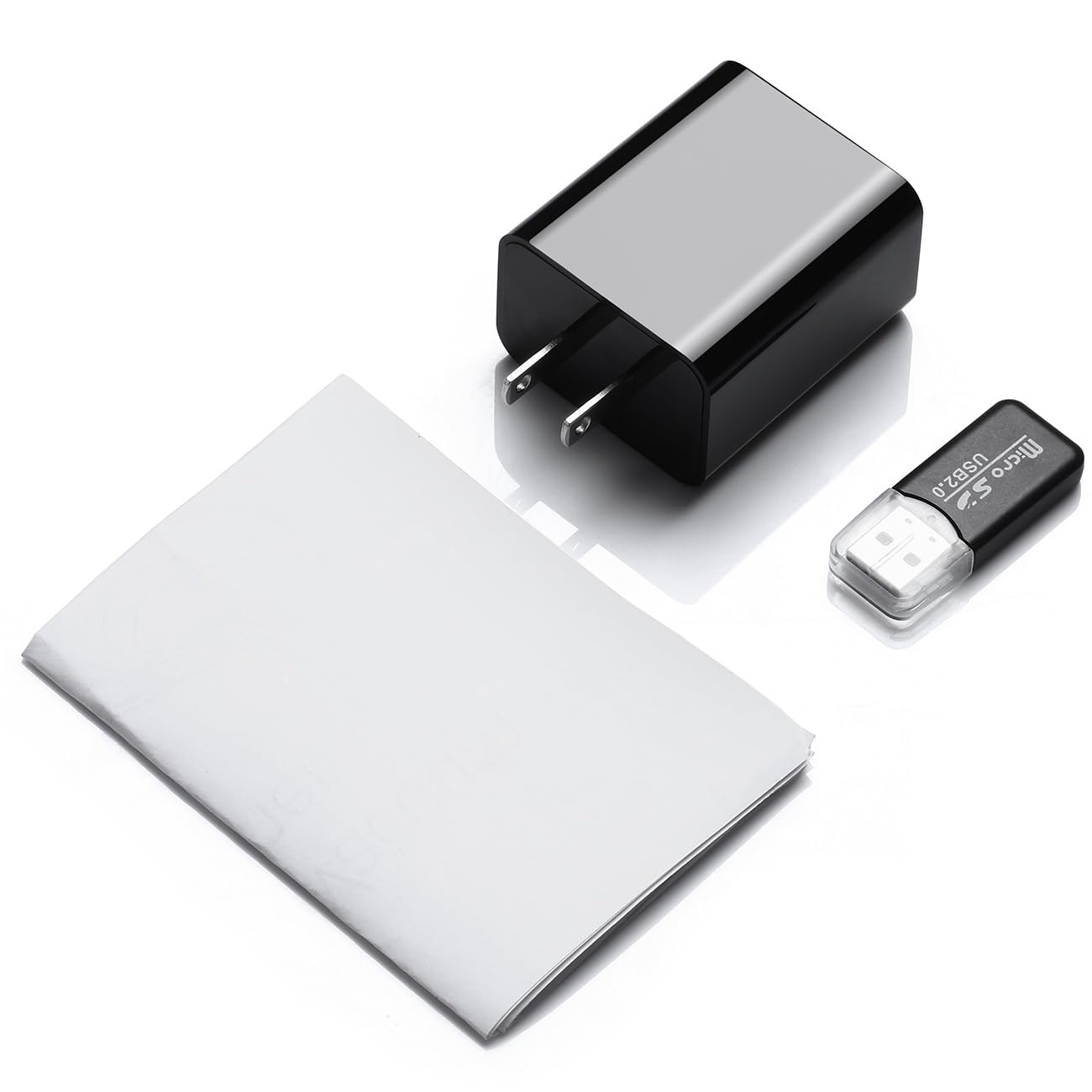
Image 2.1: Contents of the CAPOXO security camera package, including the camera, USB cable, card reader, and user manual.
2.2 Konpozan Kamera
Familyarize w ak konpozan kle kamera a:

Image 2.2: Detailed diagram showing the camera's components, including the HD Lens, Card Slot, USB port, Mode Switch, IR LEDs, and Front Cover.
- Lantiy HD: Kaptire videyo footage.
- Plas kat: Pou mete yon kat Micro SD (jiska 128GB, pa enkli).
- Pò USB: Functions as a standard USB charging port and for power supply to the camera.
- Chanjman mòd: Toggles between recording modes (M: Motion-activated, C: Loop recording).
- IR poul: Emetè enfrawouj pou vizyon lannwit.
- Kouvèti devan: A removable cover to access the card slot and mode switch.
2.3 Karakteristik kle
- Full HD 1080p Rezolisyon: Records video at 1920x1080 for clear footage.
- Anrejistreman bouk kontinyèl: Otomatikman ranplase ansyen foo yotage to ensure uninterrupted surveillance.
- Kapasite vizyon lannwit: Equipped with infrared LEDs for clear recording in low-light conditions up to 5 meters.
- Teknoloji deteksyon mouvman: Automatically initiates recording when movement is detected.
- Depo dilatabl: Sipòte kat Micro SD jiska 128GB (pa enkli).
3. Enstalasyon
3.1 Mete Micro SD Kat la
- Gently remove the front cover of the camera to expose the card slot.
- Insert a formatted Micro SD card (Class 10 or higher, up to 128GB) into the card slot with the gold contacts facing down until it clicks into place.
- Ranplase kouvèti devan an.
Nòt: The Micro SD card is not included and must be purchased separately. Ensure the card is formatted before first use for optimal performance.
3.2 Alimante Kamera a
- Plug the camera directly into a standard 220V AC wall outlet.
- The camera will automatically power on and begin operation according to the selected mode.

Image 3.1: The CAPOXO security camera plugged into a wall outlet, ready for operation.
4. Operasyon Enstriksyon
4.1 Selecting Recording Mode
The camera features a mode switch located under the front cover:
- 'C' Position (Loop Recording): The camera will continuously record video. When the SD card is full, the oldest files will be automatically overwritten by new recordings.
- 'M' Position (Motion Detection): The camera will only record when it detects movement within its field of view. This conserves storage space and highlights important events.
4.2 Vizyon lannwit
The camera automatically activates its infrared (IR) LEDs in low-light conditions to provide clear night vision footage up to 5 meters. These LEDs are designed to be discreet.
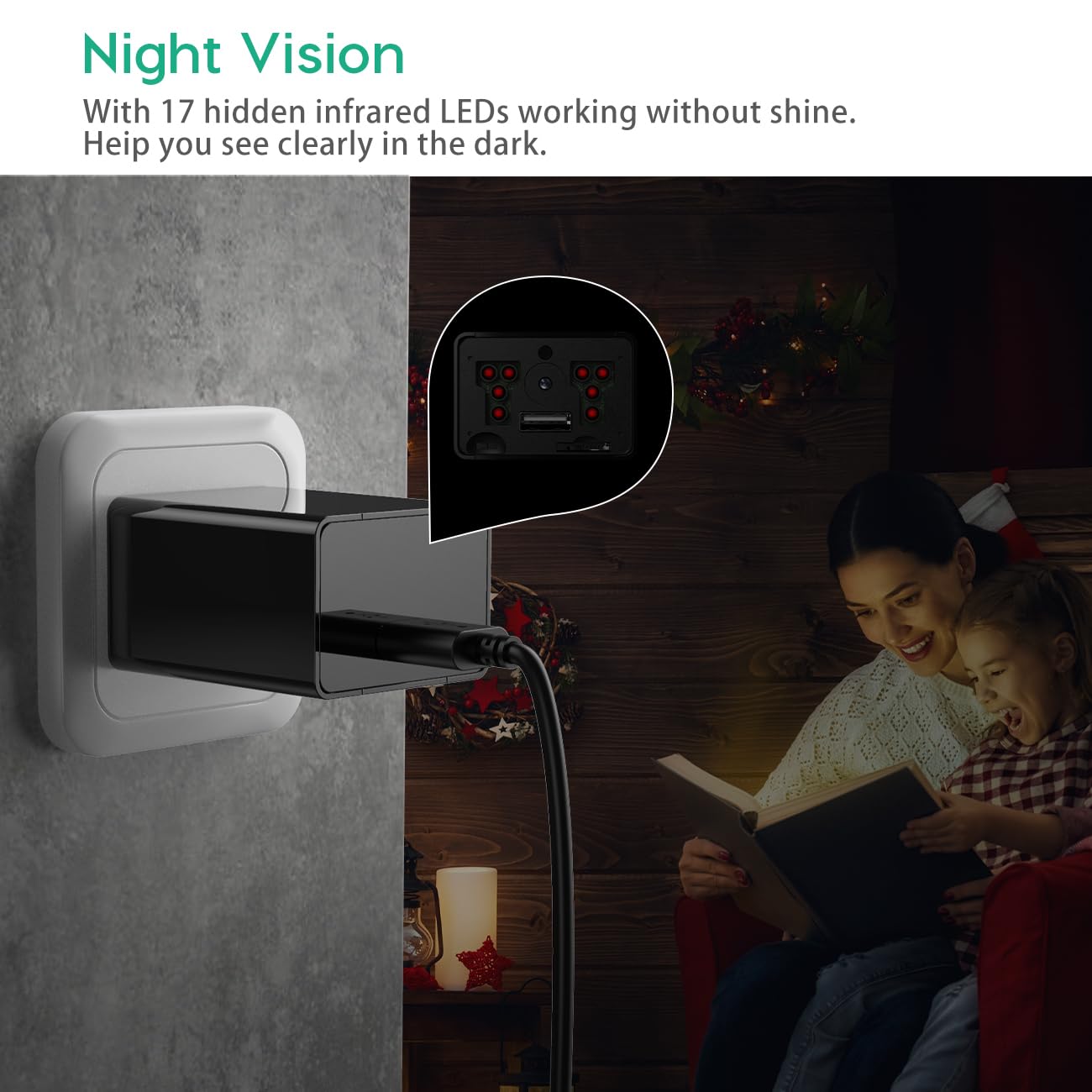
Image 4.1: Demonstration of the camera's night vision capability, showing clear visibility in a dark room.
4.3 Accessing Recordings
- Unplug the camera from the power outlet.
- Remove the front cover and carefully eject the Micro SD card.
- Insert the Micro SD card into the provided card reader.
- Connect the card reader to a computer's USB port.
- Access the recorded video files sou òdinatè w lan.
5. Antretyen
- Netwayaj: Sèvi ak yon twal mou epi sèk pou netwaye lantiy kamera a ak kò a. Evite itilize pwodui netwayaj likid oswa materyèl abrazif.
- SD Kat Jesyon: Regularly back up important recordings. Periodically format the Micro SD card to maintain optimal performance and prevent data corruption.
- Plasman: Ensure the camera is placed in a stable indoor environment, away from direct sunlight, extreme temperatures, and high humidity.
NAN. Depanaj
- Camera is not recording:
- Ensure the camera is properly plugged into a live power outlet.
- Check if the Micro SD card is inserted correctly and is not full.
- Try formatting the Micro SD card.
- Verify the mode switch is set to 'C' for continuous recording or 'M' for motion detection.
- Move kalite videyo:
- Netwaye lantiy kamera a ak yon twal mou.
- Ensure adequate lighting in the recording area, especially for optimal daytime footage.
- Check if the camera is within its effective night vision range during low-light conditions.
- Motion detection is not working:
- Ensure the mode switch is set to 'M' (Motion Detection).
- Verify that the camera's field of view li klè e li pa gen obstak.
- Test the motion detection by moving in front of the camera.
- Pa ka jwenn aksè files sou òdinatè:
- Ensure the Micro SD card is properly inserted into the card reader.
- Try connecting the card reader to a different USB port or computer.
- Check if the Micro SD card is damaged or corrupted.
7. Espesifikasyon
| Non modèl | Capoxo-SQ-21-Charger-NV |
| Rezolisyon | Full HD 1080p (1920x1080) |
| Sipò pou Depo | Kat Micro SD jiska 128GB (pa enkli) |
| Anrejistreman mòd | Loop Recording, Motion Detection |
| Vizyon lannwit Range | Up to 5 meters (via IR LEDs) |
| Sous pouvwa | AC (220V) |
| Koneksyon | USB 2.0 |
| Itilizasyon Andedan kay la / Deyò | Andedan kay la |
| Dimansyon pwodwi | 5.3 x 4.6 x 3.2 cm |
| Pwa atik | 250 g |
| Konpozan ki enkli | Camera, USB Cable, Card Reader |
8. Garanti ak sipò
For any product-related inquiries, technical support, or warranty claims, please contact CAPOXO customer service through your purchase platform or the official CAPOXO website. Please have your model number (Capoxo-SQ-21-Charger-NV) and proof of purchase ready when contacting support.
Please refer to the terms and conditions of your purchase for specific warranty details.