
Alienware AW420K
Klavye jwèt Alienware TENKEYLESS - Manyèl itilizatè AW420K
Model: AW420K
1. Entwodiksyon
This manual provides comprehensive instructions for the Alienware TENKEYLESS Gaming Keyboard, model AW420K. It covers setup, operation, maintenance, troubleshooting, and product specifications to ensure optimal performance and longevity of your device.
2. Pwodwi souview
The Alienware AW420K is a high-performance tenkeyless gaming keyboard designed for competitive gaming and efficient daily use. It features durable construction, customizable RGB lighting, and responsive mechanical switches.

Figi 2.1: Anwo-anba view of the Alienware AW420K Tenkeyless Gaming Keyboard, showcasing konsepsyon kontra enfòmèl ant li yo ak ekleraj dèyè RGB vibran li yo.
2.1 Karakteristik kle
- Konsepsyon san kle: Streamlined form factor for more desk space and improved portability.
- Cherry MX Red Switches: Industry-leading mechanical switches with a 100 million actuation lifecycle for consistent, high-performance keystrokes.
- Ekleraj AlienFX RGB: Per-key RGB lighting configurable through Alienware Command Center software, offering up to 16.8 million colors for personalized aesthetics.
- Kle PBT Double-Shot: Two layers of plastic with legends molded into the cap for enhanced durability and wear resistance.
- Integrated Cable Routing: Channels on the underside of the keyboard for organized cable management.
- Wotè reglabl: Flip-up risers with three height settings for ergonomic typing angles.

Figure 2.2: The compact TKL design of the AW420K keyboard allows for more space on your gaming setup and easy movability.
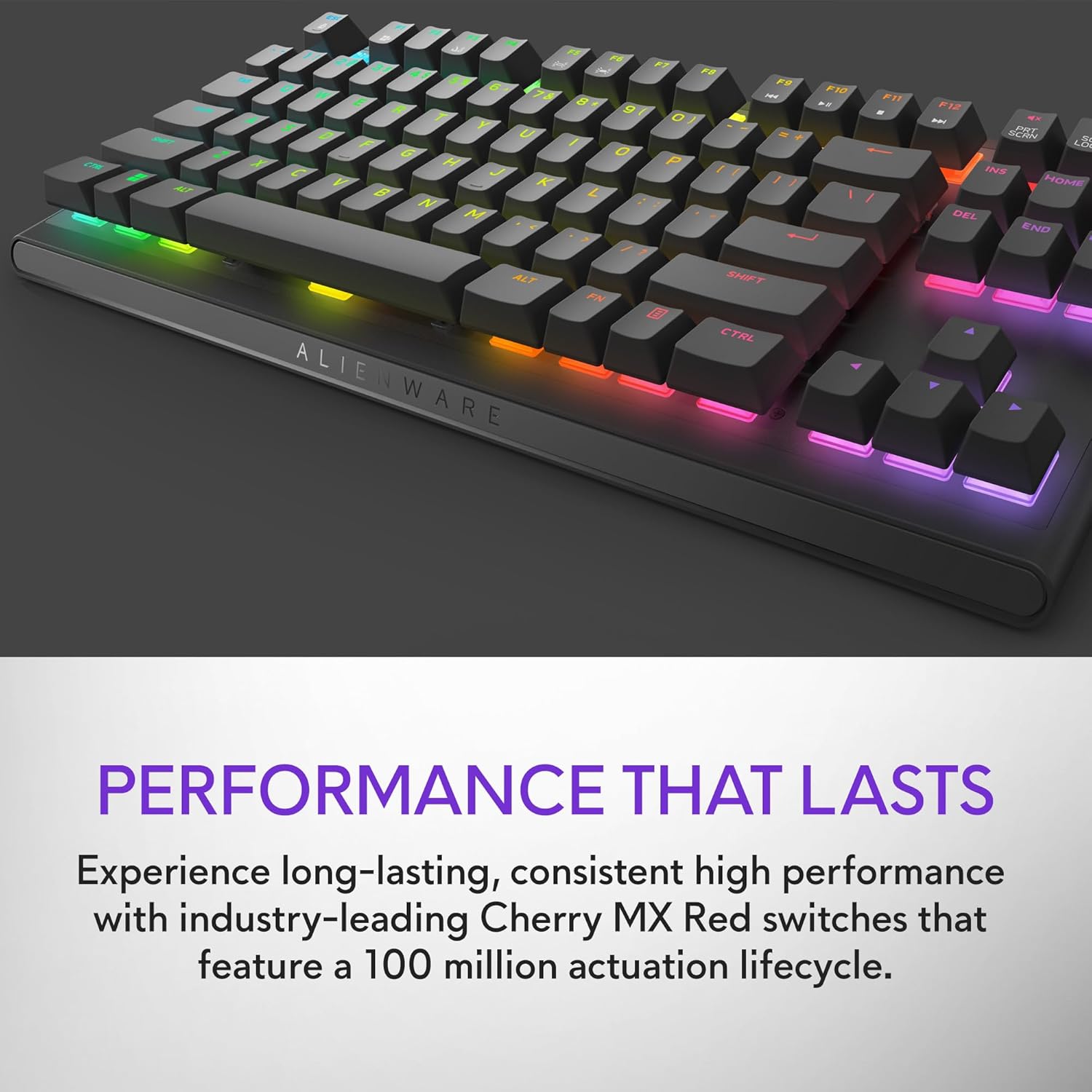
Figure 2.3: The keyboard features Cherry MX Red switches, known for their durability and consistent performance over 100 million keystrokes.

Figure 2.4: Customize your gaming experience with AlienFX per-key RGB lighting, offering up to 16.8 million colors via Alienware Command Center software.
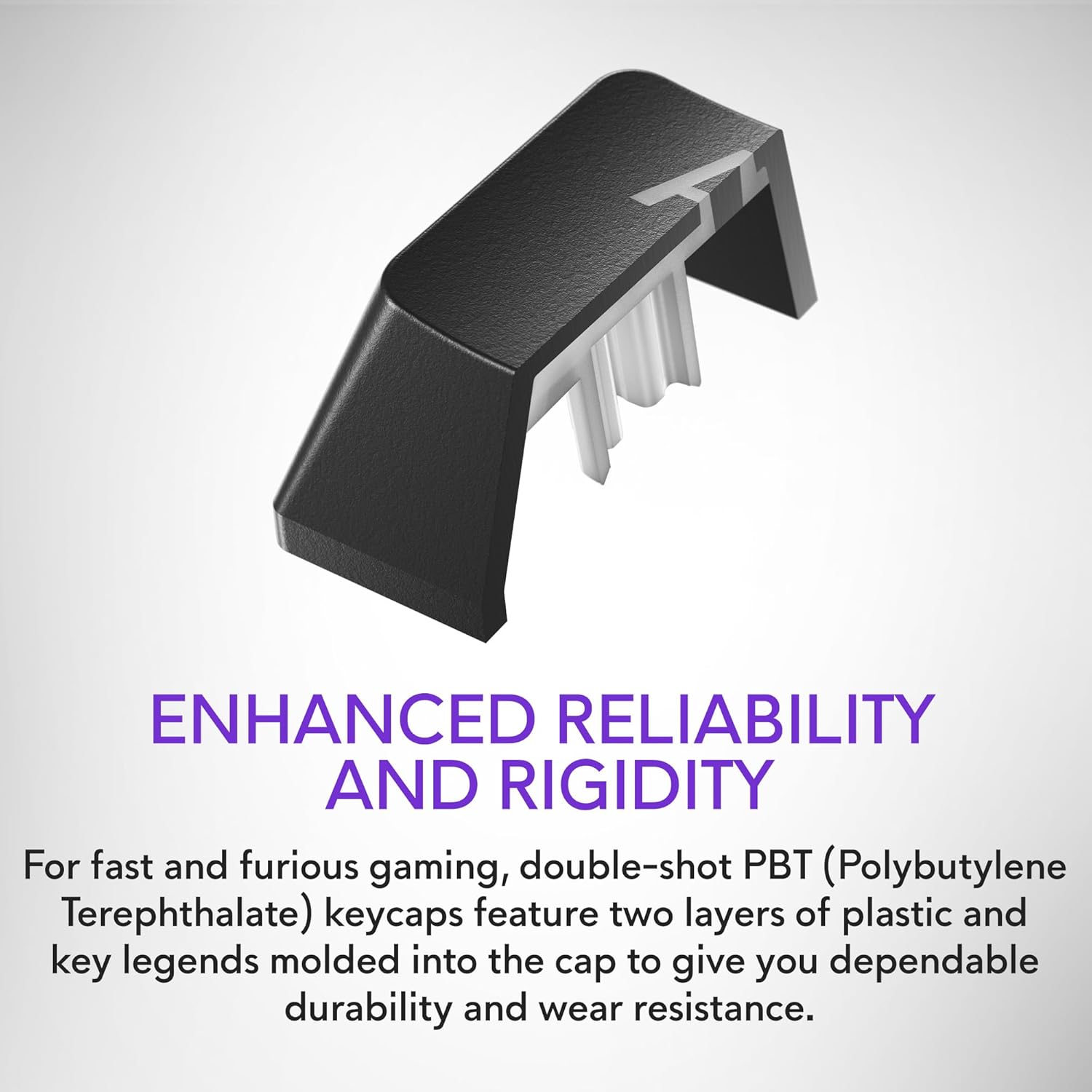
Figure 2.5: Double-shot PBT keycaps provide enhanced reliability and rigidity, ensuring legends do not wear off over time.
3. Enstalasyon
Swiv etap sa yo pou konfigire klavye jwèt Alienware AW420K ou a:
- Depake klavye a: Carefully remove the keyboard and any included accessories from the packaging.
- Konekte kab USB a: The keyboard features a detachable USB paracord cable. Connect the USB-C end to the port on the keyboard's underside.
- Wout kab la: Utilize the integrated cable routing channels on the underside of the keyboard to direct the cable to your preferred setup. This helps in keeping your desk tidy.
- Konekte ak òdinatè: Plug the USB-A end of the cable into an available USB port on your computer. The keyboard is USB powered.
- Ajiste Wotè: Flip up the risers on the back of the keyboard to select one of the three available height settings for your ideal typing angle.
- Enstale lojisyèl (Si ou vle men ou rekòmande): For full customization of RGB lighting and programmable keys, download and install the Alienware Command Center software from the official Alienware support websit.

Figure 3.1: The detachable USB-C cable provides a secure and convenient connection.

Figure 3.2: Integrated cable routing on the underside helps manage the connection cable for a clean setup.

Figure 3.3: Flip-up risers allow for three height settings to achieve your ideal typing angle.
4. Itilizasyon klavye a
The Alienware AW420K keyboard is designed for intuitive use with advanced features for gaming and productivity.
4.1 Fonksyon debaz
- Sezisman: Standard QWERTY layout for general typing.
- Gaming: Responsive Cherry MX Red switches provide a smooth and linear feel, ideal for fast-paced gaming.
- Kontwòl medya yo: Dedicated media keys (e.g., volume roller, mute button) are typically located on the top right of the keyboard for quick audio adjustments.
4.2 Customization with Alienware Command Center
The Alienware Command Center software unlocks the full potential of your keyboard:
- Ekleraj RGB: Customize per-key RGB lighting with a spectrum of 16.8 million colors. Choose from various effects, create your own profiles, and synchronize lighting with other Alienware devices.
- Macro Programmation: Assign complex macros to programmable keys for in-game advantages or streamlined workflows.
- Profile Jesyon: Kreye epi sove plizyè pwofesyonèlfiles for different games or applications, allowing for quick switching of lighting and key assignments.
Video 4.1: An official video demonstrating the features and design of the Alienware Tenkeyless Gaming Keyboard - AW420K, including its RGB lighting and compact form factor.
5. Antretyen
Bon antretyen asire lonjevite ak pèfòmans optimal klavye ou a.
- Netwayaj kle yo: The floating keycap design makes cleaning easy. Use a soft brush or compressed air to remove dust and debris from between the keys. For stubborn grime, gently wipe keycaps with a damp, twal ki pa gen pousyè. Evite twòp imidite.
- Netwayaj chasi a: Wipe the keyboard chassis with a soft, dry cloth. Do not use harsh chemicals or abrasive materials.
- Swen kab: Evite pliye byen file oswa rale kab USB a twòp pou anpeche li domaje.
NAN. Depanaj
If you encounter issues with your Alienware AW420K keyboard, try the following troubleshooting steps:
- Klavye a pa reponn:
- Asire w kab USB a byen konekte ak klavye a ak òdinatè a.
- Eseye branche klavye a nan yon lòt pò USB sou òdinatè w la.
- Rekòmanse òdinatè w lan.
- RGB Lighting Not Working/Customizing:
- Verify that the Alienware Command Center software is installed and up to date.
- Check the software settings to ensure lighting effects are enabled and configured correctly.
- Ensure no conflicting software is running that might interfere with RGB control.
- Kle yo pa anrejistre:
- Clean any debris from under the affected keycap.
- If the issue persists, it may indicate a hardware problem.
Si etap sa yo pa rezoud pwoblèm nan, tanpri al gade seksyon Garanti ak Sipò a pou plis asistans.
7. Espesifikasyon
| Mak | Alienware |
| Non modèl | ALIENWARE TENKEYLESS GAMING KEYBOARD - AW420K |
| Nimewo Modèl Atik | AW420K |
| Platfòm pyès ki nan konpitè | PC |
| Pwa atik | 1.74 liv |
| Dimansyon pwodwi (LxWxH) | 5.81 x 14.46 x 2.19 pous |
| Koulè | Kote nwa Lalin nan |
| Sous pouvwa | USB Powered |
| Manifakti | Dell |
| Koneksyon Teknoloji | USB-C |
| Deskripsyon klavye | Mekanik |
| Kantite kle | 87 |
| Klavye ekleraj | RGB |
| Karakteristik espesyal | Backlit, Programmable Keys, Split Keyset Design |
8. Garanti ak sipò
For warranty information and technical support, please refer to the official Alienware website or contact Alienware customer service. Keep your proof of purchase for warranty claims.
You can typically find support resources, drivers, and software updates on the Sipò Dell Websit (as Alienware is a Dell brand).
Ask a question about this manual
Ask about setup, troubleshooting, compatibility, parts, safety, or missing instructions. Manuals+ will review the question and use this page’s manual context to help answer it.