
1. Entwodiksyon ak souview
The Disney Winnie the Pooh Squish Light is a soft, squeezable night light designed to provide a comforting, warm amber glow. It is suitable for various rooms, including nurseries, bedrooms, playrooms, and living rooms. This light offers adjustable brightness levels and can be powered via USB or AAA batteries, providing flexibility for both stationary and portable use.
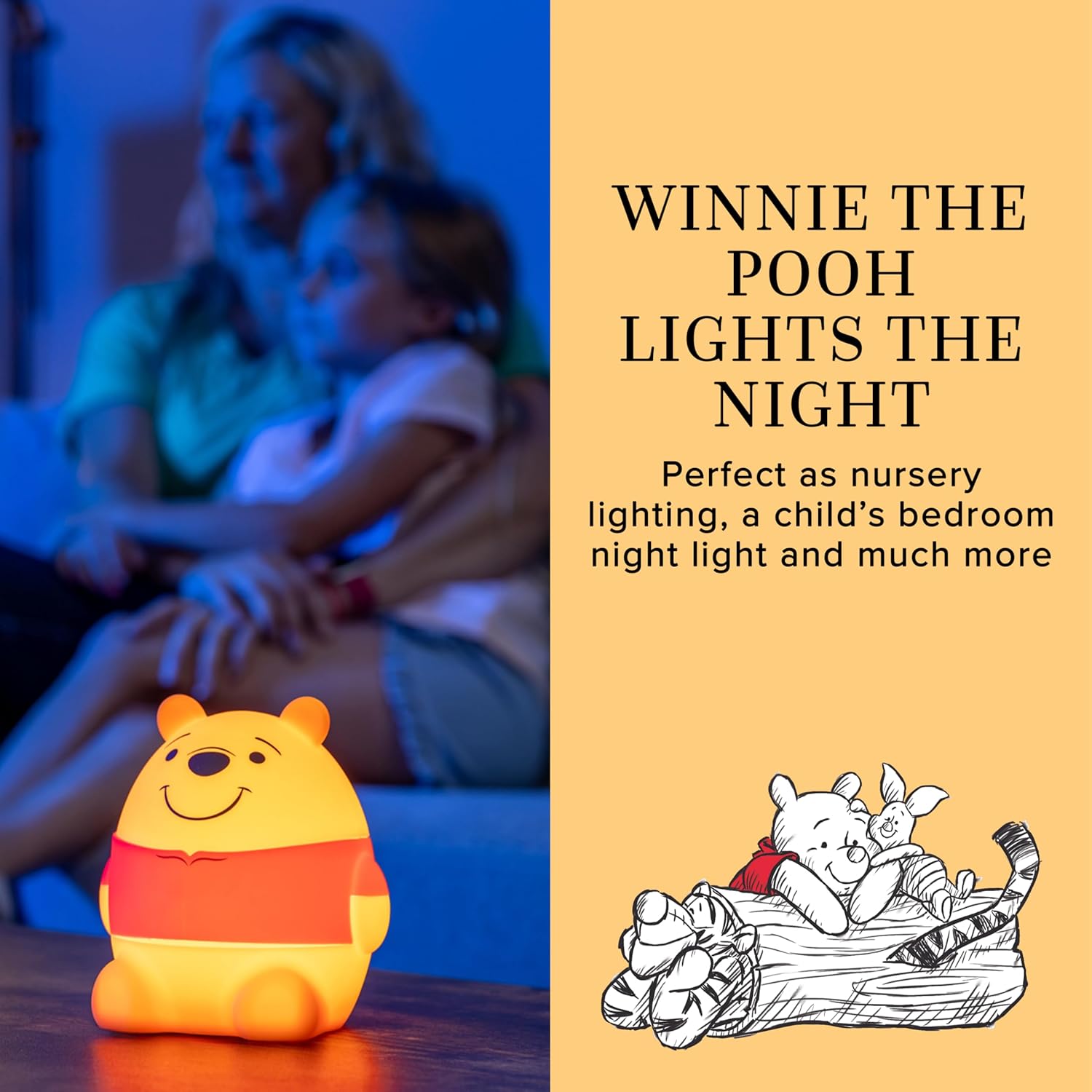
Image: The Winnie the Pooh Squish Light illuminates a room with a soft, warm light, creating a cozy atmosphere.
2. Enfòmasyon sou Sekirite
Tanpri li epi konprann tout enstriksyon sekirite yo anvan ou itilize pwodwi a. Si ou pa swiv enstriksyon sa yo, ou ka pran chòk elektrik, pran dife oswa pran gwo blesi.
- Keep the device away from water and moisture. Do not use in wet environments.
- Pa eseye demonte, repare, oswa modifye aparèy la. Konfye tout antretyen bay pèsonèl kalifye.
- Use only the specified power sources (USB-C cable with a 5V, 1A USB-A adapter or 3 AAA batteries).
- Asire w ke pil yo mete ak polarite ki kòrèk la. Pa melanje pil fin vye granmoun ak pil nèf, oubyen diferan kalite pil.
- Jete pil itilize yo byen selon règleman lokal yo.
- This product is designed to be cool to the touch, but always supervise children during use.
3. Pake kontni
Verifye ke tout atik yo prezan nan pakè a:
- 1 x Disney Winnie the Pooh Squish Light
- 1 x USB-C kab
Nòt: Three AAA batteries and a 5V, 1A USB-A power adapter are required for operation and are not included.
4. Enstalasyon
The Winnie the Pooh Squish Light offers two power options: USB-C cable or AAA batteries.
4.1. USB-C Power Setup
- Locate the USB-C port on the back of the Squish Light.
- Insert the included USB-C cable into the light's port.
- Plug the other end of the USB-C cable into a 5V, 1A USB-A power adapter (not included) or a compatible USB-A port.
- Limyè a se kounye a pare pou itilize.
4.2. Battery Power Setup
- Gently remove the silicone outer shell from the light unit to access the battery compartment on the base.
- Open the battery compartment cover using a small screwdriver (not included).
- Insert three (3) new AAA batteries, ensuring correct polarity (+/-).
- Fèmen kouvèti lòj batri a epi an sekirite li ak vis la.
- Re-attach the silicone outer shell.
- The light is now ready for portable use.

Image: Illustrations demonstrating how to install AAA batteries and connect the USB-C cable for power.
5. Operasyon Enstriksyon
The Winnie the Pooh Squish Light is designed for simple and intuitive operation.
5.1. Power On/Off
- Pou vire limyè a ON, press the power button located on the base of the unit.
- Pou vire limyè a OFF, press and hold the power button for a few seconds.
5.2. Ajiste klète
The light features three brightness levels: Low, Medium, and High.
- Once the light is on, gently tap the light's base to cycle through the brightness levels. Each tap will switch to the next level (Low → Medium → High → Low).

Image: Visual representation of the three dimmable light settings: Low, Medium, and High.
5.3. Squeezable Design
The soft silicone material allows for gentle squeezing. While primarily for tactile comfort, the light's functionality (on/off, dimming) is controlled by the power button and tapping the base.

Image: A hand demonstrating the soft and squeezable feature of the light.
6. Antretyen
To ensure the longevity and proper functioning of your Winnie the Pooh Squish Light, follow these maintenance guidelines:
- Netwayaj: Wipe the exterior of the light with a soft, dry cloth. Do not use abrasive cleaners, solvents, or immerse the unit in water.
- Ranplasman batri: When using battery power, replace all three AAA batteries simultaneously when the light dims or stops functioning. Refer to Section 4.2 for battery installation instructions.
- Depo: If storing the light for an extended period, remove the AAA batteries to prevent leakage and damage. Store in a cool, dry place.
NAN. Depanaj
If you encounter issues with your Winnie the Pooh Squish Light, refer to the following common problems and solutions:
| Pwoblèm | Kòz posib | Solisyon |
|---|---|---|
| Limyè pa limen. | Pa gen kouran oswa batri fèb. | Ensure USB-C cable is securely connected to a working power adapter/port, or replace AAA batteries. |
| Limyè a fèb oswa li ap tranble. | Ba pouvwa batri. | Replace AAA batteries or switch to USB-C power. |
| Cannot change brightness levels. | Incorrect tapping method. | Ensure you are gently tapping the base of the light, not squeezing the body. |
| Light turns off automatically after 60 minutes. | This is a built-in feature when operating on battery power. | This is normal operation. To keep the light on continuously, use USB-C power. |
8. Espesifikasyon
| Karakteristik | Detay |
|---|---|
| Nimewo Modèl | 83063 |
| Dimansyon pwodwi | 4.19"D x 4.73"W x 5.23"H |
| Materyèl de baz | Silicone |
| Kalite sous limyè | dirije |
| Sous pouvwa | Battery Powered (3x AAA, not included) / USB (5V, 1A) |
| Metòd kontwòl | Manyen |
| Karakteristik adisyonèl | Dimmable, Energy Efficient, Portable |
| Koulè | Yellow Pooh Bear Squishy |
| UPC | 030878831895 |
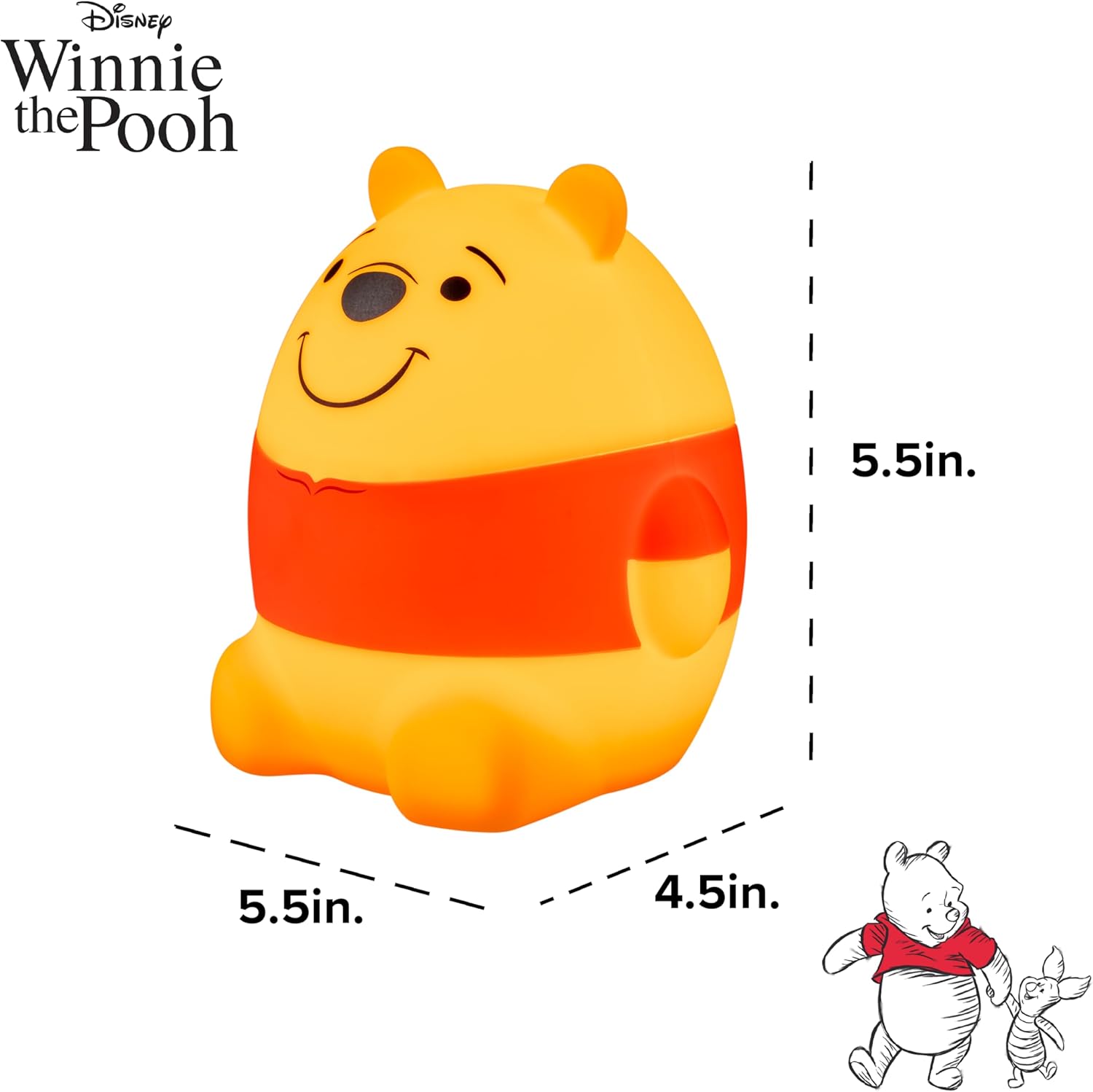
Image: Diagram showing the approximate dimensions of the Winnie the Pooh Squish Light.
9. Garanti ak sipò
9.1. Garanti manifakti a
Pwodwi sa a kouvri pa yon 90-jou garanti limite apati dat acha a. Garanti sa a kouvri domaj fabrikasyon ak atizan konn fè nan itilizasyon nòmal. Li pa kouvri domaj ki koze pa move itilizasyon, aksidan, modifikasyon san otorizasyon, oswa enstalasyon ki pa kòrèk.
Tanpri kenbe prèv ou achte pou reklamasyon garanti.
9.2. Sipò pou Kliyan
For technical assistance, troubleshooting not covered in this manual, or warranty inquiries, please contact Disney customer support through their official websit oswa revandè kote yo te achte pwodwi a.