
1. Entwodiksyon
The Spec5 Spectre-Android Off-Grid Meshtastic Phone combines Android smartphone functionality with advanced LoRa mesh technology. This device is designed for reliable communication in remote areas, making it suitable for outdoor enthusiasts, emergency preparedness, and situations where traditional cellular networks are unavailable.
It offers seamless Android features alongside long-range, low-power LoRa mesh connectivity, ensuring you stay connected even off-grid.
2. Pwodwi souview
The Spec5 Spectre is a robust device featuring a 2.5-inch HD screen, 2GB RAM, and 16GB ROM, running Android 9.0. It integrates a 915 MHz LoRa radio for mesh communication, dual SIM support for cellular networks (3G/2G), GPS, and Wi-Fi hotspot capabilities. The device is housed in a durable PETG case.

Image 2.1: The Spec5 Spectre-Android Off-Grid Meshtastic Phone, showcasing its compact design and external LoRa antenna.
Karakteristik kle:
- Seamless Android Experience: Powered by an MTK processor with 2GB RAM and 16GB ROM, running Android 9.0 on a 2.5-inch HD screen.
- Dual SIM & Dual Connectivity: Supports two Nano SIM cards or one Nano SIM and one MicroSD card, with 3G/2G cellular network compatibility.
- Advanced LoRa Radio Technology: 915 MHz LoRa radio for mesh communication, offering ranges of 1-3 miles in urban areas and up to 5 miles in rural areas.
- Pèfòmans serye batri: 1000mAh phone battery and a separate 1200mAh LoRa board battery for extended use.
- GPS Support for Navigation: Built-in GPS functionality for location tracking and navigation.
- Wi-Fi & Hotspot: Supports Wi-Fi connectivity and can function as a mobile hotspot.
- Konstriksyon dirab: Rugged PETG case designed to withstand outdoor conditions.
- Preloaded Mesh Apps: Includes Meshtastic, Spec5 Mesh Tic-Tac-Toe, Spec5 Checktastic, and Spec5 Mesh Chess.
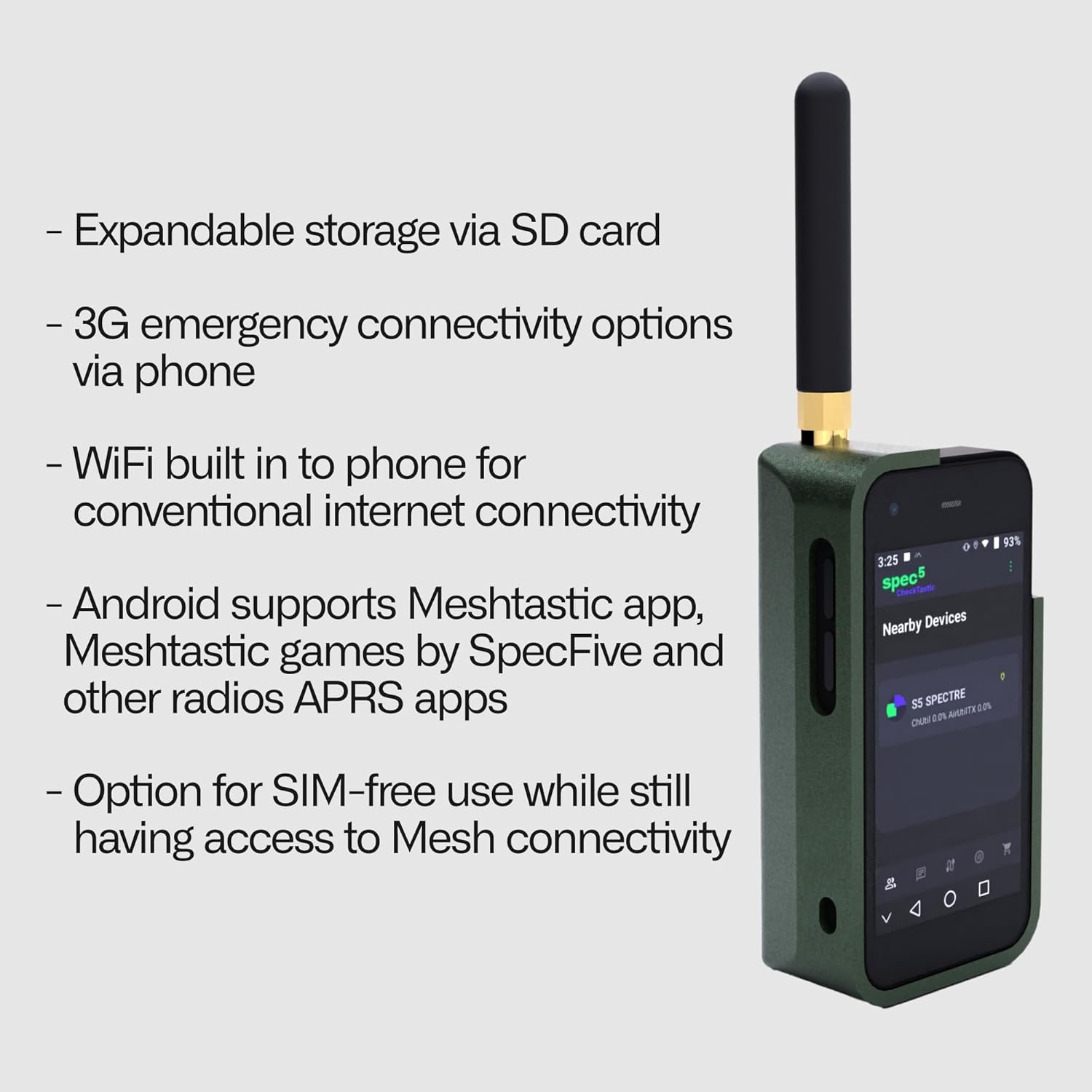
Image 2.2: Visual representation of key features including expandable storage, 3G emergency connectivity, Wi-Fi, Android app support, and SIM-free mesh use.
3. Enstalasyon
3.1 Premye chaj
Before first use, fully charge the device. The phone has a 1000mAh battery, and the integrated LoRa board has a separate 1200mAh battery. Use the provided charging cable and a compatible power adapter.
3.2 Enstalasyon Kat SIM ak MicroSD
The device supports dual Nano SIM cards or a combination of one Nano SIM and one MicroSD card for expanded storage. Locate the SIM/MicroSD card slot, typically on the side or under the battery cover. Insert the cards according to the diagram shown on the device or in the slot tray.
3.3 External LoRa Antenna Attachment
Attach the external LoRa antenna to the designated port on the device. Ensure it is securely fastened to optimize mesh communication range and performance.
3.4 Power On/Off
To power on the device, press and hold the power button until the screen illuminates. To power off, press and hold the power button, then select 'Power off' from the on-screen options.
4. Operasyon Enstriksyon
4.1 Fonksyon Telefòn Debaz yo
The device operates on Android 9.0. Navigate the 2.5-inch HD screen using touch gestures. Access pre-installed applications and standard Android features. The device includes a dual camera (Rear 2.0 MP / Front: 0.3MP) for basic photography.
4.2 Koneksyon selilè
With a Nano SIM card installed, the device supports 3G (WCDMA 900/2100MHZ) and 2G (GSM 850/900/1800/1900MHz) networks for traditional calls and data where available.
4.3 LoRa Mesh Communication (Meshtastic)
The integrated 915 MHz LoRa radio enables off-grid mesh communication via the Meshtastic network. The device comes with the Meshtastic app pre-installed. Ensure the external LoRa antenna is attached for optimal performance.
- Ranje: Expect 1-3 miles in urban environments and 3-5 miles in rural, open areas.
- Koneksyon: Communicate with other LoRa devices, including Spec5 Trekker and Spec5 Beacon units.
- Aplikasyon prechaje: Utilize Meshtastic for messaging and location sharing, along with Spec5 Mesh Tic-Tac-Toe, Spec5 Checktastic, and Spec5 Mesh Chess for entertainment and coordination.

Image 4.1: The Spec5 Spectre combines Android functionality with off-grid mesh connectivity.
4.4 Navigasyon GPS
The built-in GPS module allows for accurate positioning and navigation. Use compatible mapping applications to track your location, plan routes, and share coordinates with other mesh users.
4.5 Wi-Fi and Hotspot Functionality
Connect to available Wi-Fi networks for internet access. The device can also function as a Wi-Fi hotspot, sharing its internet connection (if connected via cellular or another Wi-Fi source) with other devices.

Image 4.2: The Spec5 Spectre is designed for exploration and versatile use in various environments.
5. Antretyen
5.1 Swen Batri
To prolong battery life, avoid extreme temperatures and fully discharging the battery frequently. The phone's 1000mAh battery and the LoRa board's 1200mAh battery provide approximately 3 hours of active communication and 6 hours of standby time for the LoRa function. Charge regularly as needed.
5.2 Netwayaj
Clean the device with a soft, dry, lint-free cloth. Avoid using harsh chemicals or abrasive materials, which can damage the screen or casing. Ensure all ports are free from dust and debris.
5.3 Durabilité
The device features a durable PETG construction, offering resilience against impact and wear. While designed for outdoor conditions, avoid unnecessary drops or exposure to excessive moisture.
NAN. Depanaj
- Aparèy pa limen: Ensure the battery is charged. Connect the device to a charger and attempt to power on after a few minutes.
- No LoRa Mesh Connectivity: Verify the external LoRa antenna is securely attached. Ensure other Meshtastic nodes are within range (1-5 miles depending on terrain). Check Meshtastic app settings for proper configuration.
- Poor Cellular Signal: Check SIM card insertion. Ensure you are in an area with 2G or 3G network coverage.
- Pwoblèm koneksyon Wi-Fi: Confirm Wi-Fi is enabled and you are entering the correct password for the network.
- Batri drenaj byen vit: Reduce screen brightness, close unused applications, and limit background data usage. Ensure both the phone and LoRa board batteries are charging correctly.
7. Espesifikasyon

Imaj 7.1: Plis paseview of the Spec5 Spectre's physical and LoRa specifications.
7.1 Espesifikasyon Telefòn
- CPU: MTK
- Sistèm operasyon: Android 9.0
- Ekran: 2.5 Inch HD, 480x320 resolution
- memwa: 2GB RAM + 16GB ROM
- Batri: 1000mAh
- Kamera: Rear 2.0 MP / Front 0.3 MP
- SIM: Dual Nano SIM or 1 Nano SIM + 1 MicroSD
- Rezo: 3G (WCDMA 900/2100MHZ), 2G (GSM 850/900/1800/1900MHz)
- Koneksyon: GPS, Wi-Fi, Wi-Fi Hotspot
- Tan pou pale: Apeprè 3 èdtan

Image 7.2: Specific details regarding the phone's CPU, memory, display, and network capabilities.
7.2 LoRa Board Specifications
- MCU: ESP32-S3
- LoRa Node Chip: SX1262
- Frekans: 915 MHz
- Batri: 1200 mAh
- Antèn: External LoRa Antenna
- Urban Range: ~1-3 miles
- Rural Range: ~3-5 miles
- Battery Life (Active): 3 èdtan
- Lavi batri (standby): 6 èdtan
7.3 Karakteristik Fizik
- Pwa: 110g
- Dimansyon: 29mm x 44mm x 150mm
- Materyèl ka: PETG
8. Garanti ak sipò
For warranty information and technical support, please refer to the documentation provided with your purchase or contact the seller, SpecFive, LLC, directly. Specific warranty terms and conditions may vary.

Image 8.1: The Spec5 Spectre in an outdoor setting, demonstrating its intended use for off-grid communication during activities like hiking.