
1. Entwodiksyon
This manual provides detailed instructions for the installation, operation, and maintenance of your Junsun 10-inch Touch Screen Car Radio Stereo. Please read this manual thoroughly before using the product to ensure proper functionality and safety. This unit is designed to enhance your driving experience with advanced features and connectivity.
2. Modèl aplikab yo
This Junsun car radio stereo is specifically designed for the following vehicle models:
- Jeep Compass (2010-2016)
- Jeep Patriot (2010-2016)

Image: Comparison of the car dashboard before and after installing the Junsun 10-inch car radio, showing seamless integration.
3. Karakteristik kle
- Sistèm Android 13: Experience smooth and fast operation with the latest Android 13 operating system, providing a comfortable and convenient user experience.
- CarPlay san fil ak Android Auto: Connect your iPhone or Android phone wirelessly or via wired connection to access contacts, notifications, messages, map navigation, and music directly on the car radio display.
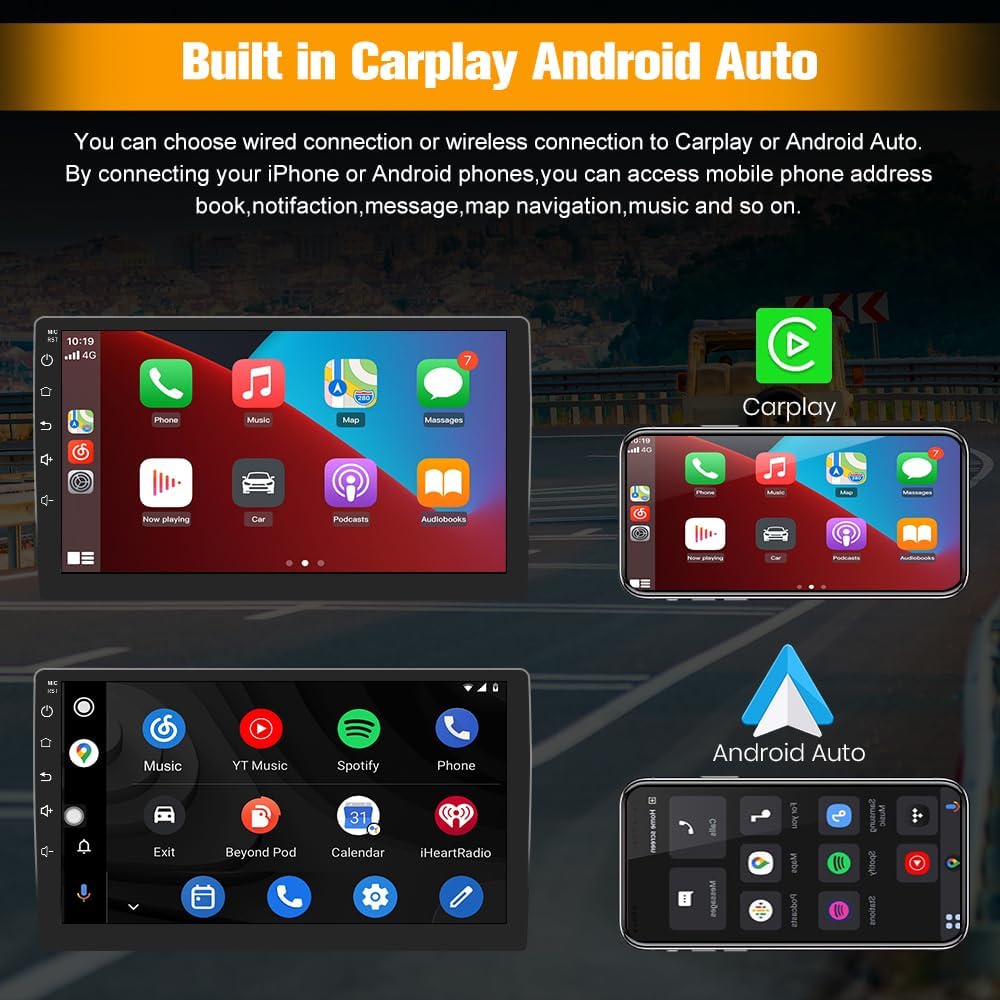
Image: Demonstrates the user interfaces for Apple CarPlay and Android Auto on the Junsun car radio screen.
- GPS Navigation & WiFi Connect: Supports online maps and allows installation or deletion of Android applications from the Application Store, similar to a smartphone. Connect to WiFi for GPS navigation anywhere.

Image: A map showing GPS navigation with estimated travel time and distance on the car radio display.
- Bluetooth: Fast pairing with your phone for hands-free calls. An external microphone ensures clear voice pickup, and car speakers provide precise audio for the person on the other end.
- Radyo FM/AM: Features digital display for precise tuning, providing access to news, music, and live weather broadcasts.
- Kontwòl volan: Easily toggle between radio stations and adjust volume levels using your vehicle's steering wheel buttons, enhancing driving safety and convenience.

Image: Illustrates how steering wheel controls can be used to manage functions on the Junsun car radio, with an on-screen display of button mapping.
- Split-Screen: Utilize the split-screen display for simultaneous navigation and live traffic updates, allowing for safe and efficient multitasking.
- Reversing Image (Backup Camera Support): Bay yon dèyè view and parking assistance when the reverse gear is engaged.
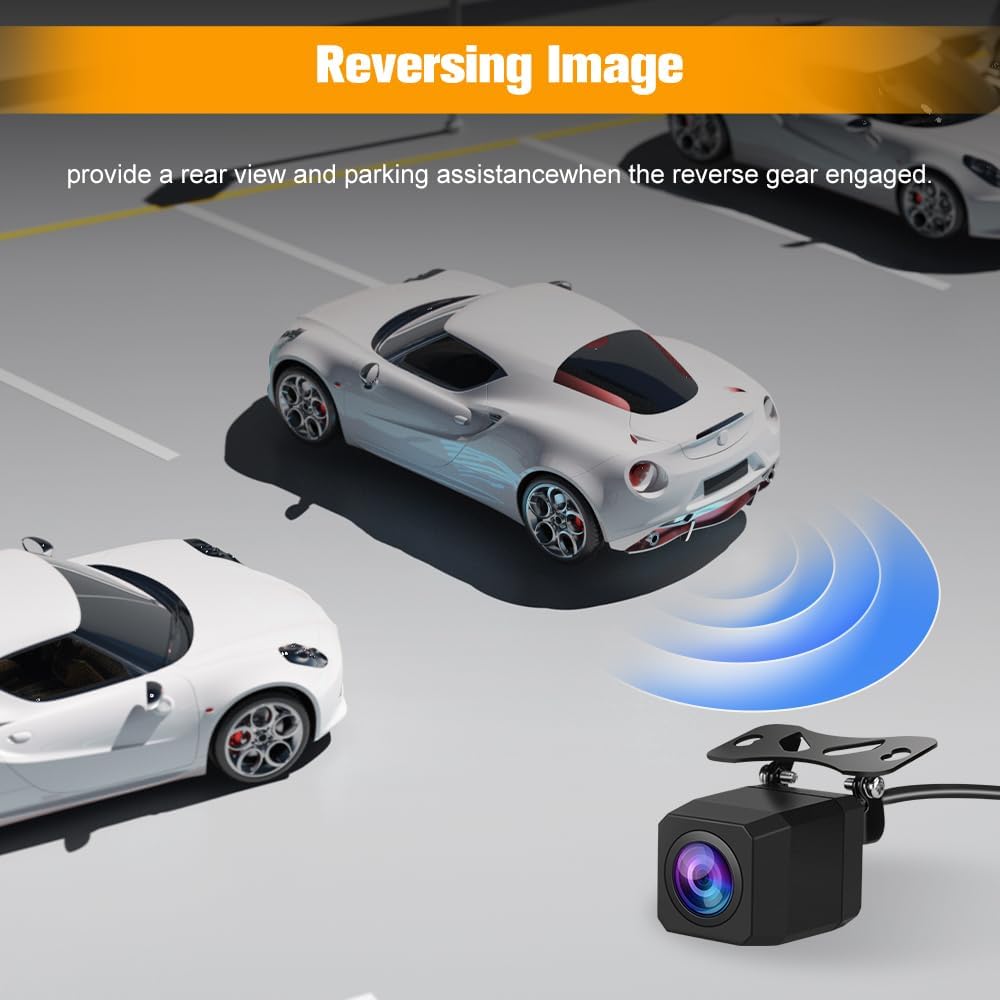
Image: A visual representation of a car using a backup camera, with the rearview displayed on the car radio screen, showing parking guidelines.
- Built-in DSP: Digital Sound Processor for enhanced audio quality and customization.
4. Pake kontni
Verifye ke tout konpozan yo enkli nan pake ou a:
- Junsun 10-inch Car Radio Unit
- Manyèl Enstriksyon
- Pouvwa Câbles
- RCA Cable
- Mikwofòn ekstèn
- Canbus Decoder
- Twous zouti enstalasyon
- Kab Konektè Antèn
- Kab USB (x2)
- RCA Cable for Rear Camera Connection
- GPS Modil

Image: A layout of all items included in the product package, such as the main unit, cables, tools, and accessories.
5. Gid Enstalasyon
Professional installation is recommended. Ensure the vehicle's power is disconnected before starting installation.
5.1. Etap Pre-Enstalasyon yo
- Carefully remove the existing console panel from your dashboard.
- Disconnect the wiring from your existing radio and air conditioning controls.
- Unscrew the vents and AC controls from the original panel.
- Attach the vents and AC controls to your new Junsun unit's panel.
5.2. Koneksyon fil elektrik
The unit comes with pre-wired harnesses. Match the pin configuration to your vehicle's wiring. For audio functionality, ensure the correct white connector is plugged in based on your vehicle's ampestati lifikatè.
- Non Amplifier: Connect the white cap labeled "NO AMP" from the unit to the corresponding white capped end in your vehicle's wiring.
- Avèk Amplifier (Alpine or Infinity system): Connect the white cap labeled "WITH AMP" from the unit to the corresponding white capped end in your vehicle's wiring.

Image: Detailed wiring diagram illustrating the connection points for the Junsun car radio, specifically highlighting the white connectors for vehicles with and without an amplifier.
5.3. Backup Camera Installation (Optional)
If installing a backup camera, connect the RCA cable from the camera to the designated input on the car radio. Ensure the camera's power and signal wires are correctly connected to the vehicle's reverse light circuit for automatic activation.
5.4. Final Asanble
Carefully route all wires and secure the new unit into the dashboard. Ensure all connections are firm before reassembling the console panel.
6. Operasyon
6.1. Navigasyon debaz
The unit features a 10-inch touchscreen for intuitive control. Tap icons to open applications and swipe to navigate menus.
6.2. CarPlay / Android Auto
To use CarPlay or Android Auto, connect your smartphone via USB or wirelessly. Follow the on-screen prompts to establish the connection. Once connected, your phone's compatible apps will appear on the radio display.
6.3. Navigasyon GPS
Access the pre-installed navigation app or download your preferred map application from the app store. Ensure a stable WiFi connection for online maps. The GPS module provides accurate positioning.
6.4. Fonksyon Bluetooth
Pair your phone via Bluetooth settings to make hands-free calls or stream audio. Access your phonebook and call history directly from the unit.
6.5. Radyo (FM/AM)
Select the Radio application. Use the digital tuner to find and save your favorite FM and AM stations. Utilize steering wheel controls for quick station changes and volume adjustments.
6.6. Split-Screen Mode
To activate split-screen, long-press the recent apps button or follow the specific instructions within the Android 13 interface to run two applications simultaneously.
7. Antretyen
- Netwayaj: Sèvi ak yon twal mou epi sèk pou netwaye ekran an ak aparèy la. Evite pwodui netwayaj abrazif oswa solvan.
- Mizajou lojisyèl: Periodically check for software updates through the unit's settings to ensure optimal performance and access to new features.
- Kondisyon anviwònman: Evite ekspoze aparèy la nan tanperati ekstrèm oswa anba limyè solèy dirèk pou yon peryòd tan pwolonje.
NAN. Depanaj
8.1. Pa gen pouvwa
- Check all wiring connections, especially the main power harness.
- Verify vehicle fuses are intact and not blown.
- Ensure the correct wiring harness adapter is used and properly connected.
8.2. Pa gen Sòti Odyo
- Confirm the white connector for amplifier/non-amplifier systems is correctly plugged in (refer to Section 5.2).
- Tcheke koneksyon fil oratè yo.
- Adjust volume levels and equalizer settings.
8.3. Bouton yo pa reponn
- Fè yon rekòmanse sistèm.
- Tcheke pou nenpòt obstak fizik.
- If the issue persists, contact customer support for potential software or hardware diagnosis.
8.4. Radio Presets Resetting
- Ensure the constant power (memory) wire is correctly connected to a continuous 12V source.
- This issue may indicate a power interruption to the unit's memory.
8.5. Poor Bluetooth Call Quality
- Ensure the external microphone is properly installed and positioned.
- Tcheke pou entèferans nan lòt aparèy elektwonik.
- Adjust microphone sensitivity settings if available.
9. Espesifikasyon
| Karakteristik | Detay |
|---|---|
| Pwa atik | 5.3 liv |
| Dimansyon pake | 15.43 x 13.03 x 7.36 pous |
| Gwosè ekspozisyon | 10 pous |
| Sistèm operasyon | Android 13 |
| Kapasite Depo memwa | 64 GB |
| Koneksyon Teknoloji | Bluetooth, fil |
| Karakteristik espesyal | Wireless CarPlay, Android Auto, GPS Navigation, FM/AM Radio, Steering Wheel Control, Split-Screen, Built-in DSP |
| Kalite aliye | Dach mòn |
| Kalite Sèvis Machin | SUV (Jeep Compass, Jeep Patriot) |
10. Garanti ak sipò
10.1. Enfòmasyon sou Garanti
This product comes with a 1-year manufacturer's warranty from the date of purchase. Please retain your proof of purchase for warranty claims. The warranty covers manufacturing defects but does not cover damage caused by improper installation, misuse, or accidents.
10.2. Sipò pou Kliyan
For technical assistance, troubleshooting, or warranty inquiries, please contact Junsun customer support. Our team is available to help you with any questions or issues you may encounter.
Imèl: Junsun-US@outlook.com

Image: Junsun customer support contact details, including an email address for inquiries.