
PRORECK FREEDOM 10
PRORECK FREEDOM 10 Portable PA Speaker User Manual
800W 10'' Portable Powered Bluetooth Wireless PA Speaker
1. Entwodiksyon
Thank you for choosing the PRORECK FREEDOM 10 Portable PA Speaker. This active loudspeaker is designed for versatility and powerful sound, making it ideal for events, karaoke, DJ performances, and outdoor gatherings. It features an 800W peak power output, a 10-inch subwoofer, a 1-inch titanium treble speaker, and includes two wireless microphones and a remote control. Its portable design with a handle and wheels ensures easy transport.

Image: The PRORECK FREEDOM 10 Portable PA Speaker, showcasing its main unit, two wireless microphones, and remote control.
2. Pake kontni
Tanpri tcheke kare a pou atik sa yo:
- 1 x Active Speaker (PRORECK FREEDOM 10)
- 2 x Microphones Wireless
- 1 x kontwòl remote
- 1 x pouvwa kab
- 1 x Manyèl Itilizatè (dokiman sa a)
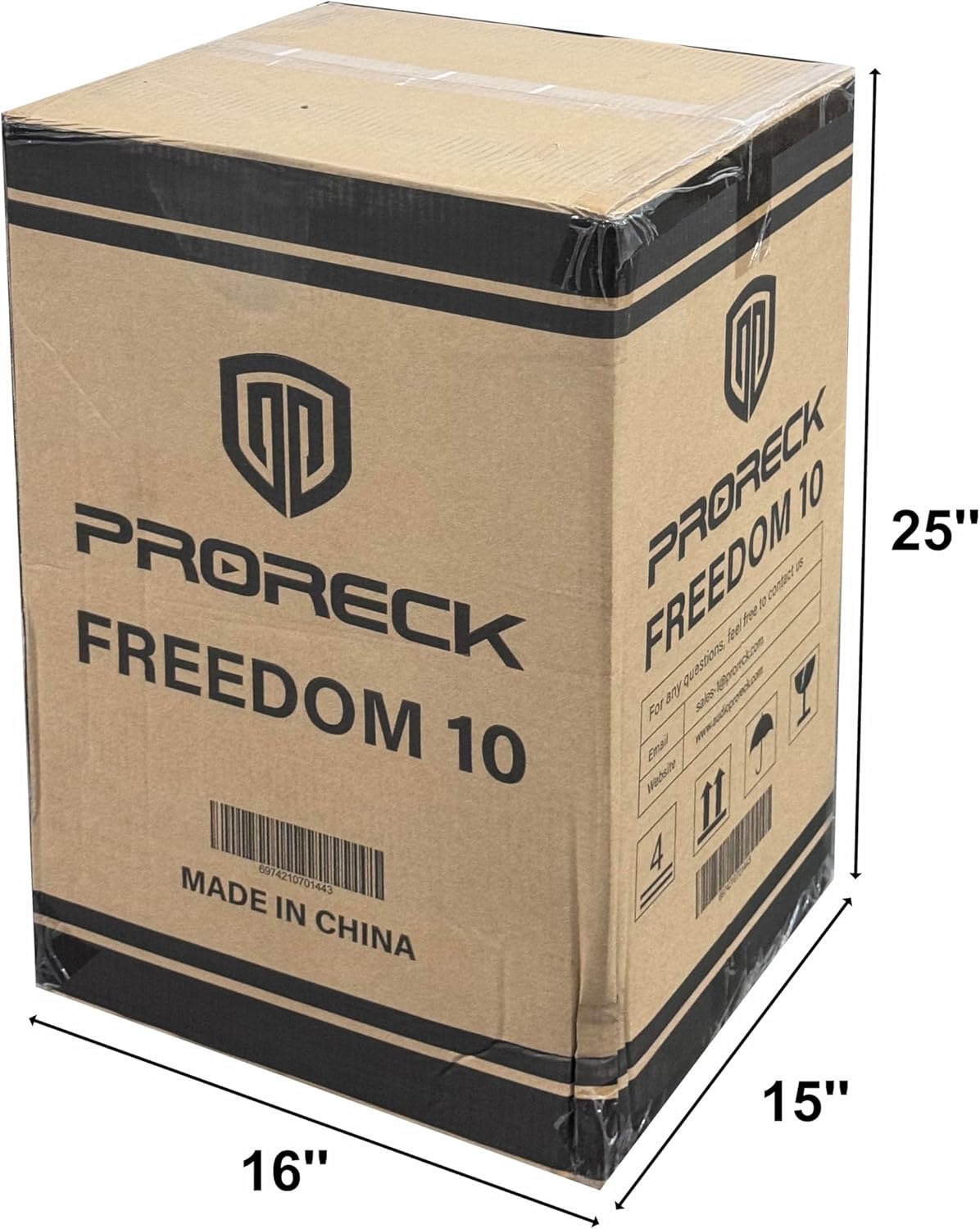
Image: The PRORECK FREEDOM 10 product packaging box, indicating dimensions and branding.
3. Pwodwi Features
- Son pwisan: Equipped with a 10'' subwoofer and a 1'' titanium treble speaker, delivering 800W peak power.
- Karaoke pare: Includes 2 wireless microphones with 5 sound controls (volume, treble, bass, reverb, echo) for a customizable karaoke experience.
- Long lavi batri: High-performance batteries provide up to 6 hours of continuous playback at 75% volume on a single charge.
- Antre miltip: Features USB, SD, Bluetooth, RCA AUX IN, 2 MIC IN, and Guitar IN for wide applicability.
- Konsepsyon pòtab: Integrated pull rod and bottom rollers for easy transportation.
- Depo mikwofòn: Hidden compartment for convenient storage of microphones when not in use.

Imaj: Detaye view of the PRORECK FREEDOM 10 speaker, highlighting the 2-inch speaker mount hole and the integrated microphone storage case.
4. Kontwòl ak Koneksyon
Familiarize yourself with the control panel located on the rear of the speaker:

Image: Diagram of the PRORECK FREEDOM 10 control panel, with numbered labels indicating various inputs and controls.
- Selector Signal Input: For MP3/Bluetooth/FM modes.
- Antenna Receiver: For wireless microphone and FM radio reception.
- MUSIC Volume Settings: Adjusts the overall music playback volume.
- MUSIC TREBLE Volume Settings: Adjusts the high frequencies of the music.
- MUSIC BASS Volume Settings: Adjusts the low frequencies of the music.
- Mic Treble Settings: Adjusts the high frequencies for microphone input.
- Mic Bass Settings: Adjusts the low frequencies for microphone input.
- Mic Reverb Settings: Controls the reverb effect for microphones.
- Mic Echo Settings: Controls the echo effect for microphones.
- Mic Volume Settings: Adjusts the volume of the microphone inputs.
- Guitar Volume Settings: Adjusts the volume of the guitar input.
- 1/4" MIC Input: Input jack for wired microphones.
- 1/4" GUITAR Input: Input jack for a guitar.
- RCA AUX Input: Stereo RCA input for external audio devices.
- RCA AUDIO Output: Stereo RCA output for connecting to another speaker or audio system.
- Pouvwa switch: Limen oswa etenn oratè a.
- DC Resources: 12V DC input for external power source (e.g., car battery).
- Sous pouvwa AC: Standard AC power input (110V AC).
5. Enstalasyon
5.1 Debalaj ak plasman
- Ak anpil atansyon retire tout eleman nan anbalaj la.
- Mete oratè a sou yon sifas ki plat e ki estab. Asire w ke gen ase vantilasyon toutotou aparèy la.
- For optimal sound, position the speaker at ear level or slightly above. The speaker can be mounted on a standard 2-inch speaker pole (pole not included).
5.2 Chaje Oratè a
- Before first use, fully charge the speaker for approximately 6-8 hours.
- Connect the supplied AC power cable to the AC Power Source (18) input on the rear panel and plug it into a standard wall outlet.
- The charging indicator light will show RED during charging and turn GREEN when fully charged.
5.3 Mikwofòn Wireless
- The included wireless microphones are pre-paired with the speaker.
- Insert 2x AA batteries (not included) into each microphone.
- Limen mikwofòn yo avèk bouton pouvwa respektif yo.
6. Operasyon Enstriksyon
6.1 Limen/Etenyen
- To power on the speaker, flip the Power Switch (16) to the "ON" position.
- To power off, flip the Power Switch (16) to the "OFF" position.
6.2 Bluetooth Koneksyon
- Limen oratè a.
- Press the Mode button on the Selector Signal Input (1) or the remote control until "Bluetooth" mode is selected.
- On your Bluetooth-enabled device (smartphone, tablet, etc.), search for "PRORECK FREEDOM 10" in the Bluetooth settings.
- Select the speaker to pair. A confirmation tone will sound when successfully connected.
- Adjust the MUSIC Volume Settings (3) on the speaker and your device.
6.3 Lekti Kat USB/SD
- Mete yon kle USB oswa yon kat SD (ki deja chaje ak dosye odyo MP3) files) into the respective slot on the Selector Signal Input (1).
- The speaker will automatically switch to USB/SD mode and begin playback.
- Use the controls on the Selector Signal Input (1) or the remote control to play, pause, skip tracks, and adjust volume.
6.4 Itilizasyon Mikwofòn
- Turn on the wireless microphones.
- Adjust the Mic Volume Settings (10) to your desired level.
- Experiment with Mic Treble (6), Mic Bass (7), Mic Reverb (8), and Mic Echo (9) settings to customize your sound.
- For wired microphones, connect them to the 1/4" MIC Input (12).
6.5 Antre Gita
- Connect your guitar to the 1/4" GUITAR Input (13).
- Adjust the Guitar Volume Settings (11) to balance with other audio sources.
6.6 RCA AUX IN/OUT
- AUX NAN: Connect external audio devices (e.g., CD player, mixer) to the RCA AUX Input (14) using an RCA cable.
- ODYO SOTI: Connect the RCA AUDIO Output (15) to another powered speaker or recording device to expand your sound system or record your performance.

Image: A person actively using the PRORECK FREEDOM 10 speaker with a wireless microphone, demonstrating its use for vocal performances.
7. Antretyen
- Netwayaj: Wipe the speaker's exterior with a soft, dry cloth. Do not use abrasive cleaners or solvents.
- Swen batri: For optimal battery life, avoid fully discharging the battery regularly. Recharge the speaker after each use, especially if it will be stored for an extended period.
- Depo: Sere oratè a nan yon kote ki fre epi sèk, lwen limyè solèy dirèk ak tanperati ekstrèm.
- Transpò: Utilize the pull rod and wheels for easy movement. Ensure the handle is fully extended and locked when pulling.

Image: The PRORECK FREEDOM 10 speaker shown with its dimensions, demonstrating the extendable handle and wheels for portability.
NAN. Depanaj
- Pa gen pouvwa:
- Asire w ke kab kouran an byen konekte ak oratè a ak yon priz kouran ki fonksyone.
- Check if the Power Switch (16) is in the "ON" position.
- If operating on battery, ensure the battery is charged.
- Pa gen son:
- Verify that the MUSIC Volume Settings (3) and source device volume are turned up.
- Check if the correct input mode (Bluetooth, USB, SD, AUX) is selected via the Selector Signal Input (1).
- Ensure all cables (RCA, 1/4" jack) are properly connected.
- Mikwofòn pa travay:
- Ensure the wireless microphones are turned on and have fresh batteries.
- Adjust the Mic Volume Settings (10) on the speaker.
- Confirm the microphones are within range of the speaker's antenna.
- Pwoblèm koneksyon Bluetooth:
- Asire w ke oratè a nan mòd Bluetooth.
- Delete "PRORECK FREEDOM 10" from your device's Bluetooth list and try pairing again.
- Move your device closer to the speaker to ensure a strong signal.
- Son defòme:
- Reduce the volume of the speaker or the input source to prevent clipping.
- Tcheke pou koneksyon kab ki lach.
- Adjust the MUSIC TREBLE (4) and MUSIC BASS (5) settings.
9. Espesifikasyon
| Karakteristik | Spesifikasyon |
|---|---|
| Nimewo Modèl | FREEDOM 10 |
| Sòti Wattage | 800 Watt (pik) |
| Gwosè Oratè | 10'' Subwoofer, 1'' Titanium Treble Speaker |
| Sous pouvwa | Battery Powered / AC Powered |
| Lavi batri | Jiska 6 èdtan (nan 75% volim) |
| Koneksyon Teknoloji | Bluetooth |
| Entrain Audio | USB, SD, Bluetooth, RCA AUX IN, 2 MIC IN (1/4"), Guitar IN (1/4") |
| Sòti odyo | RCA AUDIO Output |
| Koulè | Nwa |
| Kalite aliye | Kanpe etaj |
10. Garanti ak sipò
PRORECK products are designed for reliability and performance. For specific warranty information and customer support, please refer to the warranty card included with your purchase or visit the official PRORECK websit la. Kenbe prèv acha ou a pou nenpòt reklamasyon garanti.
For technical assistance or inquiries, please contact PRORECK customer service.
Ask a question about this manual
Ask about setup, troubleshooting, compatibility, parts, safety, or missing instructions. Manuals+ will review the question and use this page’s manual context to help answer it.