
1. Entwodiksyon
Thank you for choosing the Intenso O400HA Over-Ear Headphones. These headphones are designed to provide a superior audio experience with advanced features such as Hybrid Active Noise Cancelling (ANC), Transparency Mode, and Bluetooth 5.3 connectivity. This manual will guide you through the setup, operation, and maintenance of your new headphones.
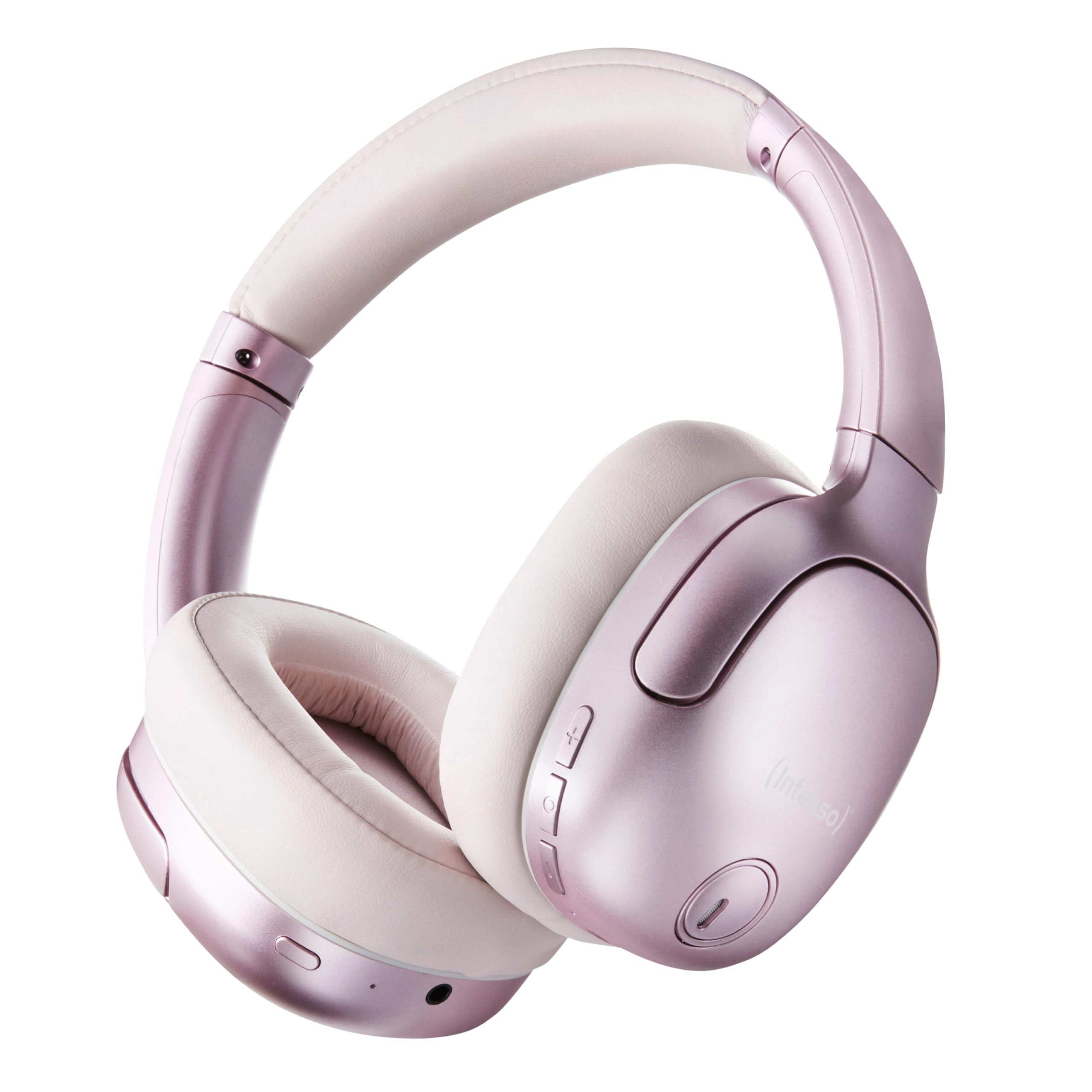
Image 1.1: Intenso O400HA Over-Ear Headphones (Pink)
The Intenso O400HA headphones feature a comfortable over-ear design with soft ear pads, an adjustable headband, and intuitive controls on the earcups.
2. Pake kontni
Tanpri tcheke pake a pou atik sa yo:
- Intenso O400HA Over-Ear Headphones
- USB-C USB-C chaje kab
- 1.5m Audio Cable (3.5mm jack)
- Manyèl itilizatè
3. Pwodwi souview
Familiarize yourself with the various parts and controls of your Intenso O400HA headphones.

Imaj 3.1: Kote view of Intenso O400HA headphones with controls
This image displays the right earcup with its control buttons and ports. These typically include power, volume, multi-function buttons, and a charging port.
Kontwòl ak pò:
- Bouton pouvwa: Itilize pou limen/etenn kas ekoutè yo epi kòmanse koneksyon Bluetooth la.
- Bouton Volim Monte/Pwochen Mizik: Ogmante volim nan avèk yon ti peze, sote nan pwochen mizik la avèk yon peze long.
- Bouton Diminye Volim/Mizik Presedan: Li diminye volim nan avèk yon ti peze, li ale nan mizik anvan an avèk yon peze long.
- Bouton milti-fonksyon (MFB): Controls playback (play/pause), answers/ends calls, activates voice assistant.
- Bouton Mòd ANC/Transparans: Toggles between Hybrid Active Noise Cancelling, Transparency Mode, and normal mode.
- USB-C chaje pò: Pou chaje kas ekoutè yo.
- 3.5mm Audio Jack: Pou koneksyon filaire.
- Mikwofòn: Internal and external microphones for ANC and calls.
4. Enstalasyon
4.1. Chaje kas ekoutè yo
Anvan premye itilizasyon an, chaje kas ekoutè ou yo nèt.
- Connect the supplied USB-C charging cable to the USB-C port on the headphones.
- Konekte lòt bout kab la nan yon adaptè kouran USB (pa enkli) oubyen nan yon pò USB òdinatè.
- Endikatè LED la ap montre eta chaj la. Anjeneral, li etenn oswa chanje koulè lè li fin chaje nèt.
A full charge takes approximately 2 hours. A quick charge of 15 minutes provides up to 6 hours of playtime.
4.2. Pè Bluetooth
Pou konekte kas ekoutè ou yo ak yon aparèy ki gen Bluetooth:
- Asire w ke kas ekoutè yo etenn.
- Press and hold the Power button for approximately 5-7 seconds until the LED indicator flashes blue and red, indicating pairing mode.
- Sou aparèy ou an (telefòn entelijan, tablèt, òdinatè pòtab), ale nan paramèt Bluetooth epi aktive Bluetooth.
- Chèche pou available devices and select "Intenso O400HA" from the list.
- Once connected, the LED indicator will typically flash blue slowly or remain solid blue.
Kas ekoutè yo ap eseye otomatikman rekonekte ak dènye aparèy ki konekte a lè yo limen yo.
5. Itilizasyon kas ekoutè yo
5.1. Power On/Off
- Pouvwa sou: Peze epi kenbe bouton Pouvwa a pandan 2-3 segonn.
- Pouvwa Off: Peze epi kenbe bouton Pouvwa a pandan 3-4 segonn.
5.2. Audio Modes: ANC, Transparency, Music
The Intenso O400HA headphones offer three distinct audio modes to suit your environment.

Imaj 5.1: Plis paseview of Noise Control Modes
This image illustrates the key noise control technologies: Hybrid Active Noise Cancellation (ANC) for reducing ambient noise, Environmental Noise Cancellation (ENC) for clear calls, and Transparency Mode for hearing your surroundings.

Image 5.2: Hybrid Active Noise Cancelling Explained
This diagram shows how Hybrid ANC works using both external and internal microphones to filter out up to 95% of ambient noise, such as engine sounds.
- Anilasyon Bri Aktif Ibrid (ANC): Press the ANC/Transparency Mode button to activate. This mode significantly reduces ambient noise, ideal for travel or noisy environments.
- Mòd transparans: Press the ANC/Transparency Mode button again to switch to Transparency Mode. This allows external sounds to pass through, enabling you to hear your surroundings without removing the headphones.
- Normal Mode (Music Mode): Press the ANC/Transparency Mode button a third time to return to normal mode, where ANC and Transparency are off. This mode provides balanced sound for a comprehensive listening experience.
5.3. Jwe mizik ak apèl
- Jwe/Poz: Peze bouton milti-fonksyon an (MFB) yon ti tan.
- Pwochen Track: Peze bouton Volim Monte a pandan lontan.
- Track Previous: Peze bouton Diminye Volim nan pandan lontan.
- Volim moute: Peze bouton Volim Monte a yon ti tan.
- Volim desann: Peze bouton Diminye Volim nan yon ti tan.
- Reponn/Fen Apèl: Kout peze MFB la.
- Rejte apèl: Peze MFB a pandan lontan.
- Aktive Asistan Vwa: Doub peze MFB la.
5.4. Wired Connection (Passive Mode)
You can use the headphones in passive mode even if the battery is depleted or if you prefer a wired connection.
- Konekte yon bout kab odyo 3.5mm lan nan priz odyo ki sou kas ekoutè a.
- Konekte lòt bout la nan sòti odyo 3.5mm aparèy ou an.
Note: ANC and Transparency modes may not function or may have reduced performance when using the wired connection without power.
6. Antretyen
To ensure the longevity and optimal performance of your Intenso O400HA headphones, follow these maintenance guidelines:
- Netwayaj: Sèvi ak yon twal mou epi sèk pou netwaye kas ekoutè yo. Pa sèvi ak pwodui netwayaj abrazif, solvan, oswa pwodui chimik ki agresif.
- Depo: Store the headphones in a cool, dry place away from direct sunlight and extreme temperatures. When not in use, it is recommended to store them in a protective case (if provided or purchased separately).
- Ekspozisyon dlo: Kas ekoutè sa yo pa enpèmeyab. Evite ekspoze yo a dlo, imidite, oswa lapli.
- Swen batri: For optimal battery life, avoid fully discharging the battery frequently. Charge the headphones regularly, even if not used for extended periods.
- Swen kab: Handle the charging and audio cables gently. Avoid bending or twisting them excessively.
NAN. Depanaj
Si ou rankontre nenpòt pwoblèm ak kas ekoutè ou yo, gade pwoblèm ak solisyon komen sa yo:
| Pwoblèm | Kòz posib | Solisyon |
|---|---|---|
| Kas ekoutè yo pa limen | Batri ki ba | Chaje kas ekoutè yo konplètman. |
| Pa ka konekte via Bluetooth | Kas ekoutè a pa nan mòd koneksyon; Bluetooth aparèy la etenn; Entèferans | Ensure headphones are in pairing mode (flashing blue/red). Turn Bluetooth on your device. Move closer to the device. Forget previous pairings and try again. |
| Pa gen son oswa volim ki ba | Volume too low; Incorrect audio source; Loose cable (wired mode) | Increase volume on headphones and device. Check if the correct audio output is selected on your device. Ensure 3.5mm cable is securely connected. |
| ANC pa efikas | ANC not activated; Improper fit | Peze bouton ANC a pou aktive li. Ajiste kas ekoutè yo pou yo byen chita sou zòrèy ou. |
| Distorsion son | Distance from device; Interference; Low battery | Move closer to your device. Avoid strong electromagnetic fields. Charge the headphones. |
8. Espesifikasyon
| Karakteristik | Detay |
|---|---|
| Non modèl | Over-Ear O400HA |
| Koneksyon Teknoloji | Wireless (Bluetooth 5.3) / Wired (3.5mm jack) |
| Kontwòl bri | Anilasyon Bri Ibrid |
| Lavi batri | Jiska 75 èdtan |
| Tan pou chaje | Approximately 2 Hours (15 min for 6 hours playtime) |
| Wireless Range | Jiska 15 mèt |
| Repons Frekans | 20 Hz a 20 KHz |
| Enpedans | 32 Ohms |
| Metòd kontwòl | Touch/Buttons |
| Pwa | 0.25 Kilogram |
| Materyèl | Elastomè tèmoplastik (TPE) |
| Aparèy konpatib | Mobile phones, Laptops, Tablets, Gaming Consoles, Car Audio Systems |
9. Garanti ak sipò
Intenso products are designed for reliability and performance. For warranty information and customer support, please refer to the warranty card included with your purchase or visit the official Intenso websit la. Kenbe prèv acha ou a pou nenpòt reklamasyon garanti.
For further assistance, you may contact Intenso customer service through their official channels.