
ZZB WP-03C
ZZB WP-03C Bluetooth Speaker User Manual
Model: WP-03C
1. Entwodiksyon
Mèsi pou acha aasing the ZZB WP-03C Bluetooth Speaker. This portable wireless speaker is designed to deliver clear, loud stereo sound with dynamic lighting effects, suitable for various indoor and outdoor environments. It features IPX5 water resistance, Bluetooth 5.3 connectivity, and multiple playback options.
2. Pake kontni
Tanpri tcheke pake a pou atik sa yo:
- ZZB WP-03C Bluetooth Speaker
- Pouvwa kab
- Manyèl Itilizatè (dokiman sa a)
3. Pwodwi souview
Familyarize w ak konpozan ak kontwòl oratè a.

Figi 3.1: Devan view of the ZZB WP-03C Bluetooth Speaker, showcasing its compact design and integrated light bar.

Figi 3.2: The speaker demonstrating its IPX5 water resistance, with water splashing around it.
3.1 Kontwòl ak Pò
- Bouton pouvwa: Peze epi kenbe pou limen/ete.
- Bouton Volim Monte/Pwochen Mizik: Peze yon ti kras pou ogmante volim, peze lontan pou pwochen mizik la.
- Bouton Diminye Volim/Mizik Presedan: Peze yon ti kras pou bese volim nan, peze lontan pou ale nan mizik anvan an.
- Bouton jwe/poz: Press to play or pause music, answer/end calls.
- bouton mòd: Press to switch between Bluetooth, FM Radio, AUX, and TF/SD card modes.
- Limyè bouton: Peze pou chanje mòd limyè yo oubyen pou etenn limyè yo.
- Pò chaje: USB-C pò pou chaje.
- Pò AUX-in: Antre odyo 3.5mm pou koneksyon filaire.
- Plas pou kat TF/SD: Pou jwe mizik dirèkteman nan yon kat memwa.
- Mikwofòn: Pou apèl men-gratis.
4. Enstalasyon
4.1 Chaje Oratè a
- Connect the provided power cable to the speaker's charging port.
- Konekte lòt bout kab la nan yon adaptè kouran USB (pa enkli) oubyen nan yon pò USB òdinatè.
- Limyè endikatè chaj la ap limen. Li pral etenn oswa chanje koulè yon fwa li fin chaje nèt.
- Yon chaj konplè pran apeprè 2-3 èdtan anjeneral.
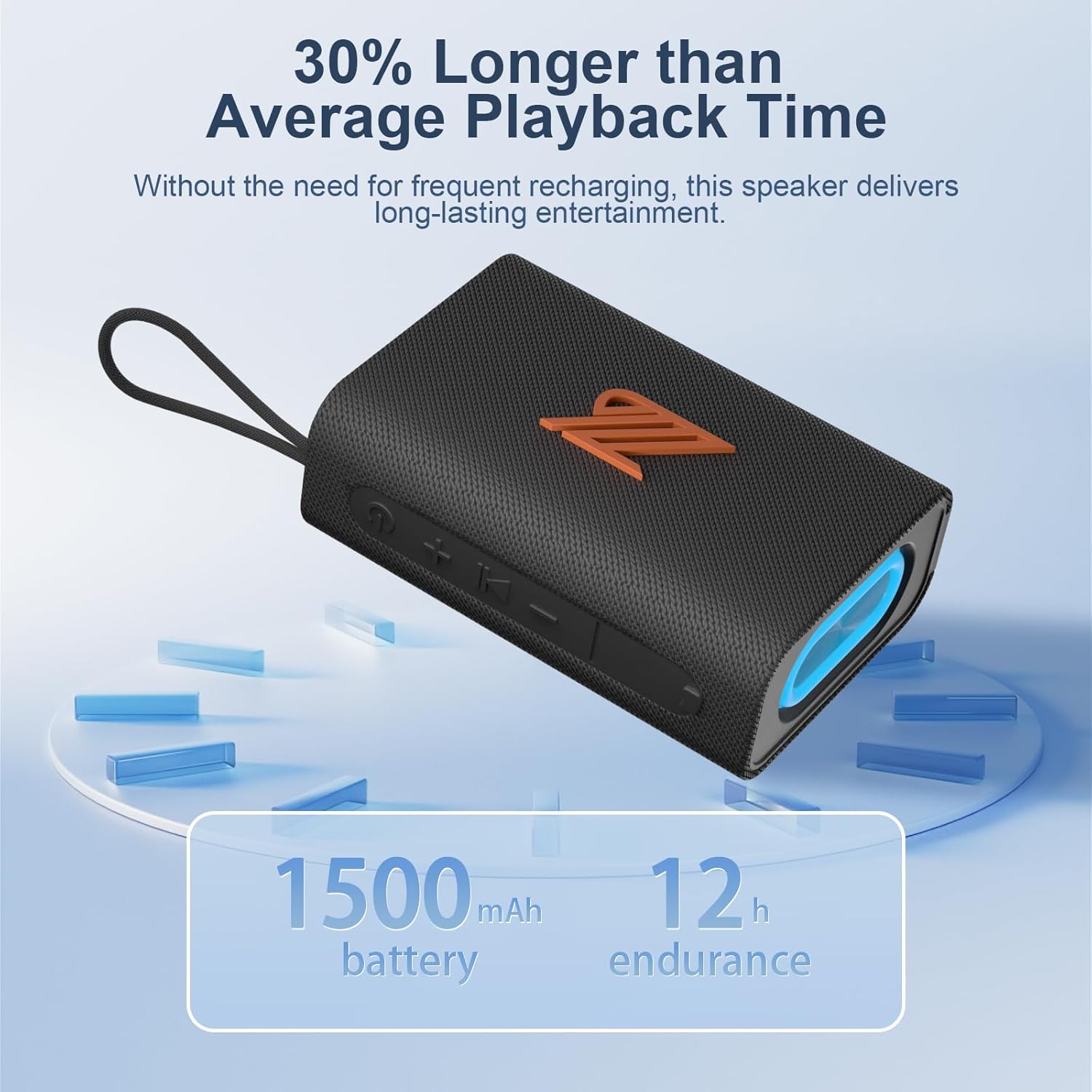
Figi 4.1: The speaker highlighting its 1500mAh battery, providing up to 12 hours of playback.
4.2 Limen/Etenyen
- Pou limen: Peze epi kenbe bouton Pouvwa a pandan 2-3 segonn jiskaske ou tande yon endikasyon sonab epi limyè endikatè a limen.
- Pou etenn: Peze epi kenbe bouton Pouvwa a pandan 2-3 segonn jiskaske ou tande yon siy ak limyè endikatè a etenn.
5. Operasyon Enstriksyon
5.1 Bluetooth Pairing
- Ensure the speaker is powered on and in Bluetooth mode (indicated by a flashing blue light). If not, press the Mode button to switch to Bluetooth mode.
- Sou aparèy ou an (telefòn entelijan, tablèt, elatriye), aktive Bluetooth epi chèche aparèy ki disponib yo.
- Select "ZZB WP-03C" from the list of devices.
- Once paired, the speaker will emit an audible confirmation, and the blue indicator light will stop flashing and remain solid.
- Oratè a ap rekonekte otomatikman ak dènye aparèy ki konekte a lè li limen, si Bluetooth aparèy la aktif epi li nan zòn li.

Figi 5.1: Demonstrating Bluetooth connection between a smartphone and the ZZB WP-03C speaker for music playback.
5.2 Vrèman san fil stereo (TWS) koneksyon
To achieve a true stereo sound experience, you can pair two ZZB WP-03C speakers together.
- Asire w ke tou de oratè yo limen epi yo pa konekte ak okenn aparèy Bluetooth.
- On one speaker (this will be the primary speaker), double-press the Power button (or a dedicated TWS button if available, refer to physical controls). You will hear a prompt indicating TWS pairing mode.
- Oratè prensipal la ap chèche oratè segondè a. Yon fwa konekte, tou de oratè yo ap fè yon son konfimasyon.
- Kounye a, konekte aparèy ou an ak oratè prensipal la atravè Bluetooth jan sa dekri nan Seksyon 5.1.
- Kounye a, odyo a pral jwe an stereo nan tou de oratè yo.

Figi 5.2: Two ZZB WP-03C speakers positioned to illustrate True Wireless Stereo (TWS) functionality.
5.3 Playing Music from TF/SD Card
- Insert a TF/SD card (with MP3 audio files) into the designated slot on the speaker.
- The speaker will automatically switch to TF/SD card mode and begin playing music. If not, press the Mode button to select TF/SD card mode.
5.4 Mòd AUX-in
- Connect one end of a 3.5mm audio cable (not included) to the speaker's AUX-in port.
- Connect the other end to the audio output jack of your non-Bluetooth device.
- The speaker will automatically switch to AUX-in mode. If not, press the Mode button to select AUX-in mode.
5.5 FM Radio Mode
- Peze bouton Mòd la plizyè fwa jiskaske ou antre nan mòd Radyo FM.
- To auto-scan and save available stations, press the Play/Pause button. The speaker will scan and store stations.
- Use the Volume Up/Down buttons (short press) to navigate between saved stations.
- For better reception, ensure the speaker is in an open area.
5.6 Fonksyon Rele
- When connected via Bluetooth, incoming calls will be announced.
- Reponn apèl: Peze bouton Jwe/Paz la yon fwa.
- Fini apèl: Peze bouton Jwe/Pòz la yon fwa pandan yon apèl.
- Rejte apèl: Peze epi kenbe bouton Jwe/Paz la pou 2 segonn.
- Recomposition Dènye Nimewo: Doub peze bouton jwe/poz la.
5.7 mòd limyè
The speaker features dynamic LED lights. Press the Light button to cycle through different light patterns or to turn the lights off.
6. Antretyen
- Netwayaj: Siye oratè a ak yon mou, damp twal. Pa sèvi ak pwodui netwayaj abrazif oswa solvang.
- Rezistans dlo: The speaker is IPX5 water-resistant, meaning it can withstand splashes and light rain. Do not submerge the speaker in water. Ensure the charging port cover is securely closed when exposed to water.
- Depo: Sere oratè a nan yon kote ki fre epi sèk, lwen limyè solèy dirèk ak tanperati ekstrèm.
- Swen batri: To prolong battery life, fully charge the speaker before first use and recharge it at least once every three months if not used regularly.
NAN. Depanaj
| Pwoblèm | Kòz posib | Solisyon |
|---|---|---|
| Oratè pa limen. | Batri ki ba. | Chaje oratè a nèt. |
| Pa ka konekte atravè Bluetooth. | Bluetooth pa aktive sou aparèy la; oratè a pa nan mòd koneksyon; li twò lwen aparèy la. | Ensure Bluetooth is on; put speaker in pairing mode; move device closer (within 40 feet). |
| Pa gen son. | Volim twò ba; mòd ki pa kòrèk la chwazi; aparèy la pa ap jwe. | Increase volume; check mode (Bluetooth, AUX, TF/SD); ensure device is playing. |
| Resepsyon radyo FM ki fèb. | Siyal fèb; entèferans. | Move speaker to an open area; try rescanning stations. |
| Koneksyon TWS la echwe. | Oratè yo deja konekte ak yon lòt aparèy; yo twò lwen youn ak lòt. | Disconnect speakers from other devices; ensure speakers are close to each other during TWS pairing. |
8. Espesifikasyon
| Non modèl: | WP-03C |
| Mak: | ZZB |
| Koneksyon: | Bluetooth 5.3, AUX-in, TF/SD Card |
| Audio Sòti Mode: | Stereo |
| Pouvwa Sòti Oratè: | 20 Watts |
| Rezistans dlo: | IPX5 |
| Kapasite batri: | 1500 mAh Lityòm Ion |
| Tan Lektur: | Jiska 12 èdtan (nan volim modere) |
| Antre chaje: | 5 Volts |
| Gamme Bluetooth: | Jiska 40 pye (12 mèt) |
| Dimansyon pwodwi: | 4.92"D x 3.34"W x 1.77"H (12.5cm x 8.5cm x 4.5cm approx.) |
| Pwa atik: | 0.34 kilogram (12 ons) |
| Eleman ki enkli: | Pouvwa kab |
9. Enfòmasyon sou Garanti
The ZZB WP-03C Bluetooth Speaker comes with a limited warranty. Please refer to the warranty card included in your package or contact customer support for details regarding warranty coverage and terms.
10. Sipò pou Kliyan
If you encounter any issues or have questions regarding your ZZB WP-03C Bluetooth Speaker, please contact our customer support team. Contact information can typically be found on the product packaging or on the official ZZB websit.
Ask a question about this manual
Ask about setup, troubleshooting, compatibility, parts, safety, or missing instructions. Manuals+ will review the question and use this page’s manual context to help answer it.