
Enstriksyon Sekirite Enpòtan
Before using this elliptical trainer, please read all instructions carefully. Keep this manual for future reference.
- Konsilte yon doktè anvan ou kòmanse nenpòt pwogram egzèsis.
- Kenbe timoun ak bèt kay lwen ekipman an pandan w ap itilize.
- Place the elliptical on a level surface with adequate clearance around it.
- Mete rad espò ak soulye atletik ki apwopriye.
- Pa depase pwa maksimòm itilizatè a ki se 113 kg (250 lbs).
- Enspekte ekipman an pou wè si li gen pyès ki ize oswa ki lach anvan chak itilizasyon. Pa sèvi avè l si li domaje.
- Asire ke tout boulon ak nwa yo byen sere.
- Sispann fè egzèsis imedyatman si ou santi ou ap fèb, ou gen vètij, oswa ou gen doulè.
- Use the elliptical only for its intended purpose as described in this manual.
Kontni pake
Verifye ke tout konpozan yo prezan anvan ou kòmanse asanblaj la:
- Konsole
- Manyèl Itilizatè (dokiman sa a)
- Twous zouti
- Volan Asanble
- Konpozan prensipal ankadreman yo
- Pedals and Arms
- Estabilizatè
Si nenpòt pati ki manke oswa ki domaje, kontakte sipò kliyan imedyatman.
Enstalasyon ak Asanble
Assembly typically requires two people. Follow the detailed instructions provided in the included assembly guide. The tool kit contains necessary wrenches and an Allen key. A Phillips head screwdriver (not included) may also be required.
- Debake: Carefully remove all components from the packaging. Place them on a clear, level surface. Retain packaging materials until assembly is complete.
- Stabilizer Installation: Attach the front and rear stabilizers to the main frame using the provided bolts and washers.
- Upright Assembly: Secure the upright post to the main frame. Ensure all wiring connections are properly routed and connected as per the assembly guide.
- Pedal Arms and Pedals: Attach the pedal arms to the flywheel mechanism and then secure the foot pedals to the pedal arms. Pay attention to left and right markings.
- Console Attachment: Connect the console wiring to the upright post's wiring. Mount the console securely to the upright post.
- Tcheke final la: Before first use, ensure all bolts, nuts, and connections are tight and secure. Test the movement of the pedals and handlebars for smooth operation.

Image: The ProForm Sport Elliptical fully assembled, illustrating its compact design and key structural components. Dimensions are approximately 150 cm (length) x 65 cm (width) x 156 cm (height).

Image: A user tilting the elliptical to engage the front transport wheels, demonstrating how to easily move the machine for storage or repositioning.
Enstriksyon Operasyon
Konsole Plis paseview
The console features a 5-inch LCD display, resistance control buttons, and a device holder. It provides real-time workout data and allows for iFIT integration.

Imaj: Detaye view of the console, highlighting the 5-inch (12.7 cm) LCD display, resistance buttons (1-20), tablet holder, and integrated 2-inch (5 cm) Bluetooth enabled speakers.
Ajiste rezistans
The ProForm Sport Elliptical features 20 levels of digital magnetic resistance. This Silent Magnetic Resistance (SMR) system provides a smooth and quiet workout.
- Ajisteman manyèl: Use the '+' and '-' buttons on the console to increase or decrease the resistance level during your workout.
- Quick Resistance Buttons: The console also features quick-select buttons (1-20) to jump directly to a desired resistance level.
Using iFIT
The elliptical is designed for seamless integration with the iFIT platform, offering a personalized training experience.
- Konekte aparèy ou an: Place your smartphone or tablet on the integrated device holder. Connect your device to the elliptical via Bluetooth.
- iFIT App: Download and open the iFIT app on your device. An iFIT membership is required to access the full library of workouts.
- Personalized Workouts: iFIT offers over 10,000 on-demand workouts led by expert trainers. The SmartAdjust™ technology automatically adjusts the elliptical's resistance to match the workout intensity and your fitness level.
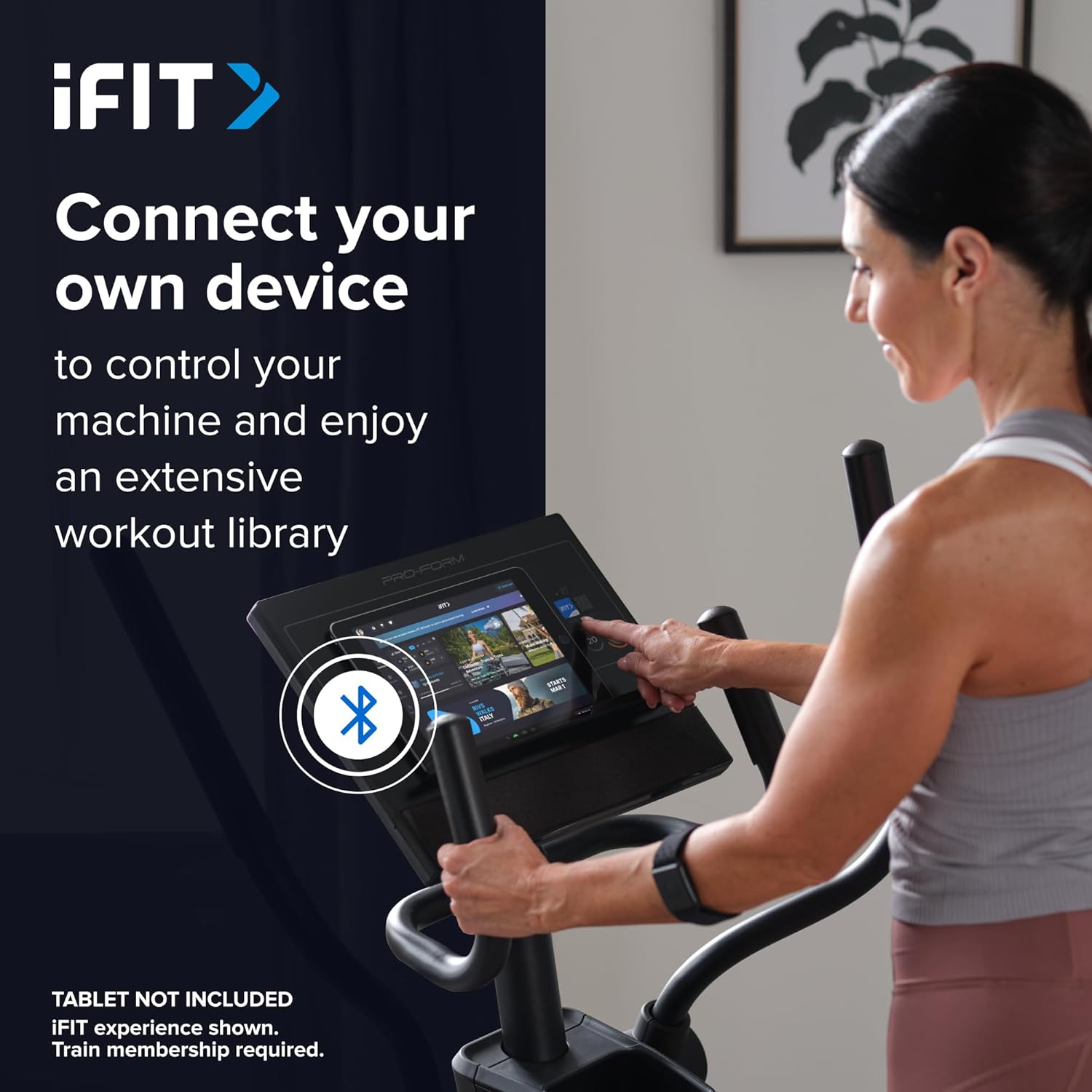
Image: A user connecting a tablet to the elliptical's console, demonstrating how to use a personal device to control the machine and access the iFIT workout library.

Image: An illustration detailing iFIT Train Membership benefits, including the 'Follow Trainer' feature where the machine adjusts to match trainer intensity, and 'SmartAdjust™' for personalized workout intensity based on fitness level.
Koneksyon Bluetooth
The elliptical's console includes Bluetooth-enabled speakers. You can connect your personal device to play audio directly through the elliptical's speakers.
- Peyaj: Pèmèt Bluetooth sou aparèy ou an. Chèche pou the elliptical's Bluetooth name (usually "ProForm Elliptical" or similar) and pair.
- Lektur odyo: Once paired, audio from your device will play through the elliptical's 2-inch (5 cm) speakers.
Antretyen
Regular maintenance ensures the longevity and optimal performance of your ProForm Sport Elliptical.
- Netwayaj: Wipe down the elliptical after each use with a damp twal pou retire swe ak pousyè. Evite pwodui netwayaj abrazif oswa solvan.
- Enspeksyon: Periodically check all bolts, nuts, and moving parts for tightness and wear. Tighten any loose fasteners. Replace worn parts immediately.
- Lubrifikasyon: Refer to the detailed assembly guide for specific lubrication points and recommended lubricants, if any.
- Depo: Store the elliptical in a dry, clean environment away from extreme temperatures and direct sunlight.
Depanaj
| Pwoblèm | Kòz posib | Solisyon |
|---|---|---|
| Konsòl la pa limen. | Power adapter not connected; power outlet issue; console wiring loose. | Ensure power adapter is fully plugged into the elliptical and a working outlet. Check console wiring connections. |
| Elliptical makes noise during use. | Loose bolts or components; parts requiring lubrication; worn bearings. | Inspect and tighten all visible bolts and nuts. Refer to the assembly guide for lubrication points. If noise persists, contact customer support. |
| Rezistans pa chanje. | Console malfunction; internal resistance mechanism issue. | Ensure console is properly connected. If using iFIT, check app connection. If problem persists, contact customer support. |
| Bluetooth audio not connecting. | Device Bluetooth off; elliptical not in pairing mode; interference. | Ensure Bluetooth is enabled on your device. Restart both device and elliptical. Try pairing again. Move closer to the elliptical. |
Espesifikasyon
| Non modèl: | ProForm Sport Elliptical |
| Nimewo Modèl: | PFEL54925-INT |
| Mak: | ProForm |
| Dimansyon (L x W x H): | 150 cm x 65 cm x 156 cm (59.1 pous x 25.6 pous x 61.4 pous) |
| Pwa atik: | 52.7 kg (116.2 liv) |
| Max Pwa Itilizatè: | 113 kg (250 liv) |
| Mekanis rezistans: | Magnetic (Silent Magnetic Resistance - SMR) |
| Nivo rezistans: | 20 Nivo Dijital |
| Longè Stride: | 40.6 cm (16 pous) |
| Ekspozisyon: | 5-pous LCD |
| Koneksyon: | Bluetooth (for iFIT and audio) |
| Eleman ki enkli: | Console, User Manual, Tool Kit, Flywheel |
Enfòmasyon sou Garanti
Your ProForm Sport Elliptical is covered by the following warranty:
- Ankadreman: 8 years contractual warranty (total 10 years).
- Pati ak travay: 2 years legal warranty.
*The extended frame warranty is valid only if the product registration is completed on https://ifitsupport.eu/it/product-registration nan lespas 28 jou apre livrezon pwodwi a.
Tanpri kenbe prèv ou achte pou reklamasyon garanti.
Sipò pou Kliyan
For technical assistance, warranty claims, or to order replacement parts, please contact ProForm customer support.
Refer to the contact information provided with your purchase or visit the official ProForm website for support details in your region.
When contacting support, please have your model number (PFEL54925-INT) and serial number ready.