
Entwodiksyon
The Xiaomi Smart Camera C500 is an advanced indoor surveillance camera designed to provide comprehensive monitoring for your home. Featuring a dual-lens system, 4-megapixel resolution, and dual-band Wi-Fi 6 connectivity, it offers enhanced security features such as human tracking, crying detection, and pet tracking. This manual provides detailed instructions for setting up, operating, and maintaining your camera to ensure optimal performance.
Enfòmasyon sou Sekirite
- Ensure the camera is installed in a stable location to prevent it from falling.
- Sèvi sèlman ak adaptè kouran orijinal ki vini ak aparèy la.
- Pa ekspoze kamera a nan tanperati ekstrèm, imidite, oswa limyè solèy dirèk.
- Keep the camera away from water or other liquids. This product is not water-resistant.
- Pa eseye demonte oswa repare kamera a tèt ou. Kontakte pèsonèl sèvis otorize pou asistans.
- Kenbe soti nan atenn timoun yo.
Kontni pake
Verifye ke tout atik yo prezan nan pakè ou a:
- 1 × Xiaomi Smart Camera C500 4MP Dual Lens with Wi-Fi 6 Dual-Band
- Adaptè pouvwa
- Mounting Accessories (if applicable for ceiling/wall mount)
- Manyèl itilizatè
Pwodwi souview
The Xiaomi Smart Camera C500 features a compact dome design with dual lenses for extended coverage. It includes a power port, status indicator light, and a microSD card slot for local storage.
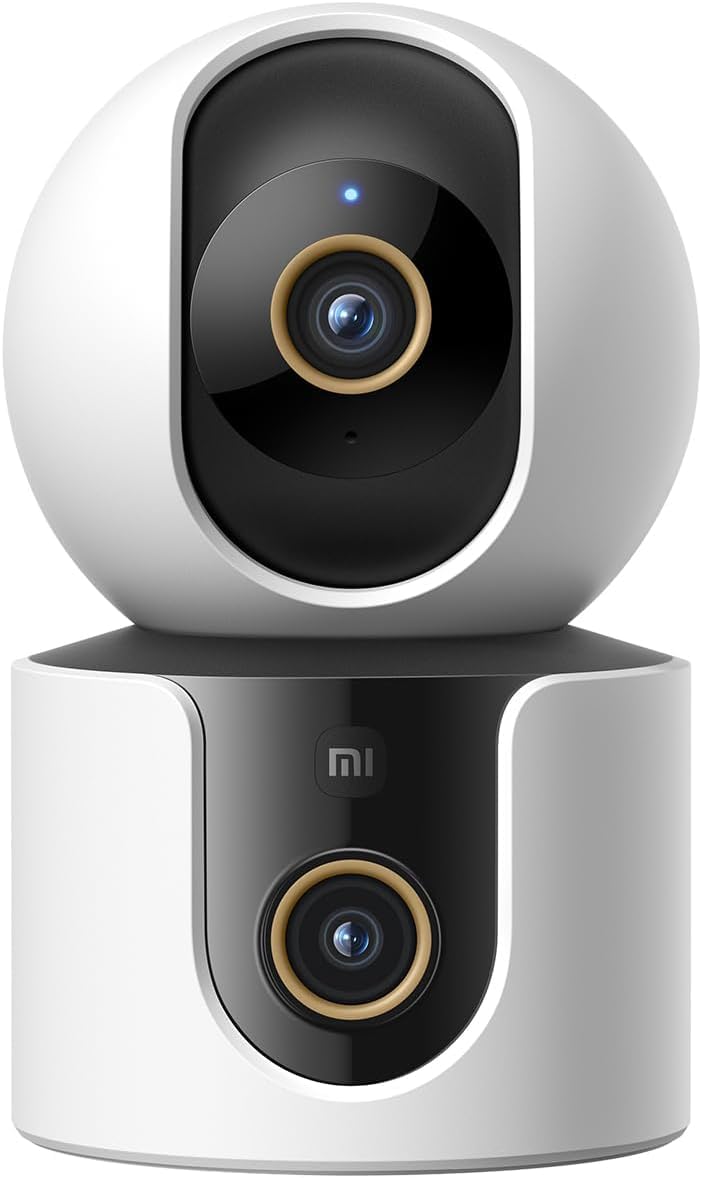
Figi 1: Devan view of the Xiaomi Smart Camera C500, showing its dual-lens design and white and black casing.

Figi 2: Anwo-anba view of the Xiaomi Smart Camera C500, highlighting its spherical upper section and ventilation holes.

Figi 3: Side view of the Xiaomi Smart Camera C500, showing the power input and other ports on the base.
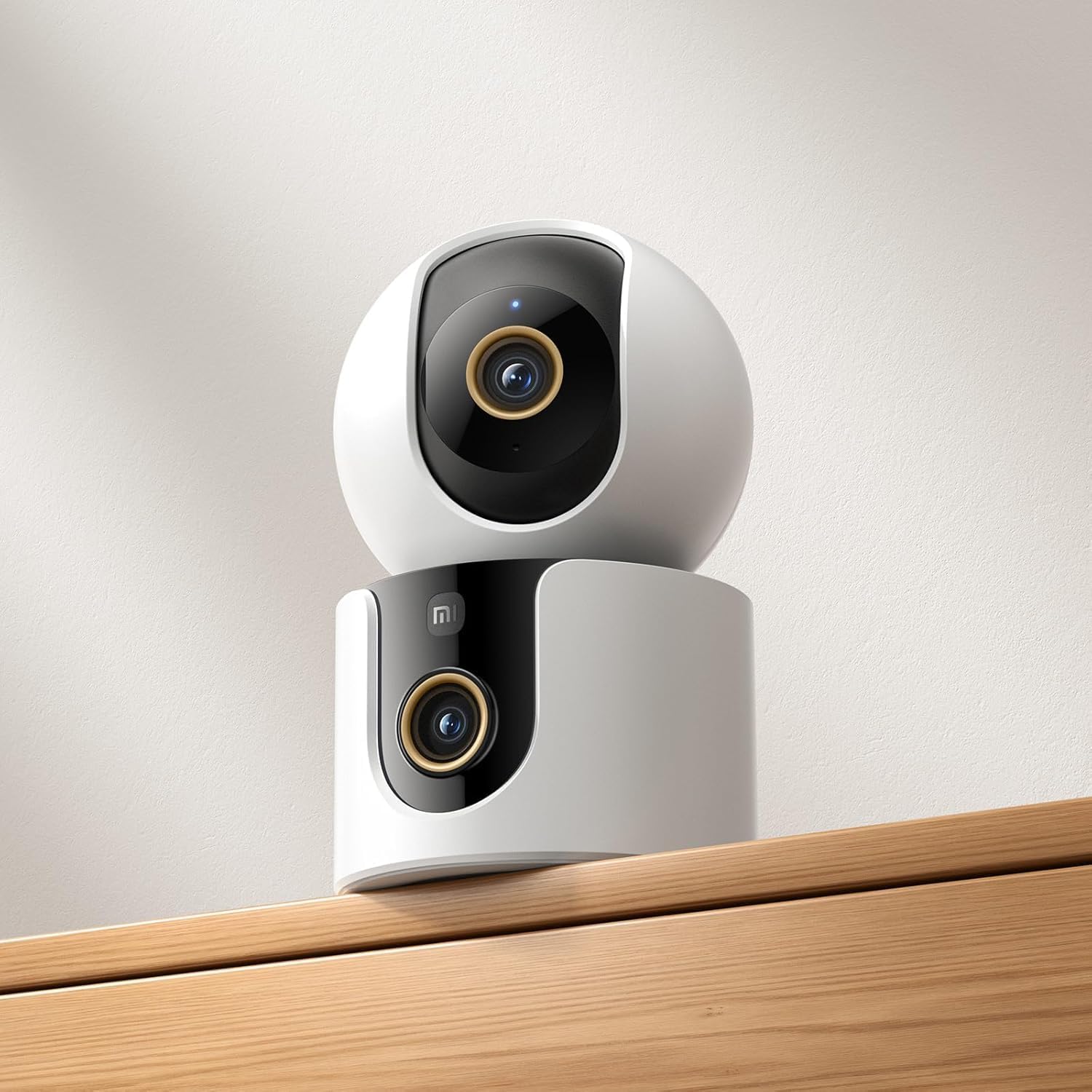
Figure 4: The Xiaomi Smart Camera C500 positioned on a wooden shelf, demonstrating its compact size and discreet placement.
Enstalasyon
1. Limen
- Konekte adaptè kouran an nan pò antre kouran kamera a.
- Ploge adaptè pouvwa a nan yon priz miray.
- The camera will automatically power on, and the indicator light will begin to flash, indicating it is ready for connection.
2. Enstalasyon aplikasyon an
- Telechaje la Xiaomi Kay aplikasyon an nan magazen aplikasyon telefòn entelijan ou an (Google Play Store pou Android oswa Apple App Store pou iOS).
- Open the app and create a Xiaomi account or log in if you already have one.
3. Pairing ak App a
- In the Xiaomi Home app, tap the "+" icon in the top right corner to add a new device.
- Select the Xiaomi Smart Camera C500 from the list of available devices.
- Follow the on-screen instructions to connect the camera to your Wi-Fi network. Ensure your phone is connected to a 2.4GHz or 5GHz Wi-Fi network (the camera supports dual-band Wi-Fi 6).
- Scan the QR code displayed on your phone screen using the camera lens. You will hear a voice prompt confirming successful scanning.
- Yon fwa konekte, ou ka bay kamera a yon non epi plase li nan yon chanm espesifik.
4. Monte Kamera a
The camera supports tabletop placement or ceiling/wall mounting.
- Tabletop mòn: Mete kamera a sou yon sifas plat epi ki estab.
- Monte sou plafon/miray: Use the provided mounting base and screws to secure the camera to a desired location. Ensure the camera is securely attached and has a clear field of view.
Enstriksyon Operasyon
1. Viv View
Open the Xiaomi Home app and select your camera to view the live feed. You can pan and tilt the camera remotely using the controls in the app to achieve 360-degree coverage.
2. Anrejistreman ak Lektur
- Depo lokal: Insert a microSD card (up to 256GB) into the camera's slot for continuous or event-triggered recording.
- Depo nwaj: Optional cloud storage services may be available through the Xiaomi Home app for secure backup of recordings.
- Lektur: Aksè anrejistre footage through the app's playback feature, navigating by date and time.
3. Odyo Bidireksyonèl
Use the microphone and speaker icon in the live view interface to enable two-way communication. This allows you to speak through the camera and hear audio from its location.
4. Motion Detection and Human Tracking
The camera can detect motion and intelligently track human figures. Enable these features in the app settings to receive alerts and automatically record when activity is detected.
5. Crying Detection
For parents, the crying detection feature can be enabled to send instant notifications to your phone when a baby's cry is detected, allowing for quick response.
6. Pet Tracking
The camera can also track pets, providing alerts and recording their movements. This feature is useful for monitoring your furry companions throughout the day.
7. Vizyon lannwit
The camera automatically switches to ultra-low light color mode or infrared night vision in dim conditions, ensuring clear visibility up to 15 meters even in complete darkness.
Antretyen
- Netwayaj: Siye lantiy kamera a ak kò a dousman avèk yon twal mou epi sèk. Pa sèvi ak pwodui chimik ki agresif oswa pwodui netwayaj abrazif.
- Mizajou mikrolojisyèl: Regularly check for and install firmware updates through the Xiaomi Home app to ensure optimal performance and access to new features.
- Kat MicroSD: If using a microSD card, periodically check its status and format it if necessary to maintain recording quality and prevent data corruption.
Depanaj
| Pwoblèm | Solisyon posib |
|---|---|
| Camera fails to connect to Wi-Fi | Ensure your Wi-Fi network is 2.4GHz or 5GHz. Check Wi-Fi password. Move camera closer to router. Reset camera and try pairing again. |
| Pa gen viv view oswa anrejistreman | Check power connection. Ensure Wi-Fi is stable. Verify microSD card is inserted correctly and not full. Check app permissions. |
| Move kalite videyo | Clean the camera lens. Ensure adequate lighting. Check Wi-Fi signal strength. Adjust video resolution settings in the app. |
| Notifikasyon pa resevwa | Check app notification settings on your phone. Ensure motion/crying detection is enabled in the camera settings. Verify app has necessary permissions. |
| De-fason odyo pa travay | Check microphone and speaker settings in the app. Ensure phone volume is up. Avoid placing camera in noisy environments. |
Espesifikasyon
| Karakteristik | Detay |
|---|---|
| Non mak | Xiaomi |
| Non modèl | Kamera siveyans |
| Nimewo Modèl | C500 doub |
| Itilizasyon Rekòmande pou Pwodwi | Andedan kay la Sekirite Sosyal |
| Koneksyon Teknoloji | San fil |
| Karakteristik espesyal | Segondè Definisyon |
| Andedan kay la / Deyò Itilizasyon | Andedan kay la |
| Aparèy konpatib | Smartphone |
| Sous pouvwa | Fil elektrik |
| Pwotokòl kominikasyon | Wi-Fi Rezo |
| Kalite kontwolè | Amazon Alexa |
| Kalite aliye | Mòn sou tab, Kanpe poukont li |
| Koulè | Blan |
| Faktè fòm | Dome |
| Materyèl | Akrilonitrile butadien stirèn (ABS) |
| Nivo rezistans dlo | Pa reziste dlo |
| Fòm atik | Dome |
| Kalite Alèt | Odyo ak Mouvman |
| Kalite chanm | Biwo |
| Sous limyè | Enfrawouj |
| Rezolisyon Capteur Imaj | 4 megapiksèl |
| Metòd kontwòl | Via App |
| Voltage | 5.0 |
| Wattage | 10.0 |
| Batri obligatwa? | Non |
| Kantite Chanèl | 2 |
| Kodaj videyo | H.265 |
| Fòma Capture Videyo | MPEG-4 |
| Vizyon lannwit Range | 15 mèt |
| Vizyon lannwit | Koulè lannwit |
| Number of Infrared LED Lights | 10 |
| Kalite memwa flash | Mikwo SD |
| Maximum Supported Flash Memory Size | 256 GB |
| Kantite Atik | 1 |
| Itilizasyon pwodwi espesifik | Kouvèti 360 Degre, Siveyans |
| Manifakti | Xiaomi |
| Teknoloji kominikasyon san fil | Wi-Fi |
| Rezolisyon Capture Videyo | 1080p |
| To Frame | 25 ankadreman pou chak segonn |
| Viewing Ang | 360 degre |
| Kalite Konsantre | Konsantre oto |
| Teknoloji Capteur Imaj | CMOS |
| Dimansyon atik | 7.8 x 7.8 x 11.5 cm |
| Pwa atik | 327 gram |
| Konte inite | 1.0 Konte |
Garanti ak sipò
Pou enfòmasyon sou garanti a, tanpri gade kat garanti ki nan anbalaj pwodwi w la oswa vizite sit ofisyèl Xiaomi a. website. For technical support, troubleshooting assistance, or to report issues, please contact Xiaomi customer service through their official channels or the Xiaomi Home app.
You can find additional resources and FAQs on the Xiaomi official support page.