
ScopeAround SA200S
ScopeAround SA200S Digital Otoscope with 1.85-inch IPS Screen User Manual
Model: SA200S | Brand: ScopeAround
1. Entwodiksyon
This manual provides detailed instructions for the safe and effective use of your ScopeAround SA200S Digital Otoscope. This device is designed for visual inspection of the ear canal and eardrum, featuring an integrated 1.85-inch IPS screen, a 720p HD camera, and adjustable LED lighting. It also supports photo and video capture for documentation.
Tanpri li manyèl sa a byen anvan ou itilize aparèy la epi konsève li pou referans pita.
2. Enfòmasyon sou Sekirite
- Do not insert the otoscope too deeply into the ear canal to avoid injury.
- Always use the provided specula to prevent direct contact with the ear canal.
- Clean the lens and accessories thoroughly before and after each use to prevent cross-contamination. Refer to the "Maintenance and Cleaning" section.
- Keep the device out of reach of children. Adult supervision is required if used on children.
- Do not use the device if you experience pain or discomfort. Consult a medical professional.
- Evite ekspoze aparèy la nan tanperati ekstrèm, limyè solèy dirèk, oswa imidite.
- Pa eseye demonte oswa repare aparèy la tèt ou. Kontakte sipò kliyan pou asistans.
- The built-in battery pack is non-removable.

Figure 2.1: Safe and Dangerous Ear Canal Insertion
3. Pake kontni
Verifye ke tout atik yo prezan nan pakè a:
- SA200S Digital Otoscope with Screen
- Ear Picks (x4)
- Specula (x5)
- Kousinen Alkòl
- Q-konsèy
- Kat memwa 8GB
- USB kab (Tip-C)
- Manyèl itilizatè

Figi 3.1: Sa ki pakè
4. Pwodwi souview
The ScopeAround SA200S Digital Otoscope is an all-in-one device designed for convenient ear examination. It features a high-resolution camera and an integrated display for direct viewing.

Figure 4.1: ScopeAround SA200S Digital Otoscope
4.1 Konpozan Aparèy

Figure 4.2: Labeled Components of the Otoscope
- Navigation Buttons UP: Used to navigate menus or adjust settings.
- Navigation Buttons Down: Used to navigate menus or adjust settings.
- Plas pou kat memwa: For inserting the 8GB memory card (included).
- Photo / Video Button: Press to capture photos or start/stop video recording.
- Power Button / LED Light Adjustment: Long press to power on/off. Short press to cycle through LED brightness levels.
- 1.85" IPS LCD Screen: Integrated display for real-time viewing.
- Anviwònman bouton: Aksè paramèt aparèy la.
- OK bouton: Confirm selections in menus.
- Otoscope Camera: The camera probe for ear canal inspection.
- Kalite-C Port: Pou chaje ak transfè done.
5. Enstalasyon
5.1 Chaje Aparèy la
Before first use, fully charge the otoscope. Connect the provided USB Type-C cable to the device's Type-C port and a compatible USB power adapter (not included). The charging indicator will show the charging status. A full charge provides approximately 3 hours of working time.
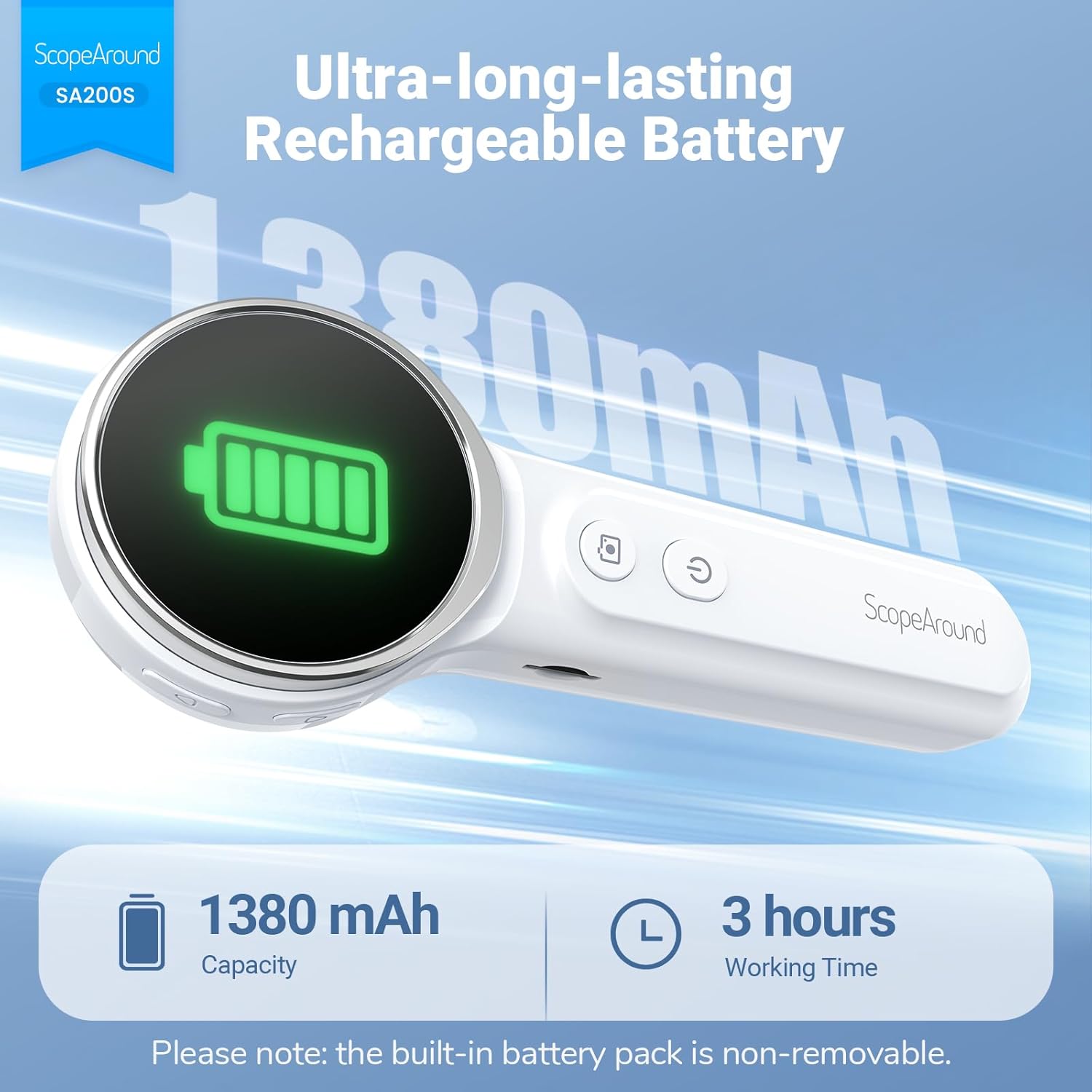
Figi 5.1: Chaje ak Dire Batri
5.2 Tache Pwodwi pou Telefòn
Select an appropriate speculum and ear pick. Gently attach the chosen speculum to the tip of the otoscope camera. If using an ear pick, ensure it is securely fitted over the camera tip, inside the speculum, before insertion into the ear.
5.3 Limen/Etenyen
- To power on: Long press the Bouton pouvwa (5) until the screen illuminates.
- Pou etenn: Peze pandan lontan bouton an Bouton pouvwa (5) again until the screen turns off.
5.4 Connecting to the App (Optional)
For additional features and a larger viewing experience, you can connect the otoscope to your smartphone or tablet via Wi-Fi.
- Telechaje App a: Scan the QR code provided in the manual or on the device packaging, or search for "Smart Otoscope" in the Apple App Store or Google Play Store. You can also visit gto.so/smart-otoscope.
- Power On Otoscope: Long press the power button on the otoscope to turn it on.
- Konekte Wi-Fi: On your smartphone or tablet, go to Wi-Fi settings and connect to the network named "Smart Otoscope_XXX". The default password is 55556666.
- Lanse Aplikasyon: Open the "Smart Otoscope" app. The live view from the otoscope camera should appear.

Figure 5.2: Wi-Fi Connection Steps
Note: Once connected to the app, you can operate the device and view the feed on your phone.
6. Operasyon Enstriksyon
6.1 Basic Ear Examination
- Ensure a clean speculum is attached to the otoscope camera.
- Gently pull the outer ear up and back to straighten the ear canal.
- Carefully insert the speculum tip into the ear canal while observing the integrated 1.85-inch IPS screen. Do not force the device.
- Ajiste ang lan ak pwofondè a dousman pou jwenn yon imaj klè. view of the ear canal and eardrum.

Figure 6.1: Self-Examination with Integrated Screen
6.2 Adjusting LED Lights and Brightness
The otoscope features 6 adjustable LED lights with 3 brightness settings for optimal visibility.
- Kout peze la Bouton pouvwa (5) to cycle through the 3 brightness levels.

Figure 6.2: Camera Specifications and Brightness Settings
6.3 Magnification Levels
The device supports 3 levels of magnification (1.0x, 1.3x, 1.5x) for detailed viewing. Use the Navigation Buttons UP/DOWN (1, 2) to adjust magnification.

Figure 6.3: Adjustable Magnification and Image Rotation
6.4 Kaptire Foto ak Videyo
The otoscope allows you to capture images and record videos directly to the included 8GB memory card.
- To take a photo: Press the Bouton foto / videyo (4) yon fwa.
- To record a video: Long press the Bouton foto / videyo (4) to start recording. Long press again to stop recording.
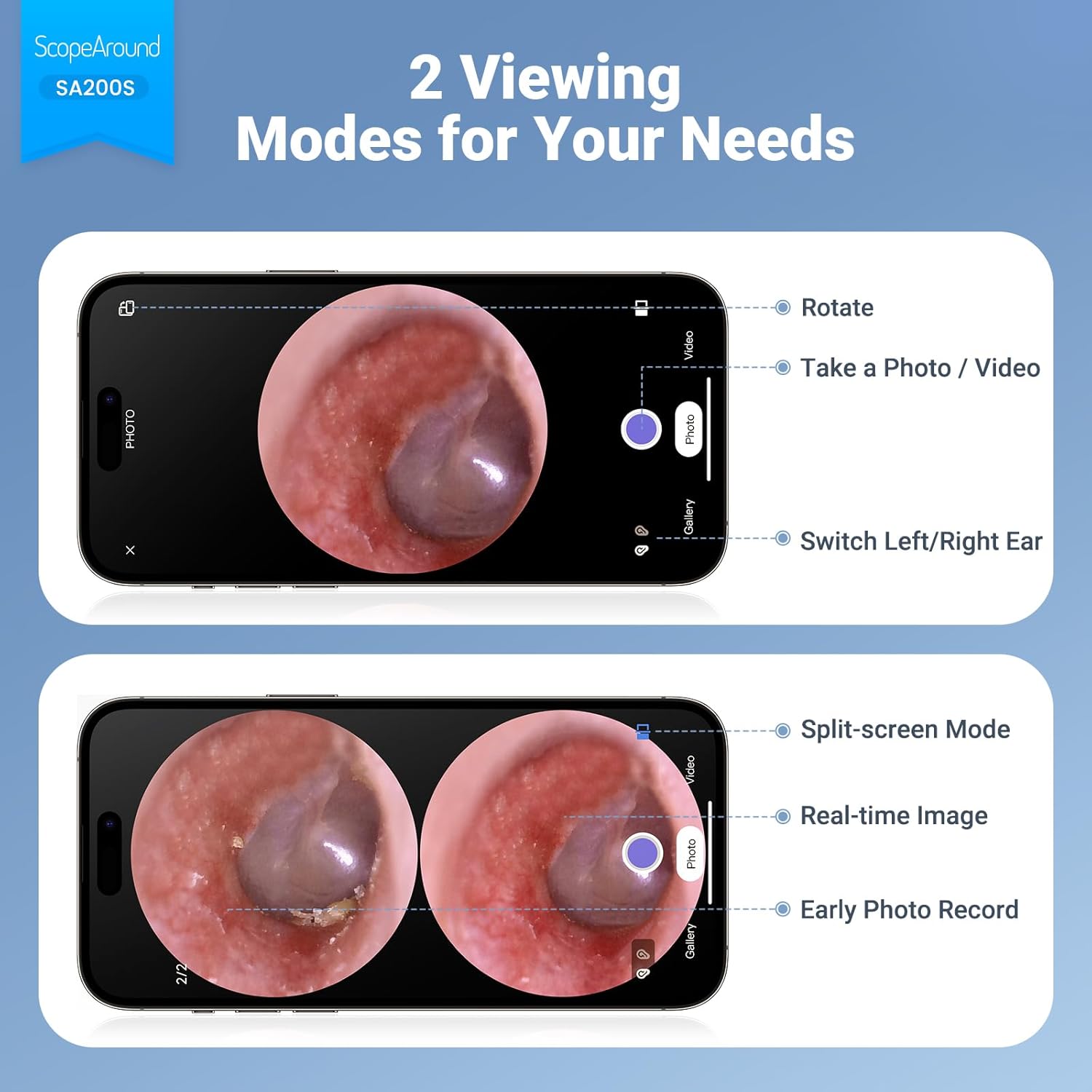
Figure 6.4: Photo and Video Capture Interface (App View)
6.5 Transfè Files
To transfer captured photos and videos to a computer:
- Connect the otoscope to your computer using the provided USB Type-C cable.
- The device should appear as a removable storage device. You can then access the files on the 8GB memory card.
- Alternatively, remove the 8GB memory card from the slot (3) and insert it into a compatible card reader connected to your computer.

Figi 6.5: File Transfer for Sharing Insights
7. Antretyen ak netwayaj
Proper maintenance ensures the longevity and hygiene of your otoscope.
- Netwaye lantiy la: Use the provided Q-tips and alcohol pads to gently clean the camera lens before and after each use. Ensure no residue remains.
- Pwodwi pou netwayaj: Wash the reusable ear picks and specula with soap and water, then sterilize them with alcohol pads. Allow them to dry completely before storage or reuse.
- Kò Aparèy: Wipe the main body of the otoscope with a soft, dry cloth. Do not immerse the device in water.
- Depo: Sere aparèy la nan yon kote ki fre epi sèk, lwen limyè solèy dirèk ak tanperati ekstrèm.

Figure 7.1: Cleaning the Otoscope Lens
NAN. Depanaj
| Pwoblèm | Kòz posib | Solisyon |
|---|---|---|
| Aparèy pa limen. | Batri ki ba. | Chaje aparèy la konplètman lè l sèvi avèk kab USB yo bay la. |
| Pa gen imaj sou ekran an. | Device not powered on; Camera lens obstructed. | Ensure device is powered on. Check and clean the camera lens. |
| Imaj la twoub oswa pa klè. | Dirty lens; Incorrect focal distance; Magnification setting. | Clean the camera lens. Adjust the distance from the ear canal. Adjust magnification using navigation buttons. |
| Pa ka konekte ak Wi-Fi. | Incorrect Wi-Fi password; Device not in pairing mode; App issue. | Ensure the otoscope is powered on. Verify the Wi-Fi password (55556666). Restart the otoscope and your phone/tablet. Reinstall the app if necessary. |
| Pa ka sove foto/videyo. | Memory card full or faulty; Memory card not inserted. | Check if the 8GB memory card is correctly inserted. Ensure there is sufficient space. Try formatting the card (if data is backed up) or using a different card. |
9. Espesifikasyon
| Karakteristik | Detay |
|---|---|
| Non modèl | SA200S |
| Gwosè ekran | 1.85-pous IPS LCD |
| Rezolisyon kamera | 720p HD |
| Dyamèt lantiy | 3.9mm Ultra-thin Lens |
| Sous limyè | 6 LED Lights (3 brightness settings) |
| Distans Fokal | 0.39 - 1.18 pous |
| Ang reyèl nan View | 78 Degre |
| Agrandisman | Up to 1.5x (1.0x, 1.3x, 1.5x) |
| Kapasite batri | 1380mAh Lityòm Polymère |
| Tan travay | Apeprè 3 èdtan |
| Koneksyon | Wi-Fi (for app connection) |
| Depo | 8GB Memory Card (included) |
| Port chaje | Kalite-C |
| Aparèy konpatib | Android/iPhone smartphones and tablets (Not compatible with Macbook & Windows PC) |
| Pwa atik | 12 ons |
| Dimansyon | 7.52 x 4.61 x 2.68 pous (Pakè) |
| Materyèl | Plastik |
| Koulè | Blan |
10. Garanti ak sipò
ScopeAround is committed to providing high-quality products and customer satisfaction. For any questions, technical support, or warranty inquiries, please contact our US-based after-sales support team.
Contact information can typically be found on the product packaging, the official ScopeAround websit la, oubyen atravè platfòm acha ou a.
Ask a question about this manual
Ask about setup, troubleshooting, compatibility, parts, safety, or missing instructions. Manuals+ will review the question and use this page’s manual context to help answer it.